
CIARRA CABBIH4-D
CIARRA Induction Hob User Manual
Model: CABBIH4-D
1. Introduction
Thank you for choosing the CIARRA CABBIH4-D Induction Hob. This user manual provides essential information for the safe and efficient operation, installation, and maintenance of your new appliance. Please read this manual thoroughly before use and keep it for future reference.
The CIARRA CABBIH4-D is a modern 60 cm induction hob with 4 cooking zones, designed for precise and efficient cooking. Its intuitive touch controls, timer function, and advanced safety features ensure a convenient and secure cooking experience.
2. Safety Information
Important Safety Instructions: Read carefully before installation and use.
- Ensure the appliance is installed by a qualified person in accordance with local regulations.
- Do not operate the hob if the glass surface is cracked or broken. Contact customer service immediately.
- Keep children away from the appliance during operation. The hob features a child safety lock to prevent accidental activation.
- Do not place metallic objects such as knives, forks, spoons, or lids on the hob surface as they can become hot.
- The hob is equipped with an intelligent automatic shutdown feature that turns off the hob if no cookware is detected, preventing energy waste and ensuring safety.
- Avoid overheating oil or fat, as this can lead to fire.
- After use, the hob surface may retain residual heat. An 'H' indicator will appear to warn you. Do not touch hot surfaces.
- Ensure proper ventilation around the appliance.

Image: The child safety feature helps prevent accidental operation by children.

Image: Visual representation of the child safety lock feature.
3. Product Overview
The CIARRA CABBIH4-D Induction Hob features a sleek black glass surface with four independent cooking zones and an intuitive touch control panel.
3.1. Components
- Induction Hob Surface (Black Glass)
- Four Cooking Zones (various sizes and power outputs)
- Touch Control Panel
- Digital Display for Power Levels and Timer
3.2. Cooking Zones and Power
The hob provides a total power output of 6000 Watts for efficient and rapid cooking. It includes:
- Two 160mm zones with 1200W each.
- Two 180mm zones with 1800W each.

Image: Overview of the four cooking zones, showing their diameters and individual power ratings.
3.3. Control Panel
The touch control panel allows for easy selection of power levels, setting the timer, and activating safety features.

Image: The touch control panel allows for easy and precise adjustments.
4. Setup and Installation
The CIARRA CABBIH4-D induction hob is designed for built-in installation, providing a seamless and integrated look in your kitchen. Professional installation is recommended.
4.1. Unpacking
Carefully unpack the hob and check for any damage. Retain the packaging for future transport if needed.
4.2. Installation Requirements
- Ensure the countertop material is heat-resistant.
- Provide adequate ventilation space below and around the hob.
- The electrical connection must comply with local wiring regulations and be performed by a qualified electrician.
4.3. Dimensions for Built-in Installation
The hob requires a cutout in your countertop with the following dimensions:
- Product Dimensions: 59 cm (Width) x 52 cm (Depth) x 5.8 cm (Height)
- Cutout Dimensions: Approximately 56 cm (Width) x 49 cm (Depth)
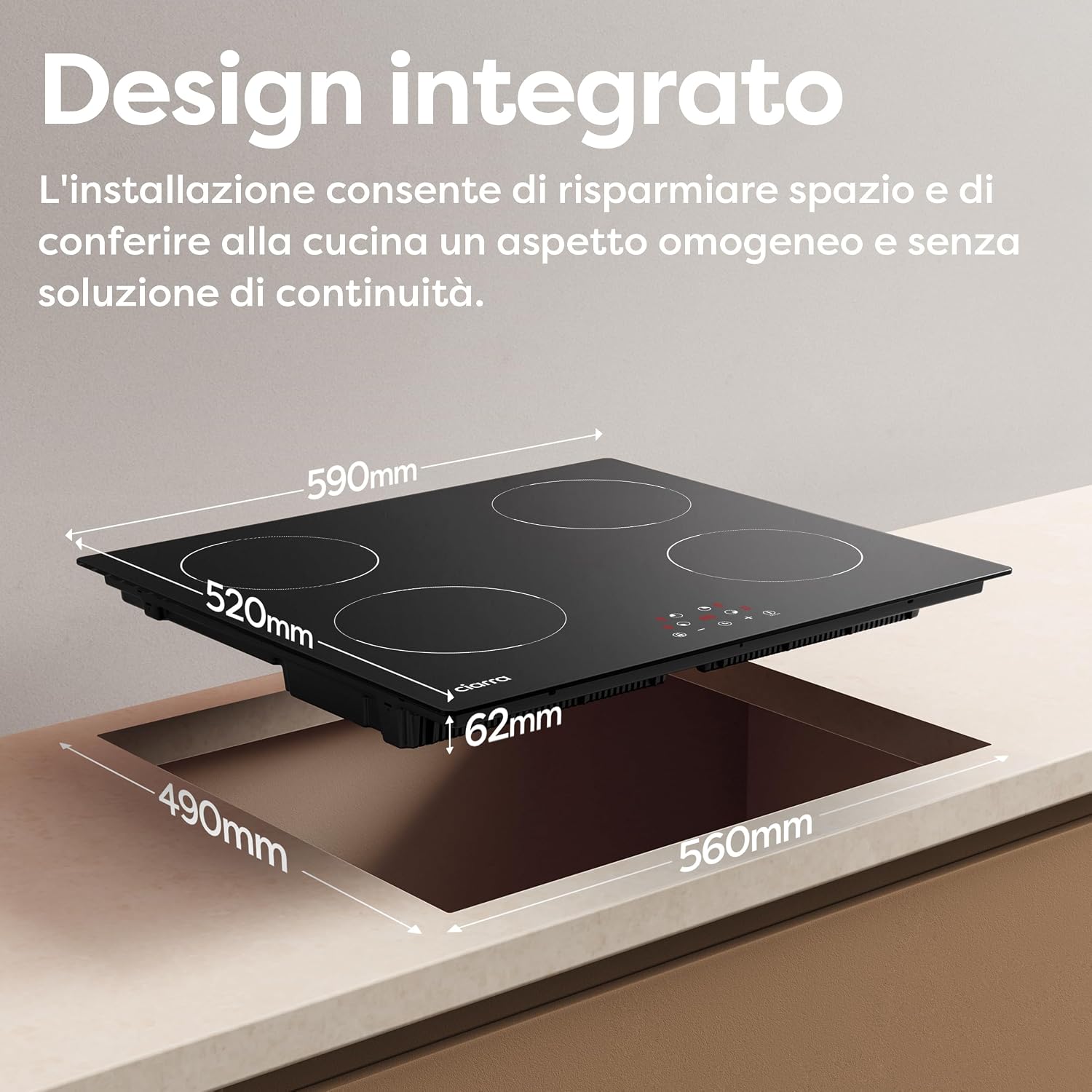
Image: Detailed diagram illustrating the required cutout dimensions for seamless built-in installation.
5. Operating Instructions
5.1. Powering On/Off
To turn on the hob, touch the On/Off button. The display will light up. To turn off, touch the On/Off button again.
5.2. Selecting a Cooking Zone and Adjusting Power
Place suitable induction-compatible cookware on the desired cooking zone. Select the zone by touching its corresponding control. Adjust the power level from 1 to 9 using the + and - buttons. The hob offers 9 customizable power levels, from gentle simmering to intense boiling.

Image: Visual representation of the 9 power levels, ranging from P1 (200W) to P9 (1800W).
5.3. Timer Function
Each cooking zone can be programmed individually with a timer from 0 to 99 minutes. To set the timer, select the cooking zone, then touch the Timer button and use the + and - buttons to set the desired cooking time. The zone will automatically switch off when the timer expires.

Image: The timer function allows precise cooking control for each zone, setting from 1 to 99 minutes.
5.4. Child Safety Lock
To activate the child safety lock, touch and hold the Lock button. This will disable the control panel to prevent accidental changes or activation. To deactivate, touch and hold the Lock button again.
5.5. Cookware Compatibility
The hob is compatible with induction-specific cookware ranging from 12 cm to 26 cm in diameter. Ensure your pots and pans have a magnetic base for optimal performance and uniform heat distribution.
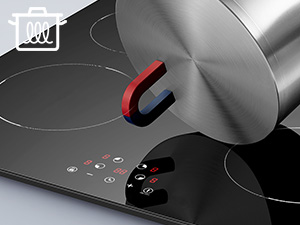
Image: The hob automatically detects induction-compatible cookware.
6. Maintenance and Cleaning
Regular cleaning and maintenance will ensure the longevity and optimal performance of your CIARRA induction hob.
6.1. Cleaning the Hob Surface
- Always ensure the hob is cool before cleaning.
- Wipe the glass surface with a soft cloth and a mild detergent.
- For stubborn stains, use a ceramic hob cleaner and a scraper designed for glass surfaces.
- Avoid abrasive cleaners, scouring pads, or harsh chemicals, as they can damage the surface.
- Dry the surface thoroughly after cleaning to prevent water spots.
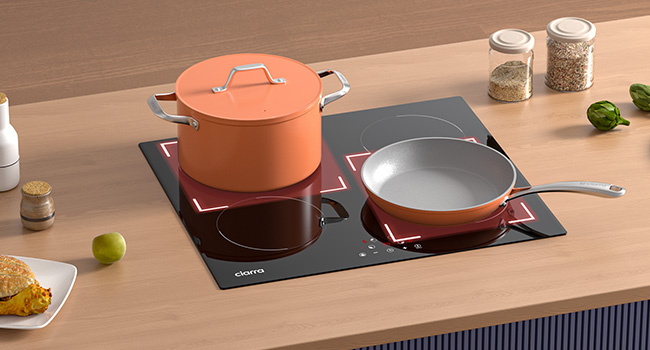
Image: The smooth glass surface is easy to clean with a soft cloth.
7. Troubleshooting
If you encounter any issues with your hob, please refer to the following common problems and solutions before contacting customer service.
| Problem | Possible Cause | Solution |
|---|---|---|
| Hob does not turn on. | No power supply; Child lock activated. | Check power connection; Deactivate child lock. |
| Cooking zone not heating. | Cookware not induction-compatible; Cookware too small or not centered. | Use induction-compatible cookware; Ensure cookware is correctly placed and sized. |
| Hob makes a humming noise. | Normal operation of induction technology. | This is normal and not a fault. |
| Error code displayed. | Specific internal fault. | Refer to the full manual for specific error codes or contact customer service. |
| Hob automatically shuts down. | Overheating protection; No cookware detected. | Allow hob to cool; Place suitable cookware on the zone. |
8. Specifications
| Feature | Detail |
|---|---|
| Brand | CIARRA |
| Model Number | CABBIH4 |
| Product Dimensions | 59 x 52 x 5.8 cm |
| Weight | 7 kg |
| Number of Heating Elements | 4 |
| Color | Black |
| Power Source | Corded Electric |
| Fuel Type | Electric |
| Special Features | Built-in, Hot Surface Indicator, Timer, Safety Lock, Automatic Shutdown |
| Heater Surface Material | Glass |
| Burner Type | Induction |
| Country of Origin | China |
9. Warranty and Support
9.1. Return Policy
If you wish to return a product within 30 days of receipt because you have changed your mind, please consult the return policy on the retailer's website. If you have received a defective or damaged product, please consult the relevant help page for defective or damaged products.
9.2. Customer Support
For any further assistance, technical support, or warranty claims, please contact CIARRA customer service through the retailer's platform or the official CIARRA website. Please have your model number (CABBIH4-D) and purchase details ready when contacting support.
Related documentsCABBIH4-D


Ask a question about this manual
Ask about setup, troubleshooting, compatibility, parts, safety, or missing instructions. Manuals+ will review the question and use this page’s manual context to help answer it.