
1. Introduction
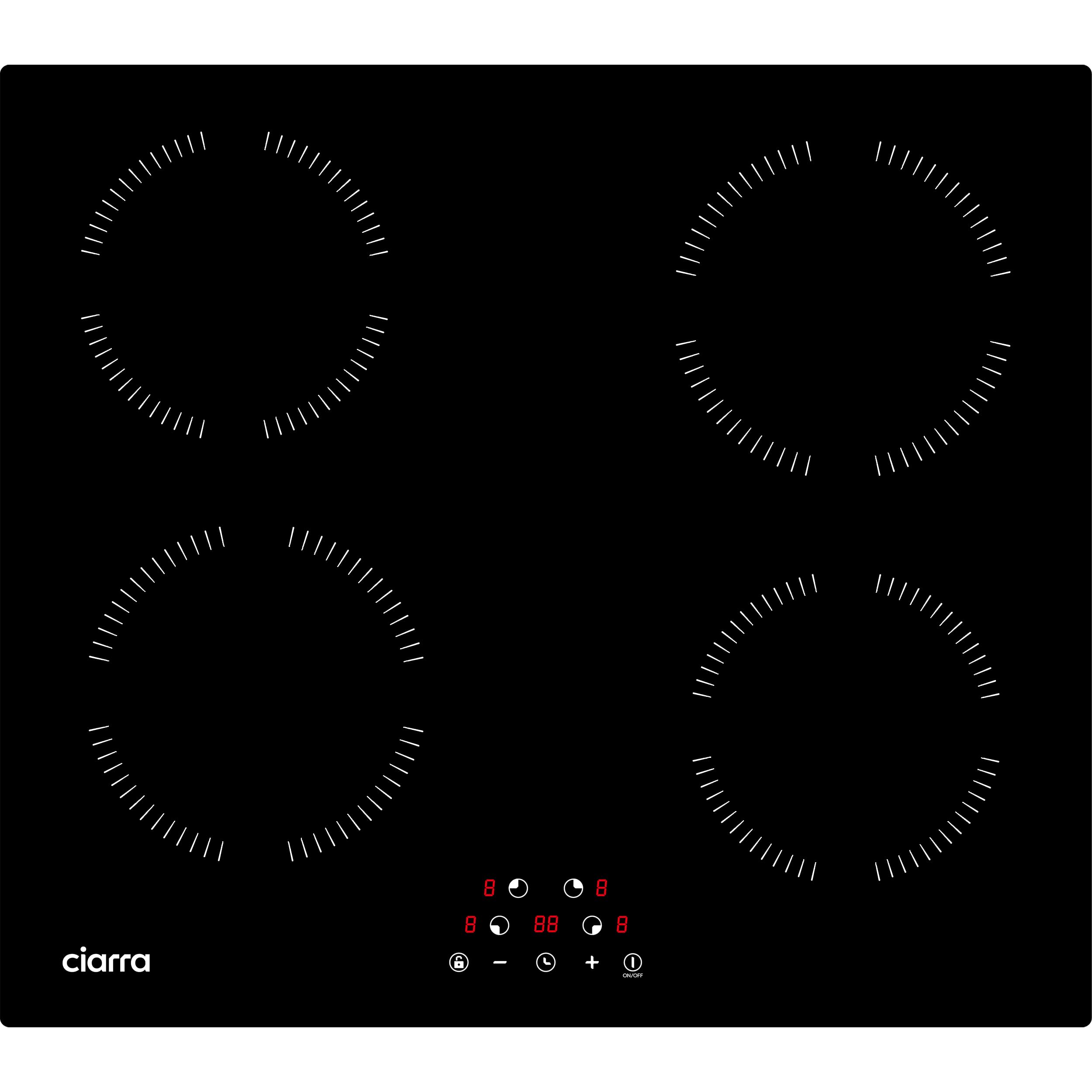
This manual provides essential information for the safe and efficient use of your Ciarra CABBIH4 induction cooktop. Please read these instructions thoroughly before installation and operation, and retain them for future reference. The Ciarra CABBIH4 is a 4-zone, 6000W built-in induction cooktop featuring touch controls and 9 power levels, designed for modern kitchens.
2. Safety Information
Important Safety Instructions:
- Read all instructions before using the appliance.
- Do not touch hot surfaces. Use handles or knobs.
- To protect against electrical shock, do not immerse cord, plugs, or the appliance in water or other liquid.
- Close supervision is necessary when any appliance is used by or near children.
- Unplug from outlet when not in use and before cleaning. Allow to cool before putting on or taking off parts.
- Do not operate any appliance with a damaged cord or plug or after the appliance malfunctions or has been damaged in any manner.
- The use of accessory attachments not recommended by the appliance manufacturer may cause injuries.
- Do not use outdoors.
- Do not let cord hang over edge of table or counter, or touch hot surfaces.
- Do not place on or near a hot gas or electric burner, or in a heated oven.
- Extreme caution must be used when moving an appliance containing hot oil or other hot liquids.
- Always attach plug to appliance first, then plug cord into the wall outlet. To disconnect, turn any control to "off", then remove plug from wall outlet.
- Do not use appliance for other than intended use.
- This appliance is intended for household use only.
Child Safety Lock: The cooktop features a child lock function to prevent accidental operation. Refer to the 'Operating Instructions' section for details on how to activate and deactivate this feature.

3. Installation
Important: Installation must be carried out by a qualified technician in accordance with local regulations and standards.
3.1 Unpacking
Carefully unpack the cooktop and check for any damage. Do not discard packaging materials until you are satisfied with the product's condition. Keep packaging out of reach of children.
3.2 Dimensions
- Cooktop Dimensions (L x H x P): 59 x 6.2 x 52 cm
- Cut-out Dimensions (L x P): 56 x 49 cm
Ensure adequate ventilation space around the cooktop for proper operation and heat dissipation.
3.3 Electrical Connection
The appliance requires a 220V electrical supply. The total power is 6000W. Ensure the electrical circuit is properly grounded and protected by an appropriate circuit breaker. Consult a qualified electrician for connection.

4. Operating Instructions
The Ciarra CABBIH4 induction cooktop features intuitive touch controls for easy operation.
4.1 Powering On/Off
- To turn on: Touch the ON/OFF button. The display will show "-" for each cooking zone.
- To turn off: Touch the ON/OFF button again.
4.2 Selecting a Cooking Zone and Power Level
- After powering on, select the desired cooking zone by touching its corresponding zone selection button.
- Use the "+" and "-" buttons to adjust the power level from 1 to 9. Level 9 is the highest power setting.

4.3 Timer Function
The cooktop features a timer function, allowing you to set cooking durations up to 99 minutes.
- To activate: With a cooking zone active, touch the Timer button.
- To set time: Use the "+" and "-" buttons to adjust the desired cooking time.
- The cooking zone will automatically turn off once the set time expires.

4.4 Child Lock
The child lock prevents accidental operation of the cooktop, especially useful when children are present.
- To activate: Touch and hold the Lock button for a few seconds until an indicator light appears.
- To deactivate: Touch and hold the Lock button again until the indicator light turns off.
5. Cookware Compatibility
Induction cooktops require specific types of cookware. Only use pots and pans with a magnetic base.
5.1 Compatible Cookware
- Stainless steel with a magnetic bottom
- Magnetic pots
- Cast iron pans
- Cast iron woks
5.2 Incompatible Cookware
- Enamel cookware
- Copper/Aluminum cookware
- Ceramic cookware
- Glass cookware
To check if your cookware is compatible, place a magnet on the bottom. If it sticks, the cookware is suitable for induction.

6. Cleaning and Maintenance
Regular cleaning and maintenance will ensure the longevity and optimal performance of your cooktop.
6.1 Daily Cleaning
- Always ensure the cooktop is cool before cleaning.
- Wipe the glass surface with a soft cloth and a mild detergent or a specialized ceramic/induction cooktop cleaner.
- Rinse with a damp cloth and dry thoroughly to prevent water spots.
- Do not use abrasive cleaners, scouring pads, or harsh chemicals, as these can scratch or damage the glass surface.
6.2 Stubborn Stains
- For burnt-on food or stubborn stains, apply a small amount of induction cooktop cleaner and let it sit for a few minutes.
- Gently scrape off residue with a plastic scraper designed for glass cooktops.
- Wipe clean and dry.
7. Troubleshooting
If you encounter issues with your cooktop, refer to the following common problems and solutions before contacting customer service.
| Problem | Possible Cause | Solution |
|---|---|---|
| Cooktop does not turn on. | No power supply; Child lock active; Faulty connection. | Check power outlet and circuit breaker. Deactivate child lock. Ensure proper electrical connection. |
| Cooking zone not heating. | Incompatible cookware; Cookware not centered; Small cookware. | Use compatible magnetic cookware. Center the pot/pan on the zone. Use cookware with a base diameter appropriate for the zone. |
| Display shows an error code (e.g., "E0", "E1"). | Overheating; Internal fault; Voltage issue. | Turn off the cooktop and let it cool down. Check power supply. If the error persists, contact customer support. |
| Unusual noise during operation. | Normal fan operation; Cookware vibration. | A slight humming or fan noise is normal for induction cooktops. Ensure cookware is flat and stable on the surface. |
8. Specifications
| Feature | Specification |
|---|---|
| Brand | CIARRA |
| Model Number | CABBIH4 |
| Type | Induction Cooktop |
| Number of Cooking Zones | 4 |
| Total Power | 6000 Watts |
| Voltage | 220 Volts |
| Control Type | Touch Control |
| Power Levels | 9 |
| Material | Glass |
| Product Dimensions (L x H x P) | 59 x 6.2 x 52 cm |
| Cut-out Dimensions (L x P) | 56 x 49 cm |
| Weight | 7 Kilograms |

9. Warranty and Support
For warranty information, please refer to the warranty card included with your product or visit the official Ciarra website. Keep your proof of purchase for warranty claims.
For technical support, troubleshooting assistance beyond this manual, or spare parts inquiries, please contact Ciarra customer service through their official website or the contact details provided in your product packaging.


