
1. Important Safety Information
Always dry the shaver thoroughly after use to prevent water damage. Ensure the shaver is turned off when not in use to conserve battery and prevent accidental cuts.
2. Product Overview
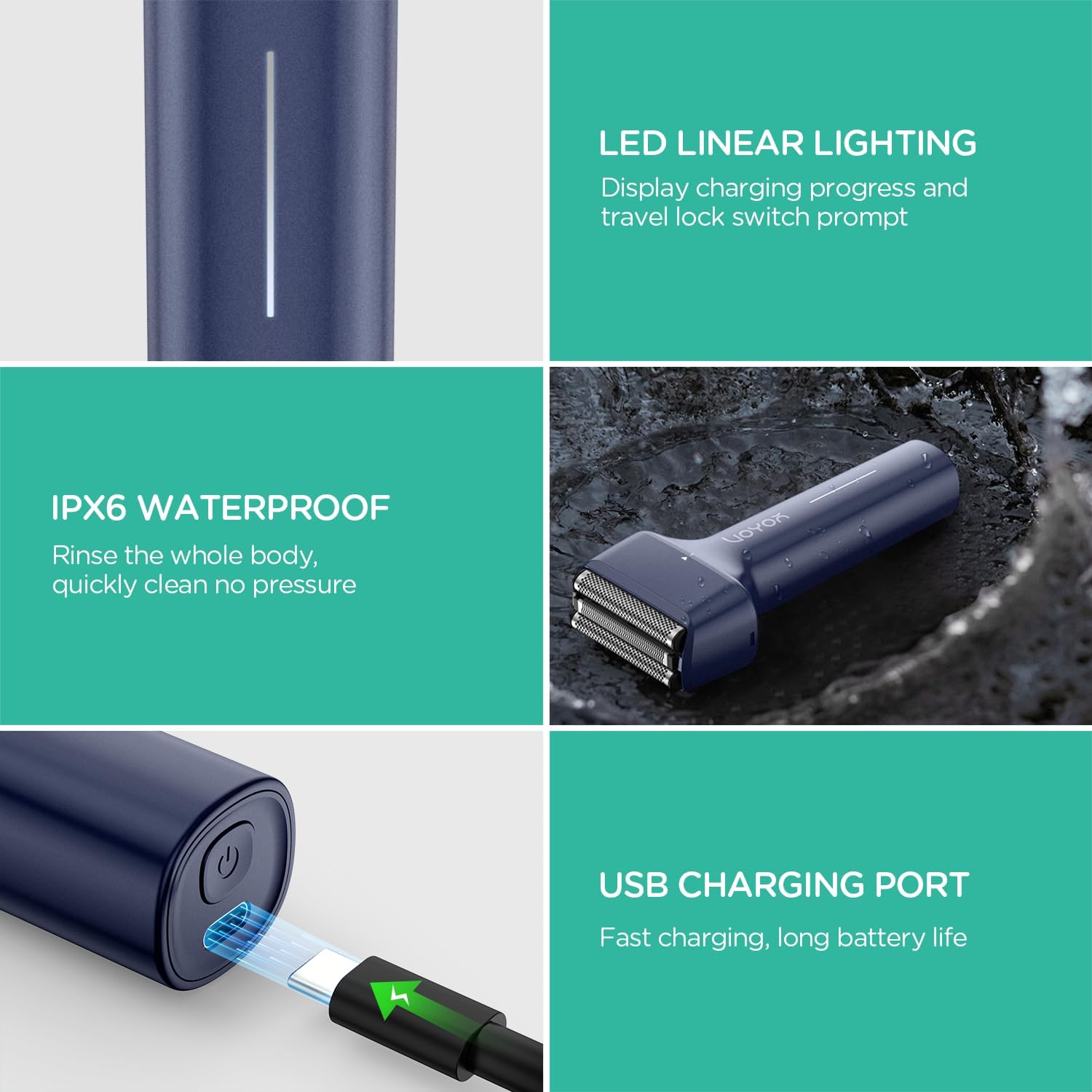
The VOYOR TX310 Foil Shaver is designed for efficient and comfortable shaving. It features a triple floating blade system, strong motor power, long battery life with USB-C charging, and an IPX6 waterproof design for easy cleaning. Its ergonomic T-shaped design ensures a comfortable grip.


3. Components
The VOYOR TX310 Foil Shaver package includes:
- VOYOR TX310 Foil Shaver unit
- Protective Cover
- USB-C Charging Cable
- Cleaning Brush
- User Manual

4. Setup
- Initial Charge: Fully charge the shaver before the first use. Connect the provided USB-C charging cable to the charging port at the bottom of the shaver and plug the other end into a compatible USB power source (e.g., laptop, car charger, USB wall adapter). The LED display will show charging progress. A full charge takes approximately 1.5 hours and provides about 1 hour of continuous use.
- Travel Lock: To activate the travel lock, long press the power button for 3 seconds. This prevents accidental activation during travel. Long press again to unlock.

5. Operating Instructions
- Preparation: Ensure the shaving head is clean before use.
- Power On: Press the power button to turn on the shaver. The LED display will show the battery percentage and current speed setting.
- Adjust Speed: The shaver offers two speed settings. Press the power button again to toggle between them.
- Shaving: Use gentle, circular motions to shave your face or body. The triple floating blades adapt to facial contours for an efficient and gentle shave, trimming long hairs and refining shorter stubble without pulling.
- Trimmer Function: The shaver includes a pop-up trimmer for precise detailing. Push the trimmer switch to engage it for sideburns, mustache, or beard line adjustments.


6. Maintenance and Cleaning
- After Use: Rinse the shaving head with water after each use.
- Deep Cleaning: The shaver head can be easily disassembled for thorough rinsing under running water. Use the provided cleaning brush to remove any trapped hairs from the blades and foils.
- Waterproof Design: The VOYOR TX310 features an IPX6 waterproof design, allowing the entire body to be rinsed under water for convenient and fast cleaning.
- Lubrication: Apply a small amount of lubricating oil to the blades periodically to maintain optimal performance and extend blade life.

7. Troubleshooting
If your VOYOR TX310 Foil Shaver is not functioning as expected, consider the following:
- Shaver Not Turning On: Ensure the shaver is fully charged. Check the charging cable and power source. If the travel lock is activated, long press the power button for 3 seconds to unlock it.
- Poor Shaving Performance: Clean the shaving head thoroughly to remove any accumulated hair or debris. Ensure the blades are not dull; replacement blades may be available from the manufacturer.
- Skin Irritation: Ensure the blades are clean and sharp. Use the shaver on clean, dry skin or with shaving cream for wet shaving. Apply gentle pressure and avoid excessive passes over the same area.
If issues persist, please contact VOYOR customer support for further assistance.
8. Specifications
| Feature | Detail |
|---|---|
| Model Name | TX310 |
| Power Source | Battery Powered |
| Special Features | Triple floating blades, IPX6 waterproof design, USB-C rechargeable, Ergonomic T-shaped handle |
| Recommended Uses | Face, Beard, Mustache, Neck, Chin, Chest |
| Battery Type | 1 Lithium Ion battery (included) |
| Charging Time | Approx. 1.5 hours |
| Continuous Usage Time | Approx. 1 hour |
| Product Dimensions | 4.25 x 1.5 x 5.98 inches |
| Item Weight | 4.59 ounces |
9. Warranty and Support
For warranty information and customer support, please refer to the documentation included with your product or visit the official VOYOR website. Contact details for support are typically provided in the user manual or on the product packaging.
10. Legal Disclaimer
Statements regarding dietary supplements have not been evaluated by the FDA and are not intended to diagnose, treat, cure, or prevent any disease or health condition.