
1. Introduction
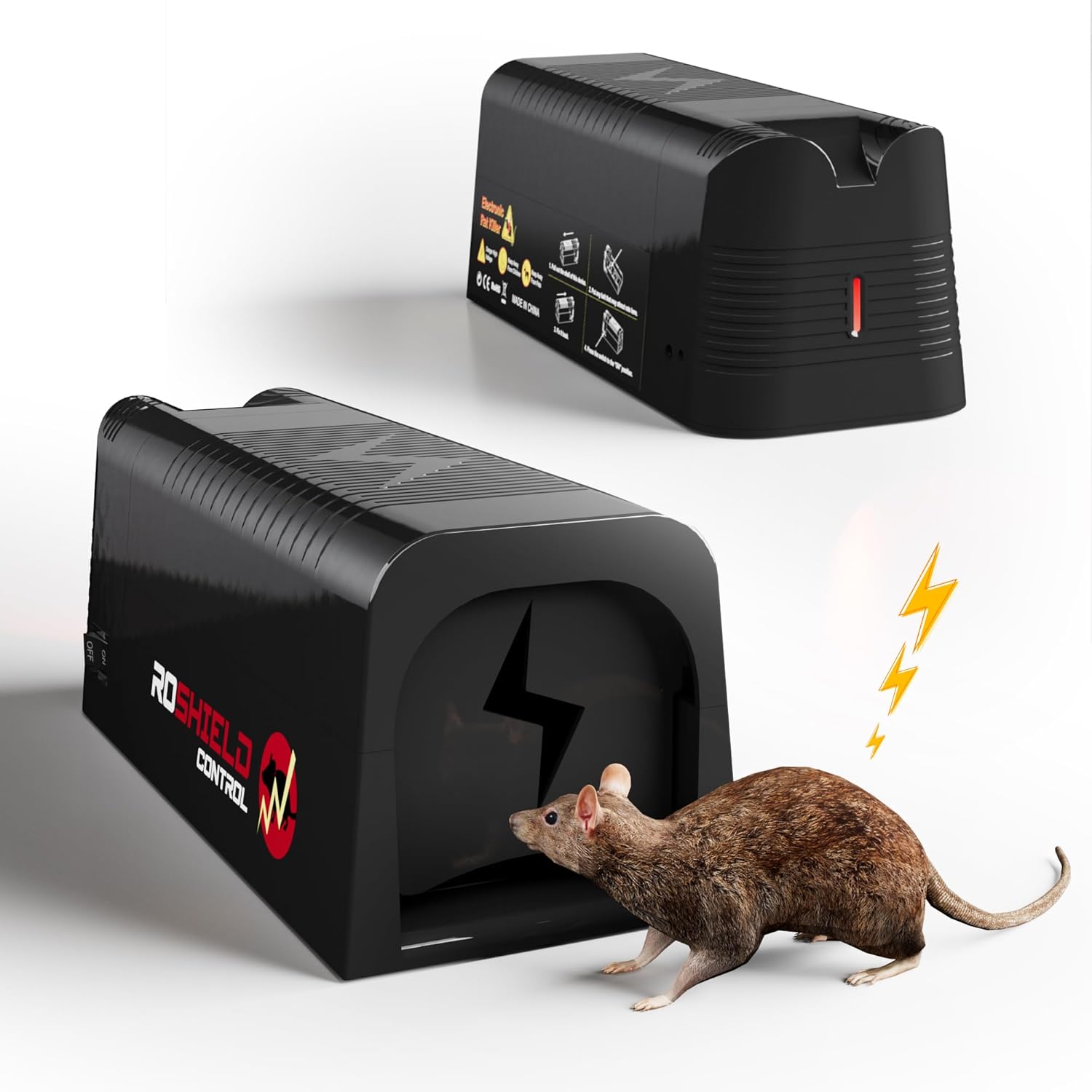
The Roshield Electric Rat and Mouse Trap is a highly effective and humane solution designed for indoor rodent control. This professional-grade device provides robust protection for both private homes and commercial establishments, offering immediate elimination of rats and mice without the use of harmful chemicals.
It is engineered for ease of use, reusability, and durability, ensuring a clean and uncomplicated approach to managing rodent issues.
2. Safety Information
Please read all safety warnings and instructions carefully before using this product.
- Indoor Use Only: This device is designed exclusively for indoor use. Do not use it outdoors.
- Avoid Damp Areas: Keep the trap away from damp areas and flammable materials to prevent hazards.
- Keep Away from Children and Pets: The trap delivers a high-voltage shock. Ensure it is placed in locations inaccessible to children and non-target animals.
- High Voltage: Handle with care. Always ensure the device is switched off before handling or cleaning.


3. Package Contents
Your Roshield Electric Rat and Mouse Trap package should include the following items:
- 1 x Roshield Electric Rat and Mouse Trap Unit
- 1 x USB Charging Cable
- 1 x External Catch LED Indicator Cable

4. Product Features
The Roshield Electric Rat and Mouse Trap is equipped with several features to ensure effective and convenient rodent control:
- Powerful Solution: Delivers a high-voltage shock for quick and humane elimination.
- Efficient Charging: A single full charge provides power for up to 30 electric shocks, minimizing maintenance.
- LED Indicators: Features LED indicators for power status and successful capture, providing clear visual feedback.
- Audible Warning Signal: An integrated sound signal alerts you to a successful catch, allowing for prompt action.
- Chemical-Free: Offers a safer and environmentally friendly alternative to chemical rodenticides.
- Reusable and Durable: Constructed from high-quality materials for long-term use and reduced waste.
- Easy to Operate: Designed for straightforward setup and clean disposal, avoiding direct contact with rodents.

5. Setup Instructions
Follow these steps to set up your Roshield Electric Rat and Mouse Trap:
- Ensure Power Off: Before handling, always ensure the device is switched off.
- Bait Placement: Open the slider cover located at the back of the trap. Place a small amount of bait (e.g., peanut butter, nuts, or cereal) into the designated bait compartment.
- Close and Activate: Close the slider cover securely. Press the 'ON' button to activate the trap.
- Trap Placement: Position the trap in areas where rodent activity has been observed, such as along walls, in corners, or near entry points. Ensure it is placed on a flat, stable surface.
- External LED Indicator (Optional): Connect the external LED indicator cable to the trap. Place the LED end in a visible location, especially if the trap is in a hard-to-reach area. This allows for easy monitoring without needing to physically check the trap.

6. Operating the Trap
Once activated, the trap will enter standby mode, waiting for a rodent to enter. When a rodent makes contact with the internal plates, it receives a high-voltage electric shock, ensuring quick and humane elimination.
Indicator Lights and Alarms:
The trap uses LED indicators and an audible alarm to communicate its status:
- Red Light Flashes (once every 6 seconds): Indicates the trap is in Standby Mode, ready to catch.
- Red Indicator Light Illuminates (for ~180 seconds): The trap is actively operating with high voltage, indicating a recent electric shock.
- Two Blue Indicators Flash (separately, once every 5 seconds on the trap and external cable): A rodent has been successfully eliminated. The trap will then enter a safety mode.
- Buzzing Alarm (rings twice for 30 seconds): Serves as a reminder when the power supply is low or finished, indicating the need for recharging.

7. Maintenance and Cleaning
Regular maintenance ensures the longevity and effectiveness of your trap.
Cleaning:
After a catch, ensure the trap is switched off. Dispose of the rodent hygienically without direct contact. The trap can then be cleaned with a damp cloth and mild detergent. Ensure it is completely dry before reactivating.
Recharging:
When the buzzing alarm sounds or the red light indicates low battery, recharge the trap using the provided USB charging cable. Connect the cable to the trap and a suitable USB power source.
- Green Light Flashes (once every 6 seconds): Indicates the trap is fully charged and in standby mode.
- Red Light and Blue Flashing Alternately: Indicates a charging reminder or low battery status.


8. Troubleshooting
If you encounter issues with your Roshield Electric Rat and Mouse Trap, consider the following:
- Trap Not Activating: Ensure the trap is fully charged. Check that the 'ON' button has been pressed and the red standby light is flashing.
- No Catch:
- Bait: Ensure fresh, appealing bait is used. Rodents can be particular about bait.
- Placement: Relocate the trap to an area with higher rodent activity. Look for droppings, gnaw marks, or runways.
- Obstructions: Ensure the entrance and internal plates are clear of debris.
- Indicator Lights Not Working: Check the battery level and ensure the trap is charged. If issues persist, contact customer support.
- Audible Alarm Continuously Sounds: This typically indicates a low battery. Recharge the trap immediately.
9. Specifications
| Attribute | Detail |
|---|---|
| Brand | Roshield |
| Model Number | EV TRAP |
| Product Dimensions (L x W x H) | 18 x 8 x 8 cm |
| Product Weight | 690 grams |
| Power Source | Electric (Rechargeable) |
| Intended Use | Indoor Only |
10. Warranty and Support
Information regarding product warranty and customer support details is not available in the provided product data. Please refer to the product packaging or the manufacturer's official website for the most up-to-date warranty terms and contact information for support.
For further assistance, you may also contact the seller, Fort Products, through the platform where the product was purchased.