Introduction
This manual provides comprehensive instructions for the safe and effective use of your GardePro Video Baby Monitor. Please read this manual thoroughly before operating the device and retain it for future reference.
The GardePro Video Baby Monitor (models B180M and B180C) offers advanced features for monitoring your baby, including a 5-inch display, 1080p FHD camera, two-way audio, and super clear night vision, all without requiring a Wi-Fi connection. It is designed to provide peace of mind with its long-range capabilities and robust signal stability.
Product Components
The GardePro Video Baby Monitor package includes the following items:
- 1 x Monitor (Parent Unit)
- 1 x Camera (Baby Unit)
- 1 x 5V/2A Power Adapter for Monitor
- 1 x 3ft/1m USB Power & Data Cord for Monitor
- 1 x 5V/2A Power Adapter for Camera
- 1 x 9ft/3m USB Power Cord for Camera
- 1 x Wall Mount for Camera
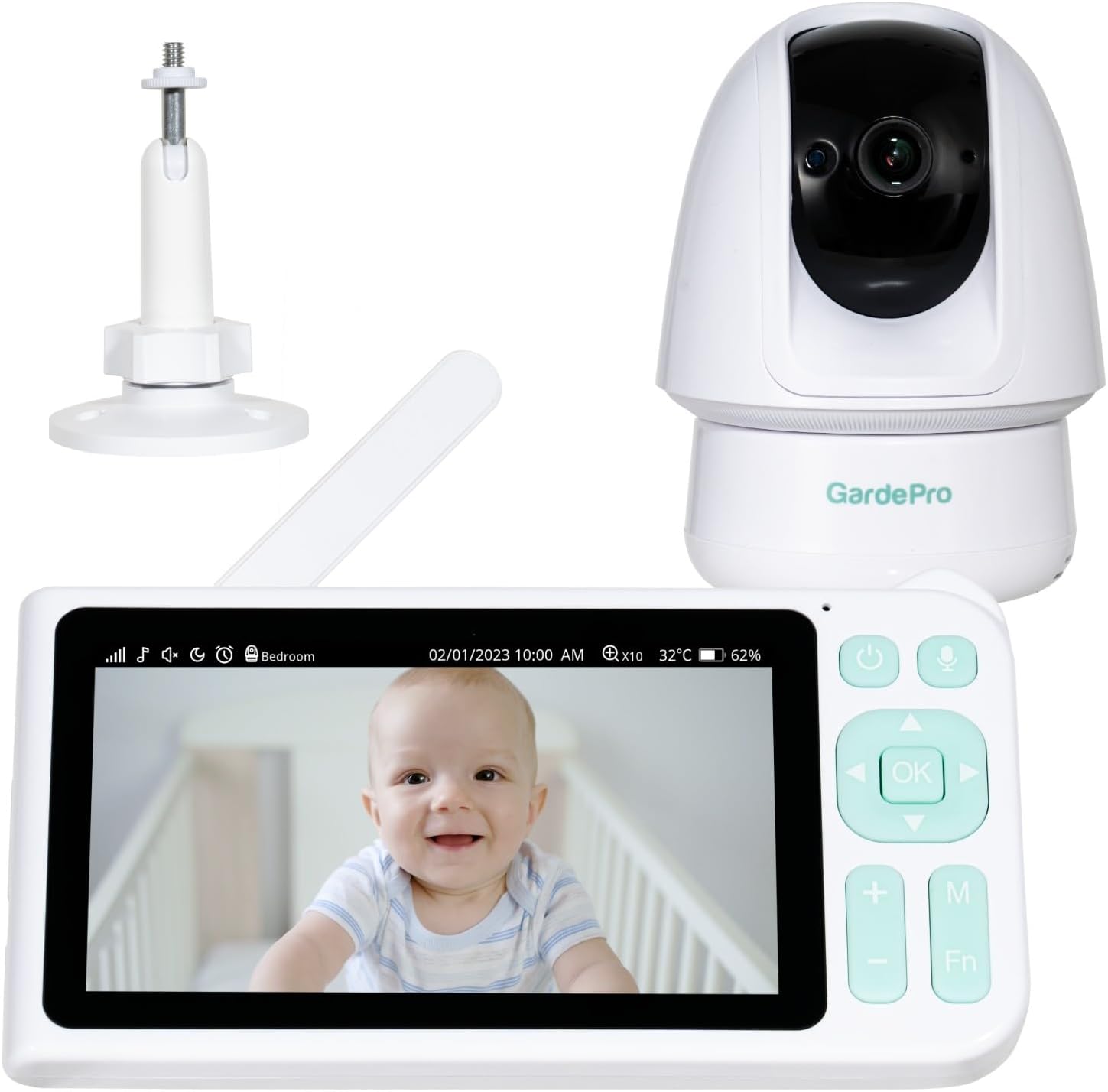
Image: The complete GardePro Video Baby Monitor system, showing the parent unit (monitor), baby unit (camera), and the included wall mount accessory.
Key Features
- 3000ft Full-House Coverage: Utilizes advanced wireless modules for extensive signal range, ensuring connectivity throughout homes of all sizes, even through walls and floors.
- 1080p Camera & Super-Clear Night Vision: Equipped with a Sony Starvis sensor for high-definition video and clear night vision, offering a 120° viewing angle.
- 5” True-Color 720p Display: A large 5-inch display provides a clear and comfortable viewing experience.

Image: The 5-inch parent unit display, highlighting its size and clear image quality.
- Signal Stability & Plug and Play: Features a strong, stable signal that penetrates walls without interference. Supports plug-and-play functionality, eliminating the need for manual pairing.
- Sound & Motion Alerts: Provides real-time alerts for baby's sounds (giggles, cries) and any movement detected within the camera's view, enhancing safety and responsiveness.
- Pan, Tilt, Zoom Functionality: The camera offers remote pan, tilt, and zoom capabilities for comprehensive room coverage.

Image: The baby unit camera illustrating its 350-degree pan and 100-degree tilt capabilities.
- Two-Way Audio: Allows for clear communication between the parent unit and the baby unit.
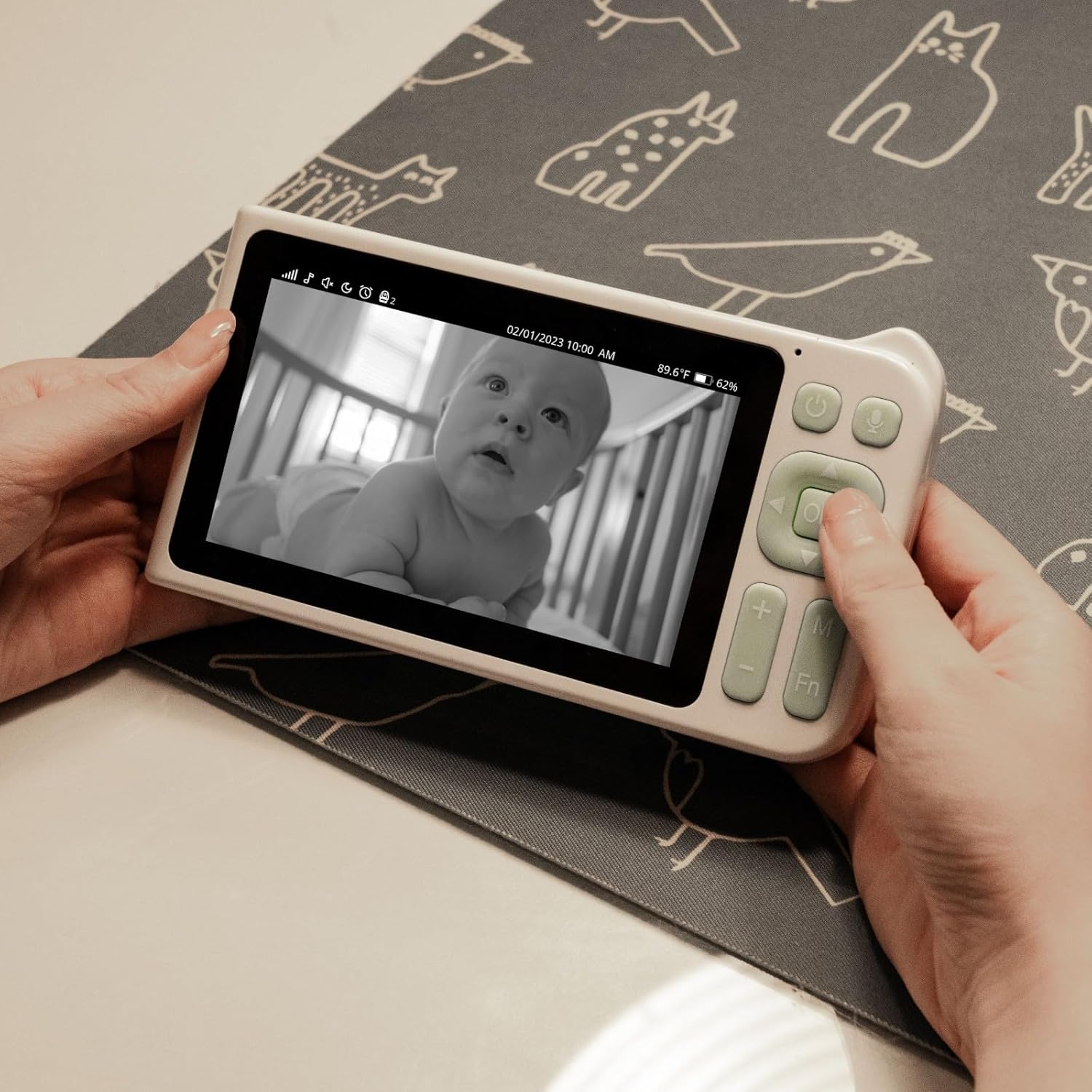
Image: A visual representation of the two-way audio feature, showing a parent communicating with their baby through the monitor.
- Lullabies: Integrated lullaby function to soothe the baby.
- 5000mAh Battery: High-capacity battery in the parent unit for extended use.
Setup Guide
- Charge the Parent Unit: Connect the 5V/2A power adapter to the parent unit and a power outlet. Allow the unit to fully charge before first use. The parent unit contains a 5000mAh Lithium Ion battery.
- Power the Baby Unit (Camera): Connect the 5V/2A power adapter to the baby unit and a power outlet. The camera requires continuous power to operate.
- Position the Baby Unit: Place the baby unit (camera) in a location that provides a clear view of your baby. Ensure it is at least 3 feet (1 meter) away from the baby's crib or bed to prevent entanglement hazards from the power cord. The included wall mount can be used for optimal positioning.
- Power On: Press and hold the power button on both the parent unit and the baby unit until they turn on.
- Automatic Pairing: The parent unit and baby unit are pre-paired at the factory. They should automatically connect once both units are powered on and within range. No manual pairing is typically required.
- Adjust Camera Angle: Once connected, use the controls on the parent unit to pan, tilt, and zoom the camera to achieve the desired viewing angle.

Image: An illustration demonstrating the effective long range of the GardePro baby monitor, showing the camera inside a house and the monitor being used outdoors.
Operating Instructions
Parent Unit Controls:
- Power Button: Press and hold to turn on/off. Press briefly to turn the screen on/off.
- Volume Buttons (+/-): Adjust the listening volume.
- Navigation Buttons (Up/Down/Left/Right): Control camera pan/tilt, navigate menus.
- OK Button: Confirm selections in menus.
- Menu (M) Button: Access the main menu for settings.
- Function (Fn) Button: Quick access to specific features (e.g., lullabies, zoom).
- Microphone Button: Press and hold to activate two-way audio to speak to your baby.
Camera Control (from Parent Unit):
- Pan/Tilt: Use the navigation buttons on the parent unit to remotely adjust the camera's horizontal (pan up to 350 degrees) and vertical (tilt up to 100 degrees) viewing angles.
- Zoom: Use the Function (Fn) button or menu options to digitally zoom in on the image.
Monitoring Features:
- Night Vision: The camera automatically switches to infrared night vision in low-light conditions, providing a clear black and white image.
- Two-Way Audio: Press and hold the microphone button on the parent unit to speak. Your voice will be transmitted through the baby unit's speaker. Release the button to hear your baby.
- Sound Alerts: The monitor will alert you to sounds detected in the baby's room. Sensitivity can be adjusted in the menu.
- Motion Alerts: Receive notifications when movement is detected by the camera.
- Lullabies: Select and play pre-loaded lullabies from the parent unit's menu to soothe your baby.

Image: The parent unit screen showing a baby in a crib, demonstrating the clear night vision capability.
Maintenance
- Cleaning:
- Wipe the monitor and camera surfaces with a soft, dry, lint-free cloth.
- Do not use cleaning sprays or liquid cleaners directly on the units.
- Avoid abrasive cleaners or solvents.
- Battery Care (Parent Unit):
- To prolong battery life, avoid fully discharging the battery frequently.
- Charge the unit regularly.
- If storing the unit for an extended period, charge it to approximately 50% and store in a cool, dry place.
- Storage: Store the units in a cool, dry place away from direct sunlight and extreme temperatures when not in use.
- Cable Management: Ensure all power cords are routed safely and are out of reach of children to prevent strangulation hazards.
Troubleshooting
| Problem | Possible Cause | Solution |
|---|---|---|
| No image/sound on parent unit. | Units are not powered on or out of range. | Ensure both units are powered on and charged. Move parent unit closer to baby unit. |
| Poor image quality/signal interference. | Obstructions (walls, furniture) or other electronic devices. | Reduce distance between units. Move units away from other electronics (microwaves, Wi-Fi routers). |
| Parent unit battery drains quickly. | Frequent use, screen always on, or aging battery. | Reduce screen brightness. Turn off screen when not actively viewing. Ensure full charge before use. |
| Two-way audio not working. | Microphone button not pressed or volume too low. | Press and hold the microphone button on the parent unit. Increase volume on both units. |
| Camera not responding to pan/tilt/zoom. | Connection issue or camera malfunction. | Restart both units. Ensure they are properly paired. If issue persists, contact support. |
Specifications
- Model Numbers: B180M (Monitor), B180C (Camera)
- Video Capture Resolution: 1080p
- Effective Video Resolution: 1080
- Display Size: 5 inches
- Display Resolution: 720p (True-Color)
- Camera Viewing Angle: 120°
- Camera Pan Angle: 350 Degrees
- Camera Tilt Angle: 100 Degrees
- Wireless Communication Technology: No-WiFi (FHSS protocol)
- Range: Up to 3000ft (open area)
- Parent Unit Battery: 5000mAh Lithium Ion (included)
- Power Source: Battery Powered Screen and Plug-in Camera
- Voltage: 5 Volts (DC)
- Wattage: 1.3 watts
- Frame Rate: 30 frames per second
- Included Components: Monitor, Camera, 2x Power Adapters, 2x USB Power Cords, Wall Mount
- Dimensions (L x W x H): 16.4 x 9.3 x 2.3 Centimetres (Monitor)
- Item Weight: 250 g
- Colour: White
- Special Features: Long-range Connection, Starvis Night Vision, HD Display, Two-Way Audio, Lullabies, Sound & Motion Alerts
- Installation Type: Freestanding (Monitor), Wall Mount (Camera)
Warranty and Support
GardePro products are designed for reliability and performance. For warranty information, technical support, or assistance with your GardePro Video Baby Monitor, please refer to the contact information provided with your product packaging or visit the official GardePro website. Please have your model number (B180M, B180C) and purchase details ready when contacting support.
For the most up-to-date support resources, please visit: www.gardepro.com/support


