
1. Important Safety Information
Please read all instructions carefully before using the COMFIER Foot Massager. Failure to follow these instructions may result in injury or damage to the device.
- Consult a physician before use if you have a medical condition, are pregnant, have a pacemaker, or any other health concerns.
- Do not use the massager during sleep or while driving.
- Unplug the massager from the power outlet when not in use or before cleaning.
- Keep the device away from water or damp environments.
- Do not operate the massager if the cord or plug is damaged, or if the device malfunctions or has been dropped.
- Keep out of reach of children.
- The device has a 15-minute auto shut-off timer. To continue use, restart the device after it turns off.
- If the device overheats from overuse, it will shut off automatically. Allow it to cool down for 15-30 minutes before restarting.
- It is recommended to use the massager while wearing socks.
- Start using the massager from the lowest intensity level and gradually increase as comfortable.
2. Product Overview
The COMFIER Foot Massager Model CF-5310 provides a comprehensive foot care experience with multiple massage functions and heat.
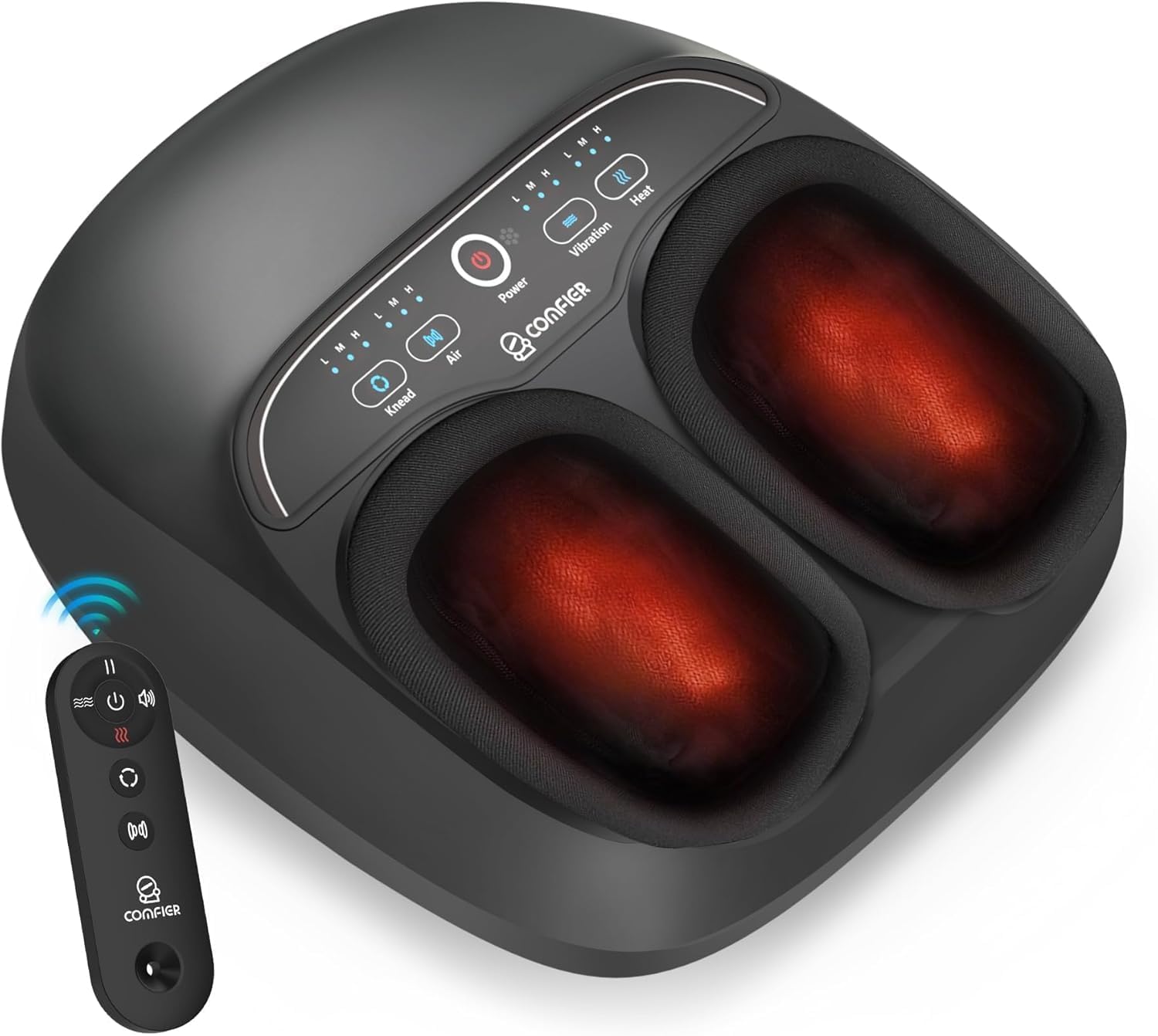
Image 1: The COMFIER Foot Massager Model CF-5310, showing the main unit with foot inserts and the accompanying remote control.
Key Features:
- Multiple Massage Modes: Kneading, Shiatsu, Vibration, and Compression.
- Adjustable Heat: Three levels of soothing heat (104°F ~ 140°F).
- Dual Control: Remote control and integrated touch panel for convenience.
- Pause Function: Temporarily stops the massage without resetting the timer.
- Auto Shut-off: 15-minute timer for safety and optimal session duration.
- Removable Foot Sleeves: For easy cleaning and hygiene.
- Accommodates Foot Sizes: Up to US Men's Size 13.
3. Setup and Initial Use
- Unpacking: Carefully remove the foot massager and all accessories from the packaging. Ensure all components are present: main massager unit, UL home adapter, user manual, and remote controller.
- Placement: Place the massager on a flat, stable surface. Ensure there is enough space around the unit for comfortable use.
- Power Connection: Connect the UL home adapter to the massager's power inlet. Plug the adapter into a standard electrical outlet.
- Remote Control Setup: If the remote control requires batteries, insert them according to the polarity markings.
- Foot Preparation: It is recommended to wear socks during use for hygiene and comfort.

Image 2: Illustration of the package contents, including the foot massager machine, UL home adapter, user manual, and remote controller. The diagram also shows product dimensions and indicates a maximum foot size of US Men's Size 13.
4. Operating Instructions
The COMFIER Foot Massager can be operated using either the integrated touch panel on the device or the included remote control.
4.1 Powering On/Off
- Press the Power button on the touch panel or remote control to turn the device on.
- Press the Power button again to turn the device off.
- The device will automatically shut off after 15 minutes of continuous operation.

Image 3: Close-up of the foot massager's touch panel and the remote control, highlighting the various function buttons for power, massage modes, and heat.
4.2 Massage Functions and Intensity Levels
The massager offers Kneading, Vibration, Compression (Air), and Heat functions, each with adjustable intensity.
- Kneading: Press the Knead button to activate. Cycle through Low (L), Medium (M), and High (H) intensity levels by pressing the button repeatedly.
- Vibration: Press the Vibration button to activate. Cycle through Low (L), Medium (M), and High (H) frequency levels.
- Compression (Air): Press the Air button to activate the air compression massage. Cycle through Low (L), Medium (M), and High (H) pressure levels.
- Heat: Press the Heat button to activate the warming function. Cycle through Low (L), Medium (M), and High (H) temperature levels (104°F ~ 140°F). The heat function provides gentle warmth and takes approximately 3 minutes to feel and 10 minutes to reach maximum temperature.

Image 4: An internal diagram illustrating the various massage mechanisms: vibration massage, kneading massage, shiatsu massage, and air compression wrap for comprehensive foot relief.

Image 5: Visual representation of the three soothing heat levels available on the foot massager, ranging from 104°F to 140°F, providing gentle warmth.
4.3 Pause Function
The massager features a pause function that temporarily stops the massage without resetting the 15-minute timer.
- Press the Pause button (often represented by two vertical lines) on the remote control or touch panel to pause the current massage program.
- Press the Pause button again to resume the massage from where it left off.
5. Maintenance and Care
Proper maintenance ensures the longevity and hygiene of your COMFIER Foot Massager.
5.1 Cleaning the Foot Sleeves
- The foot sleeves are removable and washable for easy cleaning.
- Unzip the foot sleeves from the massager unit.
- Hand wash the sleeves with mild soap and water, or machine wash on a gentle cycle.
- Air dry completely before reattaching to the massager.
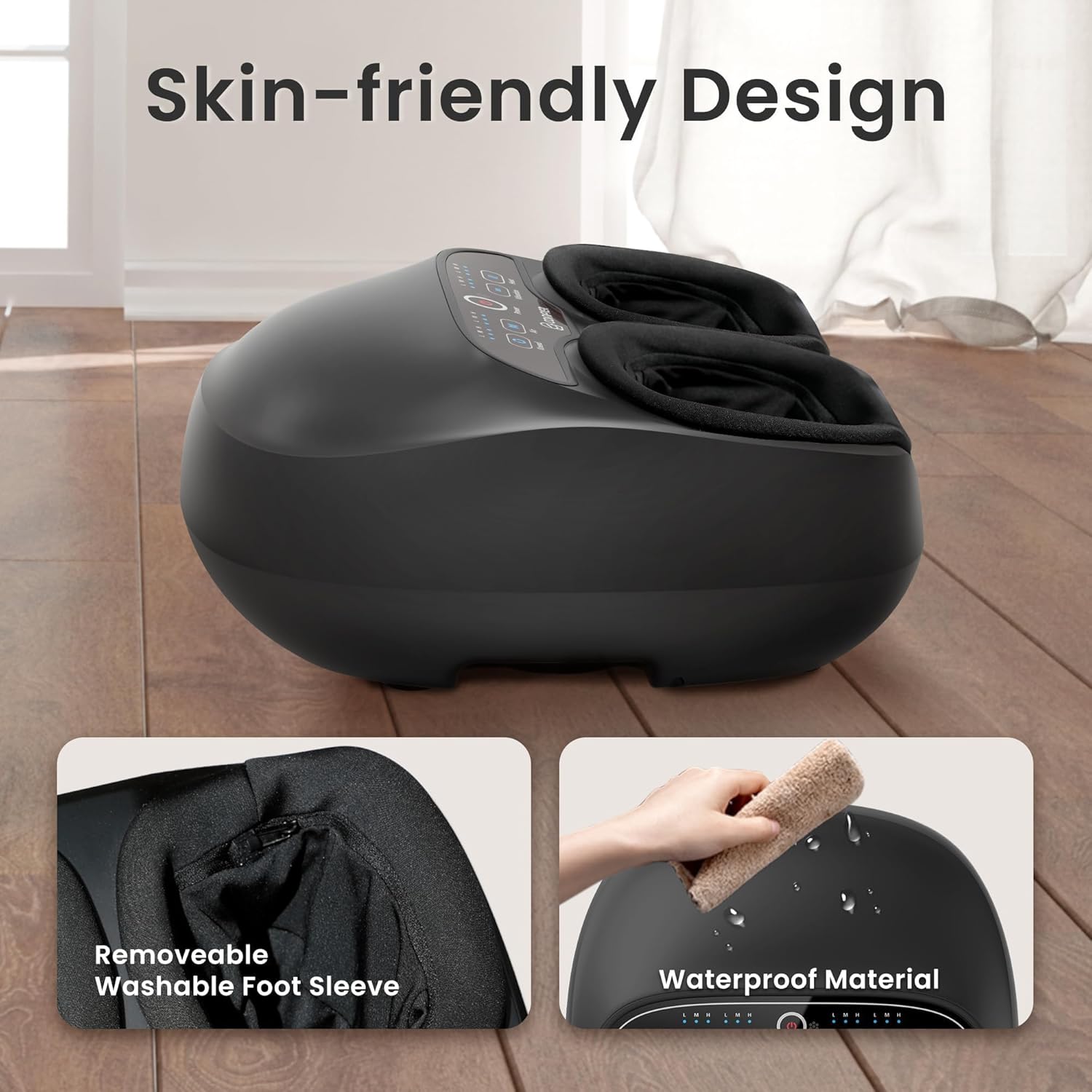
Image 6: Demonstrates the skin-friendly design, highlighting the removable and washable foot sleeve and the waterproof material of the massager's exterior for easy cleaning.
5.2 Cleaning the Unit Exterior
- Ensure the massager is unplugged before cleaning.
- Wipe the exterior of the unit with a soft, damp cloth. Do not use abrasive cleaners or immerse the unit in water.
- Allow the unit to dry completely before storing or next use.
5.3 Storage
- Store the massager in a cool, dry place, away from direct sunlight and extreme temperatures.
- Avoid placing heavy objects on the massager during storage.
6. Troubleshooting Guide
If you encounter any issues with your COMFIER Foot Massager, please refer to the table below for common problems and solutions.

Image 7: A troubleshooting table outlining common issues and their corresponding solutions for the foot massager.
| Fault | Solutions |
|---|---|
| Doesn't warm up | This product is heated at three mild levels, respectively, which can be heated to the desired temperature in about 3 minutes. Please check and ensure that the plug port is powered and the product and charger are connected properly. |
| Wouldn't come on | Please check and ensure that the plug port is powered and the product and charger are connected properly. You can also switch to another place to use the product. |
| Doesn't work | Check if device has been used for more than 15 minutes. If so, let device rest for 15 minutes before continuing. Device may require longer time to cool in. Check if adapter is plugged into socket. Check if adapter output is connected to device power inlet wire. |
| Was too small | The size of this product is 13.70 × 12.80 × 6.77 inches. Max Foot Size: US Men's Size 13 inches. Please choose to purchase according to your actual situation. |
| Missing remote | Check if any parts are still in the packaging. Review the product manual for info on separate parts or accessories. |
7. Specifications
| Feature | Detail |
|---|---|
| Model Number | CF-5310C-US |
| Product Dimensions | 13.66 x 12.8 x 6.77 inches |
| Item Weight | 6.03 Pounds |
| Max Foot Size | US Men's Size 13 |
| Power Source | Corded Electric |
| Material | Polyester |
| Manufacturer | Comfier |
| Auto Shut-off Timer | 15 minutes |
| Heat Levels | 3 (104°F ~ 140°F) |
| Massage Functions | Kneading, Shiatsu, Vibration, Compression |
8. Warranty and Support
For warranty information and customer support, please refer to the documentation included with your product or visit the official COMFIER website.
- Warranty: Details regarding the product warranty period and coverage are typically provided in the warranty card or user manual included in the product packaging. Please retain your proof of purchase for warranty claims.
- Customer Support: If you have questions, require technical assistance, or need to report a problem, please contact COMFIER customer service. Contact details can usually be found on the manufacturer's website or in the product documentation.
- Online Resources: Visit the COMFIER Store on Amazon for additional product information and support.

