1. Introduction
Thank you for choosing the YITAHOME File Cabinet with Charging Station. This manual provides essential information for the safe assembly, proper operation, and effective maintenance of your new furniture. Please read all instructions carefully before beginning assembly and retain this manual for future reference.
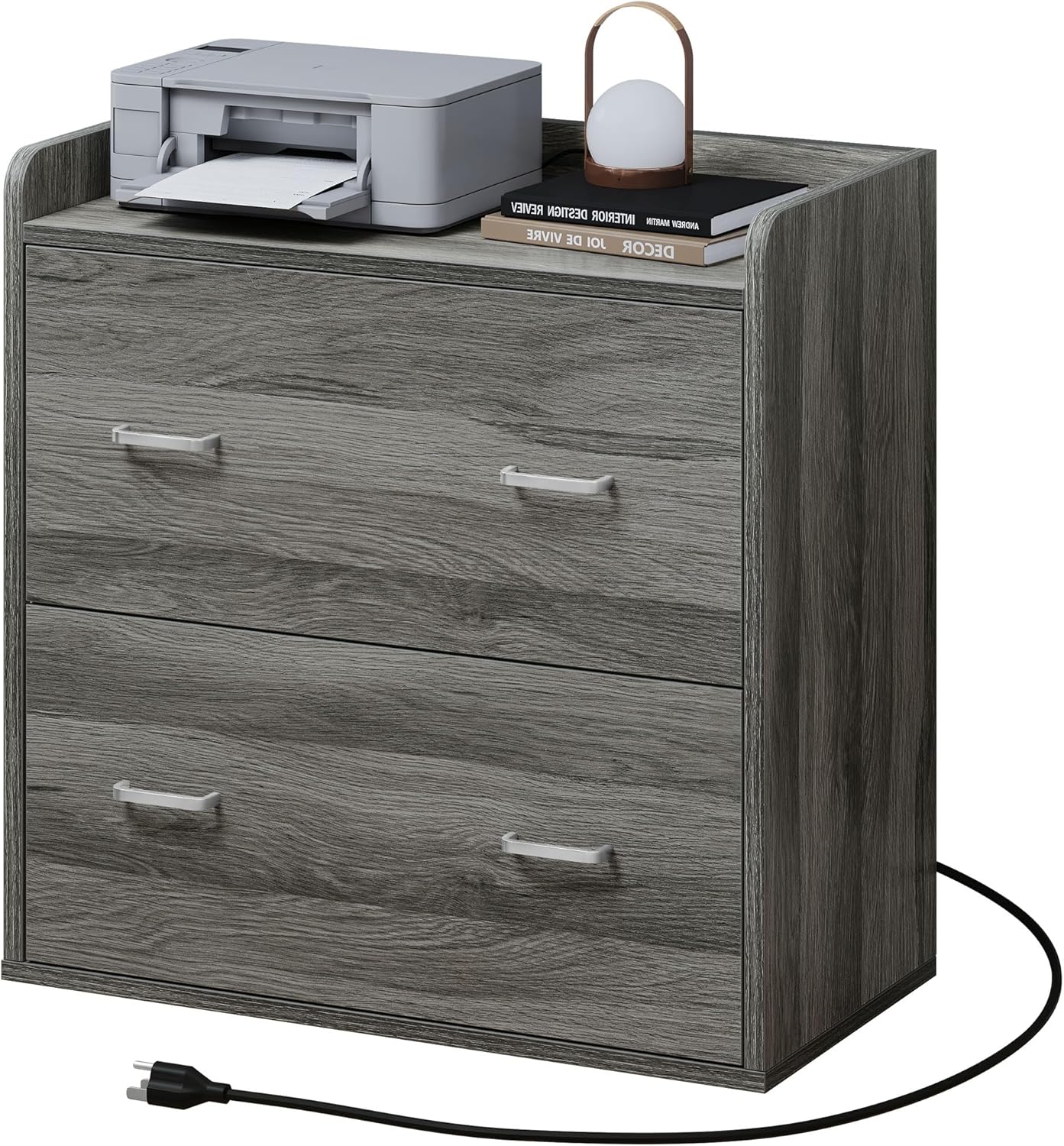
Front view of the assembled YITAHOME File Cabinet, showcasing its two drawers, top surface with charging station, and power cord.
2. Safety Information
- Read all instructions: Ensure you understand all assembly steps and safety warnings before proceeding.
- Keep children away: Small parts can be a choking hazard. Keep children and pets away from the assembly area.
- Use appropriate tools: Only use the tools specified or recommended in the assembly instructions.
- Assemble on a soft surface: To prevent scratches, assemble the unit on a clean, soft surface like a carpet or blanket.
- Do not overtighten screws: Overtightening can damage the material.
- Electrical Safety:
- Ensure the power outlet used for the charging station is properly grounded.
- Do not overload the outlets or USB ports. Refer to the specifications for maximum load.
- Keep liquids away from the charging station to prevent electrical shock.
- Do not use if the power cord is damaged.
- Weight Capacity: Do not exceed the maximum weight limit of 110 pounds for the top surface.
- Stability: Ensure the cabinet is placed on a level surface. Consider using wall anchor kits (if provided) to prevent tipping, especially in households with children.
3. Package Contents
Before assembly, verify that all components listed below are present and undamaged. If any parts are missing or damaged, please contact customer support.
- 1 x File Cabinet (unassembled components)
- 1 x Instructions Manual (this document)
- 1 x Accessory Kit (hardware, tools, etc.)
4. Assembly Instructions
Follow these steps carefully to assemble your YITAHOME File Cabinet. It is recommended to have two people for assembly.
- Unpack and Identify Parts: Lay out all components on a clean, soft surface. Refer to the parts list in the accessory kit to identify each piece.
- Assemble the Frame: Connect the side panels to the base and top panels using the provided hardware (e.g., cam locks, dowels, screws). Ensure all connections are secure.
- Install Drawer Slides: Attach the drawer slides to the cabinet frame and the drawer boxes according to the markings. Ensure they are level and aligned for smooth operation.
- Assemble Drawers: Construct the drawer boxes by attaching the sides, front, and back panels. Insert the drawer bottoms.
- Install Drawer Handles: Attach the metal handles to the front of each drawer.
- Insert Drawers: Carefully slide the assembled drawers onto the installed drawer slides. Test for smooth movement.
- Install Charging Station: Secure the charging station unit into the designated cutout on the top panel. Ensure the power cord is routed correctly.
- Attach Back Panel: Secure the back panel to the cabinet frame.
- Final Check: Verify all connections are tight and the cabinet is stable.

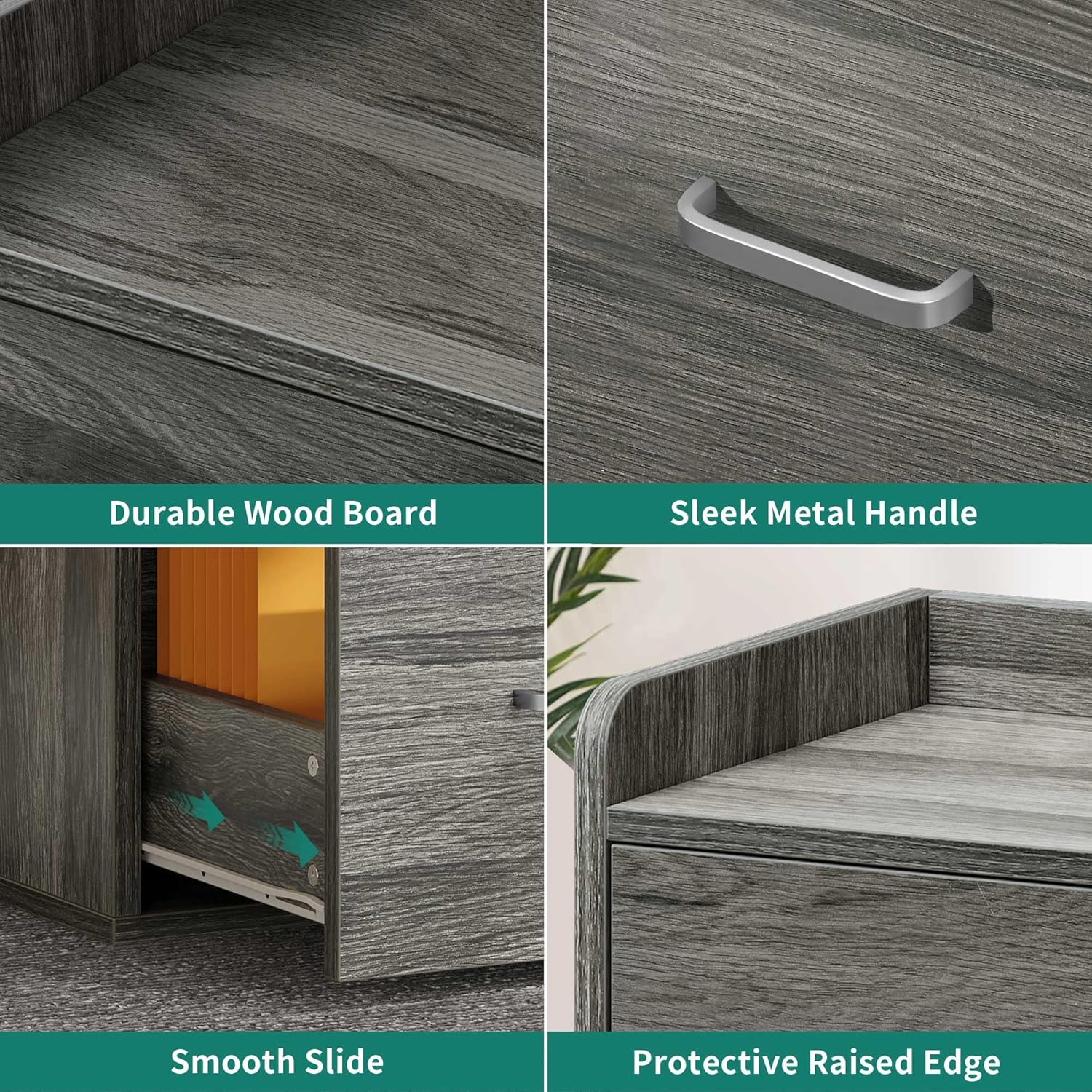
Collage showing durable wood board texture, sleek metal handle, smooth drawer slides, and a protective raised edge on the top surface. These features are integral to the assembly and final product.

Image illustrating the process of installing the drawers into the cabinet frame, highlighting the smooth slide mechanism.
Assembly Video Guide
An official product video demonstrating the YITAHOME File Cabinet's design, drawer functionality, and integrated charging station, which can assist with assembly and feature understanding.
5. Operating Instructions
5.1 Using the File Drawers
The YITAHOME File Cabinet features two spacious drawers designed for organizing documents. Each drawer is equipped with adjustable bars to accommodate various file sizes.
- Opening/Closing Drawers: Gently pull the metal handles to open the drawers. Push firmly to close them completely.
- File Organization: Use hanging file folders to organize your documents. The drawers support A4, Letter, and Legal size files. Adjust the internal bars as needed to fit your preferred file size.
- Weight Distribution: Distribute the weight of files evenly across the drawers to maintain stability and ensure smooth operation.

The file cabinet with both drawers open, revealing hanging file folders for document organization and additional storage space for office essentials.

A close-up of an open drawer, indicating compatibility with A4, Letter, and Legal size hanging files, highlighting the adjustable file bars.
5.2 Using the Charging Station
The integrated charging station provides convenient power access for your electronic devices.
- Power Connection: Plug the cabinet's 6.5-foot power cord into a standard, grounded wall outlet.
- AC Outlets: Use the two UL-listed 120V/12A AC outlets for devices such as printers, lamps, or laptops.
- USB Ports: Use the two 5V/2A USB ports to charge smartphones, tablets, and other USB-powered devices.
- Overload Protection: Avoid connecting devices that exceed the total power capacity of the charging station.

Detail of the built-in charging station on the top surface, featuring two UL-listed 120V/12A outlets and two 5V/2A USB ports, connected by a 6.5-foot power cord.
The top surface of the file cabinet, demonstrating its use as a stand for a printer and a small lamp, with the integrated charging station visible.
6. Maintenance
- Cleaning: Wipe the cabinet surfaces with a soft, damp cloth. Avoid harsh chemicals or abrasive cleaners, which can damage the finish.
- Dusting: Regularly dust the cabinet to prevent buildup.
- Hardware Check: Periodically check all screws and fasteners to ensure they remain tight. Retighten if necessary.
- Drawer Slides: If drawers become stiff, clean the slides and apply a small amount of silicone-based lubricant.
- Avoid Direct Sunlight: Prolonged exposure to direct sunlight can cause fading or warping of the wood material.
7. Troubleshooting
| Problem | Possible Cause | Solution |
|---|---|---|
| Drawers do not slide smoothly. | Misaligned slides, loose hardware, debris in slides, overloaded drawer. | Check slide alignment and tighten screws. Clean slides. Reduce drawer contents. |
| Charging station not working. | Power cord not plugged in, wall outlet not active, overloaded circuit, damaged unit. | Ensure power cord is securely plugged into a live outlet. Check circuit breaker. Reduce connected devices. If still not working, contact customer support. |
| Cabinet feels unstable. | Uneven floor, loose assembly hardware. | Place on a level surface. Retighten all assembly screws. Consider using wall anchors. |
8. Specifications
| Feature | Detail |
|---|---|
| Brand | YITAHOME |
| Model Name | Cabinets |
| Color | Grey |
| Material | Wood |
| Product Dimensions | 15.74"D x 31.49"W x 31.33"H |
| Item Weight | 68.3 Pounds |
| Weight Limit (Top Surface) | 110 Pounds |
| Charging Station Outlets | 2 x UL-Listed 120V/12A |
| Charging Station USB Ports | 2 x 5V/2A |
| Power Cord Length | 6.5 feet |
| Assembly Required | Yes |

Diagram illustrating the overall dimensions of the file cabinet (31.5"W x 15.7"D x 31.1"H) and internal drawer dimensions, along with the 6.5-foot power cord length.
9. Warranty and Support
YITAHOME is committed to providing quality products. For any questions regarding assembly, missing parts, or product functionality, please contact YITAHOME customer support. Please have your model number and purchase information ready when contacting support.
Contact information can typically be found on the YITAHOME official website or through your purchase platform.


