
1. Introduction and Overview
This manual provides essential information for the safe and efficient operation of your new SHARP ZSMC1464KS 1.4 cu. ft. 1100W Countertop Microwave Oven. Please read all instructions carefully before use and retain this manual for future reference.
The SHARP ZSMC1464KS is a family-sized 1.4 cubic foot, 1100-watt countertop microwave oven designed for reheating and everyday cooking. It features a removable 12.4-inch Carousel turntable for even cooking, one-touch controls, Auto Defrost, and Inverter Cooking Technology for consistent power delivery. This model also includes a Child Lock function for enhanced safety.

Image 1.1: Front view of the SHARP ZSMC1464KS Countertop Microwave Oven.
2. Important Safety Information
WARNING: To reduce the risk of fire, electric shock, injury to persons, or exposure to excessive microwave energy, observe the following basic precautions:
- Read all instructions before using the appliance.
- Do not operate the oven when empty.
- Do not use metal containers or foil in the microwave.
- Ensure proper ventilation around the appliance.
- Supervise children closely when the microwave is in use.
- Do not attempt to operate this oven if it is damaged, or if the door is not closing properly.
- This product contains chemicals known to the State of California to cause cancer and birth defects or other reproductive harm.
3. Setup and Installation
3.1 Unpacking and Placement
Remove all packaging materials and accessories. Inspect the oven for any damage such as dents or a broken door. Do not install if the oven is damaged. Place the microwave oven on a flat, stable surface that can support its weight and the heaviest food item likely to be cooked in it. Ensure adequate ventilation space around the unit.

Image 3.1: SHARP ZSMC1464KS Microwave Oven dimensions for proper placement.
3.2 Removing Protective Film
Before initial use, remove all protective plastic film from the microwave oven's exterior and control panel. Operating the microwave with the film intact may cause melting or an unpleasant odor.
Video 3.2: Instructions on how to properly remove the plastic protective film from your microwave oven.
3.3 Turntable Assembly
Place the roller stay in the center of the microwave cavity. Ensure it is properly aligned. Then, place the glass turntable plate on top of the roller stay, ensuring it sits securely in the center.

Image 3.3: Interior view showing the removable 12.4-inch Carousel turntable.
4. Operating Instructions
Your SHARP ZSMC1464KS microwave oven offers various cooking functions for convenience.

Image 4.1: Detailed view of the control panel with various cooking options.
4.1 Basic Cooking (Time Cook)
- Place food in the microwave.
- Press the "Time Cook" button.
- Enter the desired cooking time using the number pad.
- Press "Start".
4.2 Express Cook
For quick cooking, simply press any number from 1 to 6 on the number pad to cook for that many minutes (e.g., press "2" for 2 minutes). Press "Start +30 Sec" for an instant 30-second cook time, or to add 30 seconds during a cooking cycle.
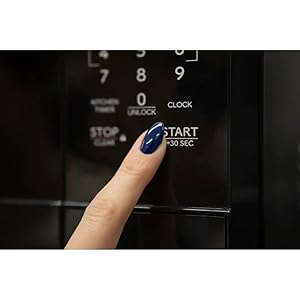
Image 4.2: The '+30 SEC' button for quick cooking or adding time.
4.3 Sensor Cook
The Sensor Cook feature automatically adjusts cooking time for optimal results. Options include Potato, Beverage, Veggie, Frozen Entree, Popcorn, and Sensor Reheat. Follow the on-screen prompts or refer to the label inside the microwave door for specific instructions.
4.4 Defrost Functions
Choose between "Time Defrost" for manual time input or "Auto Defrost" for automatic defrosting based on food type and weight.
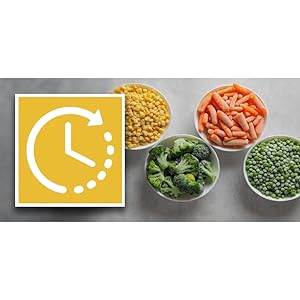
Image 4.3: Frozen foods ready for defrosting using the Auto Defrost feature.
4.5 Melt/Soften Function
Use the dedicated "Melt/Soften" button for melting butter, chocolate, or softening cream cheese and ice cream.
4.6 Child Lock Feature
This microwave oven is equipped with a UL923 Child-Resistant Door Lock function. This feature requires two distinct actions to unlock the microwave door after a cooking cycle begins. The door will stay locked for the duration of the cooking operation, plus 30 minutes after completion of the cooking operation. During this time, the user will have to press the "0/Unlock" button before pulling the door open or pressing the door open button (depending on model).

Image 4.4: The Child Lock feature provides added safety in the kitchen.
4.6.1 Unlocking Door After Cooking Cycle
Video 4.5: Guide on how to unlock the microwave door after a cooking cycle has completed.
4.6.2 Unlocking Door During Cooking Cycle
Video 4.6: Instructions for unlocking the microwave door while a cooking cycle is in progress.
4.6.3 Disabling/Enabling Door Lock
Users have the option to disable this function if they so choose, by following the steps below, or scanning the QR code located inside the unit to access the disabling steps at any time.
- To disable/re-enable this feature, press "7-9-0" (hold "0" button for 3 seconds).
- When disabled, "OFF" will be displayed with an audible sound.
- When re-enabled, "Door" will be displayed with an audible sound.
- NOTE: Once disabled, this feature will remain disabled even after a power outage.
Video 4.7: How to disable or enable the child-resistant door lock feature.
5. Maintenance and Cleaning
5.1 Cleaning the Interior
Regularly clean the interior of the microwave with a mild detergent and a soft cloth. For stubborn stains, place a bowl of water with lemon slices inside and microwave for a few minutes to loosen residue, then wipe clean. The gray interior is designed for easy cleaning.
5.2 Cleaning the Exterior
Wipe the stainless steel exterior with a soft, damp cloth. Avoid abrasive cleaners or scouring pads that could scratch the surface.
5.3 Turntable Care
The 12.4-inch glass Carousel turntable is removable and dishwasher safe for convenient cleaning.
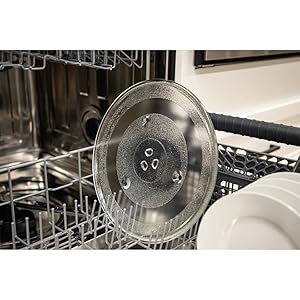
Image 5.1: The dishwasher-safe glass turntable for easy cleaning.
6. Troubleshooting
6.1 Buzzing or Rattling Sound
All microwave ovens produce a humming sound during operation. If the sound is louder or sounds like rattling, it may be caused by the turntable not being aligned properly or the microwave oven not sitting on a level surface.
- Open the microwave oven door and remove any cookware.
- Take out the turntable and the roller stay.
- Ensure the roller stay is correctly positioned in the center of the cavity. If your roller stay has a post, ensure it fits properly into the center hole.
- Replace the turntable, ensuring it is centered on the roller stay.
- Check if the microwave oven is sitting on a flat and level surface using a level tool. Adjust as necessary.
Video 6.1: Steps to troubleshoot and fix buzzing or rattling sounds in your microwave.
6.2 General Troubleshooting
- Oven not starting: Check if the power cord is securely plugged in. Ensure the door is closed properly. Check for blown fuses or tripped circuit breakers.
- Food not cooking evenly: Ensure the turntable is rotating. Stir or rearrange food halfway through cooking.
- Light not working: The interior LED lighting may require service if it stops working.
7. Specifications
| Feature | Detail |
|---|---|
| Model Number | ZSMC1464KS |
| Capacity | 1.4 Cubic Feet |
| Wattage | 1100 watts |
| Product Dimensions (D x W x H) | 16.8" x 20.4" x 12.4" |
| Item Weight | 27.6 Pounds |
| Color | Stainless Steel |
| Material | Stainless Steel |
| Special Features | Auto Cook, Defrost, Turntable, Child Lock, Inverter Cooking Technology, White LED Display, LED Interior Lighting |
| Installation Type | Countertop |
8. Warranty and Support
For warranty information, product registration, or technical support, please visit the official Sharp website or contact their customer service. Keep your purchase receipt for warranty claims.
Official Sharp Website: shop.sharpusa.com


