
Introduction
This manual provides essential information for the safe and efficient operation of your Dragon Touch Notepad K10 Tablet. Please read this manual thoroughly before using the device and retain it for future reference.
The Dragon Touch Notepad K10 is a 10.1-inch Android tablet featuring a Quad-Core processor, 64GB internal storage (expandable up to 256GB), a 1280x800 IPS HD display, Micro HDMI output, GPS, FM radio, and 5G WiFi connectivity.
Package Contents
Verify that all items are present upon unboxing:
- 1 x 10.1 Inch Android Tablet (Notepad K10)
- 1 x USB Cable
- 1 x 5V 2A Charger
- 1 x User Manual
Device Overview
Familiarize yourself with the tablet's physical features and ports.

Image: Front and back view of the Dragon Touch Notepad K10 Tablet, highlighting its sleek design and camera placement.
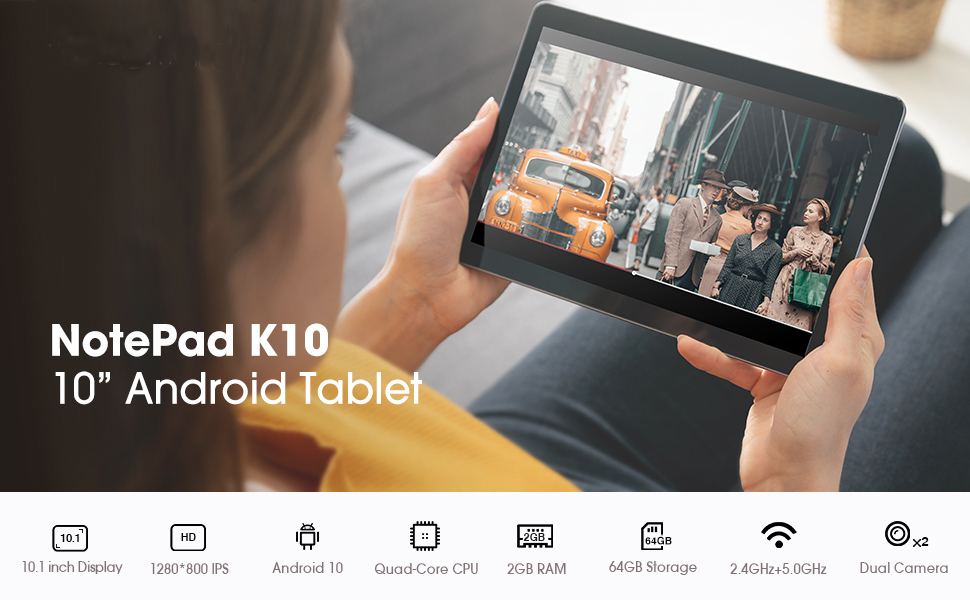
Image: A visual summary of the tablet's key features including 10.1-inch display, Android 10, Quad-Core CPU, 2GB RAM, 64GB storage, dual-band Wi-Fi, and dual cameras.
- Screen: 10.1-inch IPS HD Display (1280x800 resolution).
- Cameras: Dual cameras (front and rear).
- Ports: Micro USB charger port, MicroSD card port, 3.5mm standard headphone jack, Micro HDMI port.
- Speakers: Dual speakers for audio output.
Setup
1. Initial Charge
Before first use, fully charge the tablet using the provided USB cable and 5V 2A charger. Connect the Micro USB end to the tablet's charging port and the USB-A end to the power adapter, then plug the adapter into a wall outlet. The charging indicator will show progress.
2. Power On/Off
- To power on: Press and hold the power button until the Dragon Touch logo appears.
- To power off: Press and hold the power button, then select "Power off" from the options.
3. Initial Setup Wizard
Upon first power-on, the tablet will guide you through the initial setup process. This includes selecting your language, connecting to a Wi-Fi network, and signing in with your Google account. A Google account is required to download applications from the Google Play Store.

Image: The tablet screen showing the Android 10 logo, indicating the operating system.
4. Expandable Storage
The tablet supports MicroSD cards up to 256GB for expanded storage. Insert the MicroSD card into the designated slot until it clicks into place. You can then format the card for use as portable or internal storage via the tablet's settings.
Operating Instructions
1. Navigation and Interface
- Touchscreen Gestures: Tap to select, swipe to scroll, pinch to zoom.
- Home Screen: Access your apps and widgets. Swipe left or right to navigate between screens.
- Notification Panel: Swipe down from the top of the screen to access notifications and quick settings.
2. Wi-Fi Connectivity
The tablet supports dual-band Wi-Fi (2.4GHz and 5GHz). To connect:
- Go to Settings > Network & internet > Wi-Fi.
- Toggle Wi-Fi on.
- Select your desired network from the list and enter the password if prompted.
3. Bluetooth Pairing
To pair with Bluetooth devices (e.g., headphones, speakers):
- Go to Settings > Connected devices > Bluetooth.
- Toggle Bluetooth on.
- Ensure your Bluetooth device is in pairing mode.
- Select the device from the list to pair.
4. Using Micro HDMI
Connect your tablet to an external display (TV, monitor) using a Micro HDMI to HDMI cable (sold separately) to mirror your tablet's screen.

Image: The tablet displaying its content on a larger television screen via Micro HDMI connection.
5. Eye-Care Mode
The tablet features an Eye-Care mode that automatically adjusts and optimizes the backlight for comfortable reading, especially at night. This can be enabled in the display settings.
Media and Entertainment
The Notepad K10 is designed for a robust entertainment experience, supporting various media formats and applications.
Video: A demonstration of the tablet's capabilities, including general usage, video playback, and gaming. This video highlights the tablet's performance and display quality.

Image: A user enjoying video content on the Dragon Touch Notepad K10 Tablet in an outdoor setting, demonstrating portability and display clarity.
Maintenance
- Cleaning: Use a soft, lint-free cloth to clean the screen and body. Avoid abrasive cleaners or solvents.
- Storage: Store the tablet in a cool, dry place away from direct sunlight and extreme temperatures.
- Battery Care: To prolong battery life, avoid fully discharging the battery frequently. Charge the tablet regularly.
- Software Updates: Periodically check for system updates in Settings > System > System update to ensure optimal performance and security.
Troubleshooting
Tablet Does Not Turn On
- Ensure the tablet is fully charged. Connect it to the charger for at least 30 minutes before attempting to power on.
- Press and hold the power button for 10-15 seconds to perform a forced restart.
Slow Performance
- Close unused applications running in the background.
- Clear cache data for apps in Settings > Apps & notifications > See all apps > [App Name] > Storage & cache > Clear cache.
- Ensure sufficient free storage space. Uninstall unnecessary apps or move files to the MicroSD card.
- Restart the tablet periodically.
Wi-Fi Connection Issues
- Ensure Wi-Fi is enabled on the tablet and the router is working correctly.
- Forget the network and reconnect: Go to Settings > Network & internet > Wi-Fi, tap the network name, then Forget. Reconnect afterwards.
- Restart your Wi-Fi router.
Charging Problems
- Use only the provided charger and USB cable.
- Check the charging port for any debris or damage.
- Try a different power outlet.
- If the charging port feels loose or damaged, contact customer support.
Specifications
| Feature | Detail |
|---|---|
| Model | Notepad K10 |
| Operating System | Android 10 |
| Screen Size | 10.1 Inches |
| Screen Resolution | 1280 x 800 IPS HD |
| Processor | Quad Core Cortex A55 (up to 1.3 GHz) |
| RAM | 2GB |
| Internal Storage | 64GB |
| Expandable Storage | MicroSD up to 256GB |
| Wireless Technology | IEEE802.11a/b/g/n (Dual Band WIFI 2.4Ghz/5GHz) |
| Bluetooth | Bluetooth 4.2 |
| Cameras | Dual Camera (Rear 5 MP) |
| Battery Type | 5000mAh Lithium-ion battery |
| Average Battery Life | 5 Hours |
| Interface Configuration | Micro USB, MicroSD, 3.5mm Headphone Jack, Micro HDMI |
| Item Weight | 2.05 pounds |
| Product Dimensions | 9.4 x 0.4 x 6.7 inches |
Warranty and Support
For warranty information and technical support, please refer to the official Dragon Touch website or contact their customer service directly. Keep your purchase receipt for warranty claims.
Note: The manufacturer's warranty typically covers defects in materials and workmanship under normal use. Damage caused by misuse, accidents, or unauthorized modifications may not be covered.


