1. Introduction
This manual provides instructions for the ALLIMITY RC-1235 replacement remote control. This remote is designed to function as a direct replacement for the original remote controls of compatible DENON Stereo Network 2ch Receiver models, specifically the DRA-800 and DRA-800H. It offers pre-programmed functionality, requiring no complex setup.
2. Product Overview
The ALLIMITY RC-1235 remote control is a dedicated replacement unit. It features an infrared (IR) transmitter for communication with your DENON receiver. The layout of the buttons is designed to mirror the functionality of the original remote, ensuring a familiar user experience.
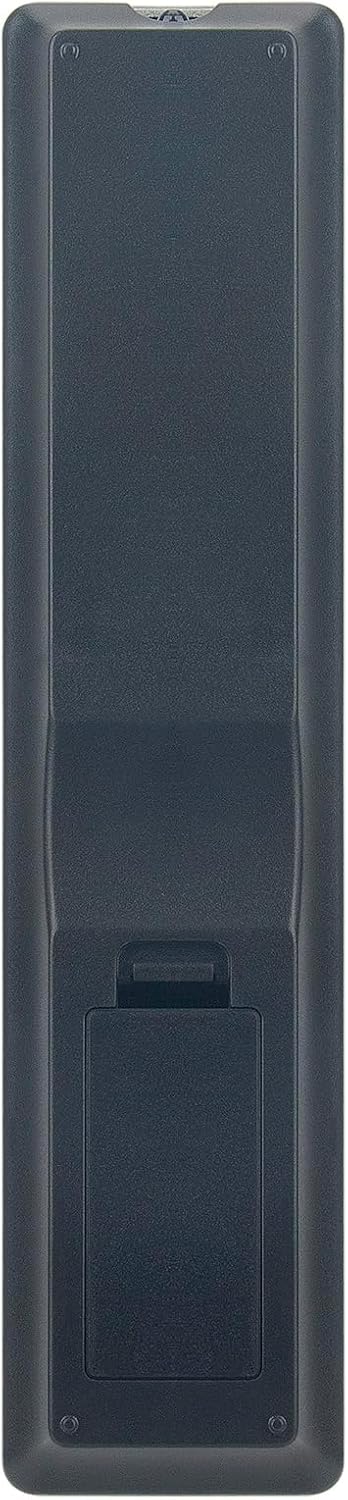
Figure 2.1: Front view of the ALLIMITY RC-1235 remote control. This image displays the full button layout, including power, input selection, volume, navigation, and quick select buttons.
Key Features:
- Direct Replacement: Functions without programming for specified DENON models.
- Infrared Technology: Utilizes standard IR signals for reliable control.
- Ergonomic Design: Comfortable to hold and operate.
Compatible Models:
- DENON Stereo Network 2ch Receiver DRA-800
- DENON Stereo Network 2ch Receiver DRA-800H
- Part Number: 30701027200AD
3. Setup
The ALLIMITY RC-1235 remote control requires two AAA alkaline batteries for operation. No programming or pairing is necessary; simply install the batteries correctly, and the remote will be ready for use.
Battery Installation:
- Locate the battery compartment on the back of the remote control.
- Press down on the latch and slide the battery cover downwards to open it.
- Insert two (2) AAA alkaline batteries, ensuring the positive (+) and negative (-) terminals align with the markings inside the compartment.
- Slide the battery cover back into place until it clicks securely.

Figure 3.1: Back view of the remote control with the battery compartment open. This image illustrates the correct orientation for inserting two AAA batteries.
Note: Batteries are not included with the remote control. Always use new alkaline batteries for optimal performance. Do not mix old and new batteries, or different types of batteries.
4. Operating Instructions
Once batteries are installed, the ALLIMITY RC-1235 remote control is ready to operate your compatible DENON receiver. Point the remote control directly towards the infrared sensor on your receiver.

Figure 4.1: Remote control in use. This image shows a user operating the remote control, demonstrating the typical distance and angle for effective signal transmission.
Basic Functions:
- Power Button (POWER): Turns the receiver on or off.
- Input Select Buttons (e.g., MAIN, CD, DVD, USB): Selects the desired audio/video input source.
- Volume Control (VOLUME +/-): Adjusts the master volume level.
- Mute Button (MUTE): Toggles sound on or off.
- Navigation Buttons (Up, Down, Left, Right, ENTER): Used to navigate menus and confirm selections on the receiver's display.
- Quick Select Buttons (1-4): Provides direct access to pre-configured settings or favorite inputs.
Refer to your DENON receiver's original user manual for detailed information on specific functions and menu navigation.
5. Maintenance
Proper care and maintenance will extend the life of your remote control.
Cleaning:
- Wipe the remote control with a soft, dry cloth.
- For stubborn dirt, lightly dampen the cloth with water or a mild, non-abrasive cleaner.
- Do not use harsh chemicals, solvents, or abrasive cleaning pads, as these can damage the remote's surface or internal components.
Storage:
- Store the remote control in a cool, dry place away from direct sunlight and extreme temperatures.
- If the remote will not be used for an extended period, remove the batteries to prevent leakage and potential damage.
6. Troubleshooting
If you experience issues with your remote control, try the following steps:
- Remote Not Responding:
- Check if the batteries are inserted correctly with the correct polarity (+/-).
- Replace old batteries with new AAA alkaline batteries.
- Ensure there are no obstructions between the remote control and the receiver's IR sensor.
- Confirm you are pointing the remote directly at the receiver.
- Limited Range:
- Ensure batteries are fresh. Weak batteries can reduce signal strength.
- Minimize sources of strong light (e.g., direct sunlight, fluorescent lights) that might interfere with the IR signal.
- Specific Buttons Not Working:
- This remote is pre-programmed for specific DENON models. Verify your receiver model is listed under compatible devices.
- Clean the remote's surface, especially around the buttons, to ensure no debris is preventing button presses.
7. Specifications
| Model Number | RC-1235 (BJKJ-RC-1235-JKJB) |
| Brand | ALLIMITY |
| Compatible Devices | DENON Stereo Network 2ch Receiver DRA-800, DRA-800H |
| Power Source | 2 x AAA Alkaline Batteries (not included) |
| Connectivity Technology | Infrared (IR) |
| Dimensions (L x W x H) | 15.24 x 5.08 x 1.52 cm (6 x 2 x 0.6 inches) |
| Weight | 56.7 g (2 oz) |
8. Support
For any questions or further assistance regarding your ALLIMITY RC-1235 remote control, please contact our customer support. We are committed to ensuring your satisfaction.
Please refer to the retailer's contact information or the product packaging for specific support channels.


