
1. Introduction
This manual provides essential information for the safe and effective use of your Toputure 2-in-1 Walking Pad Treadmill. Please read it thoroughly before operating the device and retain it for future reference. This treadmill is designed for home use, offering both walking and running functionalities with adjustable speed and incline.
2. Safety Instructions
- Ensure the treadmill is placed on a flat, stable surface with adequate clear space around it.
- Always wear appropriate athletic footwear during use.
- Do not exceed the maximum weight capacity of 130 kg.
- Keep children and pets away from the treadmill during operation.
- In case of emergency, pull the safety key to immediately stop the treadmill.
- Regularly inspect the power cord for damage. Do not use if damaged.
- Consult a physician before starting any new exercise program.
3. Package Contents
Verify that all components are present in the package:
- Toputure 2-in-1 Walking Pad Treadmill
- Remote Control
- User Manual
- Power Cable
- Silicone Oil (for maintenance)
4. Setup
The Toputure 2-in-1 Treadmill features a no-assembly-required design. Simply unpack the unit and follow these steps:
- Place the treadmill on a level, hard surface. Ensure there is at least 2 meters of clear space behind the treadmill and 0.5 meters on each side.
- If using in running mode, lift the handlebar until it locks into place. Turn the buckle to secure it.
- Connect the power cable to the treadmill and then to a grounded electrical outlet.
- Attach the safety key to the designated slot on the console.

5. Operating Instructions
5.1. Modes of Operation
The treadmill offers two primary modes:
- Walking Mode: Speed range from 1 to 6 km/h. Ideal for light exercise or walking while working.
- Running Mode: Speed range from 1 to 12 km/h. Suitable for jogging and running workouts.

5.2. Speed and Program Adjustment
Adjust speed and select programs using the touch screen on the console or the remote control.
- Touch Screen: Use the '+' and '-' buttons to adjust speed. The console also features quick speed buttons (e.g., 1, 4, 7, 10 km/h).
- Remote Control: The remote allows for convenient speed adjustments and program selection. It has a magnetic function for easy storage on the treadmill's riser.
- Pause Function: Press the 'Pause' button on the remote or console to temporarily stop your workout without losing data.
- Pre-set Programs: The treadmill includes 12 pre-defined programs for varied exercise routines.

5.3. Manual Incline Adjustment
The treadmill features a manual incline adjustment to increase workout intensity. The original incline is 2.7°, which can be adjusted to 3.6° by a simple kick mechanism. This allows for enhanced calorie burning and muscle engagement.

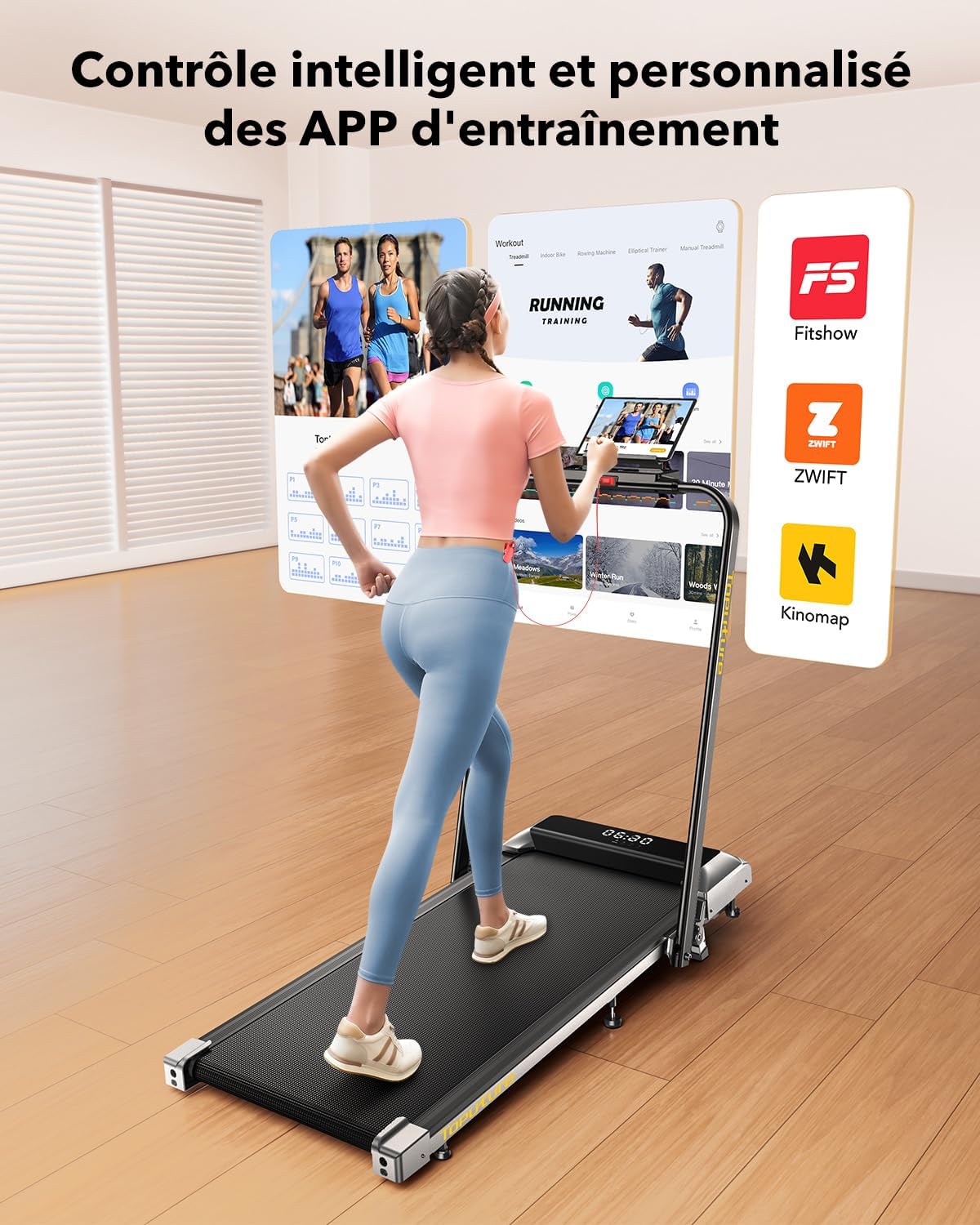
5.4. LED Display and APP Control
The multi-functional LED display shows real-time data including speed, distance, time, and calories burned. For advanced tracking and training, the treadmill can connect to fitness applications like 'FITSHOW'.
- LED Display: Provides immediate feedback on your workout progress.
- APP Connectivity: Connect your treadmill to compatible fitness apps via Bluetooth to access personalized training courses, track exercise data, and monitor your progress.
6. Maintenance
6.1. Lubrication
Regular lubrication of the running belt is crucial for optimal performance and longevity. Apply 10 ml of silicone oil to the reservoir under the running belt periodically, as indicated by usage frequency (e.g., every 30 hours of use).
6.2. Cleaning
Wipe down the treadmill with a damp cloth after each use to remove sweat and dust. Avoid using abrasive cleaners or solvents.
7. Storage
The Toputure treadmill is designed for easy folding and storage, making it suitable for small spaces.
- Ensure the treadmill is turned off and unplugged.
- If the handlebar is up, release the buckle and gently lower it.
- Fold the treadmill by lifting the rear section. It will lock into a compact position.
- Utilize the integrated transport wheels to easily move the folded treadmill.
- Store it under a bed, sofa, or upright against a wall to save space.


8. Troubleshooting
If you encounter any issues with your treadmill, refer to the following common problems and solutions:
- Treadmill does not start: Ensure the power cable is securely plugged in and the safety key is correctly placed. Check the power switch.
- Belt slipping: The running belt may need tensioning or lubrication. Refer to the maintenance section for lubrication instructions. For tensioning, consult the full user manual or contact customer support.
- Unusual noise: Check for loose parts or foreign objects under the belt. Ensure the treadmill is on a level surface. Lubrication may also reduce noise.
- Display not working: Check power connections. If the issue persists, contact customer support.
For more detailed troubleshooting or issues not listed here, please refer to the comprehensive user manual or contact Toputure customer support.
9. Specifications
| Feature | Specification |
|---|---|
| Model | B0CNGKBCYF |
| Motor Power | 2.5 HP |
| Speed Range | 1 - 12 km/h |
| Incline | Manual (2.7° to 3.6°) |
| Running Surface (L x W) | 1000 x 400 mm |
| Max User Weight | 130 kg |
| Product Dimensions (L x W x H) | 120 x 52 x 12 cm (unfolded) |
| Product Weight | 23 kg |
| Material | Alloy Steel |
| Display Type | LCD |
| Programs | 12 Pre-set Programs |
| Connectivity | APP (FITSHOW) & Remote Control |
| Special Features | Foldable, Transport Wheels, Manual Incline, Touch Screen, Magnetic Remote Storage |
10. Warranty and Support
For warranty information, product support, or service inquiries, please refer to the warranty card included with your purchase or contact Toputure customer service through the retailer where the product was purchased. Please have your model number (B0CNGKBCYF) and purchase date available when contacting support.


