
Product Overview
The HEANTLE WiFi Smart Door Lock Set offers advanced security and convenient access options for your home or office. This system integrates multiple unlocking methods including fingerprint, keypad, smartphone app, and traditional keys. With the included WiFi gateway, you can manage your lock remotely and integrate it with smart home assistants like Alexa and Google Assistant.
Setup & Installation
Before installation, ensure your door meets the specified dimensions. The lock is designed for easy installation with a screwdriver.
Door Preparation & Dimensions
Verify your door's compatibility and dimensions before proceeding. This lock fits doors 1.5" to 1.89" thick.

Image: Detailed diagram illustrating door hole diameter (2.13"/54mm), door thickness (1.5"-1.89"/38mm-48mm), backset (2.36" or 2.76"/60mm-70mm), and adjustable distance (7.87"-9.05"/200mm-230mm). It also shows compatibility for left-handed and right-handed doors, and types of latch holes and door compatibility (single cylinder, not mortise/integrated).
Installing the Deadbolt and Components
Follow the steps below to install the deadbolt and connect the internal components.
Video: This video demonstrates the step-by-step installation process for the HEANTLE WiFi Door Lock, including preparing the door, installing the deadbolt, connecting cables, and securing the internal and external units.
Ensure the deadbolt is adjusted to the correct length (2-3/8" or 2-3/4") and the 'UP' indicator faces upwards. Secure the deadbolt with screws. When installing the exterior keypad, ensure the spindle is horizontal and the cable passes correctly. Secure the mounting plate, then connect the cable to the interior assembly. Install 4 AA batteries and slide the battery cover on. Finally, install the exterior and interior handles, securing them with screws.
Operating Instructions
The HEANTLE Smart Lock offers multiple convenient ways to lock and unlock your door.
Unlocking Methods
You can unlock your door using fingerprints, passcodes, the Smart Life App, or a physical key.

Image: This visual displays the four primary methods to unlock the HEANTLE Smart Lock: using the mobile application, entering a numerical passcode on the keypad, scanning a registered fingerprint, or using a traditional physical key.
Auto-Lock and One-Touch Locking
The lock features an auto-lock function that can be set to engage after 5 to 30 minutes. You can also manually lock the door with a single touch.

Image: A woman walks her dog, illustrating the convenience of the auto-lock feature. An inset graphic shows the deadbolt automatically extending to secure the door, highlighting the 'Auto-Lock' function which can be set from 5 to 30 minutes, and 'One-Touch Locking' in 2 seconds.
App Features & Remote Control
Manage your lock from anywhere using the Smart Life App and the included WiFi Gateway.
Remote Locking and Unlocking
Connect the WiFi Gateway to enable remote control of your lock via the Smart Life App.
Video: This video demonstrates how to connect the WiFi Gateway to the Smart Life App and pair it with the smart lock, enabling remote control and monitoring.

Image: The top panel shows a woman outside her home, speaking on the phone, with a text bubble indicating she is asking for remote unlock. The bottom panel shows a man in a store, also on the phone, with a text bubble stating he has remotely unlocked his door, demonstrating the convenience of WiFi remote unlock.
Customized Access Codes & Activity Logs
Generate one-time, time-limited, or permanent passcodes for guests or service personnel. Track all lock activity in real-time through the app.

Image: A smartphone displays the Smart Life App, showing options to check battery, lock status, auto-lock settings, real-time records, and to remotely lock or unlock the door. This illustrates the 'Anywhere Check and Lock' functionality.
Voice Control Integration
The lock supports voice control with Amazon Alexa and Google Assistant when connected via the WiFi Gateway.
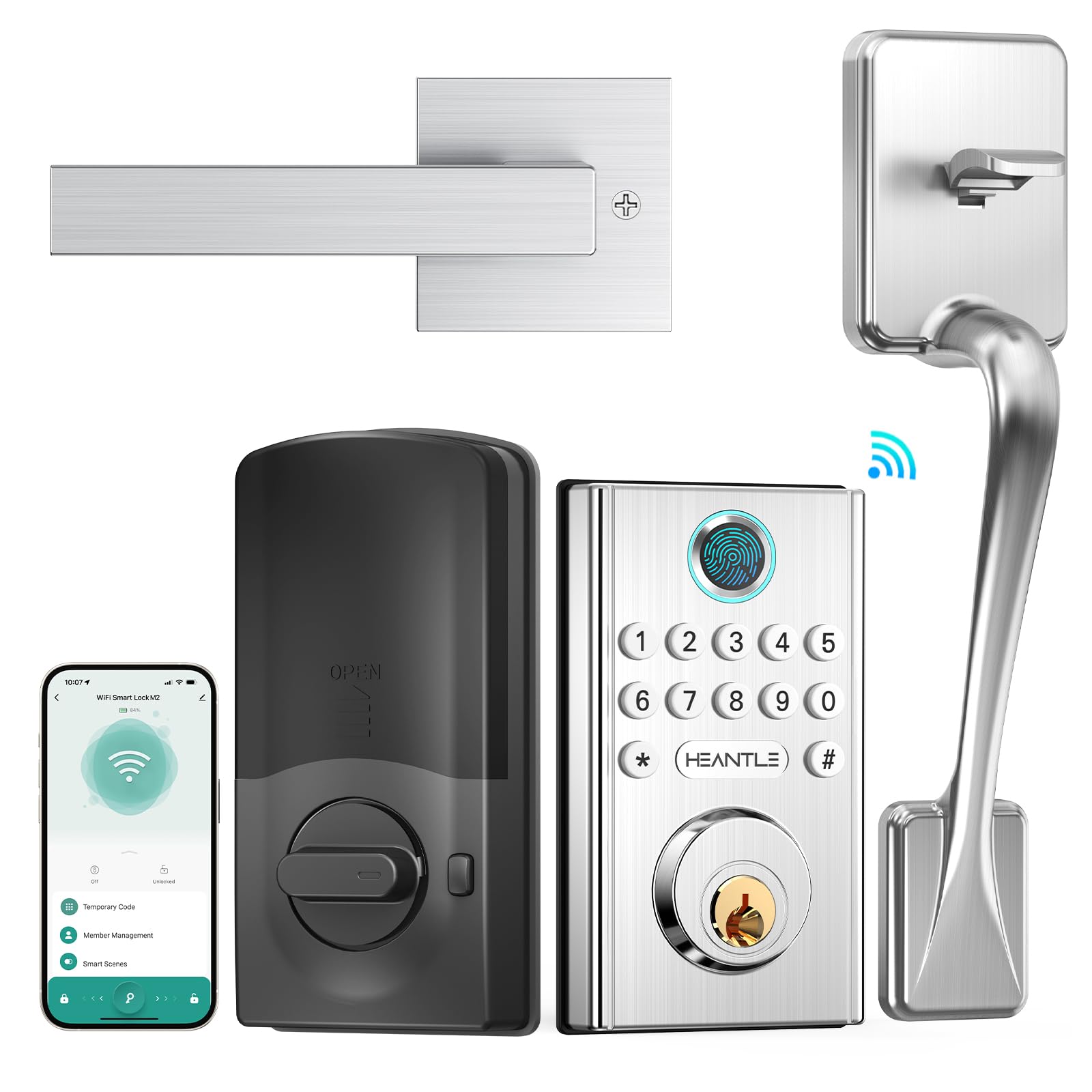
Image: A woman is shown interacting with an Alexa device, giving a voice command to unlock the front door. A Google Assistant device is also present, indicating compatibility with both smart home systems for voice control.
Video: This video highlights the various features of the HEANTLE WiFi Smart Lock and Handle Set, including fingerprint access, app control, passcodes, spare keys, and auto-lock functionality, demonstrating how these features upgrade home security and convenience.
Maintenance
Battery Replacement
The lock requires 4 AA batteries (not included). When the battery is low, you will receive an alert via the Smart Life App. To replace batteries, slide up the cover on the interior unit to access the battery compartment.

Image: This image illustrates the diverse access options and capacity of the smart lock, including support for over 999 app members, 50 unique fingerprints, 100 user codes, one-time codes, and two spare physical keys.
Troubleshooting
- Lock/Unlock Reversal: If the lock and unlock actions are reversed after installation, adjust the motor direction in the Smart Life App settings.
- Fingerprint Recognition Issues: Ensure your finger is clean and dry. Re-register fingerprints if issues persist.
- App Connectivity Problems: Verify your smartphone is connected to a 2.4GHz WiFi network (5G is not supported). Ensure Bluetooth is enabled on your phone during gateway setup.
- Low Battery Alerts: Replace all 4 AA batteries promptly when a low battery alert is received to avoid being locked out.
Specifications
| Feature | Detail |
|---|---|
| Brand | HEANTLE |
| Model Name | WiFi Lock Handle Set |
| Lock Type | App Control, Biometric, Deadbolt, Keypad |
| Special Features | Auto-Lock, Fingerprint, Keyless Entry, App Remote Control, Real-time Notification, WiFi Door Lock Set, Work with Alexa/Google Home |
| Material | Aluminum |
| Color | Silver |
| Item Dimensions (L x W x H) | 16.93 x 7.48 x 3.94 inches |
| Item Weight | 4.8 pounds |
| Recommended Uses | Front Door, Side Door, Back Door, Home, Apartment, Office |
| Controller Type | Amazon Alexa, Google Assistant, Smart Life App |
| Control Method | App, Remote, Touch, Voice |
| Connectivity Protocol | Bluetooth, Wi-Fi |
| Included Components | 2 keys, Latch, Strike Plate, Mounting plate, Diagram template, Installation Instructions, WiFi Deadbolt and Handle, WiFi Gateway Hub |
Warranty & Support
HEANTLE provides a free 1-year warranty from the date of purchase. Life-time free technical support is also available.
- Toll Free: 18882236660
- Email: heantle@hotmail.com


