
Portacool PACA40001A1
Portacool Apex 4000 Evaporative Cooler Instruction Manual
Model: PACA40001A1
Introduction
This manual provides comprehensive instructions for the safe and efficient operation, setup, maintenance, and troubleshooting of your Portacool Apex 4000 evaporative cooler. The Portacool Apex 4000 is a high-velocity portable evaporative cooler designed to cool areas up to 4000 sq. ft., projecting a refreshing cool breeze up to 50 feet away. It features Wi-Fi connectivity for remote control and monitoring via the CoolSync Technology smartphone app, a 55-gallon water reservoir, and variable speed control.
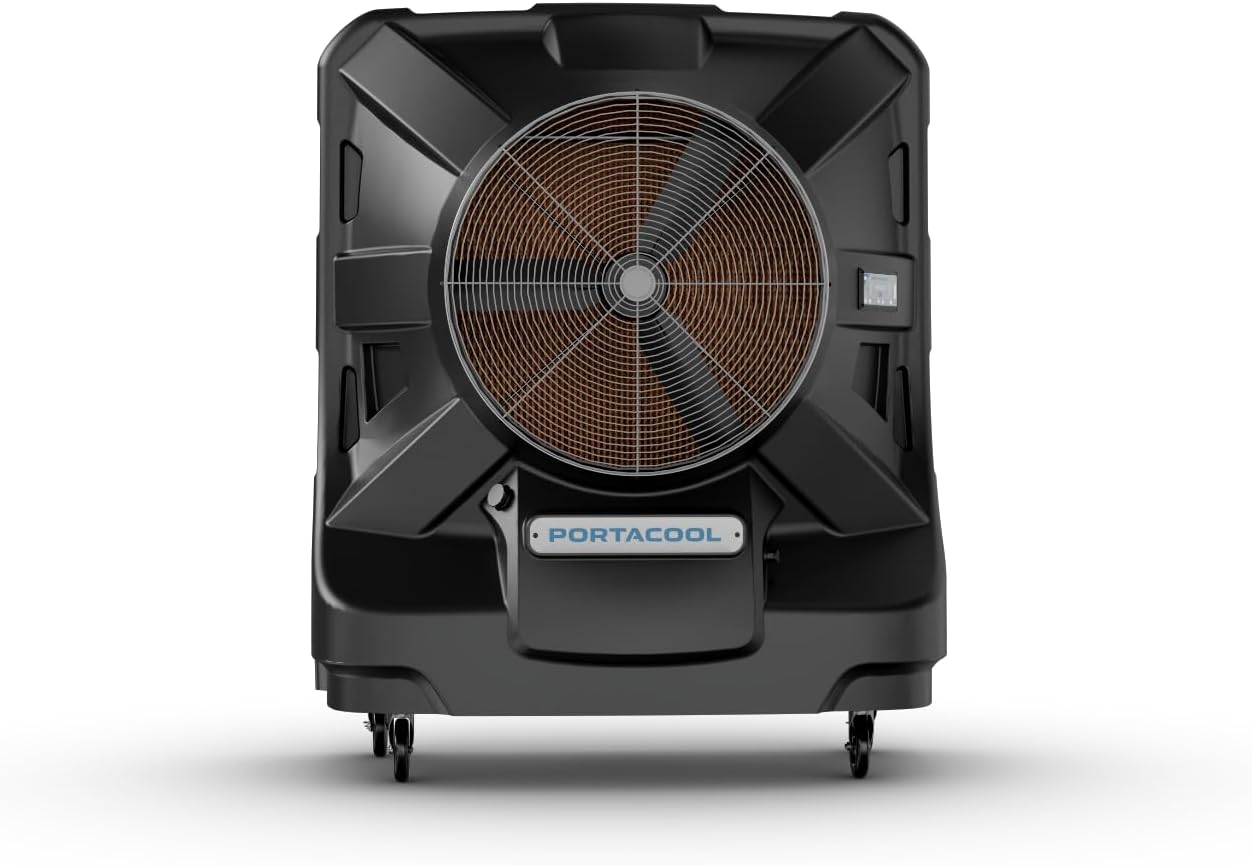
Figure 1: Front view of the Portacool Apex 4000 evaporative cooler.
Setup
Unpacking and Placement
Carefully remove the Portacool Apex 4000 from its packaging. Ensure all packing materials are removed. Place the cooler on a firm, level surface. For optimal performance, position the cooler in an area with adequate ventilation to allow for proper airflow and evaporation.

Figure 2: Front view, showing the main fan and control panel.

Figure 3: Side view, highlighting the robust housing and wheels.

Figure 4: Rear view, displaying the evaporative media for water absorption.
Water Connection and Filling
The Portacool Apex 4000 features a 55-gallon water reservoir. It can be filled manually or connected to a continuous water supply.
- Manual Fill: Open the convenient hatch located on the unit and fill the reservoir with clean water. Monitor the water level indicators to avoid overfilling.
- Hose Connection: For uninterrupted cooling, connect a standard garden hose to the designated inlet. The unit supports standard plumbing adapters for hassle-free setup. The smart water management system includes automatic shut-off to prevent overflow.
Power Connection
Connect the cooler to a standard 120-volt electrical outlet. The unit operates at 964 watts. Ensure the power cord is securely plugged in and not obstructed.
Wi-Fi and App Setup (CoolSync Technology)
The Portacool Apex 4000 is Wi-Fi enabled, allowing control via the Portacool CoolSync smartphone app. Download the app from your device's app store (App Store for iOS, Google Play for Android). Follow the in-app instructions to connect your cooler to your Wi-Fi network and pair it with your device. This enables remote control, status monitoring, and scheduling functions.

Figure 5: Overview of CoolSync Technology and app interface for remote control.
Operation
Control Interface
The cooler can be operated using the integrated touchscreen display or the Portacool CoolSync smartphone app. The digital display provides real-time information and allows direct control of settings.

Figure 6: Detailed view of the digital control panel.
Cooling Performance
The Portacool Apex 4000 is designed for large space cooling, effectively covering up to 4000 sq. ft. and delivering a refreshing breeze up to 50 feet away. The redesigned 36-inch fan assembly and motor contribute to its high velocity and quiet operation, with a noise level of approximately 62 dB.
- Variable Speed: Adjust the fan speed to optimize cooling performance and airflow based on your needs.
- CoolSync App: Utilize the app for precise control over fan speed, scheduling, and monitoring water levels and alerts.

Figure 7: Illustration of the 4000 sq. ft. cooling area and 50 ft. direct airflow.
Smart Water Management
The unit features advanced water management capabilities:
- Water Level Indicators: Easily monitor the water level in the 55-gallon reservoir.
- Automatic Shut-off: The cooler will automatically shut off if the water level is too low or if the reservoir is full during continuous fill.
- Alerts: Receive notifications via the CoolSync app regarding water levels and other operational statuses.
Maintenance
Regular maintenance ensures optimal performance and extends the lifespan of your Portacool Apex 4000.
Cleaning the Evaporative Media
The cooler utilizes 8-inch evaporative media with Edgecoat technology. Over time, mineral deposits can accumulate on the media, reducing efficiency. It is recommended to clean the media periodically, depending on water hardness and usage frequency.
- Turn off and unplug the cooler.
- Remove the rear panel to access the evaporative media.
- Carefully remove the media pads.
- Rinse the media pads with clean water to remove dust and mineral buildup. Do not use harsh chemicals.
- Inspect the media for damage and replace if necessary.
- Reinstall the media pads and secure the rear panel.
Draining the Reservoir
To prevent algae growth and mineral buildup in the reservoir, drain it regularly, especially before long periods of inactivity.
- Locate the drain plug at the bottom of the unit.
- Place a suitable container under the drain or position the cooler in an area where water can drain safely.
- Remove the drain plug to empty the reservoir.
- Once drained, replace the plug securely.
General Cleaning
Wipe down the exterior of the unit with a soft, damp cloth. Avoid using abrasive cleaners or solvents that could damage the textured housing.
Troubleshooting
This section addresses common issues you might encounter with your Portacool Apex 4000. For more detailed troubleshooting, refer to the Portacool CoolSync app or contact customer support.
| Problem | Possible Cause | Solution |
|---|---|---|
| Cooler not turning on. | No power supply; tripped circuit breaker; unit not plugged in. | Check power cord connection; verify power outlet; reset circuit breaker. |
| Insufficient cooling. | Low water level; clogged evaporative media; poor ventilation. | Refill water reservoir; clean or replace evaporative media; ensure adequate airflow around the unit. |
| Water leaks. | Overfilled reservoir; loose drain plug; damaged hose connection. | Check water level and drain excess; tighten drain plug; inspect hose connections for leaks. |
| Wi-Fi connectivity issues. | Out of Wi-Fi range; incorrect network password; app not updated. | Move cooler closer to router; re-enter Wi-Fi password; update CoolSync app to the latest version. |
Specifications
| Feature | Detail |
|---|---|
| Brand | Portacool |
| Model Name | PACA40001A1 |
| Mounting Type | Freestanding |
| Special Feature | Fast Cooling, Wi-Fi Enabled |
| Color | Black |
| Air Flow Capacity | 13250 Cubic Feet Per Minute |
| Controls Type | Touchscreen & App |
| Reservoir Capacity | 55 Gallons |
| Included Components | Instruction Manual |
| Noise Level | 62 dB |
| Product Dimensions | 33"D x 63"W x 77"H |
| Voltage | 120 Volts |
| Item Weight | 305 pounds |
| Power Source | Corded Electric |
| Cooling Area | Up to 4000 sq. ft. |
| Airflow Reach | Up to 50 feet |
| UPC | 614288802449 |
Warranty Information
The Portacool Apex 4000 comes with a 3 Year Limited Warranty. For specific terms and conditions, please refer to the warranty documentation included with your product or visit the official Portacool website.
Additionally, the product description mentions a lifetime warranty on the housing. Please verify this detail with the official Portacool warranty statement.
Customer Support
For technical assistance, troubleshooting beyond this manual, or warranty claims, please contact Portacool customer support. You can also visit the official Portacool store on Amazon for additional resources and product information.
Portacool Store: Visit the Portacool Store on Amazon
Related documentsPACA40001A1


Ask a question about this manual
Ask about setup, troubleshooting, compatibility, parts, safety, or missing instructions. Manuals+ will review the question and use this page’s manual context to help answer it.