
1. Introduction
The nuphy Air75 V2 is a portable 75% mechanical keyboard designed for versatile use across multiple operating systems and connectivity modes. This manual provides essential information for setting up, operating, maintaining, and troubleshooting your keyboard.

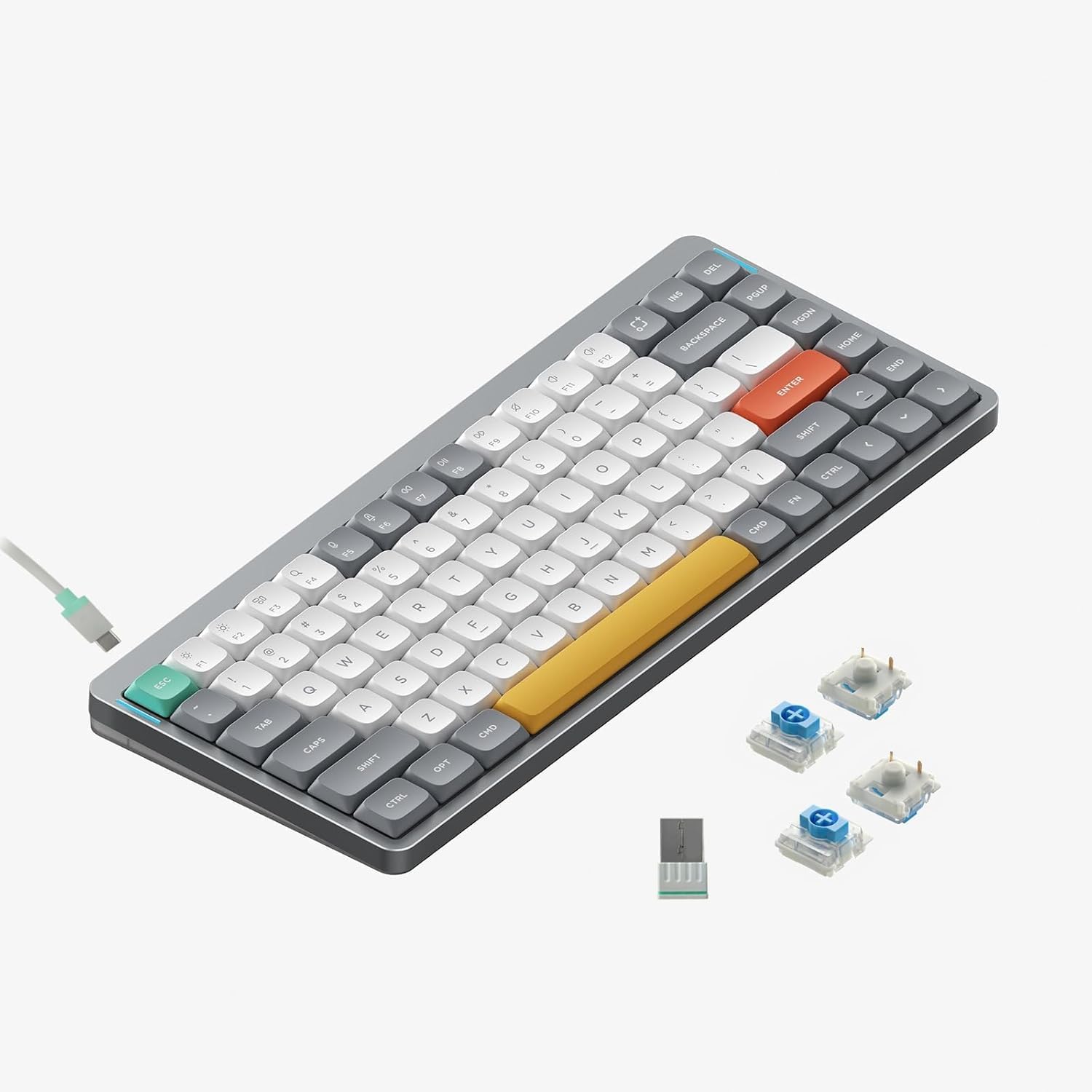
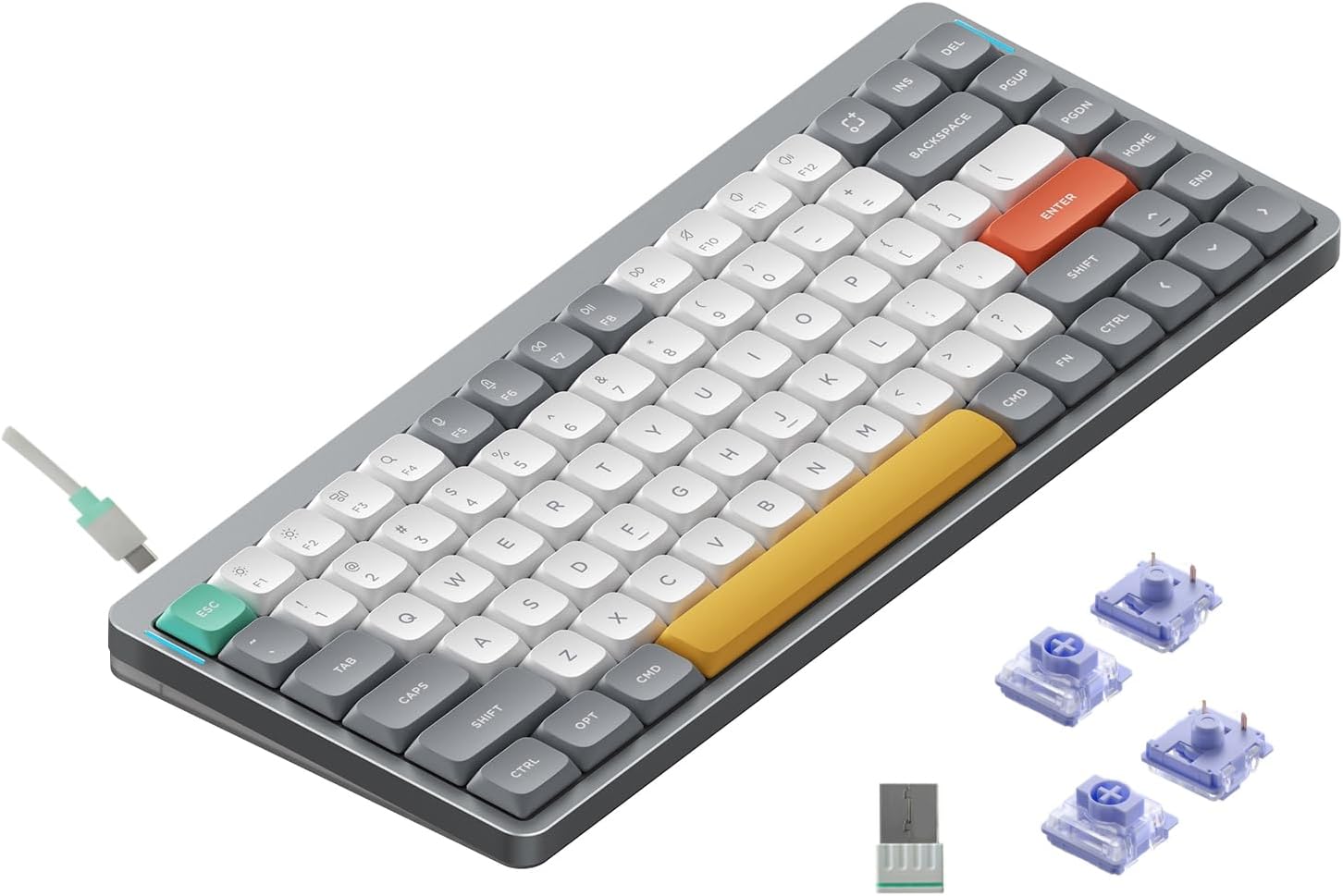
Figure 1: nuphy Air75 V2 Mechanical Keyboard, Grey with Gateron Cowberry Switches.
2. Setup
2.1 Package Contents
Before using your nuphy Air75 V2 keyboard, please ensure all items are present in the package:
- nuphy Air75 V2 Mechanical Keyboard
- USB-C Cable
- Keycap Puller / Switch Puller
- 2.4GHz Wireless Dongle
- Extra Keycaps for Windows Layout
- Sample Switches (various types)
- Quick Guide / Manual
- Stickers
Video 1: Unboxing the nuphy Air75 V2 Wireless Keyboard. This video demonstrates the contents of the package, including the keyboard, cables, and accessories.
2.2 Connectivity Modes
The Air75 V2 supports three connectivity modes:
- Bluetooth 5.1: Connects wirelessly to up to 4 devices.
- 2.4GHz Wireless: Uses the included USB dongle for a stable, low-latency connection.
- USB-C Wired: Connects directly via the USB-C cable, also charges the keyboard.
Use the switch on the top edge of the keyboard to select between OFF, WIRED, or WIRELESS modes.
2.3 System Compatibility
The keyboard is compatible with Mac, Windows, Linux, Android, and iOS systems. A dedicated switch on the top edge allows you to toggle between Windows and Mac layouts for optimal key mapping.
2.4 Adjustable Feet
The Air75 V2 features two-stage adjustable feet on the bottom for ergonomic typing angles. These feet are integrated into the keyboard design, preventing loss and offering stable elevation.

Figure 2: Bottom view of the keyboard showing the two-stage adjustable feet.
3. Operation
3.1 Key Functions and Layout
The Air75 V2 features a 75% layout, providing essential keys in a compact form factor. This includes function keys across the top, cursor keys in the bottom right, and command keys along the right-hand side.

Figure 3: nuphy Air75 V2 keyboard layout and basic information.
3.2 RGB Backlight Effects
The keyboard offers over 21 different RGB backlight effects. These can be changed using key combinations (refer to the quick guide for specific commands) or customized extensively via the QMK/VIA console.

Figure 4: nuphy Air75 V2 keyboard showcasing RGB backlighting.
3.3 Indicator Lights
Two RGB light bars are located on each side of the aluminum frame:
- Left Bar: Indicates Caps Lock status and current connection mode (wired, Bluetooth, 2.4G).
- Right Bar: Displays battery level and system mode (Windows/Mac).
3.4 QMK/VIA Customization
The Air75 V2 supports QMK/VIA firmware, allowing for extensive customization of key remapping, macros, and lighting effects. This open-source platform provides limitless possibilities for personalizing your keyboard experience.

Figure 5: VIA software interface for advanced keyboard customization.
Video 2: Official overview of the nuphy Air75 V2 mechanical keyboard, highlighting its features and customization options.
4. Maintenance
4.1 Hot-Swappable Switches
The Air75 V2 is hot-swappable, allowing you to easily replace or upgrade your mechanical switches without soldering. This provides flexibility to customize your typing experience.

Figure 6: Close-up of the hot-swappable switch sockets on the nuphy Air75 V2.
The keyboard comes with Gateron Cowberry switches. Other compatible Gateron switches include Red, Blue, Brown, Aloe, Moss, and Wisteria, each offering a different tactile or linear feel.

Gateron Red Switch
Gateron Blue Switch

Gateron Brown Switch

Gateron Aloe Switch

Gateron Moss Switch
Gateron Wisteria Switch
4.2 PBT Keycaps
The keycaps are made of durable PBT material, offering a comfortable touch and ensuring characters do not fade with prolonged use.
4.3 Cleaning
To clean your keyboard, power it off and disconnect any cables. Use a soft, dry cloth to wipe the surface. For deeper cleaning, remove keycaps using the provided keycap puller and clean around the switches. Avoid using harsh chemicals or excessive moisture.
5. Troubleshooting
- Connectivity Issues: Ensure the keyboard is in the correct mode (Bluetooth, 2.4GHz, or Wired) using the top switch. For Bluetooth, ensure the device is discoverable and paired correctly. For 2.4GHz, ensure the dongle is securely plugged in.
- Battery Not Charging: Verify the USB-C cable is properly connected to both the keyboard and a power source. Check the battery indicator light for status.
- Keys Not Responding: Try restarting the keyboard. If specific keys are not working, consider hot-swapping the switch with a spare to check if the switch itself is faulty.
- Backlight Problems: Use key combinations or the QMK/VIA software to adjust brightness and effects. Ensure the keyboard is sufficiently charged.
6. Specifications
| Product Dimensions | 12.46"L x 5.22"W x 0.53"H |
| Item Weight | 1.15 pounds |
| Battery Capacity | 4000mAh (up to 220 hours with backlight off, 35-57 hours with backlight on) |
| Connectivity Technology | 2.4GHz, Bluetooth 5.1, USB-C |
| Keyboard Description | Mechanical, 75% Layout |
| Keycap Material | PBT |
| Backlighting | RGB |
| Compatible Devices | Laptop, PC, Tablet (Mac/Windows/Linux/Android/iOS) |
| Polling Rate | 1000Hz (wired/2.4GHz), 125Hz (Bluetooth) |
7. Warranty & Support
For detailed warranty information and customer support, please refer to the documentation included in your product packaging or visit the official nuphy website.


