
1. Introduction
This manual provides essential information for the setup, operation, maintenance, and troubleshooting of your Apple iPhone 15 Pro Max, 256GB, Black Titanium - Unlocked (Renewed). Please read this guide thoroughly to ensure proper use and to maximize your device's functionality.

Image 1.1: Front and back view of the Apple iPhone 15 Pro Max in Black Titanium. The device features a triple camera system on the rear and a full-screen display with Dynamic Island on the front.
2. What's in the Box
Verify that all items are present in your product packaging:
- Apple iPhone 15 Pro Max (Renewed)
- USB Charging Cable (USB-C to USB-C)
Note: A power adapter is not included and must be purchased separately.
3. Setup
3.1 Initial Power On
- Press and hold the Side button on the right side of the device until the Apple logo appears.
- Follow the on-screen instructions to select your language, region, and connect to a Wi-Fi network.
3.2 SIM Card / eSIM Activation
The iPhone 15 Pro Max supports eSIM technology. For models sold in the United States, a physical SIM card slot is not present. Contact your carrier for eSIM activation instructions.
3.3 Data Transfer
You can transfer data from an old iPhone or Android device during the setup process using Quick Start or by restoring from an iCloud or computer backup.
3.4 Face ID Setup
During initial setup, you will be prompted to configure Face ID for secure authentication. Follow the on-screen prompts to register your face.
4. Operating Instructions
4.1 Dynamic Island
The Dynamic Island adapts to show important alerts, notifications, and activities, such as incoming calls, music playback, and Face ID authentication. Tap and hold on the Dynamic Island for more details or to interact with active apps.
4.2 Action Button
The Action Button, located above the volume buttons, is customizable. By default, it toggles Silent Mode. You can configure it to quickly access features like Camera, Flashlight, Voice Memo, Focus modes, Translate, or Accessibility features via Settings > Action Button.
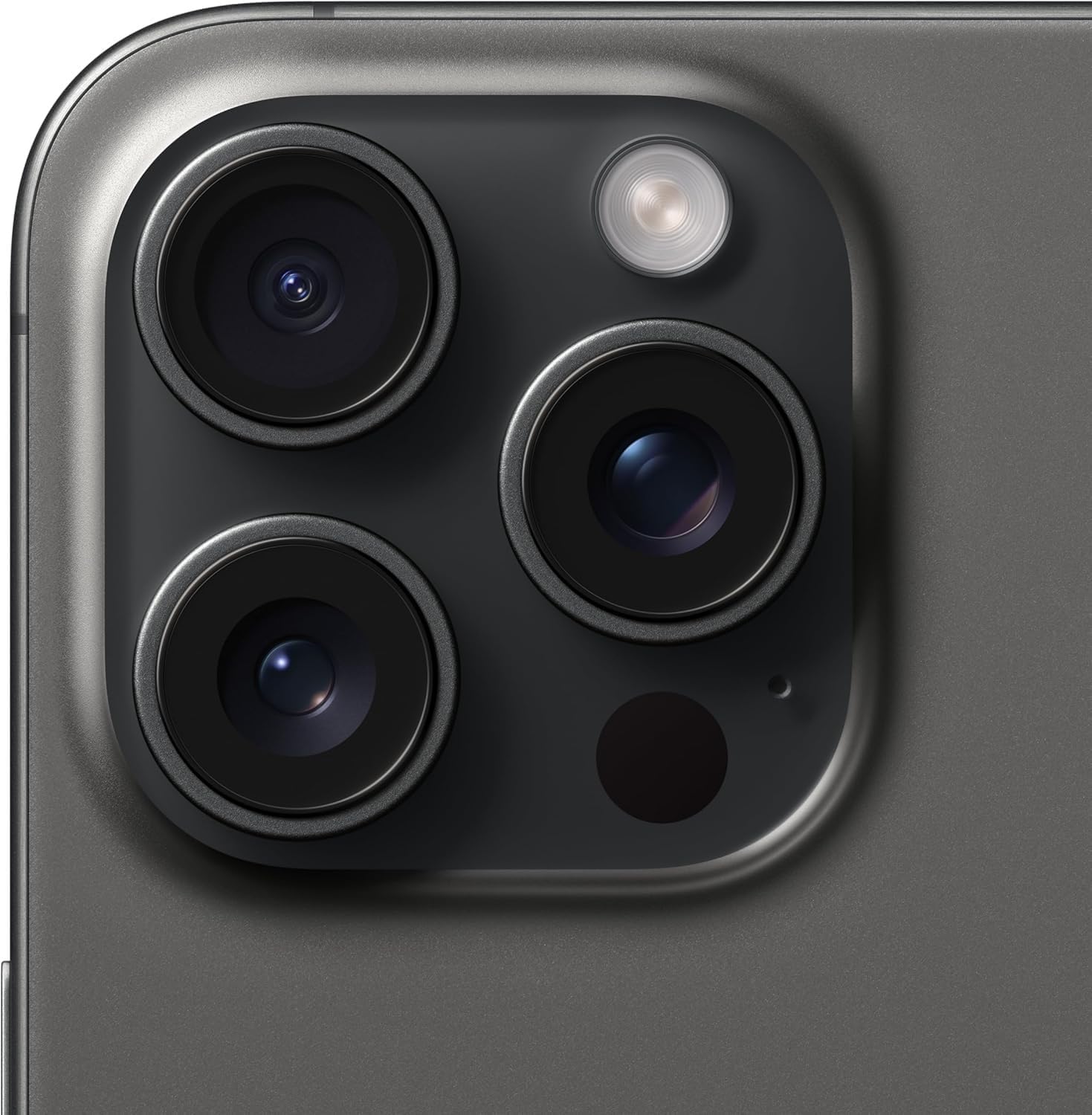
Image 4.1: Side view of the iPhone 15 Pro Max, highlighting the Action Button and the USB-C port at the bottom.
4.3 Camera System
The iPhone 15 Pro Max features a Pro camera system with a 48MP Main camera, Ultra Wide, and Telephoto lenses. Key features include:
- High-Resolution Photos: Capture detailed images at 24MP and 48MP.
- Next-Generation Portraits: Utilize Focus and Depth Control for enhanced portrait photography.
- Optical Zoom: Up to 10x optical zoom range for versatile photography.

Image 4.2: Close-up view of the advanced triple camera system on the rear of the iPhone 15 Pro Max.
4.4 USB-C Port
The USB-C port supports charging, data transfer, and external display connections. It offers up to 20x faster transfers with USB 3 compatible accessories.
4.5 Safety Features
The device includes Emergency SOS via satellite, Crash Detection, and Roadside Assistance via satellite for critical situations.
5. Maintenance
5.1 Battery Care
To prolong battery life, avoid extreme temperatures. For renewed devices, battery health is typically at least 80% of original capacity. Monitor battery health in Settings > Battery > Battery Health & Charging.
5.2 Cleaning
Use a soft, lint-free cloth to clean your iPhone. Avoid abrasive materials or harsh chemicals. Do not submerge the device in water.
5.3 Software Updates
Regularly update your iOS to the latest version to ensure optimal performance, security, and access to new features. Go to Settings > General > Software Update.
6. Troubleshooting
6.1 Common Issues
- Device not responding: Press and quickly release the Volume Up button. Press and quickly release the Volume Down button. Then, press and hold the Side button until you see the Apple logo.
- Battery drain: Check background app activity in Settings > Battery. Reduce screen brightness and disable unnecessary features.
- Connectivity problems: Toggle Wi-Fi or Cellular Data off and on. Restart your device. Reset Network Settings in Settings > General > Transfer or Reset iPhone > Reset > Reset Network Settings.
6.2 Factory Reset
If issues persist, you may need to perform a factory reset. This will erase all data on your device. Back up your data before proceeding. Go to Settings > General > Transfer or Reset iPhone > Erase All Content and Settings.
7. Specifications
| Feature | Specification |
|---|---|
| Model Name | iPhone 15 Pro Max |
| Item Model Number | MU663LL/A |
| Operating System | iOS 17 |
| CPU Model | Apple A17 Pro |
| Screen Size | 6.7 Inches |
| Resolution | 2796 x 1290 |
| Refresh Rate | 120 Hz |
| Memory Storage Capacity | 256 GB |
| RAM Memory Installed Size | 8 GB |
| Battery Capacity | 4422 Milliamp Hours |
| Connectivity Technologies | Bluetooth, NFC, USB, Wi-Fi |
| Special Features | Built-In GPS, Dual SIM, Mobile Hotspot Capability, Stereo Speakers, Wireless Charging |
| Product Dimensions | 10 x 2 x 2.7 inches |
| Item Weight | 7.8 ounces |
8. Warranty and Support
This Apple iPhone 15 Pro Max is a renewed product. Renewed products are inspected, tested, and cleaned to be fully functional. They typically have generic or original accessories and packaging, with a battery life greater than 80% of the original.
8.1 Amazon Renewed Guarantee
Your purchase is eligible for the Amazon Renewed Guarantee. This provides a refund or replacement within 90 days of receipt if the product does not work as expected. For more details, please refer to the Amazon Renewed Store or your purchase documentation.

Image 8.1: An overview of the Amazon Renewed program, emphasizing quality, trust, and coverage for renewed products.
8.2 Return Policy
The standard return policy allows for a refund or replacement within 30 days. Please check your specific order details for the most accurate return information.
8.3 Customer Support
For further assistance, please contact Amazon customer support or the seller directly through your Amazon order page.


