
1. Introduction
Welcome to the instruction manual for your ETT Eco Tech Time Radio Solar Watch, model EGS-11607-25M. This sophisticated timepiece combines solar power technology with radio-controlled accuracy, ensuring reliable timekeeping without the need for battery changes. It features a durable stainless steel bracelet, scratch-resistant sapphire glass, and is water-resistant up to 20 bar (200 meters). Please read this manual carefully to understand the full capabilities and proper care of your watch.
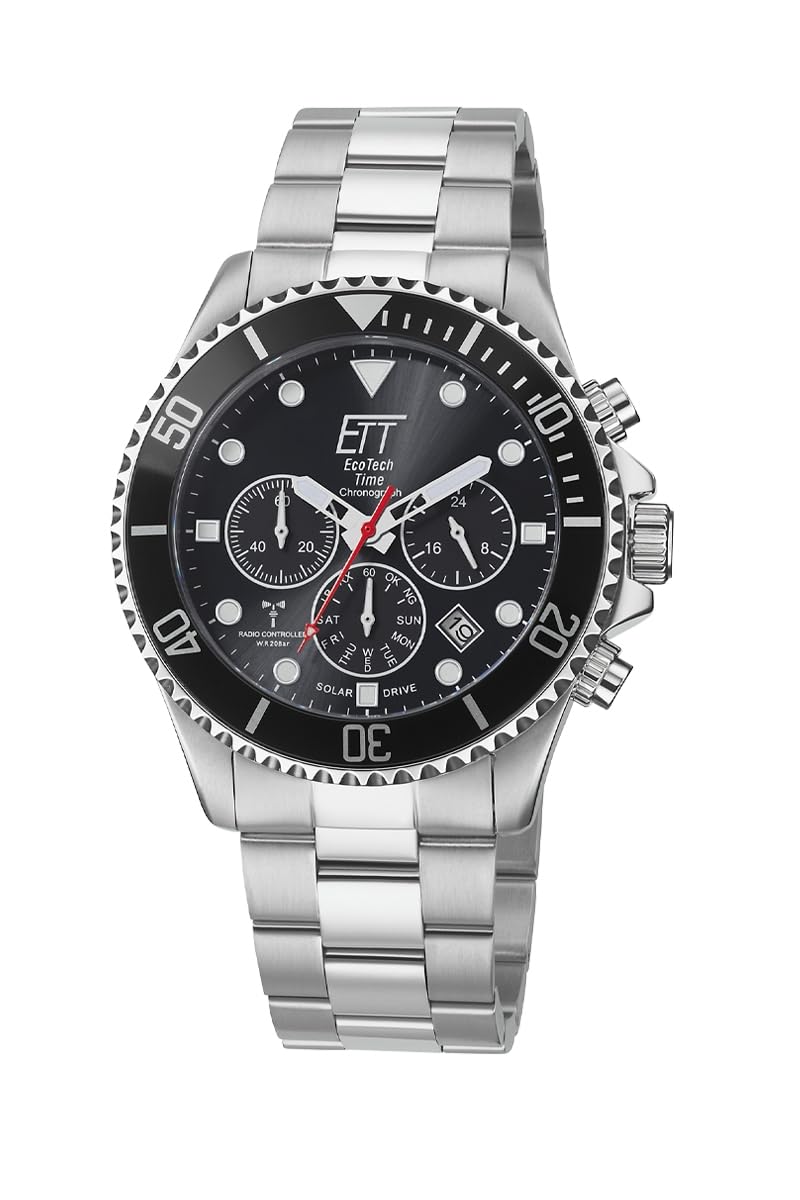
Figure 1: Front view of the ETT Eco Tech Time Radio Solar Watch EGS-11607-25M.
2. Setup
2.1 Initial Charging
Your watch is powered by light. Before initial use, or if the watch has stopped, expose the dial to a strong light source (natural sunlight is ideal) for several hours to ensure a full charge. The watch has a power reserve of up to 180 days in darkness once fully charged.
2.2 Automatic Time Synchronization (Radio Control)
The EGS-11607-25M watch automatically synchronizes with the DCF 77 radio signal from Mainflingen, Germany, ensuring precise timekeeping. This synchronization typically occurs overnight. Ensure the watch is placed in an area with good signal reception, away from electronic interference.

Figure 2: Approximate reception range for the DCF 77 radio signal, covering much of Europe.
2.3 Manual Time and Date Setting
In areas without radio signal reception, or if manual adjustment is preferred, refer to the detailed instructions in the full manual (not provided here) for setting the time and date using the crown and push-buttons. The watch also features an automatic radio-controlled time change for summer and winter time.
2.4 Bracelet Adjustment
The stainless steel bracelet can be adjusted to fit your wrist. A tool kit is typically included for this purpose. If you are unsure, it is recommended to have a professional jeweler adjust the bracelet to prevent damage.

Figure 3: Detail of the deployment clasp with safety on the stainless steel bracelet.
3. Operating the Watch
3.1 Time and Date Display
The watch features an analog display for hours, minutes, and seconds. An analog date display is also present. The multi-display sub-dials provide additional information such as a small second hand, day of the week, signal reception status, and charge status.

Figure 4: Detailed view of the watch dial, highlighting the chronograph sub-dials and luminous elements.
3.2 Chronograph Function
The watch includes a chronograph (stopwatch) function. Use the push-buttons on the side of the case to start, stop, and reset the chronograph. Refer to the full manual for specific button operations.
3.3 Rotating Bezel
The watch is equipped with a rotating bezel, which can be used for various timing purposes, such as measuring elapsed time. Rotate the bezel to align its marker with the minute hand at the start of an event. Note that the bezel may feel stiff, which is normal for a secure rotation mechanism.
3.4 Luminous Elements
The hands and numerals feature luminous material, allowing for readability in low-light conditions after exposure to light.
3.5 Water Resistance
This watch is water-resistant up to 20 bar (200 meters), making it suitable for swimming and diving. Ensure the crown is fully pushed in before exposing the watch to water. Do not operate the push-buttons underwater.
4. Maintenance
4.1 Cleaning
Clean your watch regularly with a soft, damp cloth. For the stainless steel bracelet, a mild soap solution can be used, followed by thorough rinsing and drying. Avoid harsh chemicals or abrasive materials.
4.2 Solar Charging
To maintain optimal performance, ensure your watch is regularly exposed to light. Avoid storing it in dark places for extended periods. If the watch enters a 'sleep function' due to low light, expose it to light to reactivate.
4.3 Sapphire Glass Care
The sapphire glass is highly scratch-resistant but not entirely scratch-proof. Avoid contact with extremely hard or sharp objects to prevent damage.
5. Troubleshooting
- Watch Not Running: Ensure the watch has been sufficiently charged by exposing it to bright light for several hours. The watch has an overcharge protection feature.
- Incorrect Time/Date: Check the signal reception status. Move to an open area away from electronic devices or large metal structures. If the issue persists, attempt manual time setting as described in the full manual.
- Stiff Rotating Bezel: The bezel is designed for secure rotation. If it feels excessively stiff or stuck, gently clean around the bezel with a soft brush and water to remove any debris. Avoid forcing it.
- Water Leakage: If you suspect water has entered the watch, immediately take it to an authorized service center. Do not attempt to open the watch yourself.
6. Specifications
| Feature | Detail |
|---|---|
| Model Number | EGS-11607-25M |
| Brand | ETT Eco Tech Time |
| Movement | Solar Powered, Radio Controlled (TD370D, DCF 77 signal) |
| Display Type | Analog with Multi-Display |
| Case Material | Stainless Steel |
| Case Diameter | 45 mm |
| Case Thickness | 14 mm |
| Band Material | Stainless Steel |
| Band Width | 22 mm |
| Band Length | 21.5 cm |
| Dial Color | Black |
| Glass Material | Synthetic Sapphire (Scratch Resistant) |
| Water Resistance | 20 Bar (200 meters) |
| Special Features | Perpetual Calendar, 24-hour display, Luminous Hands/Numerals, Low Power Display, Sleep Function, Stopwatch, Overcharge Protection |
| Clasp Type | Deployment Clasp with Safety |
| Item Weight | 162 grams |
7. Warranty Information
This ETT Eco Tech Time watch comes with a manufacturer's warranty. Please refer to the warranty card included with your purchase for specific terms, conditions, and duration. Keep your proof of purchase for warranty claims.
8. Customer Support
For further assistance, technical support, or service inquiries, please contact ETT Eco Tech Time customer service. Contact details can typically be found on the manufacturer's official website or on the warranty documentation provided with your watch.

