
1. Introduction
This manual provides comprehensive instructions for the setup, operation, and maintenance of your Lefant M1 Robot Vacuum. Designed for efficient home cleaning, the M1 features 2200Pa suction, a 120-minute runtime, and smart navigation. Please read this manual thoroughly before using the product to ensure safe and optimal performance.
2. What's in the Box
Upon unboxing your Lefant M1 Robot Vacuum, ensure all components are present:
- Lefant M1 Robot Vacuum Cleaner
- Charging Dock
- Power Adapter
- Side Brushes (2 pairs, 1 for immediate use, 1 spare)
- HEPA Filter (1 installed, 1 spare)
- 2-in-1 Dust Box and Water Tank
- Mopping Pad Plate with Mopping Pad
- Cleaning Tool
- User Manual (this document)
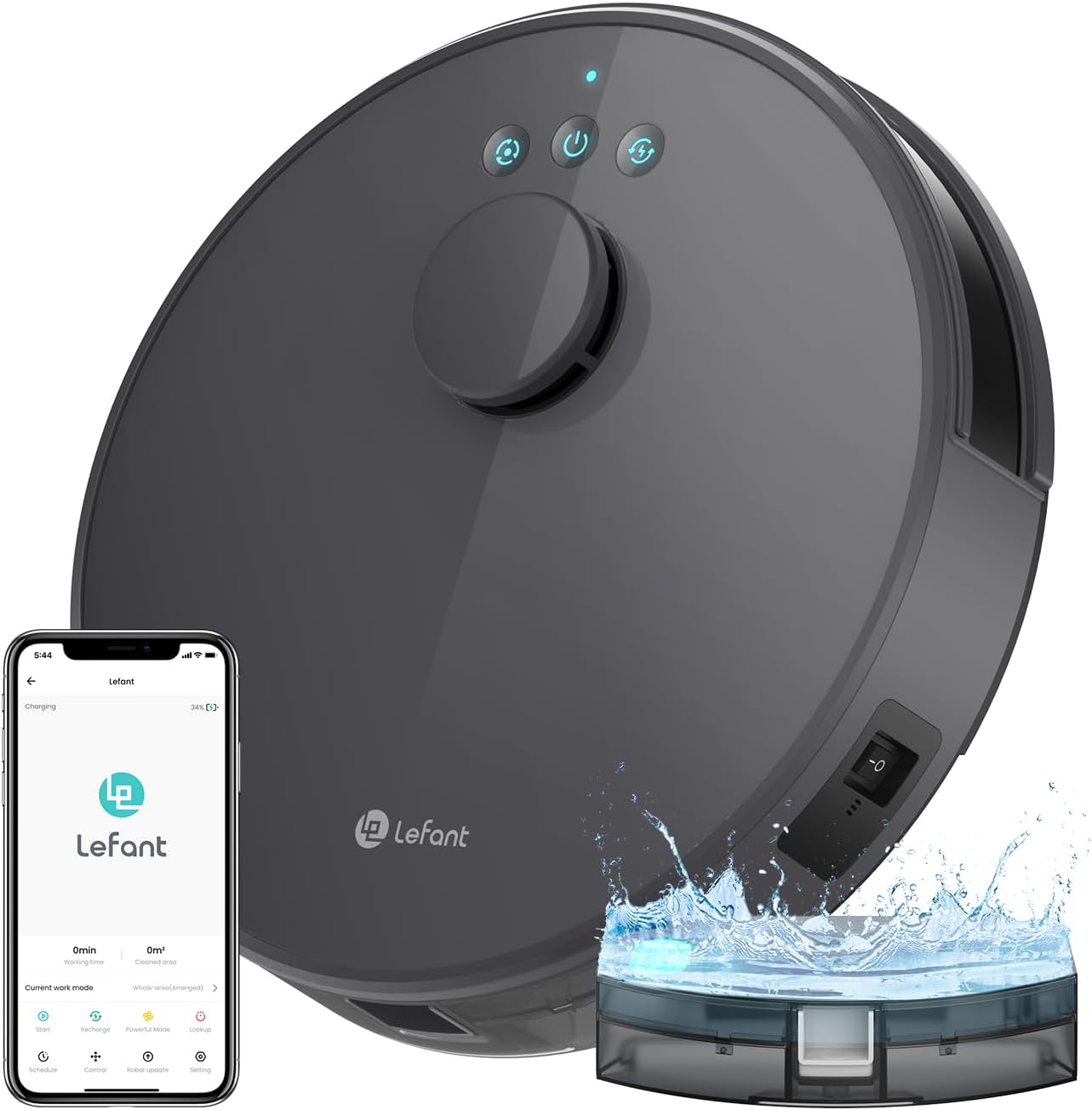
The Lefant M1 Robot Vacuum Cleaner, showcasing its sleek design, accompanying mobile application interface, and the integrated water tank for mopping functionality.
This video provides an overview of the Lefant M210 Pro (similar model) unboxing process, including the main unit, charging dock, brushes, and filters.
3. Setup
- Attach Side Brushes: Snap the two side brushes onto the designated posts on the bottom of the robot.
- Place Charging Dock: Position the charging dock against a wall in an open area, ensuring there are no obstacles within 1 meter to either side and 1.5 meters in front.
- Connect Power: Plug the power adapter into the charging dock and then into a wall outlet. Ensure the dock's indicator light is on.
- Power On Robot: Open the top cover of the robot and locate the main power switch. Flip the switch to the 'ON' position. Close the top cover.
- Initial Charge: Place the robot on the charging dock. Allow it to fully charge before its first use (approximately 4-5 hours). The power indicator light will change when fully charged.
- Download and Connect App: Scan the QR code provided in the quick start guide or search for 'Smart Life' in your mobile app store. Follow the in-app instructions to connect your robot vacuum to your home Wi-Fi network (2.4GHz only).

The underside of the Lefant M1 Robot Vacuum, showing the attachment points for the side brushes and the suction port.
This video demonstrates the initial setup steps for a Lefant robot vacuum (similar to M1), including attaching brushes, plugging in the charging dock, and powering on the device.
4. Operating Instructions
Your Lefant M1 Robot Vacuum offers various cleaning modes and smart features for convenient operation.
Starting/Pausing Cleaning
- Manual Start: Press the power button on the robot once to start cleaning. Press it again to pause.
- App Control: Use the Lefant app to start, pause, or stop cleaning cycles remotely.
Cleaning Modes & Features
- Auto Cleaning: The robot intelligently navigates to clean your entire home.
- Spot Cleaning: Focuses on a specific dirty area for intensive cleaning.
- Edge Cleaning: Cleans along walls and furniture edges.
- Scheduled Cleaning: Set specific times for the robot to automatically clean via the app.
- Suction Control: Adjust suction power (2200Pa maximum) via the app to suit different floor types and cleaning needs.
- Mopping Function: Attach the 2-in-1 dust box and water tank with the mopping pad to enable simultaneous vacuuming and mopping. The robot intelligently avoids carpets in mopping mode.
- Lidar Navigation & FreeMove 3.0: Advanced sensors allow the robot to map your home, avoid obstacles, and prevent falls down stairs.
- No-Go Zones & Virtual Walls: Define restricted areas in the app that the robot will avoid.
- Self-Charging: The robot automatically returns to its charging dock when the battery is low or when a cleaning cycle is complete.

Control your Lefant M1 Robot Vacuum using the dedicated mobile app, which offers features like setting No-Go Zones, specific cleaning areas, suction levels, scheduling, and multi-floor mapping.

Equipped with Lidar Navigation and FreeMove 3.0 technology, the Lefant M1 Robot Vacuum intelligently maps its environment and avoids obstacles for efficient cleaning.
This video showcases various operational features of a Lefant robot vacuum (M210P, similar to M1), including its slim design for cleaning under furniture, obstacle avoidance, powerful suction, and app control capabilities.
5. Maintenance
Regular maintenance ensures your Lefant M1 Robot Vacuum operates efficiently and extends its lifespan.
Emptying the Dustbin
- It is recommended to empty the dustbin every three days, or after each cleaning cycle if heavily soiled.
- Open the top cover of the robot.
- Pull out the 2-in-1 dust box and water tank module.
- Open the dustbin compartment and discard collected debris.
Cleaning/Replacing Filters
- Clean the HEPA filter once a week using the provided cleaning tool. The HEPA filter cannot be washed.
- Replace the HEPA filter every 3-6 months, depending on usage.
Cleaning Brushes and Sensors
- Regularly check and clean the side brushes for tangled hair or debris.
- Wipe the sensors on the robot and charging dock with a clean, dry cloth to ensure proper navigation and charging.

The 2-in-1 dust box and water tank module is easily removable for emptying and cleaning.
This video demonstrates the removal of the dustbin and filter for cleaning, highlighting the tangle-free suction port design.
6. Troubleshooting
If you encounter issues with your Lefant M1 Robot Vacuum, refer to the following common problems and solutions:
- Robot not cleaning effectively: Check if the dustbin is full and empty it. Ensure filters are clean and properly installed. Verify side brushes are free of tangled hair or debris.
- Robot gets stuck frequently: Clear obstacles from the cleaning path. Ensure virtual walls or No-Go Zones are correctly set in the app. The slim design helps it navigate under furniture, but very low clearances may still cause issues.
- Robot does not return to charging dock: Ensure the charging dock is plugged in and its indicator light is on. Verify the dock is placed in an open area without obstructions. Clean the charging contacts on both the robot and the dock.
- Loud operation: Check for any foreign objects caught in the brushes or suction port. Ensure the dustbin and filter are correctly seated.
- Mopping function not working: Ensure the water tank is filled and the mopping pad is attached correctly. Check for blockages in the water dispensing nozzles.
7. Specifications
| Feature | Specification |
|---|---|
| Brand | Lefant |
| Model Name | M1 |
| Special Feature | HEPA Filtration |
| Color | Dark Gray |
| Product Dimensions | 11"L x 11"W x 2.99"H |
| Included Components | Battery |
| Filter Type | Cartridge |
| Battery Life | 120 minutes |
| Voltage | 19 Volts (DC) |
| Capacity | 520 Milliliters |
| Power Source | Battery Powered |
| Are Batteries Included | Yes |
| Compatible Devices | Amazon Echo |
| Form Factor | Robotic |
| UPC | 659048515665 |
| Manufacture Year | 2023 |
| Item Weight | 7.7 pounds |
| Manufacturer | Lefant |
| ASIN | B0CMTNWLHF |
| Item model number | M1 |
| Batteries | 1 Lithium Polymer batteries required. (included) |
| Date First Available | April 3, 2024 |
8. Warranty and Support
For warranty information, technical support, or service inquiries, please contact Lefant customer service directly. Refer to the product packaging or the official Lefant website for the most up-to-date contact details.


