
1. Introduction
This manual provides detailed instructions for the installation, operation, and maintenance of your LUTEC Outdoor Solar Lamp Post Light with Motion Sensor. This solar-powered fixture is designed for outdoor use, featuring an integrated motion sensor and three distinct lighting modes. Constructed from durable aluminum with clear glass, it is built to withstand various weather conditions.

Image 1.1: The LUTEC Outdoor Solar Lamp Post Light, showcasing its design and integrated solar panel.
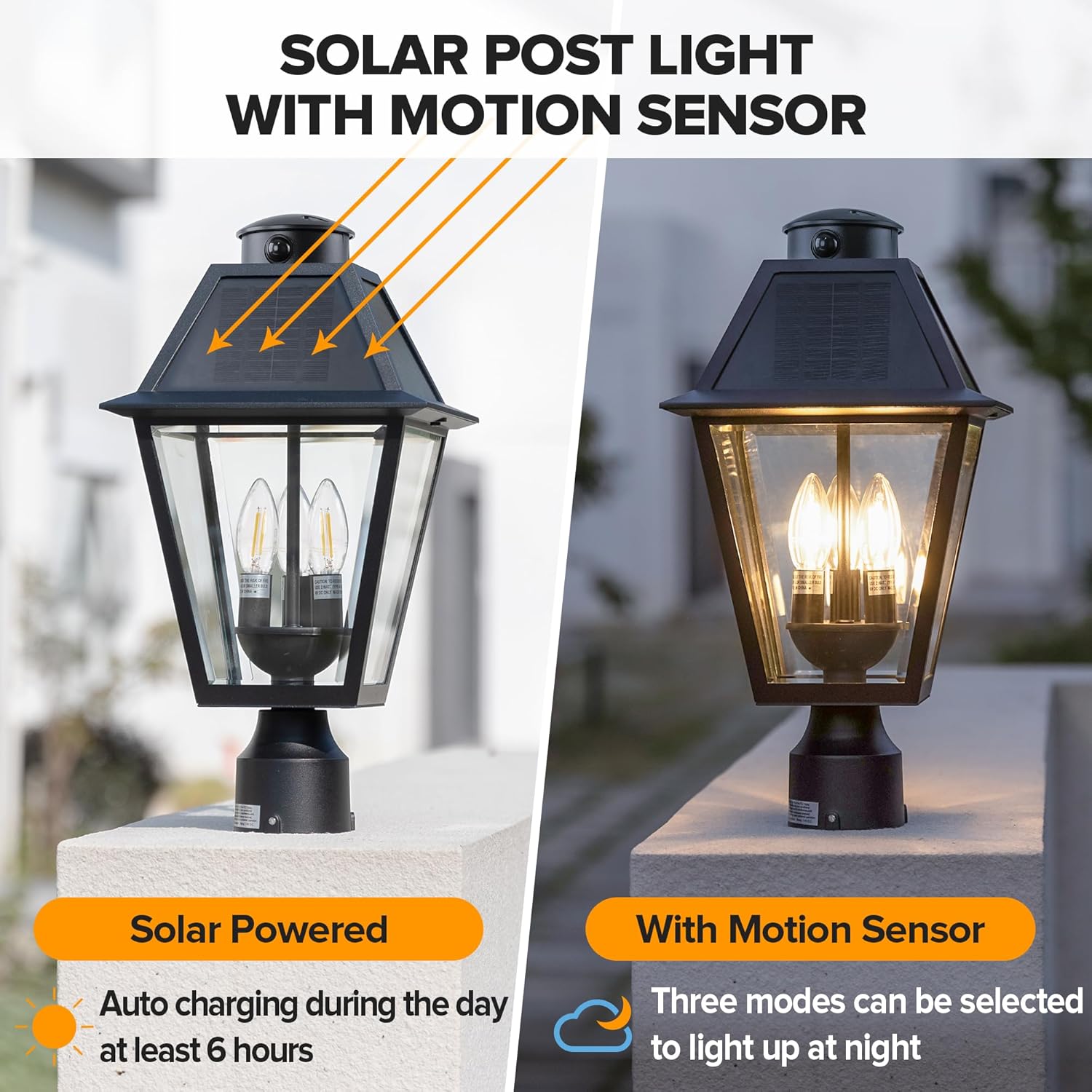
Image 1.2: Overview of the solar post light highlighting its solar charging capability and motion sensor functionality.
2. Setup and Installation
The LUTEC Solar Lamp Post Light is designed for straightforward installation. It can be mounted on a pier or a pole, fitting a standard 3-inch lamp base or post (not included).
2.1 Unpacking
- Carefully remove all components from the packaging.
- Verify that all parts are present according to the packing list.
- Inspect the fixture for any signs of damage. Do not install if damaged.
2.2 Mounting Options
The fixture supports two primary mounting methods:
- Pier Mount: For installation on a flat surface or pier.
- Pole Mount: For installation on a vertical pole.
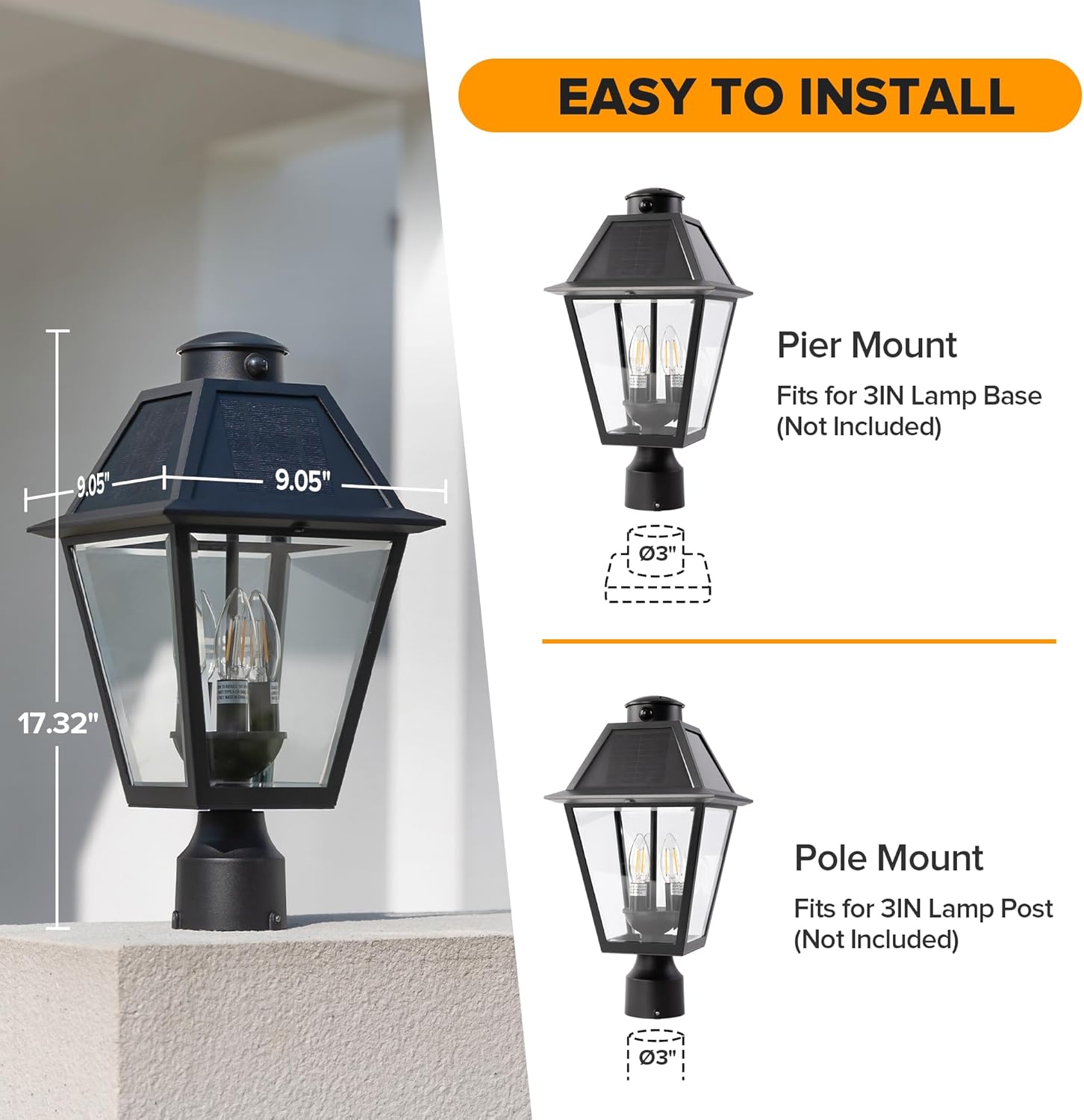
Image 2.1: Visual guide demonstrating the pier mount and pole mount installation options for the lamp post light.
2.3 Initial Charging
Before first use, ensure the solar panel receives at least 6 hours of direct sunlight to fully charge the internal battery. Optimal performance relies on adequate solar exposure.
3. Operating Instructions
The LUTEC Solar Lamp Post Light features a multi-function switch to select between different operating modes. The light automatically activates at dusk and deactivates at dawn.
3.1 Mode Selection
Locate the mode selection switch on the fixture. Choose one of the following three lighting modes:
- ON Mode: The light will illuminate at 100% brightness continuously from dusk until dawn, for a maximum of 10 hours.
- AUTO Mode: The light remains off at night until motion is detected. Upon motion detection, it illuminates at 100% brightness for 60 seconds, then turns off.
- DIM Mode: The light stays on at a continuous 10% brightness at night. When motion is detected, it brightens to 100% for 60 seconds, then returns to 10% brightness.
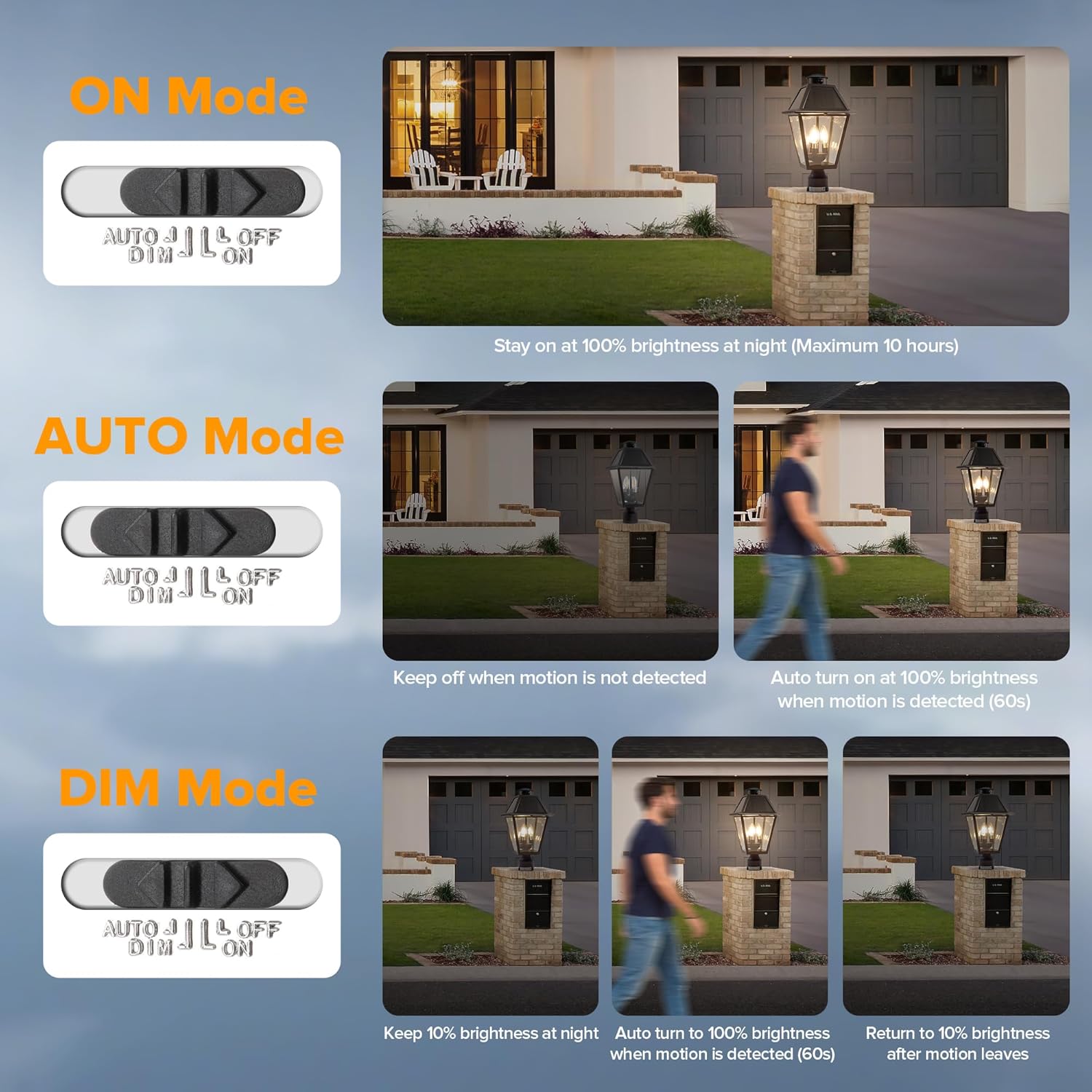
Image 3.1: Diagram illustrating the three operational modes (ON, AUTO, DIM) and their respective behaviors with motion detection.
4. Maintenance
Regular maintenance ensures optimal performance and longevity of your solar lamp post light.
4.1 Cleaning
- Periodically clean the solar panels with a soft, damp cloth to remove dust, dirt, or debris. A clean solar panel ensures efficient charging.
- Clean the glass panels and aluminum body with a mild soap solution and a soft cloth. Avoid abrasive cleaners.
4.2 Battery and Bulbs
- The fixture includes a Lithium Ion battery. While designed for long life, if replacement is ever needed, consult customer support.
- The fixture uses 3 E12 bulbs, which are replaceable. Ensure replacement bulbs match the original specifications for optimal performance.
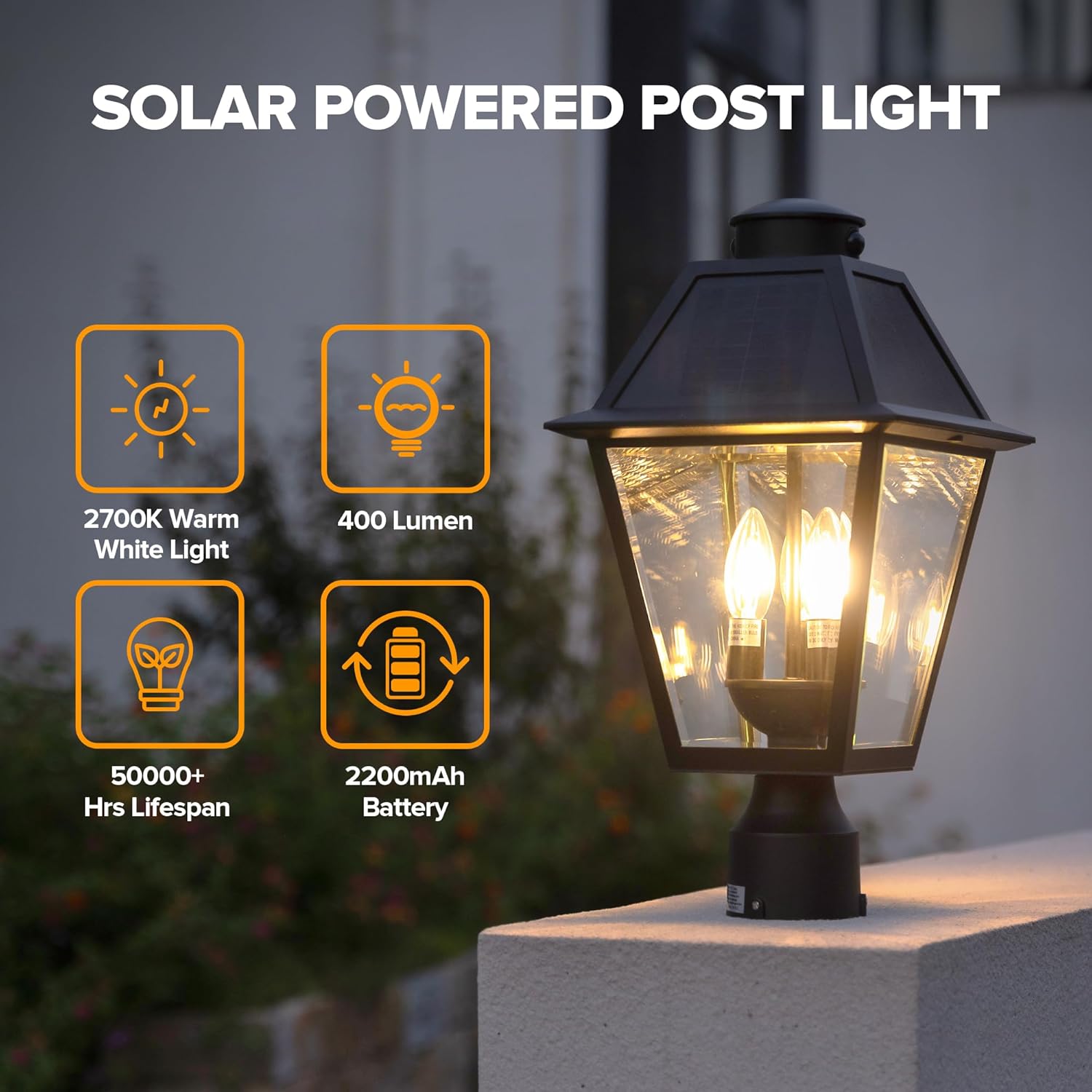
Image 4.1: The lamp post light is rated IP65 waterproof, indicating its resistance to dust and water jets, suitable for all weather conditions.
5. Troubleshooting
If your solar lamp post light is not functioning as expected, refer to the following common issues and solutions:
| Problem | Possible Cause | Solution |
|---|---|---|
| Light does not turn on at night. | Insufficient solar charge. | Ensure the solar panel is exposed to direct sunlight for at least 6 hours daily. Clean the solar panel. |
| Light is dim or turns off too early. | Inadequate solar charge or battery degradation. | Relocate the fixture to an area with more direct sunlight. Ensure solar panel is clean. If issue persists after prolonged use, battery may need replacement (contact support). |
| Motion sensor not detecting. | Sensor obstructed or incorrect mode. | Ensure the sensor lens is clean and unobstructed. Verify the light is set to AUTO or DIM mode. |
| Light stays on continuously in AUTO/DIM mode. | Constant motion or sensor malfunction. | Check for continuous movement near the sensor. If no motion, contact customer support. |
6. Specifications
Key technical specifications for the LUTEC Outdoor Solar Lamp Post Light:
- Model Number: 6974006012
- Dimensions: 27.99 x 49 x 27.99 cm (11.02 x 19.29 x 11.02 inches)
- Weight: 4.04 kg (8.9 lbs)
- Power Source: Solar Powered
- Material: Aluminum body, Clear Glass
- Color: Black
- Light Type: 3 x E12 Bulbs (included)
- Light Color Temperature: 2700K Warm White Light
- Lumen Output: 400 Lumens
- Battery: 1 x Lithium Ion (2200mAh, included)
- Lifespan: 50,000+ hours
- Waterproof Rating: IP65
- Motion Sensor: Integrated
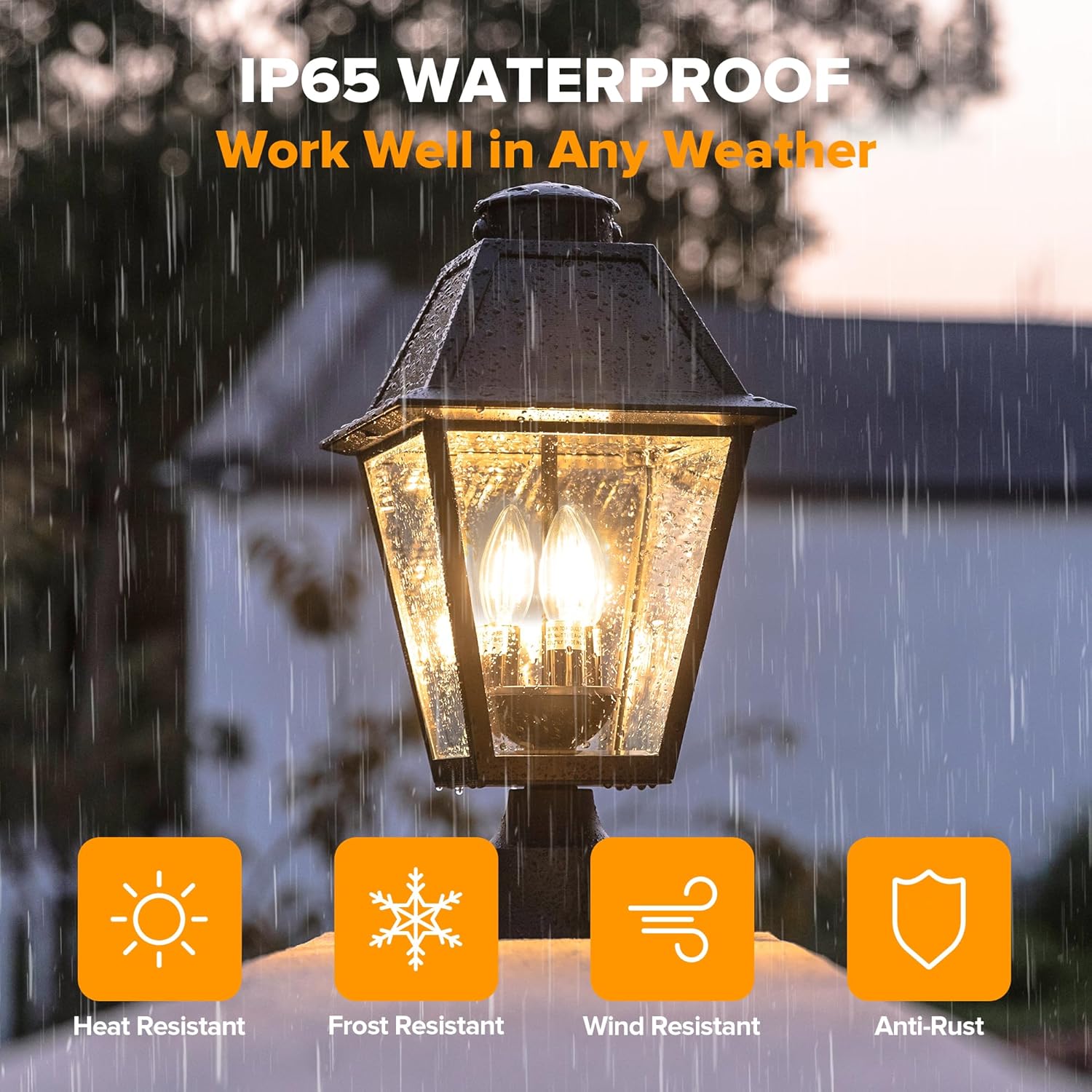
Image 6.1: Detailed specifications including light color, lumen output, battery capacity, and estimated lifespan.
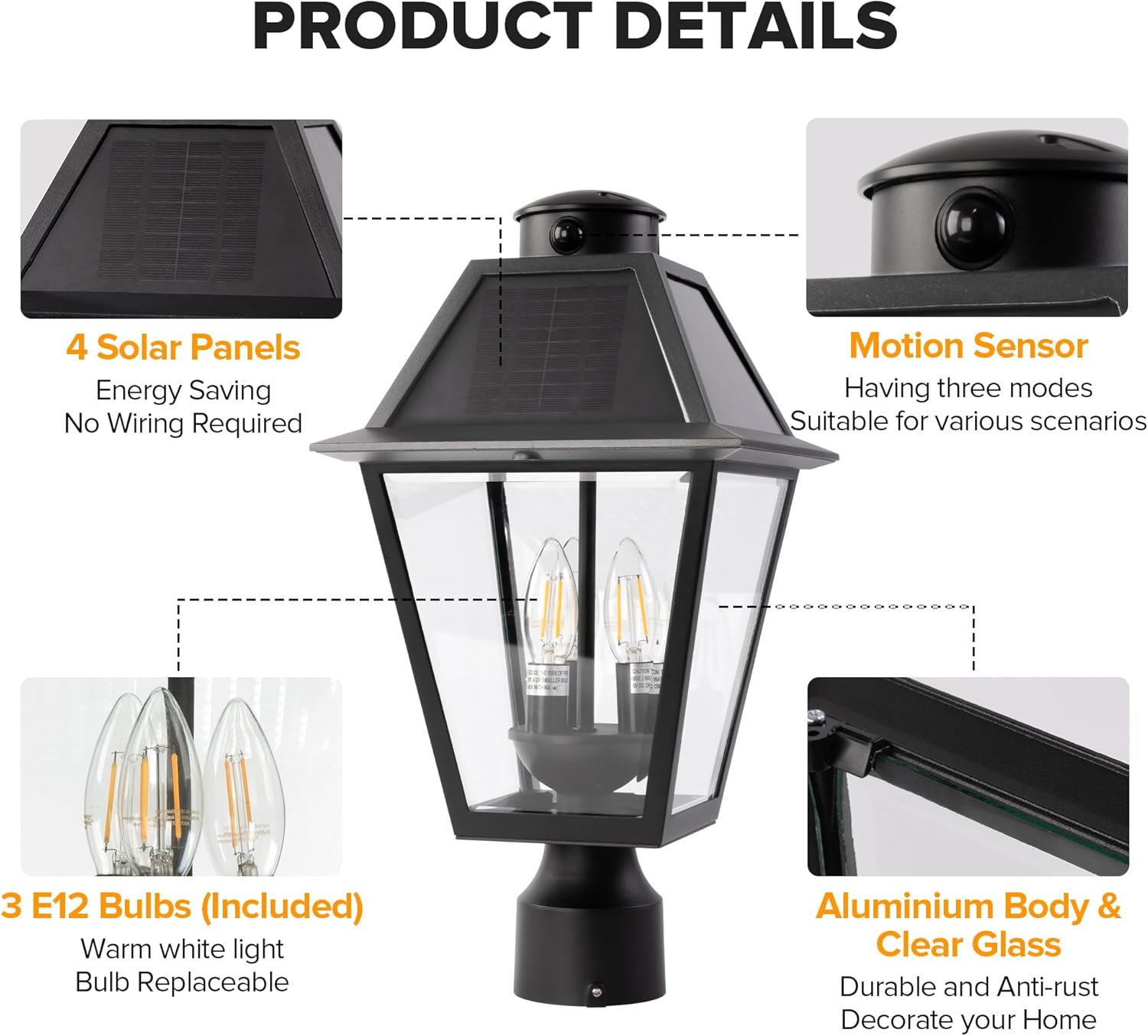
Image 6.2: Exploded view highlighting key components such as the 4 solar panels, motion sensor, 3 E12 bulbs, and aluminum body with clear glass.
7. Support
For any questions, concerns, or technical assistance regarding your LUTEC Outdoor Solar Lamp Post Light, please contact our customer service team. We offer 7*24 hour after-sales support to ensure your satisfaction.
Please refer to your purchase documentation or the retailer's website for specific contact information.


