
Monster XKT12
Monster XKT12 Gaming Earphones User Manual
Comprehensive guide for your Monster XKT12 Wireless Bluetooth Earphones.
Product Overview
The Monster XKT12 Gaming Earphones are designed for an immersive audio experience with advanced Bluetooth 5.3 technology. Featuring HIFI sound and noise reduction, these TWS earbuds are perfect for gaming, sports, and daily use.

Image: The Monster XKT12 earphones securely placed within their purple charging case, showcasing their compact and portable design.
Key Features:
- Bluetooth V5.3: Ensures stable and continuous connection with compatible devices.
- HIFI Sound Quality: Equipped with a 13mm PU+wool paper composite diaphragm for authentic sound, deep bass, and clear treble.
- TWS Master-Slave Free Switching: Both earbuds can function as the main earphone, offering flexible usage.
- Sensitive Microphone: Provides clear communication for calls.
- Long Battery Life: Up to 5 hours of music playback on a single charge for the headphones, with the charging case providing additional power.
- Ergonomic Design: Semi-in-ear design for a comfortable and stable fit, suitable for extended wear and sports.
Setup Guide
1. Initial Charging
Before first use, fully charge the earphones and the charging case. Connect the charging case to a USB power source using a compatible cable. The indicator lights on the case will show charging status.
- Charging time (charging box): Approximately 1.5 hours.
- Battery capacity (charging box): 3.7V 300mAh.
- Battery capacity (headphone): 3.7V 33mAh.

Image: The Monster XKT12 charging case illustrating its extended battery life capability, ensuring prolonged usage.
2. Pairing with Your Device
The earphones will automatically enter pairing mode when taken out of the charging case for the first time.
- Open the charging case and remove both earphones.
- On your mobile phone or Bluetooth-enabled device, go to the Bluetooth settings.
- Search for "Monster XKT12" in the list of available devices.
- Select "Monster XKT12" to connect. Once connected, a voice prompt will confirm the successful pairing.

Image: A smartphone displaying its Bluetooth settings, with "Monster XKT12" listed as a connected device, demonstrating the pairing process.
The earphones support TWS master-slave free switching, meaning either earbud can be used independently after initial pairing.

Image: A visual representation of the TWS master-slave free switching technology, highlighting that both earphones can operate independently as main units.
Operating Instructions
Wearing the Earphones
Gently insert the earphones into your ears, ensuring a comfortable and secure fit. The semi-in-ear design is crafted for stability during various activities.
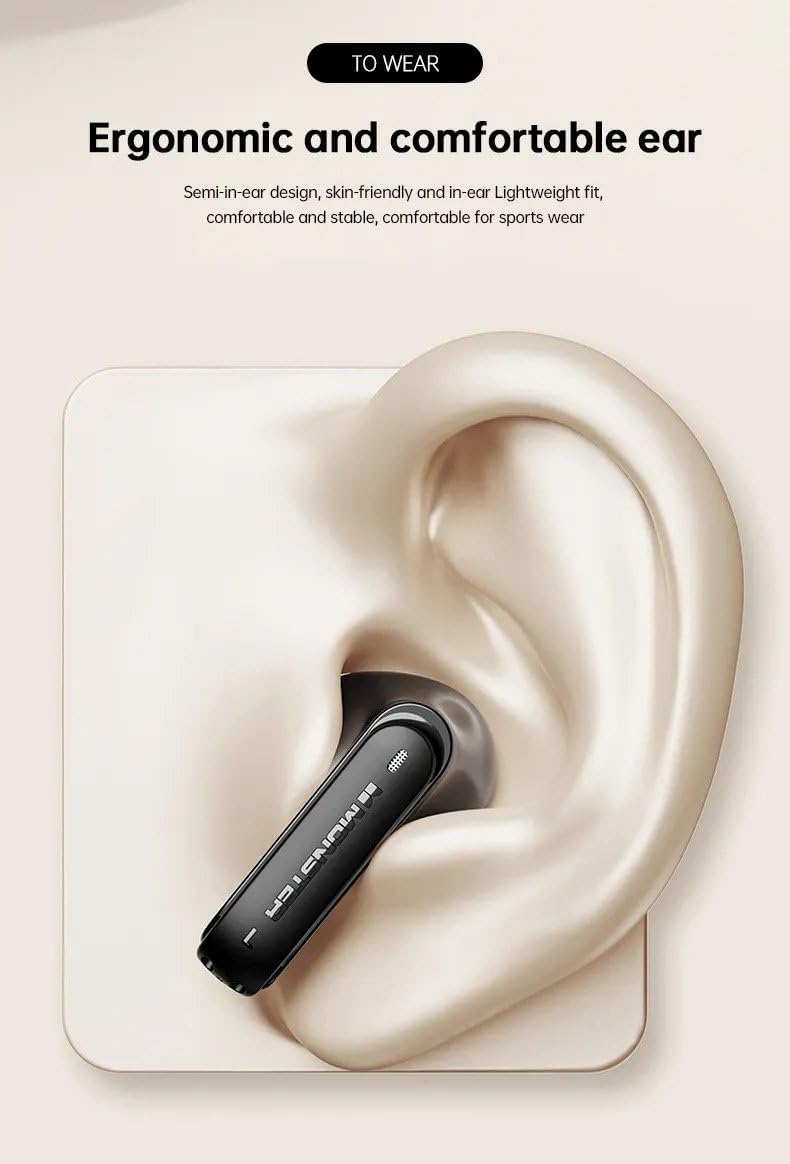
Image: An illustration demonstrating the ergonomic design and proper placement of the Monster XKT12 earphone in the ear for optimal comfort and stability.
Touch Controls
The Monster XKT12 earphones feature intuitive touch controls on each earbud. Specific functions may vary slightly based on your device and application.
- Play/Pause: Single tap on either earbud.
- Next Track: Double tap the right earbud.
- Previous Track: Double tap the left earbud.
- Answer/End Call: Single tap on either earbud during an incoming call.
- Reject Call: Press and hold either earbud for 2 seconds during an incoming call.
- Activate Voice Assistant: Triple tap on either earbud.
Making and Receiving Calls
The built-in sensitive microphone ensures clear voice transmission during calls.

Image: A detailed view of the Monster XKT12 earphone, emphasizing its high-definition sensitive microphone for clear call quality.
- To answer an incoming call, tap either earbud once.
- To end an active call, tap either earbud once.
- To reject an incoming call, press and hold either earbud for 2 seconds.
Maintenance
Cleaning Your Earphones
Regular cleaning helps maintain sound quality and hygiene.
- Use a soft, dry, lint-free cloth to wipe the surface of the earphones and charging case.
- For stubborn dirt, slightly dampen the cloth with water or a mild, non-abrasive cleaner. Avoid getting liquid into any openings.
- Do not use alcohol, benzene, or other harsh chemicals.
- Clean the charging contacts on both the earphones and the case periodically with a dry cotton swab.
Storage
When not in use, store the earphones in their charging case to protect them from dust and damage.
- Store in a cool, dry place, away from direct sunlight and extreme temperatures.
- Avoid storing in humid environments.
Battery Care
To prolong battery life:
- Charge the earphones regularly, even if not used frequently.
- Avoid completely draining the battery before recharging.
- Do not expose the device to extreme heat or cold.
Troubleshooting
If you encounter issues with your Monster XKT12 earphones, please refer to the following common solutions:
| Problem | Possible Solution |
|---|---|
| Earphones not pairing/connecting. |
|
| No sound from one earbud. |
|
| Low volume or poor sound quality. |
|
| Charging case not charging. |
|
Specifications
| Feature | Detail |
|---|---|
| Model Number | XKT12 |
| Bluetooth Version | V5.3 |
| Transmission Distance | ≥10m |
| Driver Diameter | 13mm |
| Driver Impedance | 32Ω±15% |
| Sensitivity | 109±3dB |
| Frequency Response | 20Hz-20kHz |
| Charging Box Battery Capacity | 3.7V 300mAh |
| Headphone Battery Capacity | 3.7V 33mAh |
| Charging Time (Charging Box) | 1.5 hours |
| Music Playback Time (Headphones) | 5 hours |
| Ear Placement | In Ear |
| Form Factor | In Ear |
| Noise Control | None |
Warranty and Support
This product is covered by a standard manufacturer's warranty against defects in materials and workmanship. Please refer to the retailer's policy or contact the point of purchase for specific warranty terms and conditions.
For technical support or further assistance, please contact the customer service department of your retailer or the manufacturer. Keep your purchase receipt as proof of purchase.
Ask a question about this manual
Ask about setup, troubleshooting, compatibility, parts, safety, or missing instructions. Manuals+ will review the question and use this page’s manual context to help answer it.