
Introduction
This manual provides instructions for the GENGQIANSI replacement remote control, designed for use with various Clarion Car Audio Video Systems. This remote control is a direct replacement and requires no programming for immediate use with compatible models.
Compatible Clarion Car Audio Video System Models:
- DXZ845MC
- DXZ935
- DXZ945MP
- DXZ948RMP
- DXZ946MP
- DXZ865MP
- DXZ848RMC
- DXZ835RMP
- DXZ748RMP
- DXZ746MP
- DXZ735MP
- DXZ648RMP
- DXZ646MP

Figure 1: Front view of the remote control, displaying its button layout.
Setup
Battery Installation
The remote control requires two (2) AAA 1.5V batteries (not included). Follow these steps to install the batteries:
- Locate the battery compartment on the back of the remote control.
- Slide the battery compartment cover downwards or in the direction indicated by an arrow to open it.
- Insert two AAA 1.5V batteries, ensuring the positive (+) and negative (-) terminals align correctly with the markings inside the compartment.
- Slide the battery compartment cover back into place until it clicks securely.

Figure 2: Back view of the remote control, illustrating the battery compartment.

Figure 3: The remote control uses AAA 1.5V batteries.
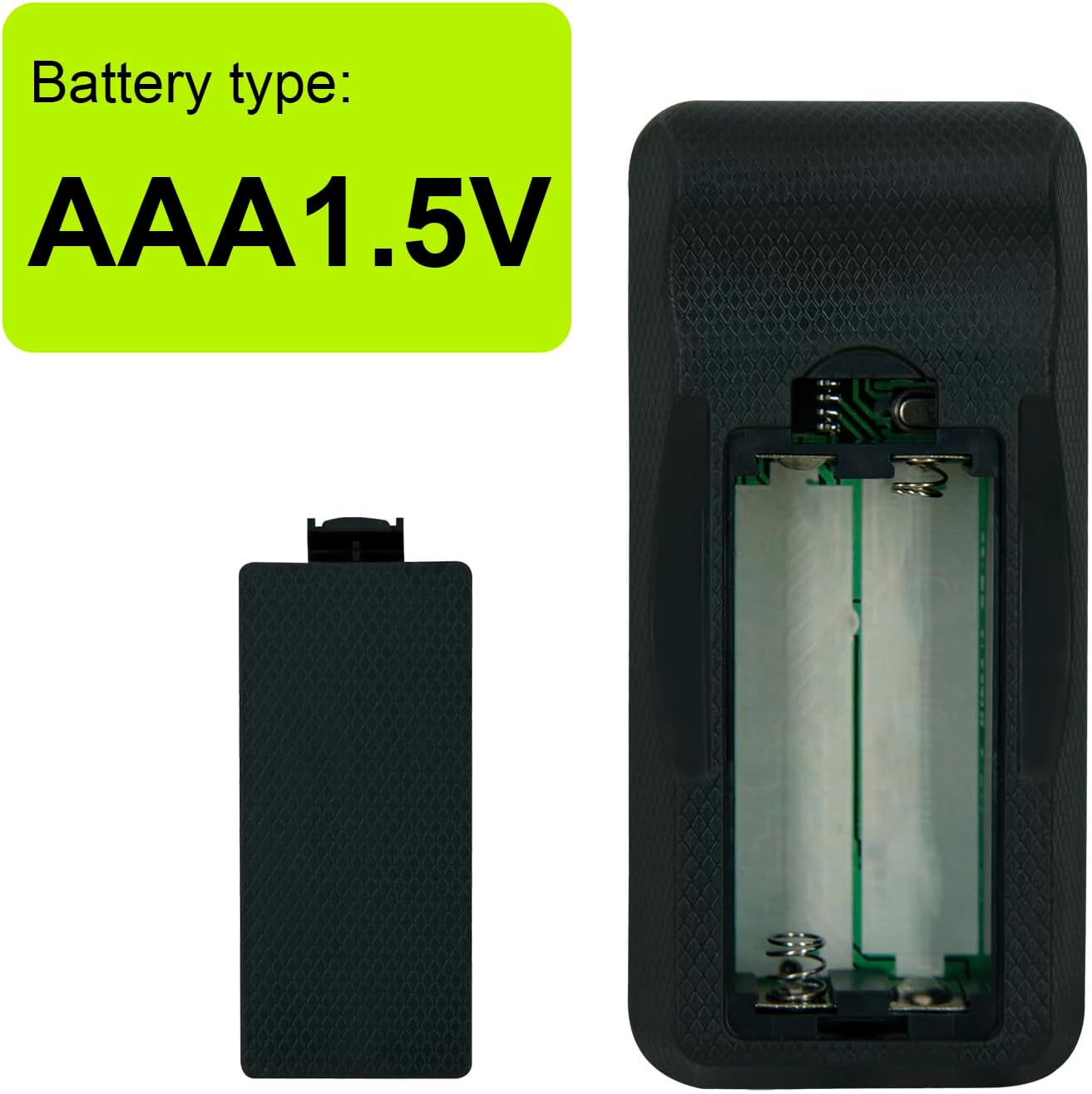
Figure 4: This remote control is designed for AAA batteries, offering longer durability compared to older coin battery designs.
Wall Mounting Bracket Installation
The remote control includes a wall mounting bracket for convenient storage. To install the bracket:
- Choose a suitable location for the bracket, ensuring it is within easy reach and away from direct sunlight or heat sources.
- Use appropriate screws (not included) to secure the bracket to the wall or desired surface.
- Once installed, the remote control can be placed securely into the bracket.

Figure 5: The remote control and its accompanying wall mounting bracket.

Figure 6: The remote control stored in its wall mounting bracket.
Operating Instructions
Point the remote control directly at your Clarion Car Audio Video System. Ensure there are no obstructions between the remote and the system's infrared receiver.
Button Functions
- POWER: Turns the audio system on or off.
- FUNC/SRC (Function/Source): Cycles through available audio sources (e.g., Radio, CD, USB, AUX).
- DSP (Digital Sound Processor): Accesses Digital Sound Processor settings.
- BAND: Changes radio bands (e.g., FM1, FM2, AM).
- VOLUME (+/-): Increases or decreases the audio volume.
- SEARCH (<< / >>): Skips tracks, fast forwards/rewinds, or searches radio stations.
- Play/Pause (► / −): Plays or pauses media playback.
- MUTE: Mutes or unmutes the audio output.
- ISR/TA (Information Search/Traffic Announcement): Activates or deactivates specific radio functions like traffic announcements.
- DISP (Display): Changes the information displayed on the audio system's screen.
- EQ (Equalizer): Accesses equalizer settings to adjust audio frequencies.
- SCN (Scan): Scans through radio stations or tracks.
- RDM (Random): Activates or deactivates random/shuffle playback.
- RPT (Repeat): Activates or deactivates repeat playback.
Maintenance
Cleaning
To clean the remote control, use a soft, dry cloth. Do not use liquid cleaners, abrasive pads, or chemical solvents, as these may damage the surface or internal components.
Battery Replacement
Replace batteries when the remote control's response becomes sluggish or stops working. Always replace both batteries at the same time with new AAA 1.5V batteries. Do not mix old and new batteries or different types of batteries.
Troubleshooting
Remote Control Not Responding
- Check Batteries: Ensure batteries are correctly installed with the correct polarity (+/-) and are not depleted. Replace with fresh AAA 1.5V batteries if necessary.
- Line of Sight: Make sure there are no obstructions between the remote control and the infrared receiver on your Clarion Car Audio Video System.
- Distance: Ensure you are within the effective operating range (up to 10 meters) of the audio system.
- System Power: Verify that your Clarion Car Audio Video System is powered on.
Specifications
| Brand | GENGQIANSI |
| Model Number | A52023102701C06 (NIU25) |
| Connectivity Technology | Infrared (IR) |
| Controller Type | Remote Control |
| Maximum Range | 10 Meters |
| Number of Batteries Required | 2 AAA batteries (1.5V) |
| Compatible Devices | Clarion Car Audio Video Systems (specific models listed in Introduction) |
Warranty Information
Please refer to the seller's return policy or contact the seller directly for specific warranty details regarding this replacement remote control. General return policies typically allow for returns or replacements within 30 days of purchase.
Support
For further assistance or inquiries, please contact the seller directly through the platform where the product was purchased. Ensure you have your order details readily available for faster service.