1. Introduction
Thank you for choosing the Sygonix SY-5653638 Solar Wall Light. This product is designed to provide efficient and eco-friendly outdoor illumination with the added convenience of a motion detection sensor. Powered by solar energy, it is ideal for pathways, gardens, patios, and other outdoor areas where additional lighting is desired without the need for complex wiring. Please read this manual thoroughly before installation and use to ensure proper operation and longevity of your device.
2. Safety Instructions
Observe the following safety instructions to prevent personal injury or damage to the product:
- This product is designed for outdoor use only.
- Do not attempt to open or modify the product. There are no user-serviceable parts inside.
- Keep the product away from extreme temperatures, direct sunlight (except for the solar panel), and excessive moisture.
- Ensure the mounting surface is stable and can support the weight of the light.
- Clean the solar panel regularly to ensure optimal charging efficiency.
- Do not dispose of the product with household waste. Follow local regulations for electronic waste disposal.
- The built-in battery is not replaceable by the user.
3. Package Contents
Please check the package contents upon unpacking. If any parts are missing or damaged, contact your retailer immediately.
- Sygonix SY-5653638 Solar Wall Light
- Mounting Screws and Wall Plugs (typically included)
- User Manual (this document)
4. Setup and Installation
Proper installation is crucial for the optimal performance of your solar light. Choose a location that receives direct sunlight for at least 6-8 hours daily to ensure the battery charges sufficiently.
4.1 Choosing a Location
- Select an outdoor location where the solar panel can receive maximum direct sunlight throughout the day, free from shadows cast by trees, buildings, or other obstructions.
- Ensure the light will illuminate the desired area effectively.
4.2 Initial Charging
Before first use, it is recommended to charge the solar light for at least 24 hours in direct sunlight with the switch in the "OFF" position. This ensures the internal battery is fully charged for optimal performance.
4.3 Mounting the Light
- Identify the mounting holes on the back of the light.
- Hold the light against the desired mounting surface and mark the positions for drilling.
- Drill holes at the marked positions. Insert wall plugs if mounting on masonry or concrete.
- Align the light with the drilled holes and secure it using the provided screws. Ensure it is firmly attached.

Figure 1: Rear view of the light, indicating the ON/OFF switch and motion sensor location for mounting reference.

Figure 2: Product dimensions for planning installation space.
5. Operating Instructions
5.1 Powering On/Off
Locate the ON/OFF switch on the back of the unit (refer to Figure 1). Slide the switch to the "ON" position to activate the light. Slide it to the "OFF" position to deactivate it.
5.2 Automatic Operation
Once activated ("ON" position), the solar wall light will operate automatically:
- During the day, the solar panel will convert sunlight into electricity and charge the internal battery. The light will remain off.
- At dusk, the light will automatically enter standby mode.
- When motion is detected within its sensing range, the light will illuminate at full brightness for a set duration (typically 15-30 seconds).
- After the motion ceases or the set duration expires, the light will turn off or dim, depending on the specific model's programming (this model typically turns off).

Figure 3: Top view highlighting the solar panel for optimal light exposure.
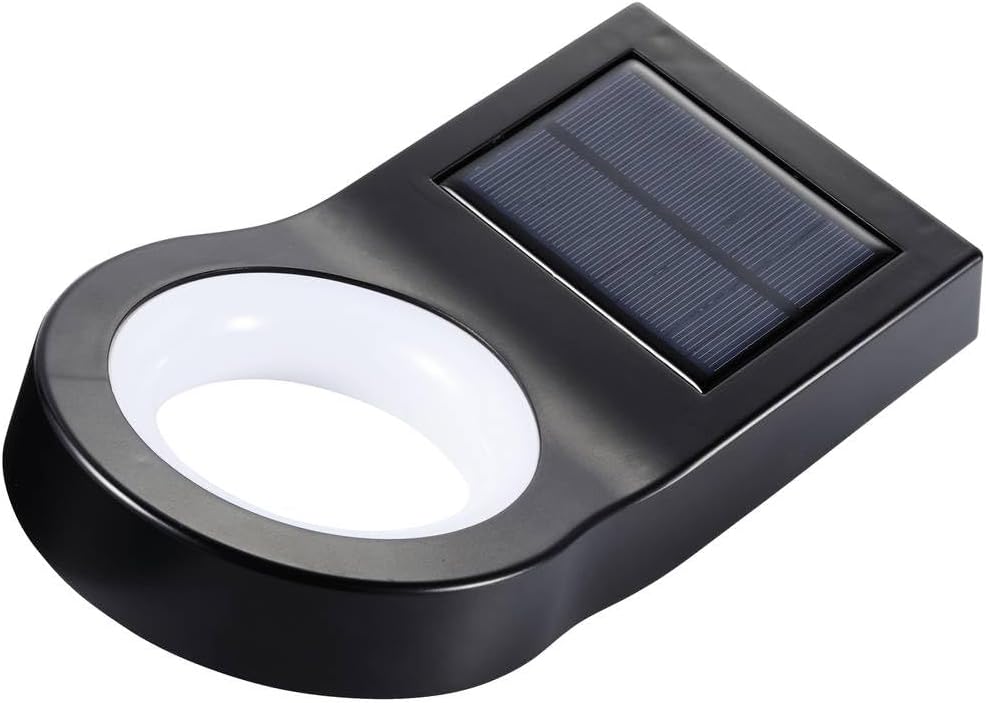
Figure 4: Angled view of the product.
6. Maintenance
Regular maintenance ensures the longevity and optimal performance of your solar light.
- Cleaning the Solar Panel: Periodically wipe the solar panel with a soft, damp cloth to remove dust, dirt, leaves, or snow. A clean panel ensures maximum sunlight absorption and efficient battery charging.
- Cleaning the Light Housing: Clean the light housing with a soft, dry or slightly damp cloth. Do not use abrasive cleaners or solvents.
- Winter Performance: In winter months or periods of low sunlight, the light's performance may be reduced due to less available solar energy for charging.
7. Troubleshooting
If your solar light is not functioning as expected, try the following steps:
| Problem | Possible Cause | Solution |
|---|---|---|
| Light does not turn on at night. |
|
|
| Light stays on during the day. |
|
|
| Motion sensor is not detecting. |
|
|
8. Specifications
| Feature | Detail |
|---|---|
| Model | SY-5653638 |
| Power Source | Solar Power |
| Light Type | SMD LED |
| Mounting Type | Fixed Wall Mount |
| Motion Detector | Yes |
| Dimensions (L x W x H) | Approx. 23 x 13 x 6 cm (as per visual reference) |
| Color | Black |
Note: Specifications are subject to change without notice.
9. Warranty and Support
For warranty information or technical support, please refer to the documentation provided with your purchase or visit the official Sygonix website. Keep your proof of purchase for any warranty claims.
You can visit the Sygonix store on Amazon: Sygonix Amazon Store


