
RENPHO D003R
RENPHO Shiatsu Foot Massager with Heat
Model: D003R
User Manual
Important Safety Instructions
Please read all instructions carefully before using this RENPHO Shiatsu Foot Massager. Keep this manual for future reference.
- Always unplug the massager from the electrical outlet immediately after using and before cleaning.
- Do not use while bathing or in a shower.
- Do not place or store the massager where it can fall or be pulled into a tub or sink.
- Do not place in or drop into water or other liquid.
- Never use pins or other metallic fasteners with this appliance.
- Close supervision is necessary when this appliance is used by, on, or near children, invalids, or disabled persons.
- Use this appliance only for its intended use as described in this manual. Do not use attachments not recommended by the manufacturer.
- Never operate this appliance if it has a damaged cord or plug, if it is not working properly, if it has been dropped or damaged, or dropped into water. Return the appliance to a service center for examination and repair.
- Keep the cord away from heated surfaces.
- Never use while sleeping or drowsy.
- Never drop or insert any object into any opening.
- Do not operate where aerosol (spray) products are being used or where oxygen is being administered.
- Do not use on bare skin.
- Do not use on sensitive skin areas or where circulation is poor.
- Do not use on infants, invalids, or sleeping or unconscious persons.
- Do not crush. Avoid sharp folds.
- This appliance is intended for household use only.
Product Overview
The RENPHO Shiatsu Foot Massager D003R is designed to provide a professional foot massage experience with deep kneading, air compression, and heat functions. It features a user-friendly control panel and a wireless remote for convenient operation.
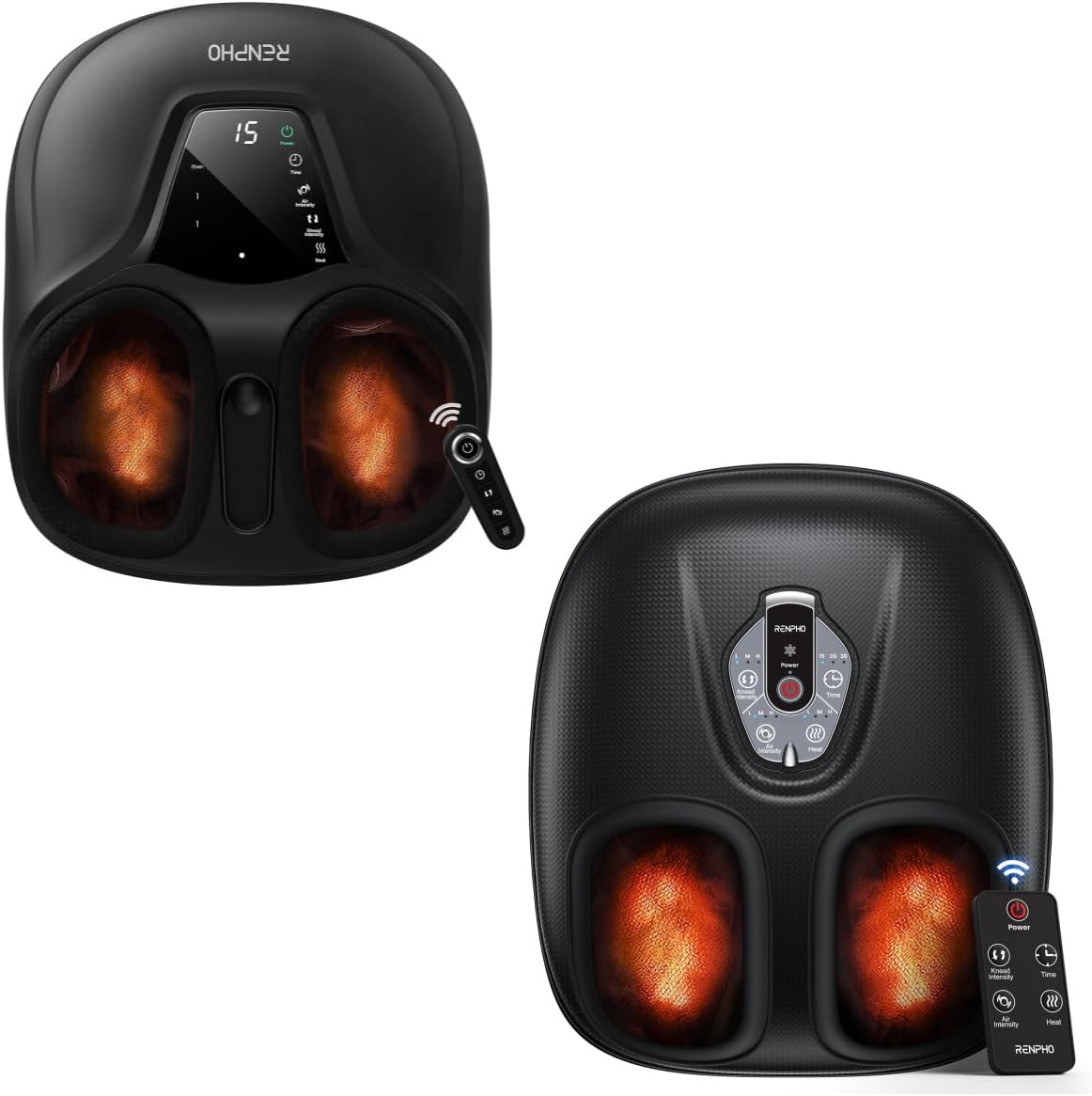
Image: The RENPHO Shiatsu Foot Massager D003R, showing its sleek black design and foot inserts. A remote control is visible next to the unit.

Image: A transparent view of the foot massager highlighting the internal deep kneading and air compression mechanisms, with a foot placed inside. Certifications like FC, FDA, UL, CE, and RoHS are displayed below.
Key Features:
- Deep Kneading Massage
- Air Compression Massage
- Adjustable Heat Function (3 levels)
- Customizable Intensity and Timer Settings
- Wireless Remote Control
- Washable Foot Covers for hygiene
- Compact and Portable Design
Setup
- Unpack: Carefully remove the foot massager and all accessories from the packaging.
- Placement: Place the massager on a flat, stable surface. Ensure there is enough space around the unit for proper ventilation.
- Power Connection: Plug the power adapter into the DC input port on the back of the massager. Then, plug the other end of the power adapter into a standard electrical outlet (AC 100-240V, 50/60Hz).
- Initial Check: Before first use, ensure the foot covers are properly installed inside the foot chambers.
Operating Instructions
The RENPHO D003R foot massager can be operated using the integrated control panel or the included wireless remote control.

Image: Close-up view of the foot massager's control panel and the wireless remote control, showing buttons for Power, Knead Intensity, Timer, Air Intensity, and Heat.
Control Panel & Remote Functions:
- Power Button: Press to turn the massager ON or OFF.
- Knead Intensity Button: Cycles through kneading intensity levels: OFF, Low (L), Medium (M), High (H).
- Timer Button: Sets the massage duration to 15, 20, or 30 minutes. The massager will automatically shut off after the selected time.
- Air Intensity Button: Adjusts air compression intensity: OFF, Low (L), Medium (M), High (H).
- Heat Button: Toggles the heat function ON/OFF and cycles through 3 heat levels.
Using the Massager:
- Power On: Plug in the massager and press the Power button on the control panel or remote. The default massage mode will start.
- Insert Feet: Place your bare feet into the foot chambers. Ensure your feet are comfortably positioned.
- Adjust Kneading: Press the Knead Intensity button to select your desired kneading strength (L, M, H).
- Adjust Air Compression: Press the Air Intensity button to choose your preferred air compression level (L, M, H).
- Activate Heat: Press the Heat button to turn on the heat function. Press again to cycle through the 3 heat levels. The heat can reach up to 131°F (55°C).

Image: A person relaxing on a couch with their feet in the RENPHO foot massager, illustrating the soothing heat function with a graph showing temperature progression over time (95°F to 131°F).
- Set Timer: Press the Timer button to set the massage duration (15, 20, or 30 minutes). The massager will automatically power off when the timer expires.
- Power Off: When finished, press the Power button to turn off the massager. Unplug the unit from the power outlet.
Note: All functions (Knead, Air, Heat) can be used separately or in combination to customize your massage experience.
Maintenance
Cleaning:
- Always unplug the massager before cleaning.
- Washable Foot Covers: The internal foot covers are removable and washable for hygiene.

Image: A collage showing various features of the RENPHO foot massager, including its durable PU leather, anti-slip rubber pads, compact design with dimensions (L 15.3", W 13.1", H 6.7"), portability (5.3 LB), and a close-up of the washable foot covers being cleaned in water.
- Unzip and remove the foot covers from the massager.
- Hand wash the covers with mild soap and water.
- Air dry completely before reattaching them to the massager.
- Exterior Cleaning: Wipe the exterior of the massager with a soft, damp cloth. Do not use abrasive cleaners or solvents.
- Do not immerse the massager in water or any other liquid.
Storage:
- Store the massager in a cool, dry place when not in use.
- Avoid placing heavy objects on the massager.
- Do not wrap the power cord around the unit tightly, as this may damage the cord.
Troubleshooting
| Problem | Possible Cause | Solution |
|---|---|---|
| Massager does not turn on. | Not plugged in; Power outlet issue; Power button not pressed. | Ensure the power cord is securely plugged into both the massager and a working electrical outlet. Press the Power button firmly. |
| No heat or weak heat. | Heat function not activated; Low heat setting selected. | Press the Heat button to activate the heat function. Press again to cycle through higher heat levels. Allow a few minutes for the heat to build up. |
| Massage feels too weak or too strong. | Incorrect intensity setting. | Adjust the Knead Intensity and/or Air Intensity settings using the respective buttons on the control panel or remote. |
| Remote control not working. | Battery depleted; Obstruction between remote and massager. | Replace the remote control battery. Ensure there is no obstruction between the remote and the massager's sensor. |
| Unusual noise during operation. | Normal operation sound; Internal component issue. | A low hum or whirring sound is normal during operation. If the noise is loud or unusual, discontinue use and contact customer support. |
Specifications
| Feature | Detail |
|---|---|
| Model | D003R |
| Brand | RENPHO |
| ASIN | B0CLR6C7ZF |
| Color | Black |
| Special Feature | Heat, Kneading, Air Compression |
| Is Cordless? | No |
| Style | Modern |
| Dimensions (L x W x H) | 15.3" x 13.1" x 6.7" (approximate) |
| Weight | 5.3 LB (approximate) |
| Power Supply | AC 100-240V, 50/60Hz (adapter included) |
Warranty and Support
RENPHO products typically come with a limited warranty. Please refer to the warranty card included with your product packaging for specific terms and conditions, or visit the official RENPHO website for the most up-to-date warranty information.
For technical support, troubleshooting assistance, or warranty claims, please contact RENPHO Customer Service:
- Website: www.renpho.com
- Email: Check the RENPHO website or product packaging for specific support email addresses.
- Phone: Check the RENPHO website or product packaging for specific support phone numbers.
When contacting support, please have your product model (D003R) and ASIN (B0CLR6C7ZF) ready.
Related documentsD003R


Ask a question about this manual
Ask about setup, troubleshooting, compatibility, parts, safety, or missing instructions. Manuals+ will review the question and use this page’s manual context to help answer it.