
1. Introduction
This manual provides detailed instructions for the setup, operation, and maintenance of your FREDI HD PLUS FHP-122 Mini USB WiFi Camera. Please read this manual thoroughly before using the product to ensure proper functionality and safety.
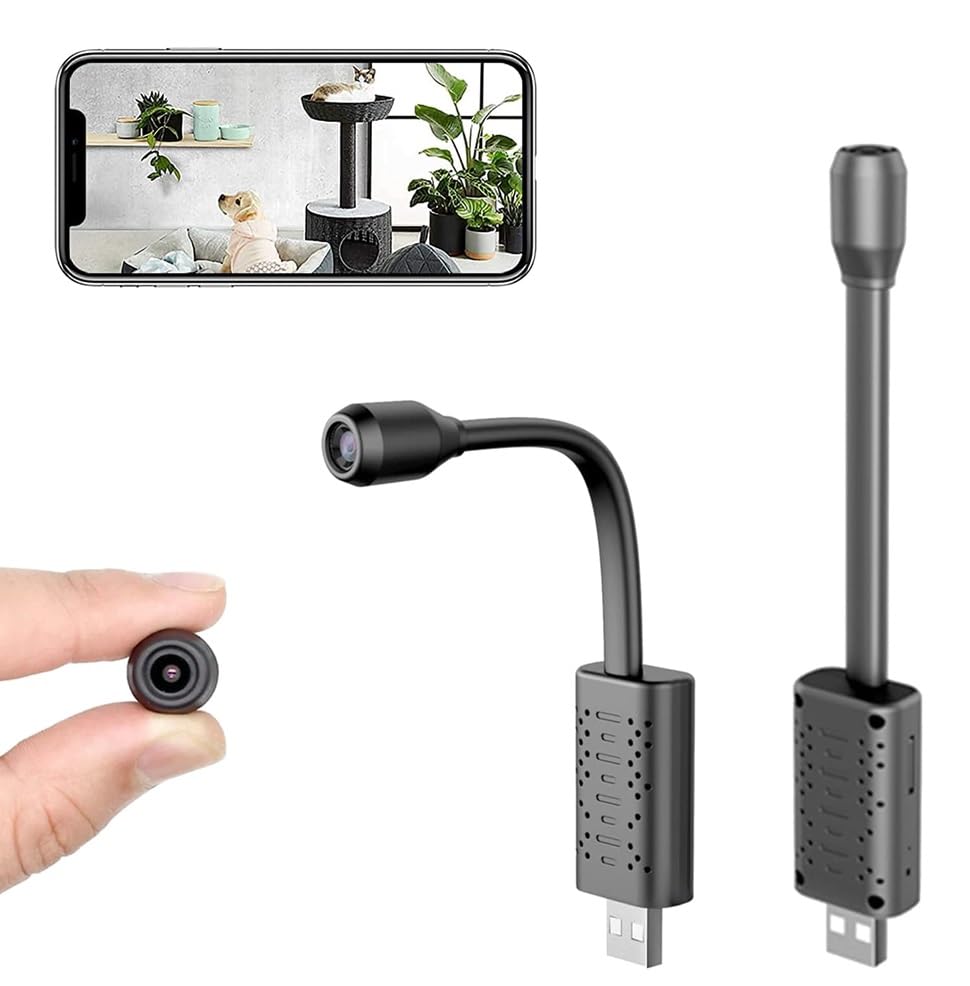
Image: The FREDI HD PLUS FHP-122 Mini USB WiFi Camera, showing its compact size and flexible design, alongside a smartphone displaying its live feed.
The FREDI HD PLUS FHP-122 is a compact, portable camera designed for indoor monitoring. It features 1080P HD video recording, motion detection, and remote viewing capabilities via a smartphone application. Its flexible design allows for adjustable viewing angles and discreet placement.

Image: Overview of key features including 1920x1080P HD camera, USB plug, phone app control, 0.55in ultra compact lens, motion detection, AI human recognition, cloud storage, and 128GB SD card support.
Experience clear visuals with 1080P Full HD resolution, ensuring accurate color reproduction and detailed monitoring of your indoor spaces.

Image: Comparison showing the clarity of 1080P Full HD video versus 720P, highlighting enhanced detail.
2. Safety Information
Important Safety Notice:
This product is intended for legal and ethical use only. Users are responsible for adhering to all local laws and regulations regarding surveillance and privacy. The manufacturer is not liable for any misuse of this product.
- Ensure the camera is used in a well-ventilated area.
- Do not expose the device to extreme temperatures, humidity, or direct sunlight.
- Keep the device away from water or other liquids.
- Do not attempt to disassemble or modify the camera. This will void the warranty and may cause damage.
- Use only the specified power source.
- This camera is designed for indoor use only.
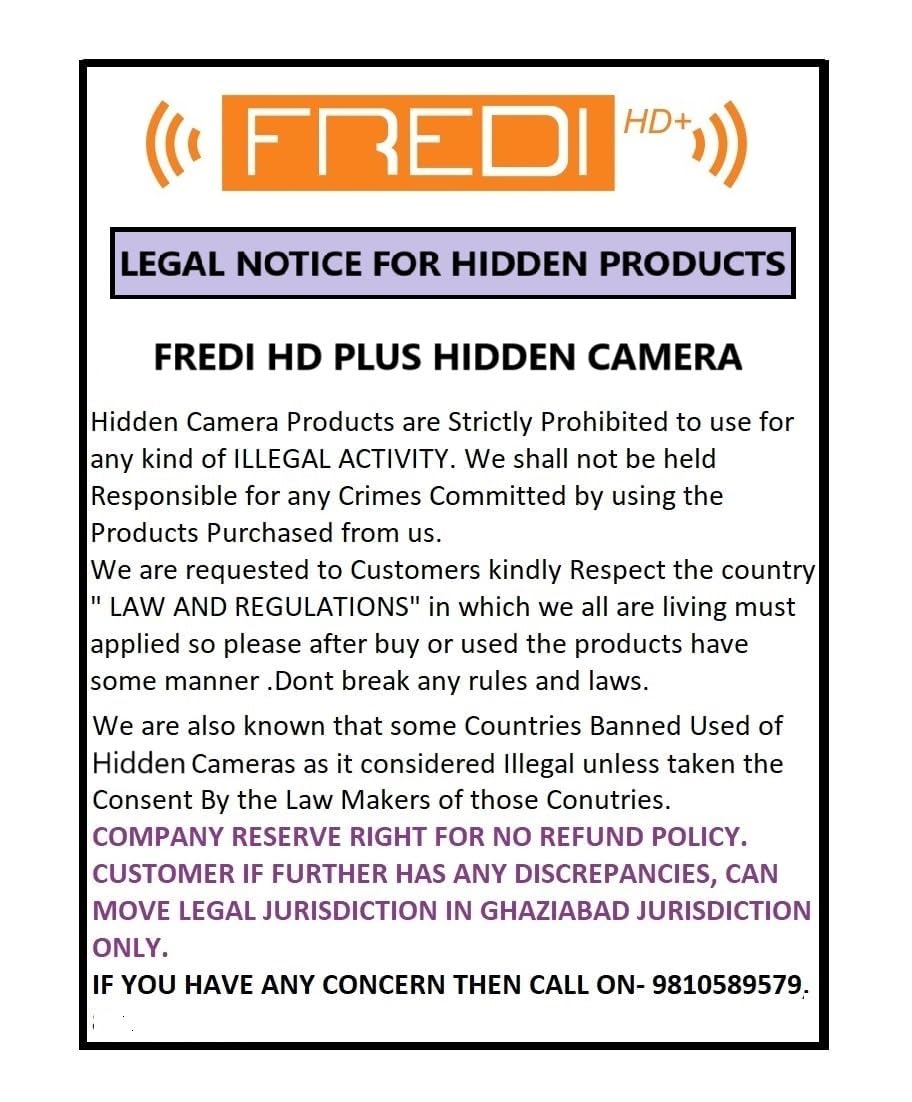
Image: Legal notice regarding the use of hidden cameras.
3. Package Contents
Please check the package for the following items:
- 1x FREDI HD PLUS FHP-122 Mini USB WiFi Camera
- 1x User Manual
4. Product Overview
Familiarize yourself with the components and design of your FREDI HD PLUS FHP-122 camera.

Image: Diagram showing the HD 1080P lens, angle adjustable metal hose, TF card slot, resetting hole, ventilations hole, and USB port.
- HD 1080P Lens: Captures high-definition video.
- Angle Adjustable Metal Hose: Allows for flexible positioning and adjustment of the camera's viewing angle, supporting 360° rotation for comprehensive coverage.
- TF Card Slot: For inserting a MicroSD card (up to 128GB, not included) for local storage.
- Resetting Hole: Used to reset the device to factory settings.
- Ventilation Holes: For heat dissipation.
- USB Port: For universal power supply and connection.

Image: Illustrates the camera's flexible hose allowing arbitrary rotation and its universal USB interface for power.
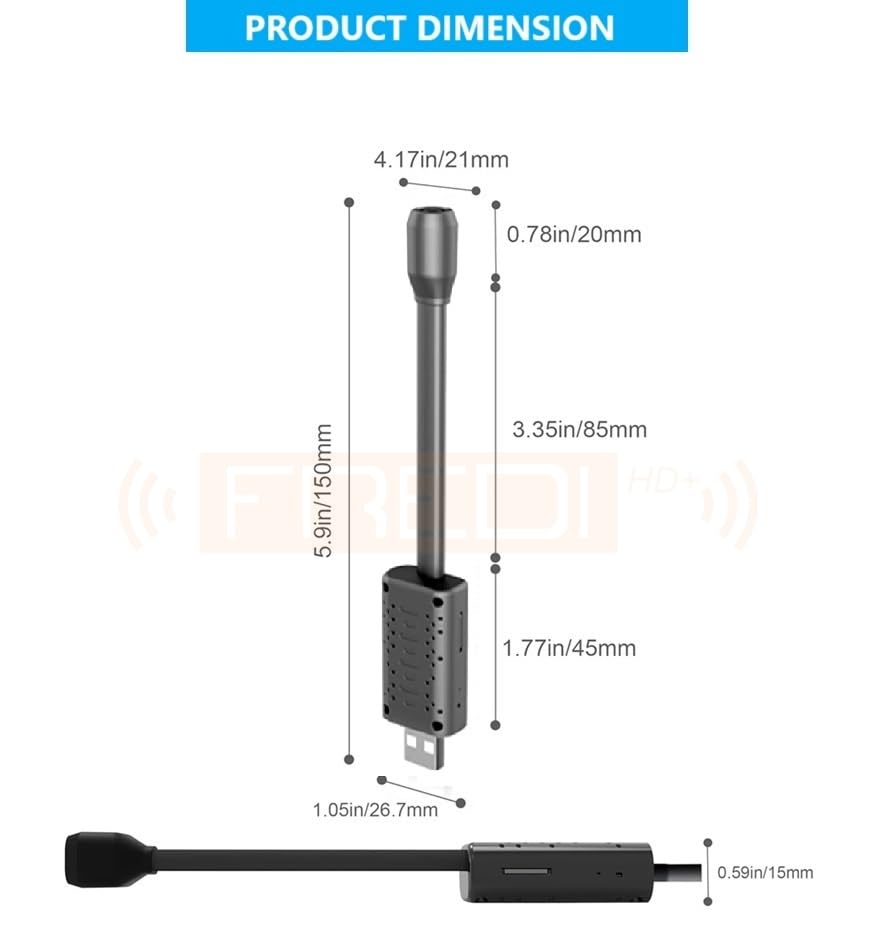
Image: Detailed dimensions of the camera unit in both inches and millimeters.
5. Setup Guide
Follow these steps to set up your FREDI HD PLUS FHP-122 camera for the first time.
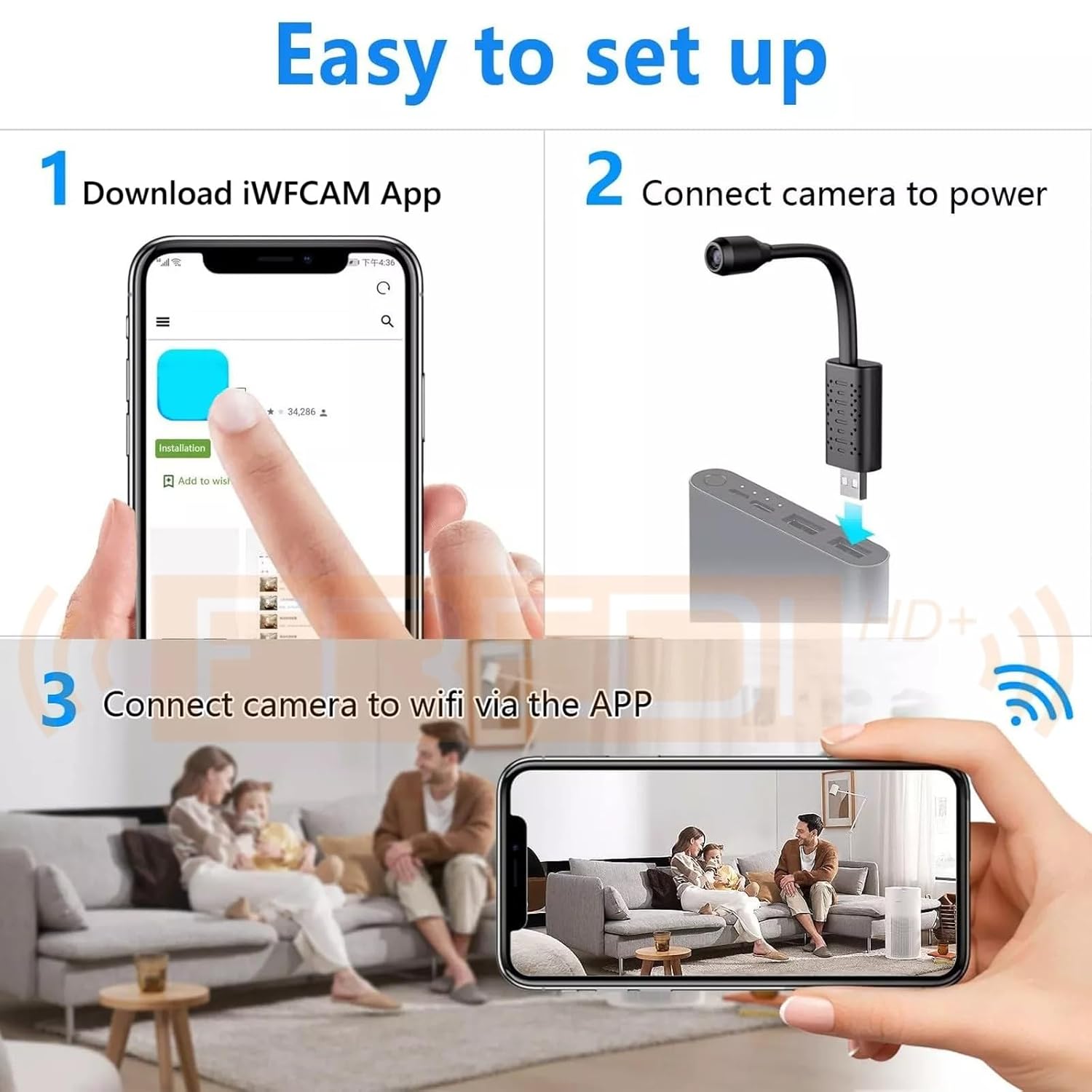
Image: Visual guide for the three main setup steps: 1. Download iWFCAM App, 2. Connect camera to power, 3. Connect camera to Wi-Fi via the app.
-
Download the iWFCam App:
Search for "iWFCam" in your smartphone's app store (iOS/Android) and download the application.
-
Connect Camera to Power:
Plug the camera's USB connector into a stable power source such as a USB wall adapter, power bank, or computer USB port. The camera will power on automatically.
-
Connect to Camera's Wi-Fi Hotspot:
Long press the "R" (Reset) button on the camera until the red indicator light flashes. On your smartphone, go to Wi-Fi settings and connect to the camera's Wi-Fi hotspot (usually starts with "iWFCam-" or similar).
-
Connect to Home Wi-Fi Network:
Open the iWFCam app. Follow the in-app instructions to connect the camera to your home Wi-Fi network. Note: The camera only supports 2.4GHz Wi-Fi networks (5G networks are not supported).
6. Operating Instructions
6.1 Remote Viewing
Once connected to your home Wi-Fi, you can view live footage from the camera remotely via the iWFCam app on your smartphone, anytime and anywhere.
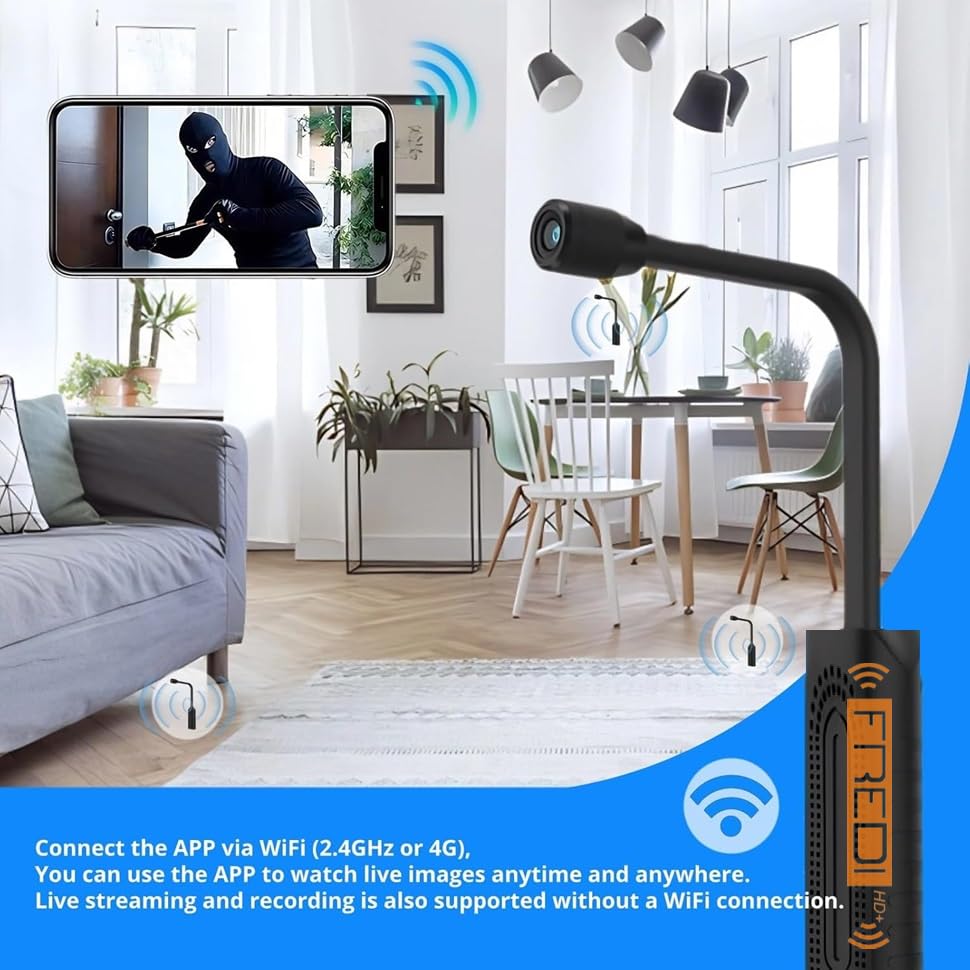
Image: A smartphone displaying live camera feed, indicating remote access via Wi-Fi.
6.2 Motion Detection
The camera features sensitive motion detection. When motion is detected, the camera can send a notification to your smartphone via the iWFCam app. You can configure motion detection settings within the app.
6.3 Multi-User Connection
The iWFCam app supports multiple users viewing the camera feed simultaneously. You can share access to the camera with family members or colleagues through the app.

Image: Depicts multiple individuals (grandparents, mother, father, baby) viewing the camera feed on different devices, illustrating multi-user support.
6.4 Storage Options
The camera offers flexible storage solutions for your video recordings:
- TF Card Storage: Insert a MicroSD card (up to 128GB, not included) into the TF card slot for local video storage. The camera will automatically record to the card.
- Cloud Storage: Cloud storage options may be available through the iWFCam app, which typically requires a separate subscription.

Image: Shows the camera with illustrations for TF card support (up to 128GB) and cloud storage (purchased separately).
7. Maintenance
- Cleaning: Use a soft, dry cloth to clean the camera lens and body. Do not use liquid cleaners or abrasive materials.
- Firmware Updates: Periodically check the iWFCam app for any available firmware updates for your camera to ensure optimal performance and security.
- Storage Management: If using a TF card, regularly back up important recordings and format the card to maintain performance.
8. Troubleshooting
- Camera not connecting to Wi-Fi:
- Ensure your Wi-Fi network is 2.4GHz. The camera does not support 5GHz networks.
- Check if the Wi-Fi password entered in the app is correct.
- Make sure the camera is within range of your Wi-Fi router.
- Try resetting the camera by pressing the "R" button.
- No video feed in the app:
- Verify the camera is powered on and connected to Wi-Fi.
- Check your smartphone's internet connection.
- Restart the iWFCam app.
- Motion detection not working:
- Ensure motion detection is enabled in the app settings.
- Adjust the sensitivity settings in the app.
- TF card not recording:
- Ensure the TF card is inserted correctly.
- Check if the TF card is formatted (FAT32 recommended).
- Verify the card is not full.
- The camera supports up to 128GB TF cards.
9. Specifications
| Feature | Specification |
|---|---|
| Model Number | FHP-122 |
| Video Capture Resolution | 1080p |
| Wireless Communication Technology | Wi-Fi (2.4GHz only) |
| Form Factor | Wireless, USB Plug |
| Viewing Angle | 81 Degrees |
| Frame Rate | 30 frames per second |
| Item Dimensions (L x W x H) | 14.3 x 2.5 x 1.5 Centimeters |
| Item Weight | 25 Grams |
| Video Encoding | AVI |
| Focus Type | Manual Focus |
| Alert Type | Motion Only |
| Light Source Type | Infrared |
| Specific Uses For Product | Indoor use only |
| Photo Sensor Technology | CMOS |
| International Protection Rating | IP54 |
| Control Method | App (iWFCam) |
| Compatible Devices | iPhone, Android Device |
| Power Source | AC (via USB) |
| Max TF Card Support | 128GB (not included) |
10. Warranty and Support
For any product-related queries, technical support, or warranty information, please contact FREDI HD PLUS customer service.
Manufacturer Contact:
- Phone/WhatsApp: 9810589579, 9773661598
- Operating Hours: Monday to Saturday, 10:00 AM to 6:30 PM (Sunday - Closed)
Please retain your purchase receipt for warranty claims.


