
1. Product Overview
The VILTROX NP-F970 is a high-capacity 7.4V 6600mAh (48.84Wh) rechargeable lithium-ion battery designed for various photographic and video equipment. It serves as a replacement for NP-F970, NP-F750, NP-F550, and NP-F960 series batteries. This battery is suitable for powering LED ring lights, video lights, and certain monitors.
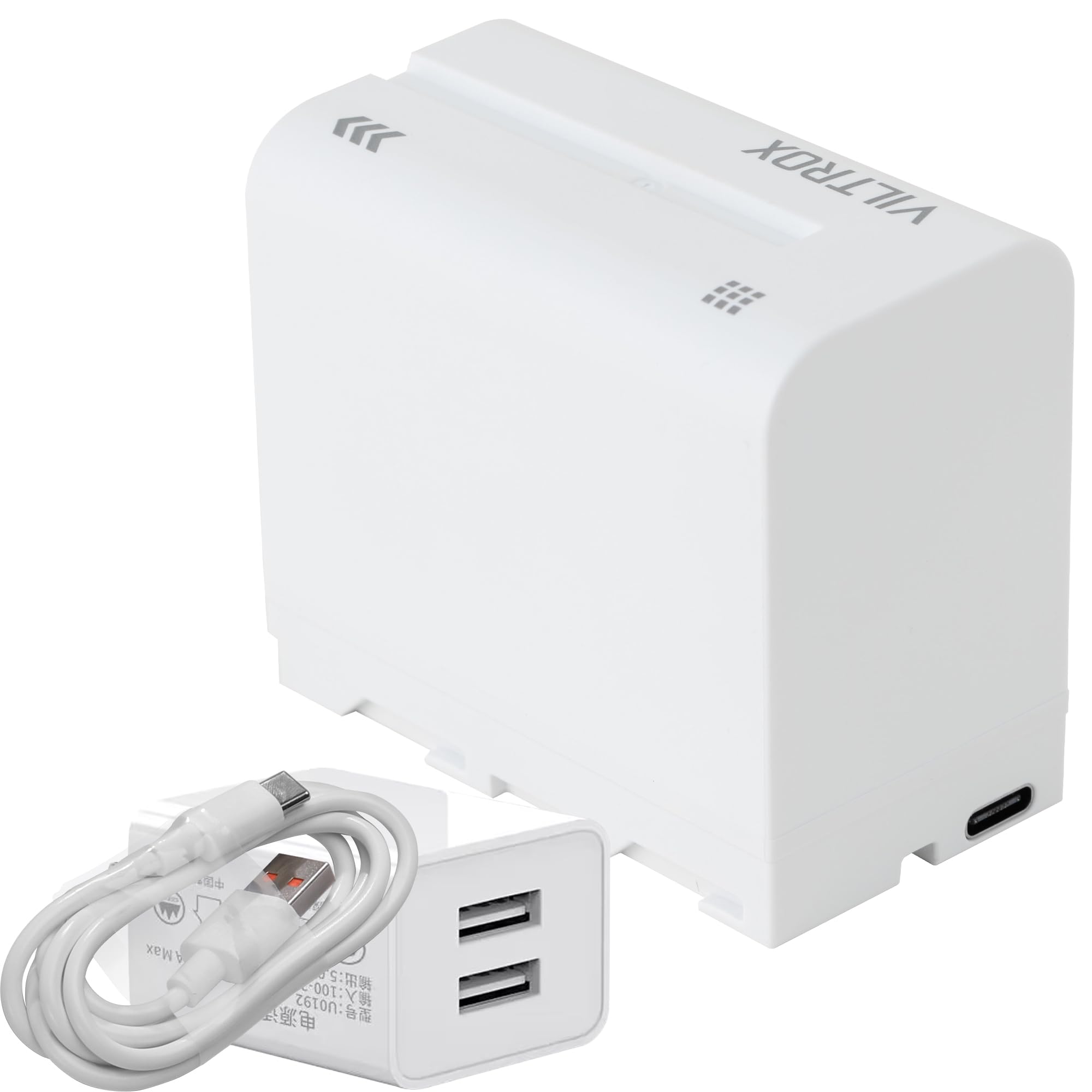
Figure 1: VILTROX NP-F970 Battery. A clean product shot of the battery, highlighting its compact design.

Figure 2: VILTROX NP-F970 Battery with key specifications overlaid, including 6600mAh capacity, 7.4V voltage, Lithium Battery composition, and dimensions of 2.46 x 1.51 x 2.8 inches.

Figure 3: Icons illustrating the compatibility of the VILTROX NP-F970 battery with Sony video cameras, video lights, field monitors, and ring lights.
2. Safety Information
- WARNING: Do not dispose of the battery in fire or expose it to high temperatures.
- WARNING: Do not disassemble the battery.
- Charge only with a specified charger.
- Keep the battery away from water and moisture.
- Store in a cool, dry place when not in use.

Figure 4: Close-up view of the VILTROX NP-F970 battery's warning labels, indicating "DO NOT DISPOSE OF IN FIRE AND EXPOSE TO HIGH TEMPERATURE" and "DO NOT DISASSEMBLE".
3. Setup and Charging
3.1 Package Contents
The VILTROX NP-F970 battery package typically includes:
- 1 x VILTROX NP-F970 Battery
- 1 x 10W Dual-Port USB Charger (5V/2A output)
- 1 x USB Charging Cable

Figure 5: The VILTROX NP-F970 battery shown alongside its included 10W dual-port USB charger and a USB charging cable.
3.2 Charging the Battery
To charge the NP-F970 battery:
- Connect the USB charging cable to the Type-C port on the battery.
- Plug the other end of the USB cable into the provided 10W dual-port USB charger.
- Insert the charger into a standard wall outlet.
- The battery indicator lights will illuminate during charging. A red light indicates charging is in progress. The red light will turn off when the battery is fully charged.
Charging two NP-F970 batteries simultaneously from 0% to 100% power with the 10W charger takes approximately 7 hours. It is recommended to charge the battery in a well-ventilated area, away from direct sunlight, as the charger may become warm during operation.
Video 1: Demonstrates the charging process of the VILTROX NP-F970 battery using the included USB charger and cable. The video shows connecting the cable to the battery and charger, and plugging it into a power strip, with the battery's indicator lights showing charging status.
4. Operating Instructions
4.1 Power Indicator
The NP-F970 battery is equipped with a smart power indicator to display the remaining charge level:
- One blue light: 25% power remaining
- Two blue lights: 50% power remaining
- Three blue lights: 75% power remaining
- Four blue lights: 100% power remaining
To check the power level, press the small button next to the indicator lights on the battery.

Figure 6: A finger pressing the button on the VILTROX NP-F970 battery to activate the smart power indicator, showing four blue lights indicating a full charge.
4.2 Installation and Usage
Insert the NP-F970 battery into compatible devices such as LED ring lights, video lights, or field monitors. Ensure the battery is securely seated in the device's battery compartment. The battery is designed to provide extended power for these accessories.
Important Note: This NP-F series battery is not compatible with all camcorders and cameras. Please verify compatibility with your specific device before use.

Figure 7: The VILTROX NP-F970 battery installed in a camera field monitor, demonstrating its use as a power source for external accessories.

Figure 8: The VILTROX NP-F970 battery powering a ring light, illustrating its application in lighting setups.
5. Maintenance and Storage
- Cleaning: Use a dry, soft cloth to clean the battery terminals. Do not use liquid cleaners.
- Storage: For long-term storage, charge the battery to approximately 50-70% capacity. Store in a cool, dry place, away from direct sunlight and extreme temperatures.
- Disposal: Dispose of lithium-ion batteries responsibly according to local regulations. Do not discard with household waste.
6. Troubleshooting
6.1 Battery Not Charging
- Check Connections: Ensure the USB cable is securely connected to both the battery's Type-C port and the charger, and that the charger is properly plugged into a working power outlet.
- Verify Charger: Use only the provided 10W charger or another compatible charger with appropriate voltage and current output (5V/2A input).
- Environmental Conditions: Ensure the charging environment is well-ventilated and not excessively hot.
6.2 Battery Not Powering Device
- Check Charge Level: Verify the battery has sufficient charge using the smart power indicator.
- Device Compatibility: Confirm that your device (e.g., camcorder, camera) is compatible with NP-F series batteries. As noted, this specific NP-F970 battery may not be compatible with all camcorders and cameras.
- Proper Installation: Ensure the battery is correctly and securely inserted into the device's battery compartment.
- Clean Contacts: Inspect battery and device contacts for dirt or corrosion. Clean gently with a dry cloth if necessary.
7. Specifications
| Feature | Specification |
|---|---|
| Model Number | NP-F970 |
| Battery Type | Lithium Ion |
| Voltage | 7.4V |
| Capacity | 6600mAh / 48.84Wh |
| Charging Input (Type-C) | 5V/2A |
| Charger Charging Voltage | 8.4V |
| Product Dimensions | 2.75 x 1.5 x 2.5 inches (approx. 70 x 38 x 63.5 mm) |
| Item Weight | 10 ounces (approx. 283 grams) |
| Manufacturer | Shenzhen Jueying Technology Co., Ltd. |
8. Warranty and Support
For warranty information or technical support, please contact VILTROX-US directly. You can typically find contact details on the official VILTROX website or through your purchase platform. Protection plans may also be available for extended coverage.
Seller: VILTROX-US
For additional support or to explore other VILTROX products, visit the VILTROX Official Store on Amazon.


