
1. Introduction
This manual provides detailed instructions for the safe and effective use of your CIGMAN Laser Level and Golf Rangefinder Kit. Please read this manual thoroughly before operating the devices and retain it for future reference. This kit includes two primary tools: a CIGMAN 3x360° 3D Green Cross Line Laser Level for construction and alignment tasks, and a CIGMAN CT-800Y Golf Rangefinder for distance measurement in golfing and other outdoor activities.

Image 1.1: The CIGMAN Laser Level and Golf Rangefinder Kit, showing both devices.
2. Safety Information
WARNING: Laser radiation. Avoid direct eye exposure. Class II laser product.
- Do not stare directly into the laser beam.
- Do not point the laser beam at people or animals.
- Do not disassemble or modify the laser device. Repairs should only be performed by authorized service personnel.
- Keep the devices out of reach of children.
- Use the devices only for their intended purpose as described in this manual.
- Ensure the working environment is safe and free from hazards.
3. CIGMAN 3x360° 3D Green Cross Line Laser Level
3.1. Components and Features
- Laser Emitters: One horizontal 360° line and two vertical 360° lines.
- High Visibility: Green laser lines are 4x brighter than red beams, offering a working distance of up to 100ft outdoors.
- Self-Leveling Function: Automatically levels within a certain range.
- Manual Mode: Allows locking the pendulum for angled projection.
- Control Buttons: Individual buttons for activating each laser line.
- Remote Control: For adjusting brightness and activating/deactivating laser lines.
- Mounting Options: Compatible with tripods and magnetic brackets.

Image 3.1: The CIGMAN Laser Level being operated with its remote control.
3.2. Setup and Operation
- Power On: Slide the main switch to the 'ON' position. The laser level will enter self-leveling mode.
- Self-Leveling Mode: The laser lines will blink rapidly if the device is outside its self-leveling range. Adjust the position until the lines are stable.
- Manual Mode (Slope Function): To project angled lines, slide the main switch to the 'LOCK' position. The laser lines can now be set at any angle without self-leveling.
- Selecting Laser Lines: Use the dedicated buttons on the device or the remote control to activate or deactivate the horizontal and vertical laser lines individually.
- Mounting: For precise adjustments, attach the laser level to a compatible tripod. The included tripod allows for accurate precision adjustments.

Image 3.2: The CIGMAN Laser Level mounted on a tripod for fine precision adjustment.
4. CIGMAN CT-800Y Golf Rangefinder
4.1. Components and Features
- Measurement Range: 3 to 850 yards with an accuracy of ±1 yard.
- Magnification: 6x magnification for clear viewing.
- Adjustable Diopter: Up to ±6° for precise target focusing.
- LCD Display: Provides clear and fast readings.
- Slope Compensation: Adjusts distance readings for elevation changes (can be turned off for tournament play).
- Flagpole Locking: Vibrates twice when the flagpole is locked.
- Multiple Measuring Modes: Straight distance, flagpole, golf slope compensation, vertical/horizontal distance, and speed measurement.
- Rechargeable Battery: 750mAh Lithium-Ion battery, USB Type-C rechargeable.
- Compact and Portable: Ergonomic design for easy handling.

Image 4.1: Overview of essential features of the CIGMAN CT-800Y Golf Rangefinder.
4.2. Setup and Operation
- Charging: Before first use, fully charge the rangefinder using the provided USB Type-C cable. The 750mAh battery provides extended use.
- Power On/Off: Press the power button to turn the device on. It will automatically power off after a period of inactivity to conserve battery.
- Adjusting Diopter: Rotate the eyepiece to adjust the focus for a clear view through the lens.
- Selecting Modes: Press the 'MODE' button to cycle through the five available measuring modes: Straight Distance, Flagpole, Golf Slope Compensation, Vertical and Horizontal Distance, and Speed Measurement.
- Slope Compensation: Use the dedicated slope switch to turn slope compensation on or off. When off, the device is legal for tournament play.

Image 4.2: Illustration of the slope compensation feature on the CIGMAN CT-800Y Golf Rangefinder.
- Flag Locking: In Flagpole mode, press and hold the power button while swiping the target left and right. The device will vibrate twice when the flagpole is successfully locked, providing the distance to the flag.

Image 4.3: Demonstrating the easy flag locking feature with vibration alert.
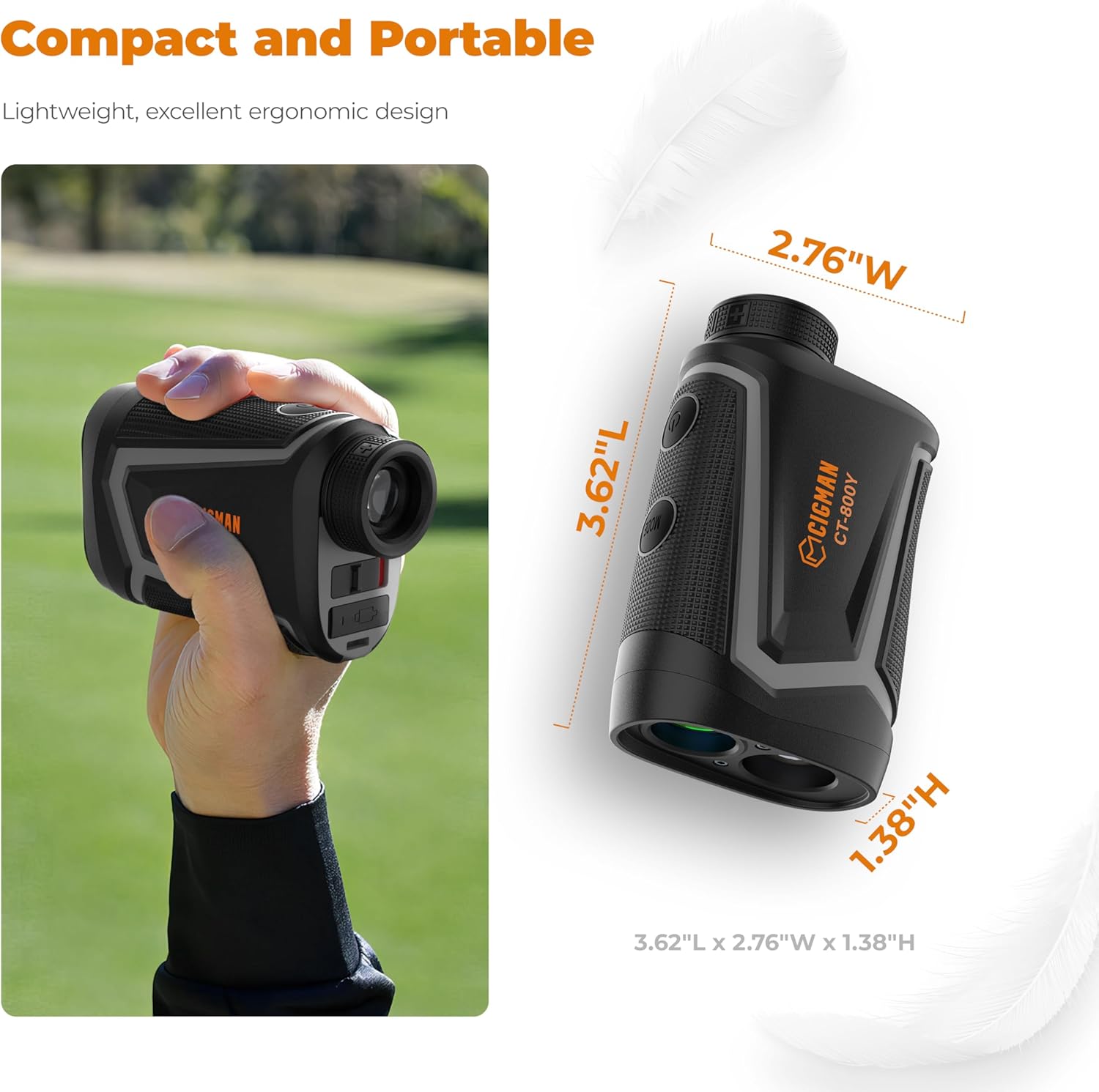
Image 4.4: The CIGMAN CT-800Y Golf Rangefinder offers high precision shooting with 6x magnification.

Image 4.5: The compact and portable design of the CIGMAN CT-800Y Golf Rangefinder.

Image 4.6: The CIGMAN CT-800Y Golf Rangefinder charging via USB-C.
5. Maintenance
- Cleaning: Use a soft, dry cloth to clean the exterior of both devices. For lenses on the rangefinder, use a lens cleaning cloth and solution.
- Storage: Store the devices in a cool, dry place away from direct sunlight and extreme temperatures.
- Battery Care (Rangefinder): Recharge the rangefinder regularly, even if not in use, to maintain battery health. Avoid fully discharging the battery for extended periods.
- Protection: When not in use, keep the laser level in its protective case and the rangefinder in its pouch to prevent damage.
6. Troubleshooting
6.1. Laser Level
- Laser lines are blinking: The device is likely out of its self-leveling range. Adjust its position on a flatter surface or tripod until the lines stabilize.
- No laser lines: Ensure the device is powered on and the main switch is not in the 'LOCK' position if self-leveling is desired. Check battery level if applicable.
- Remote control not working: Ensure the remote's battery is functional and there are no obstructions between the remote and the laser level.
6.2. Golf Rangefinder
- No display/device not powering on: The battery may be depleted. Connect the rangefinder to a USB charger.
- Inaccurate readings: Ensure the lens is clean. Make sure you are targeting a reflective surface or a clear object. Environmental conditions like fog or heavy rain can affect accuracy.
- Cannot lock onto flag: Ensure you are in Flagpole mode. Try sweeping the target area slowly and steadily. Ensure no obstructions are between the rangefinder and the flag.
- Display is blurry: Adjust the diopter by rotating the eyepiece until the display is clear.
7. Specifications
7.1. CIGMAN 3x360° 3D Green Cross Line Laser Level
| Laser Class | Class II |
| Laser Color | Green |
| Laser Lines | 1x360° Horizontal, 2x360° Vertical |
| Working Distance | Up to 100ft (outdoors) |
| Self-Leveling Range | Automatic |
| Material | Metal, Plastic |
7.2. CIGMAN CT-800Y Golf Rangefinder
| Measurement Range | 3 - 850 yards |
| Accuracy | ±1 yard |
| Magnification | 6x |
| Diopter Adjustment | Up to ±6° |
| Battery Type | 750mAh Lithium-Ion (Rechargeable via USB Type-C) |
| Measuring Modes | Straight Distance, Flagpole, Golf Slope Compensation, Vertical/Horizontal Distance, Speed Measurement |
8. Warranty and Support
For warranty information, technical support, or service inquiries, please refer to the official CIGMAN website or contact CIGMAN customer support directly. Please have your product model and purchase date available when contacting support.
CIGMAN Official Website: Visit the CIGMAN Store on Amazon


