
SIMPLIFIRE SF-INC36-FFWMK
SimpliFire Inception 36-Inch Electric Fireplace Wescott Mantel Package User Manual
Model: SF-INC36-FFWMK | Brand: SIMPLIFIRE
1. Product Overview
The SimpliFire Inception 36-Inch Electric Fireplace with Wescott Mantel Package offers a realistic flame experience and efficient heating for your home. This unit features Digital Spark Technology for true-to-life flames, an elegant Folio Front design, and user-friendly controls via app, remote, or voice commands. It provides customizable flame brightness, ember bed, and accent lighting, along with efficient heating controlled by a thermostat and timer.

Figure 1.1: SimpliFire Inception Electric Fireplace with Wescott Mantel and remote control.

Figure 1.2: The SimpliFire Inception Electric Fireplace seamlessly integrated into a modern living space.

Figure 1.3: Available stylish front designs including Folio, Halston, and Chateau Forge, offering various aesthetic options.
2. Important Safety Information
Read all instructions carefully before installation and operation. Failure to follow these instructions may result in electric shock, fire, or personal injury.
- Ensure the power source matches the electrical requirements of the fireplace.
- Do not operate the fireplace with a damaged cord or plug.
- Keep combustible materials at least 3 feet (0.9 meters) away from the front of the fireplace.
- Do not block air vents.
- This appliance is for indoor use only.
- Proposition 65 Warning: This product can expose you to chemicals including carbon black, which is known to the State of California to cause cancer. For more information go to www.P65Warnings.ca.gov.
3. Setup and Installation
The SimpliFire Inception electric fireplace offers flexible installation options, including building into a wall or using the optional Wescott Mantel Kit for a built-in look without construction.
3.1. Dimensions and Framing
Accurate measurements are crucial for proper installation. Refer to the diagrams below for unit and framing dimensions.

Figure 3.1: Detailed size and dimensions for the SimpliFire Inception Electric Fireplace, including front, side, and top views, and framing requirements.

Figure 3.2: Dimensions for the Wescott Mantel, designed to provide a built-in appearance.
3.2. Installation Options
Choose the installation method that best suits your space:
- Optional Wescott Mantel Kit:
- Assemble, paint, and mount mantel to wall.
- Mount Inception unit.
- No need for construction.
- Build into Wall:
- Build out your framing according to dimensions.
- Mount Inception unit.
- Finish wall with desired application.

Figure 3.3: Visual guide to the two primary installation methods for the SimpliFire Inception fireplace.
For detailed installation steps, refer to the dedicated Installation Manual (PDF) available for download.
4. Operating Instructions
The SimpliFire Inception fireplace can be controlled via the IntelliFire App, the included multi-function remote, or on-device controls.
4.1. Controls Overview

Figure 4.1: Overview of control options, including the IntelliFire App for smart devices and the multi-function remote.
4.2. Multi-Function Remote
The remote control allows you to adjust various settings and features of your fireplace. It also functions as a wireless room sensor in Thermostat mode.
- Power On/Off: Press the power button to turn the unit on or off.
- Flame Brightness: Adjust the intensity of the flames.
- Ember Bed: Customize the glow of the ember bed.
- Accent Lighting: Control additional lighting features.
- Heater: Activate or deactivate the heating function.
- Thermostat: Set your desired room temperature. The remote acts as a sensor.
- Timer: Set a timer for automatic shut-off.
- Sound Effects: Enable or disable background sound effects.
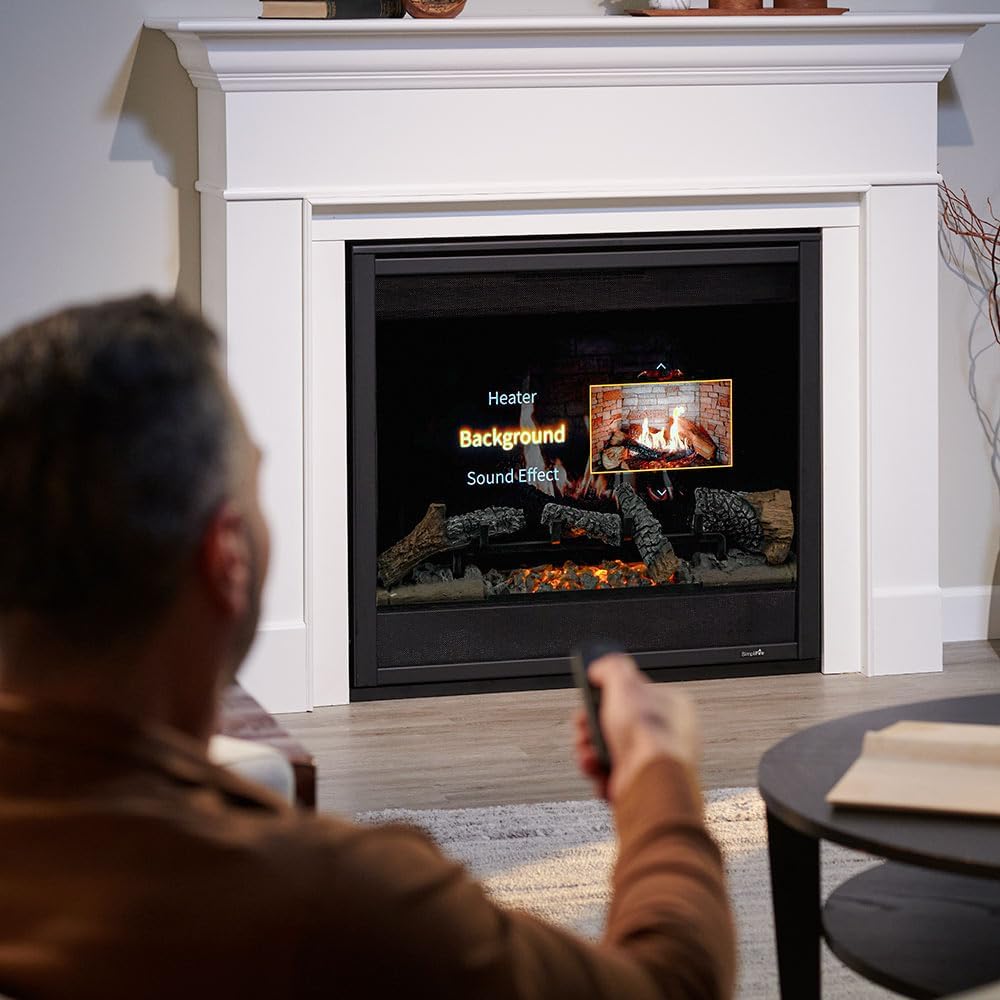
Figure 4.2: A user interacting with the fireplace using the remote control, demonstrating the ease of adjusting settings.
4.3. IntelliFire App & Voice Control
The Inception fireplace is Wi-Fi ready and compatible with the IntelliFire App, allowing control from your smart device. It also supports voice commands via Amazon Alexa and Google Assistant.
- Download the IntelliFire App from your device's app store.
- Follow the in-app instructions to connect your fireplace to your Wi-Fi network.
- Once connected, you can monitor and control all fireplace functions remotely.
- Enable the SimpliFire skill/action in your Amazon Alexa or Google Assistant app to use voice commands.
4.4. Official Product Video
Watch this official video for a visual demonstration of the SimpliFire Inception Electric Fireplace features and operation.
Video 4.1: An official overview of the SimpliFire Inception Electric Fireplace, showcasing its digital display technology, convenient controls, and thoughtful design.
5. Maintenance and Care
Regular maintenance ensures the longevity and optimal performance of your SimpliFire Inception electric fireplace.
- Cleaning:
- Always disconnect power before cleaning.
- Use a soft, damp cloth to clean the exterior surfaces. Do not use abrasive cleaners or sprays.
- Gently wipe the glass panel with a soft cloth. For stubborn marks, use a mild glass cleaner and then wipe dry.
- Ventilation: Ensure that the air intake and exhaust vents are clear of any obstructions to prevent overheating.
- Log Set and Ember Bed: The log set and ember bed are designed for durability and do not require regular cleaning. If dust accumulates, gently brush it off with a soft brush.
- Storage: If storing the fireplace for an extended period, disconnect it from power and store it in a dry, dust-free location.
6. Troubleshooting
If you encounter issues with your SimpliFire Inception fireplace, refer to the common problems and solutions below.
| Problem | Possible Cause | Solution |
|---|---|---|
| Fireplace does not turn on. | No power, remote batteries dead, main power switch off. | Check power outlet, replace remote batteries, ensure main power switch is on. |
| Flames are not visible or dim. | Flame brightness setting is low, LED lights malfunction. | Increase flame brightness via remote/app. Contact support if LEDs are faulty. |
| Heater not producing heat. | Thermostat setting too low, heater off, air vents blocked. | Increase thermostat setting, ensure heater is on, clear any obstructions from vents. |
| Remote control not responding. | Batteries dead, remote out of range, interference. | Replace batteries, move closer to the fireplace, remove sources of interference. |
If the problem persists after attempting these solutions, please contact SimpliFire customer support.
7. Specifications
| Feature | Detail |
|---|---|
| Brand | SIMPLIFIRE |
| Model Name | Inception Electric Fireplace with Folio Front and Wescott Mantel Kit |
| Item Model Number | SF-INC36-FFWMK |
| Product Dimensions | 14.5"D x 61.88"W x 49.63"H |
| Item Weight | 140.5 Pounds |
| Power Source | Corded Electric |
| Heat Output | 5000 British Thermal Units |
| Material | Metal |
| Finish Type | Painted |
| Installation Type | Hardwired |
| Included Components | Wi-Fi Module, Log Set, Multi-Function Remote |
| Ventilation Type | Vent Free |
| UPC | 197250006859 |
8. Warranty Information
The SimpliFire Inception Electric Fireplace comes with a Limited Warranty. For specific terms, conditions, and duration of the warranty, please refer to the official warranty documentation included with your product or contact SimpliFire customer support.
This warranty typically covers manufacturing defects and material flaws under normal use and service. Keep your proof of purchase for warranty claims.
9. Customer Support
For technical assistance, troubleshooting beyond this manual, or warranty inquiries, please contact SimpliFire customer support.
- Manufacturer: SimpliFire (Part of Hearth & Home Technologies)
- Online Resources: Visit the official SimpliFire website or Amazon Brand Store for additional resources, FAQs, and product information.
- User Manual (PDF): A comprehensive user manual in PDF format is available for download here.
- Installation Manual (PDF): For detailed installation instructions, download the manual here.
Related documentsSF-INC36-FFWMK


Ask a question about this manual
Ask about setup, troubleshooting, compatibility, parts, safety, or missing instructions. Manuals+ will review the question and use this page’s manual context to help answer it.