
Anker A1781
Anker SOLIX F2600 Portable Power Station User Manual
Model: SOLIX F2600 (A1781) | Brand: Anker
Introduction
The Anker SOLIX F2600 Portable Power Station is a versatile and durable power solution designed for various applications, including home backup, outdoor camping, and RV use. Featuring advanced LiFePO4 batteries and GaNPrime technology, it offers reliable and efficient power delivery. This manual provides essential information for the safe and effective operation, maintenance, and troubleshooting of your device.

Figure 1: Anker SOLIX F2600 Portable Power Station.
Key Features
- InfiniPower Durability: Built with LiFePO4 batteries, smart temperature control, industrial-grade components, and an impact-resistant design, ensuring a 10-year lifespan with 3,000 charge cycles.
- Expandable Capacity: Add an expansion battery (PowerHouse 767 or 760) to increase capacity up to 5120Wh, providing up to 9 days of emergency power for heavy-duty appliances.
- High-Speed Recharging: Recharge to 80% in approximately 2 hours and 8 minutes with solar input, or even faster with HyperFlash AC recharging, reaching 80% in 1 hour and 40 minutes.
- Robust Power Output: Offers 2560Wh capacity with 4 AC outlets providing up to 2400W continuous output and 3600W surge power protection, capable of powering almost all your appliances simultaneously.
- Smart App Control: Control the Anker SOLIX F2600 via Bluetooth or Wi-Fi using the Anker app. Receive low-battery alerts, customize discharge limits, and adjust recharging speed.

Figure 2: Overview of Anker SOLIX F2600's core features.
What's in the Box
The Anker SOLIX F2600 Portable Power Station package includes the following components:
- Anker SOLIX F2600 Portable Power Station
- PowerHouse 767 and 760 Expansion Battery (if purchased as a bundle)
- AC Charging Cable
- Solar Charging Cable
- Car Charging Cable
- User Manual
Setup
Initial Charging
Before first use, fully charge the Anker SOLIX F2600. Connect the provided AC charging cable to the power station's AC input port and then to a wall outlet. The display will indicate charging status. For optimal battery health, it is recommended to fully charge the unit every 3 months if not in regular use.
Connecting the Expansion Battery
To expand the capacity, connect the PowerHouse 767 or 760 Expansion Battery to the main unit using the designated expansion port. Ensure a secure connection. The main unit's display will update to reflect the combined battery capacity.

Figure 3: Anker SOLIX F2600 with an attached expansion battery.
Connecting Solar Panels
For solar recharging, connect compatible solar panels to the DC input port using the provided solar charging cable. Ensure the panels are positioned to receive maximum sunlight. The unit supports up to 800W maximum solar input.

Figure 4: Anker SOLIX F2600 recharging via solar panels.
Operating Instructions
Powering On/Off
Press and hold the main power button to turn the unit on or off. Individual AC and DC output sections can be activated or deactivated by pressing their respective buttons on the front panel.
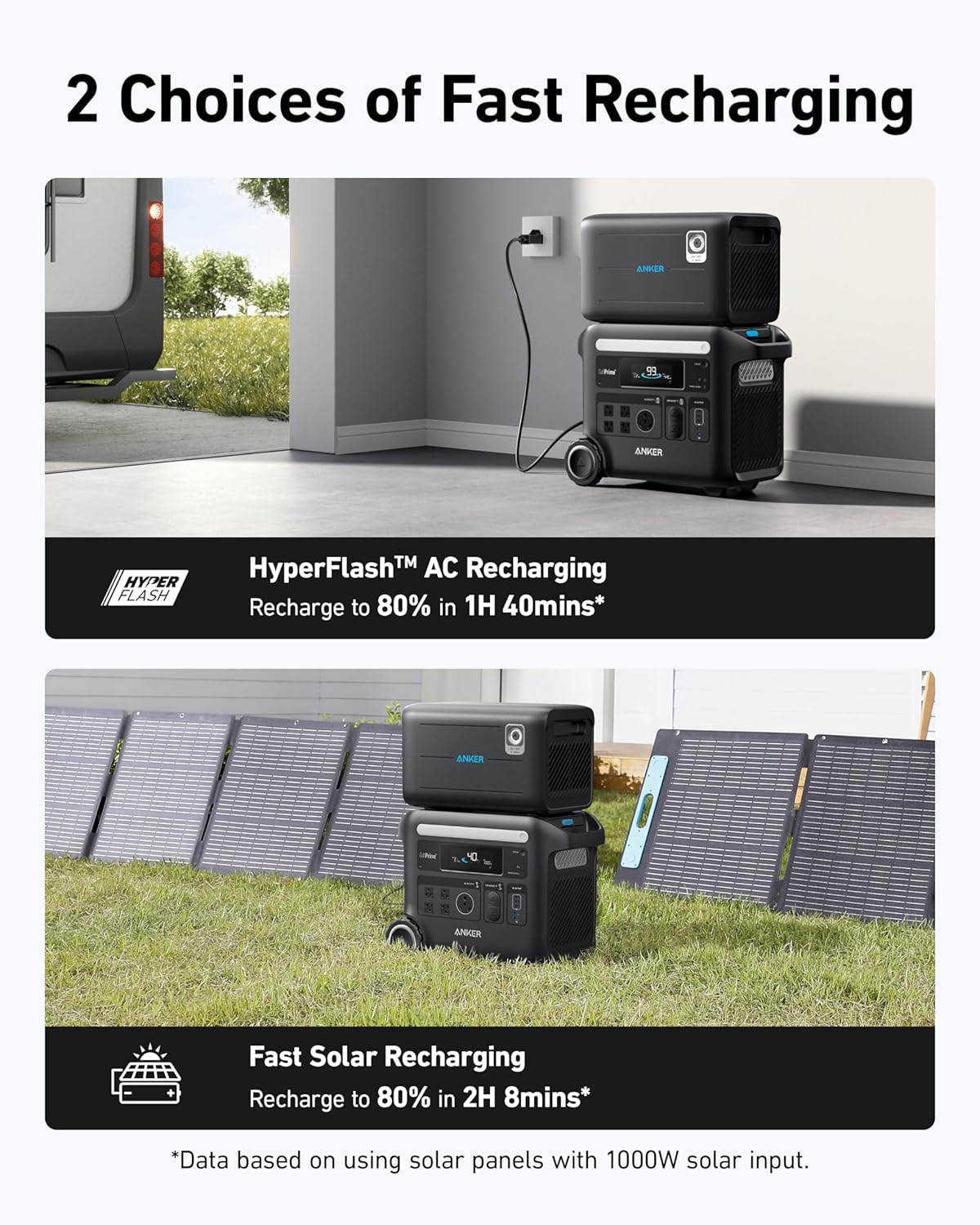
Figure 5: Front panel of the Anker SOLIX F2600.
Anker App Control
Download the Anker app to monitor and control your SOLIX F2600 remotely via Bluetooth or Wi-Fi. The app provides real-time data on power input/output, remaining battery life, and allows customization of settings like charging speed and discharge limits. It also provides low-battery alerts.

Figure 6: Anker app for smart control and monitoring.
Uninterruptible Power Supply (UPS)
The SOLIX F2600 features UPS functionality, ensuring power never quits during blackouts. It switches over to battery power in under 20 milliseconds, providing seamless operation for connected devices.
Safety Guidelines
- Do not expose the unit to rain or moisture.
- Keep the unit away from heat sources and direct sunlight.
- Ensure proper ventilation during use and charging.
- Do not disassemble, repair, or modify the unit.
- Use only original or certified cables and accessories.
- Keep out of reach of children.
Maintenance and Storage
General Care
Clean the exterior of the power station with a dry, soft cloth. Avoid using abrasive cleaners or solvents. Regularly check ports for dust or debris and clean as necessary.
Storage
When storing the Anker SOLIX F2600 for extended periods, ensure it is fully charged. Recharge the unit every 3 months to maintain battery health and prevent deep discharge. Store in a cool, dry place away from direct sunlight and extreme temperatures.
Troubleshooting
Red Light Indicator on Tester in Battery Mode
If an outlet tester shows a red light when the Anker SOLIX F2600 is operating in battery mode (unplugged from wall power), this is considered normal behavior. The power station operates in a distinct mode when running on its internal battery, which may cause some testers to indicate a non-standard wiring configuration. This does not signify a malfunction or flaw in the unit's operation. When connected to home electricity, the tester should typically show a green light, confirming proper alignment with the home's electrical system.
Video 1: Explanation of the red light indicator on an outlet tester when using the Anker SOLIX F2600 in battery mode.
Unit Not Charging
- Ensure all charging cables are securely connected.
- Verify the power source (wall outlet, solar panels) is functional.
- Check the unit's display for any error messages.
No Output from Ports
- Confirm the power station is turned on.
- Ensure the specific AC or DC output ports are activated.
- Check the battery level; recharge if low.
- Verify the connected device is functioning correctly.
Specifications
| Brand | Anker |
| Model Name | B178111K (Item model number: A1781) |
| Wattage | 2400 watts (Output Wattage: 2400W, Running Wattage: 2400W, Engine Power Maximum: 2400W) |
| Fuel Type | Solar |
| Power Source | Solar Powered, Battery Powered |
| Item Weight | 67.2 Pounds |
| Product Dimensions | 20.7"L x 15.5"W x 9.8"H |
| Material | Steel/Aluminum, Lithium Iron Phosphate (Battery) |
| Total Power Outlets | 4 AC Outlets |
| Special Feature | Portable |
| Color | Black |
Warranty and Support
Warranty Information
The Anker SOLIX F2600 Portable Power Station comes with a 5-year warranty. Please retain your proof of purchase for warranty claims.
Customer Support
For any questions, technical assistance, or warranty inquiries, please contact Anker Customer Support. Refer to the contact information provided in your product packaging or visit the official Anker website.
Video 2: AnkerDirect video on using a generator to recharge the SOLIX F3000 (relevant for general generator usage with SOLIX products).
Related documentsA1781


Ask a question about this manual
Ask about setup, troubleshooting, compatibility, parts, safety, or missing instructions. Manuals+ will review the question and use this page’s manual context to help answer it.