
SUPVAN T50M Pro
SUPVAN T50M Pro Label Maker
User Manual
1. Introduction
Thank you for choosing the SUPVAN T50M Pro Label Maker. This compact and versatile thermal label printer is designed for a wide range of labeling needs, from home organization to office and retail applications. It offers seamless connectivity with smartphones and PCs, supporting various label sizes and styles without the need for ink. Please read this manual carefully to ensure proper use and maintenance of your device.
2. Safety Information
- Do not disassemble, repair, or modify the device.
- Keep the device away from water, moisture, and extreme temperatures.
- Use only SUPVAN approved label rolls to ensure optimal performance and prevent damage.
- Avoid touching the print head immediately after printing, as it may be hot.
- Keep out of reach of children.
3. Package Contents
Please check the box for the following items:
- SUPVAN T50M Pro Label Maker
- One roll of white thermal labels
- USB-C Charging Cable
- User Manual

Image: Contents of the SUPVAN T50M Pro package, showing the label maker, a roll of labels, a USB-C charging cable, and the user manual.
4. Product Overview
The SUPVAN T50M Pro is a compact thermal label printer. It features a power button, a feed button, and a label output slot. The device uses thermal printing technology, eliminating the need for ink or toner. It supports label widths from 20mm to 50mm.
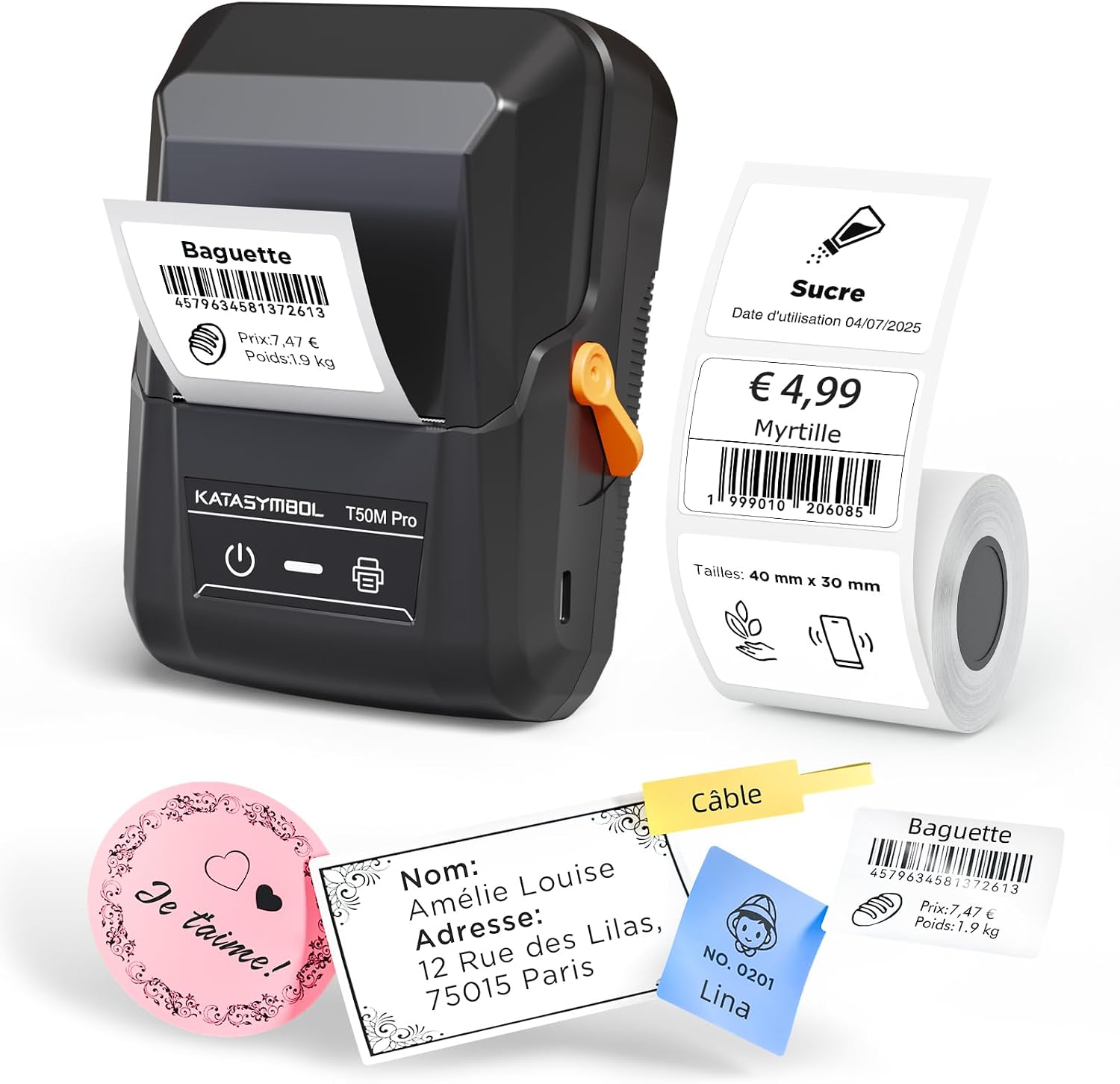
Image: The SUPVAN T50M Pro label maker shown with various printed labels, including a 'Baguette' label with barcode 4579634581372613 and a 'Sugar' label with barcode 1999010206085, demonstrating its versatility.

Image: Diagram highlighting key features: thermal printing (no ink/toner), support for 20-50mm wide labels, rechargeable battery with 1-month standby, and automatic label size detection for precise printing.
5. Setup
5.1 Charging the Device
Before first use, fully charge the label maker using the provided USB-C cable. The charging indicator light will show the charging status.
5.2 Installing Label Rolls
- Open the label compartment cover.
- Insert the label roll with the printing surface facing up.
- Ensure the label edge is aligned with the print head.
- Close the cover. The printer will automatically feed the first label to the correct starting position.

Image: An arrow indicates the path of the thermal label roll inside the SUPVAN T50M Pro, emphasizing that no ink is needed for printing.
5.3 App/Software Installation and Connectivity
The SUPVAN T50M Pro is compatible with iOS, Android, Windows, and macOS. Download the 'Katasybol' app from your device's app store or the official SUPVAN website.
- Download Software: Search for 'Katasybol' in the App Store (iOS) or Google Play Store (Android). For Windows/macOS, visit the official SUPVAN website.
- Connect Device: Turn on the label maker. Open the 'Katasybol' app and connect via Bluetooth. For PC, connect via USB-C cable.

Image: A visual guide showing the four steps to use the label maker: 1. Download the 'Katasybol' app, 2. Connect the device via Bluetooth, 3. Edit your labels within the app, and 4. Generate (print) the labels.
6. Operating
6.1 Basic Printing Steps
- Ensure the label maker is powered on and connected to your device.
- Open the 'Katasybol' app.
- Select a template or create a new label design.
- Enter your desired text, add images, barcodes, or QR codes.
- Preview the label to ensure it looks correct.
- Tap the print button in the app to send the label to the printer.
6.2 Customizing Labels
The 'Katasybol' app offers extensive customization options:
- Templates: Choose from over 140 pre-designed templates for various uses.
- Fonts: Access over 40 fonts to personalize your text.
- Elements: Add barcodes (e.g., 12345687), QR codes, images, dates, graffiti, and borders.
- Auto-detection: The printer automatically detects the label size for precise printing.
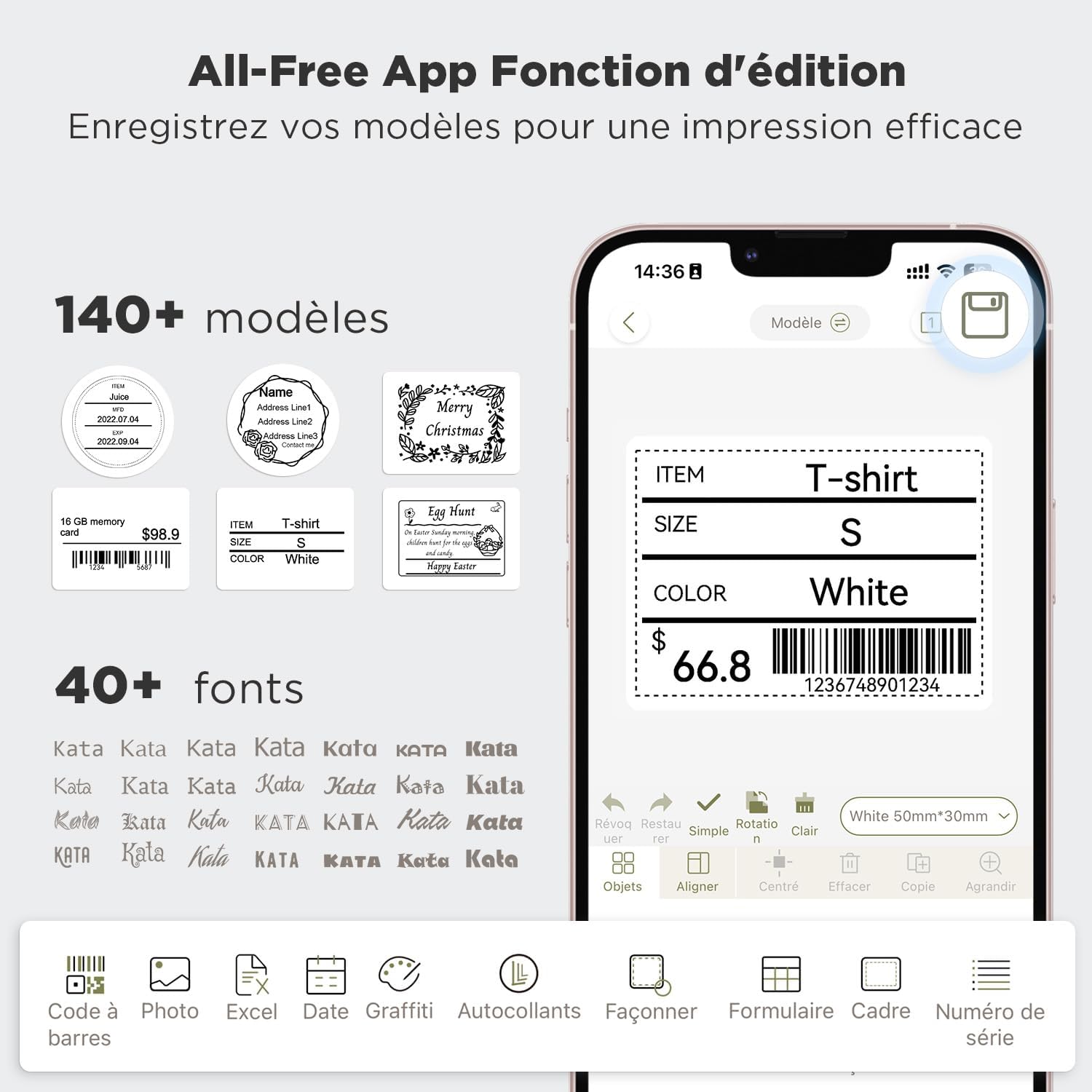
Image: The 'Katasybol' app interface displaying options for creating and editing labels, including selecting from 140+ templates and 40+ fonts, and adding elements like barcodes (e.g., 12345687).
6.3 High-Quality Output
The SUPVAN T50M Pro delivers clear and crisp prints, including high-definition images and easily scannable barcodes.
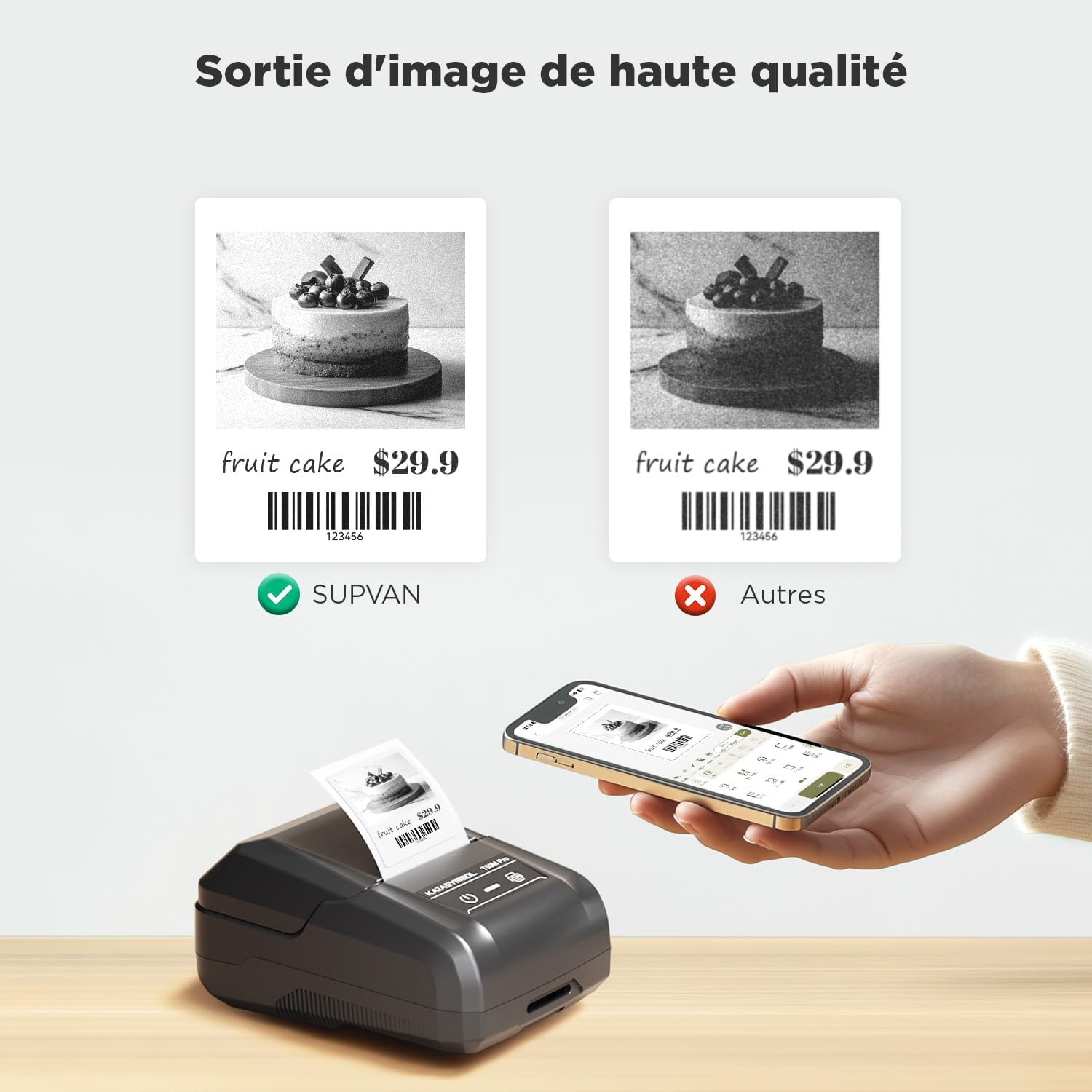
Image: A comparison showing the superior print quality of the SUPVAN T50M Pro for images and barcodes (e.g., 123456) compared to other label makers.
6.4 Versatile Label Types and Applications
The printer supports over 50 styles of labels, including white, transparent, round, and colored labels, suitable for various purposes.

Image: Examples of diverse label applications, such as birthday labels, price tags, office organization, and Halloween-themed labels, demonstrating the printer's adaptability.

Image: The SUPVAN T50M Pro surrounded by numerous label rolls and small printed labels, showcasing its compatibility with over 50 types of SUPVAN labels.

Image: A grid showing different label styles and sizes, including round (Ø30mm, Ø40mm, Ø50mm), transparent (40x20mm, 50x20mm, 50x30mm), index (30x45+50mm, 45x30+35mm, 45x(13+15)mm), and white labels (30x15mm, 30x20mm, 50x50mm, 40x60mm, 50x80mm), with examples like 'La Maison du Chocolat' and 'Amélie Louise'. For more information, visit SUPVAN Official Website.

Image: Examples of label applications: clothing tags (40x70mm), price tags (40x30mm, e.g., 3.99 cake with barcode 1999010206085), address labels (25x66mm), and logo labels (Ø50mm).
6.5 Common Applications
The SUPVAN T50M Pro is ideal for:
- Home: Organizing pantry items, storage boxes, and personal belongings.
- Office: Labeling files, documents, and office supplies.
- Retail/Business: Creating price tags, product labels, and QR/barcode labels.
- School: Labeling school supplies, books, and personal items.
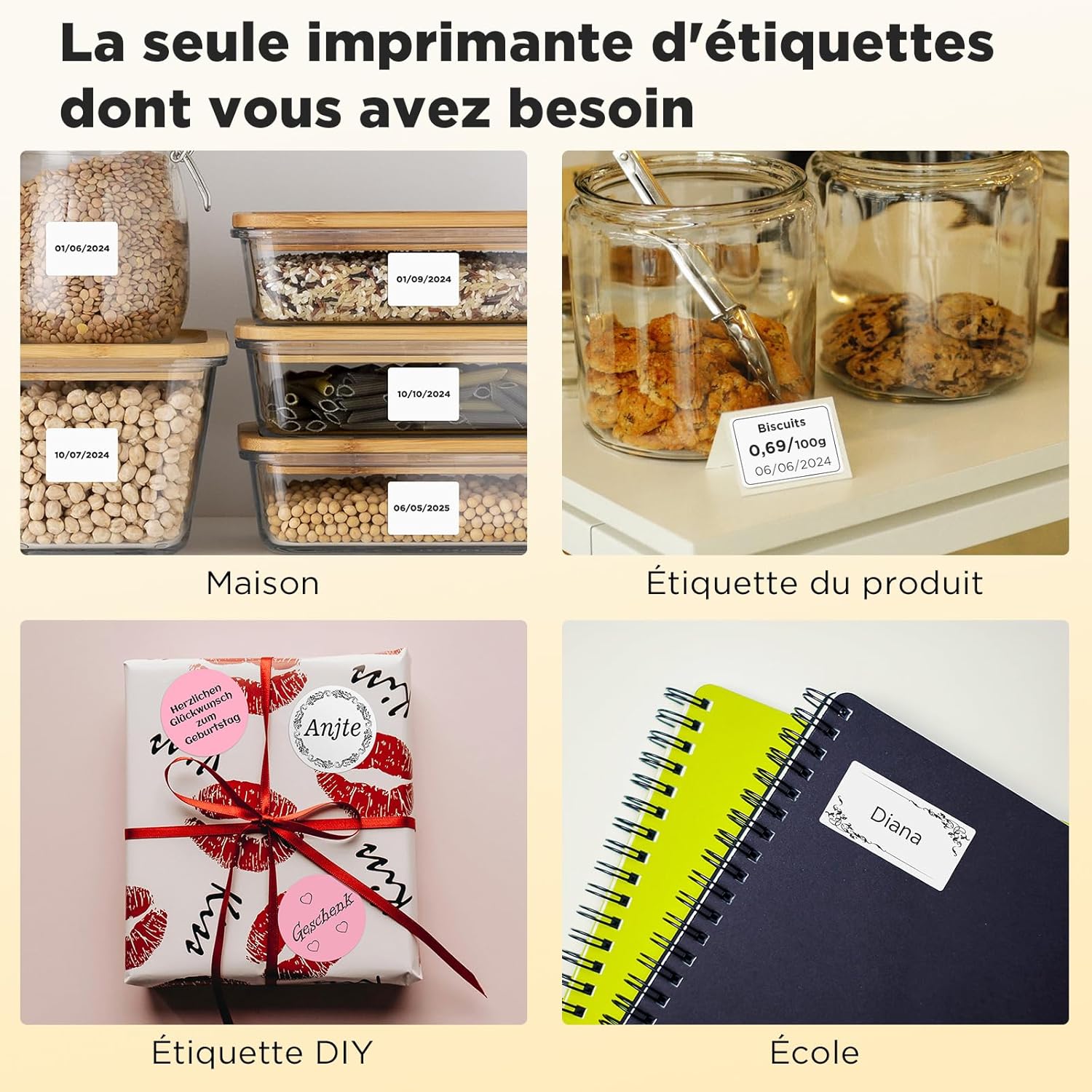
Image: Four examples of label maker use: home organization (labeled food containers), product labeling (biscuits), DIY gifts (wrapped present with custom label), and school (notebooks with name labels).

Image: Collage showing commercial uses: labeling produce in a supermarket, tagging clothing, labeling small jars, and labeling food containers in a deli.

Image: Collage showing office and organizational uses: labeling file folders, food containers, and clothing tags.
6.6 Label Durability
SUPVAN labels are designed to be durable and safe for various environments.

Image: Visual representation of label features: waterproof (washable), heat-resistant (microwave safe), anti-freeze (refrigerator/freezer safe), and made from safe, BPA-free materials.
7. Maintenance
7.1 Cleaning the Device
To maintain print quality, regularly clean the print head with a soft, lint-free cloth. Do not use alcohol or other solvents.
7.2 Storage
Store the label maker in a cool, dry place away from direct sunlight and extreme temperatures. When not in use for extended periods, ensure the battery is partially charged (around 50%) to prolong its lifespan.

Image: The SUPVAN T50M Pro label maker being stored in a bag, highlighting its compact size and portability (Weight: 303g, Rechargeable 1200mAh battery, No ink/toner required).
8. Troubleshooting
- No Power: Ensure the device is charged. Connect to a power source and try again.
- Poor Print Quality: Clean the print head. Ensure the label roll is inserted correctly and is a genuine SUPVAN label.
- Cannot Connect via Bluetooth: Ensure Bluetooth is enabled on your device and the label maker is within range. Restart both devices.
- Label Jam: Open the cover, remove any jammed labels, and reinsert the roll correctly.
- "No Ink" Error: As this is a thermal printer, it does not use ink. This message might indicate a sensor issue or an incorrect label type. Ensure you are using thermal labels and the label roll is properly installed.
9. Specifications
| Feature | Specification |
|---|---|
| Model Number | T50M Pro |
| Dimensions (L x W x H) | 15 x 10 x 5 cm |
| Weight | 303 Grams |
| Printing Technology | Thermal |
| Connectivity | Bluetooth, USB-C |
| Compatible Devices | PC, Android 8.0+, Tablet, iOS 13.0+, Smartphone |
| Max Print Width | 50 mm |
| Min Print Width | 20 mm |
| Max Black & White Print Resolution | 300 dpi |
| Max Color Print Resolution | 203 dpi |
| Battery | 1200 mAh (included) |
| Power Consumption | 10 Watt |
| Special Features | Automatic size detection, macOS & Windows compatible, Inkless printing, Easy to use, USB-C rechargeable, Lightweight. Ideal for text, QR/barcodes, images, borders. |
10. Warranty and Support
SUPVAN offers a 24-month free replacement warranty for your T50M Pro Label Maker. If you encounter any issues or require assistance, please contact SUPVAN customer service. The application supports multiple languages and provides tools for easy customization of your labels.
For further support, refer to the electronic manual within the 'Katasybol' application or scan the QR code on the back of the paper manual. You can also contact SUPVAN customer service directly.
Related documentsT50M Pro


Ask a question about this manual
Ask about setup, troubleshooting, compatibility, parts, safety, or missing instructions. Manuals+ will review the question and use this page’s manual context to help answer it.