
1. Introduction
Thank you for choosing the PROHEAR 033A Hearing Protection Earmuffs. This device is designed to protect your hearing from harmful noise levels while allowing you to listen to DAB+/FM radio or stream audio via Bluetooth. Please read this manual thoroughly before use to ensure proper operation and maintenance.
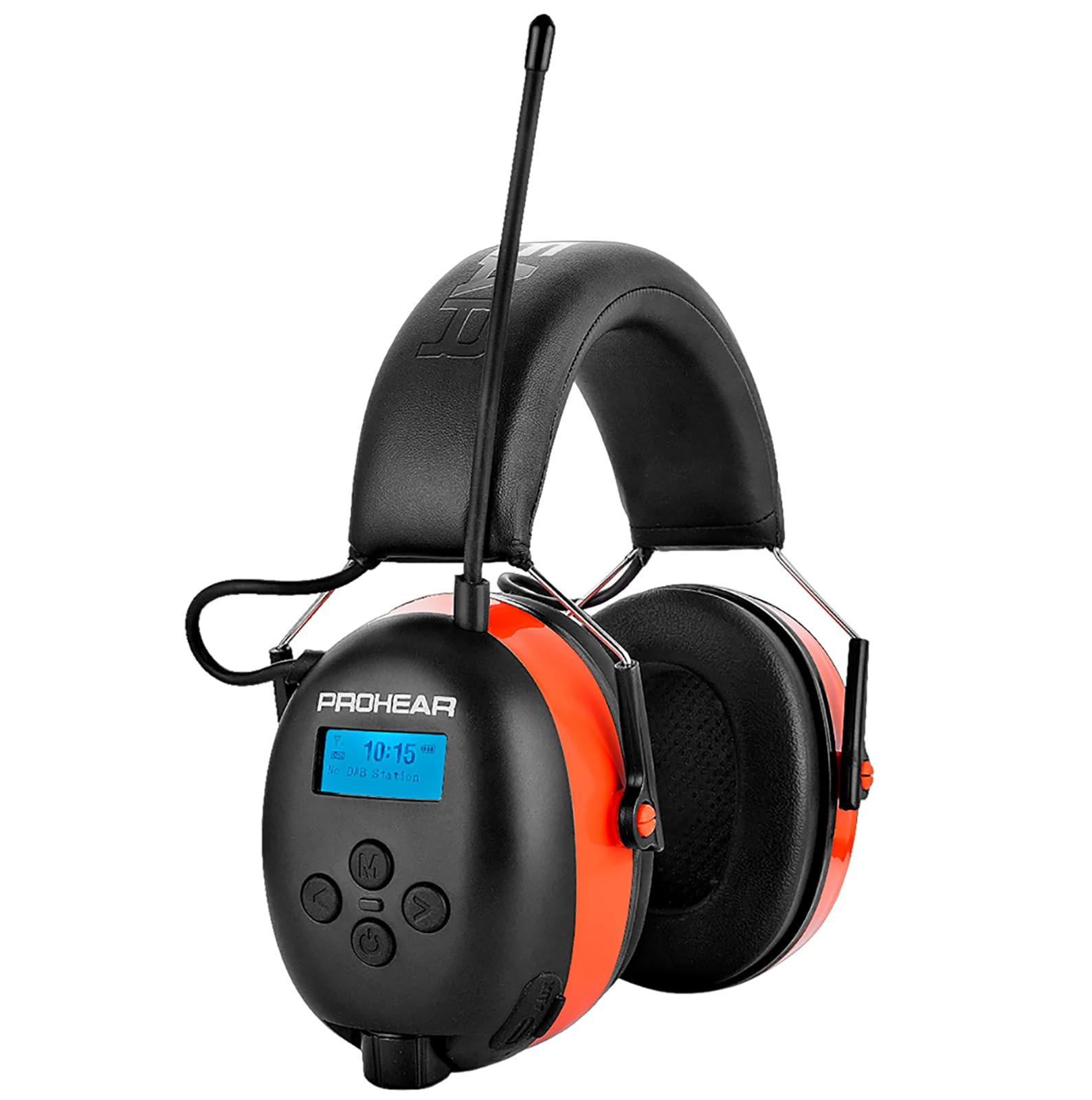
Image: PROHEAR 033A earmuffs in an outdoor setting, demonstrating their use for hearing protection during activities like mowing. Key features such as SNR 31dB, DAB+/FM Radio, and Bluetooth 5.3 are highlighted.
2. Safety Information
- Always wear the earmuffs correctly to ensure maximum hearing protection.
- Do not modify the device. Unauthorized modifications may compromise safety and void the warranty.
- Keep the device away from extreme temperatures, direct sunlight, and moisture.
- Clean the earmuffs with a soft, damp cloth. Do not use abrasive cleaners or solvents.
- Ensure the earmuffs are fully charged before extended use to maintain functionality.

Image: This graphic explains how long different noise levels can be tolerated before hearing damage occurs, emphasizing the importance of hearing protection. It shows the NRR 25dB and SNR 31dB ratings of the earmuffs and lists various noisy activities such as snow blowing, workshop tasks, woodworking, mowing, construction, and wood cutting, indicating the decibel levels associated with them.
3. Package Contents
Verify that all items are present in the package:
- 1 x PROHEAR 033A Hearing Protection Earmuffs
- 1 x Black Leather Case
- 1 x USB-C Charging Cable
- 1 x 3.5mm Audio Cable
- 1 x User Manual

Image: An illustration of all items included in the PROHEAR 033A product package: the hearing protection earmuffs with radio, a black leather carrying case, the product's retail box, a 3.5mm audio cable, the instruction manual, and a USB-C charging cable.
4. Product Overview
The PROHEAR 033A earmuffs feature an ergonomic design for comfort and ease of use. Key components include:
- Adjustable Headband: For a secure and comfortable fit.
- Padded Ear Cups: Provide noise reduction and comfort.
- LCD Display: Shows radio frequency, battery status, and Bluetooth connection.
- Control Buttons: Power, volume, mode selection, and tuning.
- DAB+/FM Antenna: For radio reception.
- USB-C Charging Port: For recharging the internal battery.
- 3.5mm AUX Input: For connecting external audio devices.
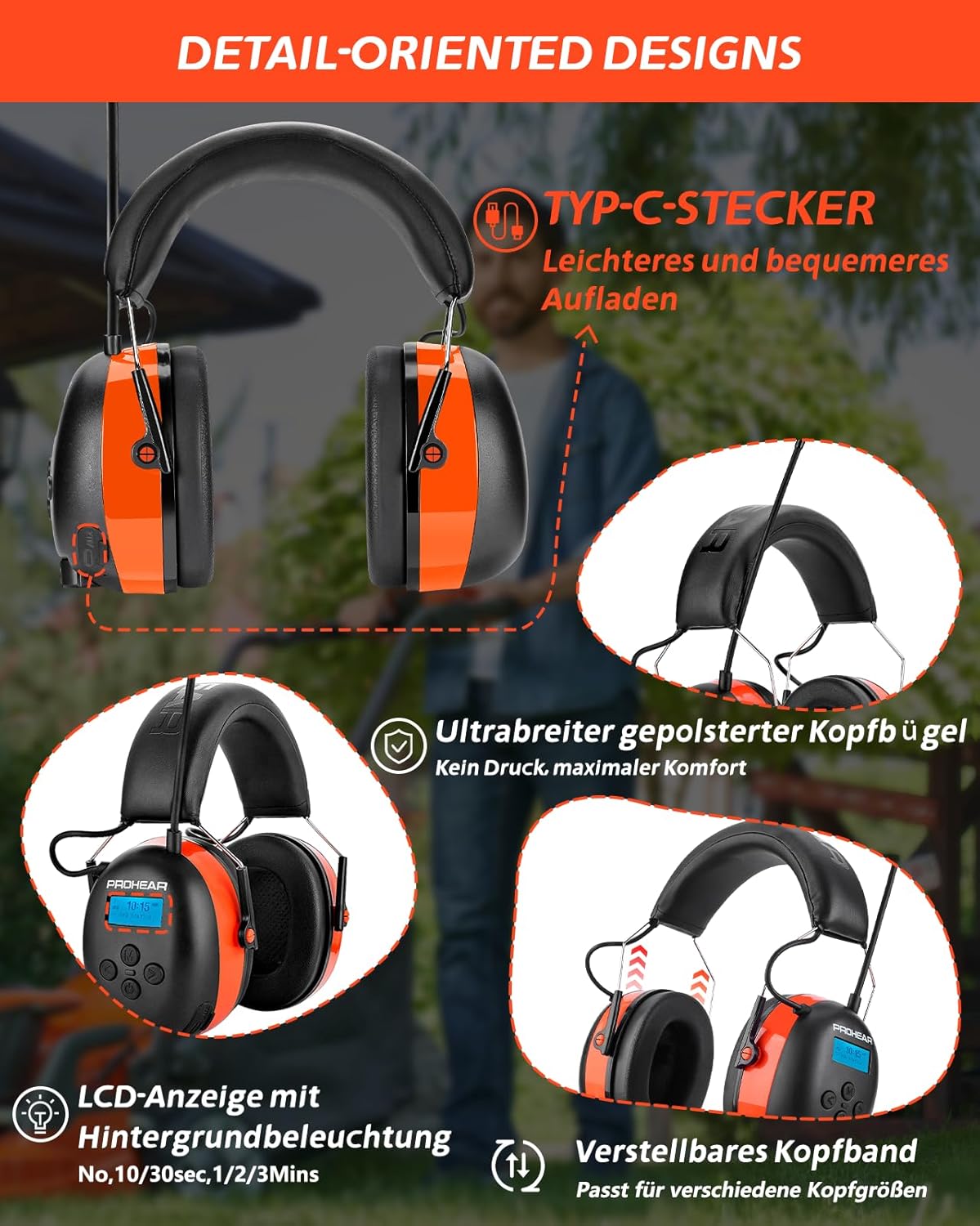
Image: This image details the design features of the PROHEAR 033A earmuffs, including the USB-C charging port for easier charging, the ultra-wide padded headband for maximum comfort without pressure, the LCD display with backlight (showing options for 10/30 seconds, 1/2/3 minutes), and the adjustable headband designed to fit various head sizes.
5. Setup
5.1 Charging the Battery
- Locate the USB-C charging port on the earmuffs.
- Connect the provided USB-C cable to the earmuffs and a compatible USB power adapter (not included).
- The LCD display will indicate charging status. A full charge takes approximately 6 hours.
- The earmuffs feature a 2000 mAh rechargeable battery, providing over 50 hours of playtime on a full charge.
5.2 Adjusting the Fit
- Extend the headband by pulling the ear cups downwards.
- Place the earmuffs over your ears, ensuring the ear cups fully cover your ears and create a seal.
- Adjust the headband length until the earmuffs fit snugly and comfortably, without excessive pressure.

Image: This graphic illustrates the battery performance of the PROHEAR 033A earmuffs, showing a 50-hour playtime and a 6-hour charging time for the 2000 mAh rechargeable battery.
6. Operating Instructions
6.1 Power On/Off
- To power on, press and hold the Power button until the LCD display illuminates.
- To power off, press and hold the Power button until the display turns off.
6.2 Mode Selection
- Press the 'M' (Mode) button to cycle through available modes: DAB+ Radio, FM Radio, and Bluetooth.
6.3 DAB+/FM Radio Operation
- Select DAB+ or FM mode using the 'M' button.
- Extend the antenna for optimal reception.
- Use the tuning buttons (◀ / ►) to scan for stations. Press and hold to auto-scan.
- Press the volume buttons (+ / -) to adjust the audio level.
6.4 Bluetooth Pairing
- Select Bluetooth mode using the 'M' button. The earmuffs will enter pairing mode, indicated on the LCD display.
- On your mobile device, enable Bluetooth and search for available devices.
- Select "PROHEAR 033A" from the list to pair.
- Once paired, you can stream audio and make hands-free calls using the integrated microphone.
6.5 Auxiliary Input
- Connect an external audio device (e.g., MP3 player) to the 3.5mm AUX input using the provided audio cable.
- The earmuffs will automatically switch to AUX mode.

Image: This collage shows different scenarios where the PROHEAR 033A earmuffs are used to protect hearing, such as a person driving a tractor, another using a string trimmer in a garden, a craftsman working in a workshop, and someone operating power tools, all emphasizing the message to 'Protect Your Hearing'.
7. Maintenance
7.1 Cleaning
- Wipe the exterior of the earmuffs with a soft, slightly damp cloth.
- Do not immerse the earmuffs in water or use harsh cleaning agents.
- Regularly inspect ear cushions for wear and tear. Replace if damaged to maintain noise reduction effectiveness.
7.2 Storage
- Store the earmuffs in the provided leather case when not in use.
- Keep in a cool, dry place away from direct sunlight and extreme temperatures.
8. Troubleshooting
| Problem | Possible Cause | Solution |
|---|---|---|
| No power | Battery is depleted | Charge the earmuffs using the USB-C cable. |
| Poor radio reception | Antenna not extended or weak signal | Extend the antenna fully. Try moving to an open area. |
| Bluetooth not pairing | Earmuffs not in pairing mode or device too far | Ensure earmuffs are in Bluetooth pairing mode. Keep devices within 10 meters. Restart both devices. |
| No sound from AUX input | Cable not fully inserted or incorrect mode | Ensure 3.5mm cable is securely connected. Verify earmuffs automatically switched to AUX mode. |
9. Specifications
- Model: PROHEAR 033A
- Noise Reduction Rating (NRR): 25dB
- Single Number Rating (SNR): 31dB
- Radio: DAB+/FM
- Bluetooth Version: 5.3
- Battery Type: 1 Lithium-ion (included)
- Battery Capacity: Up to 2000 mAh
- Charging Time: Approximately 6 hours
- Playtime: Over 50 hours
- Color: Orange
- Manufacturer: PROHEAR LLC
- Package Dimensions: 20.8 x 16.2 x 10.7 cm
- Weight: 550 grams
10. Warranty and Support
For warranty information or technical support, please refer to the contact details provided with your purchase or visit the official PROHEAR website. If you encounter any problems with your device, please contact our customer service for assistance.


