
FLEXISPOT 40" One-Piece Desktop (ASIN: B0F747SWWB)
FLEXISPOT Standing Desk User Manual
Model: 40" One-Piece Desktop (ASIN: B0F747SWWB)
1. Introduction
This manual provides essential information for the assembly, operation, and maintenance of your new FLEXISPOT Standing Desk. Designed to promote a healthier work environment, this height-adjustable desk allows for seamless transitions between sitting and standing positions, helping to mitigate the effects of prolonged sitting.
The FLEXISPOT Standing Desk features a spacious 40 x 24-inch one-piece desktop, providing ample room for your workspace essentials. Its robust design and quiet motor ensure smooth and stable height adjustments.
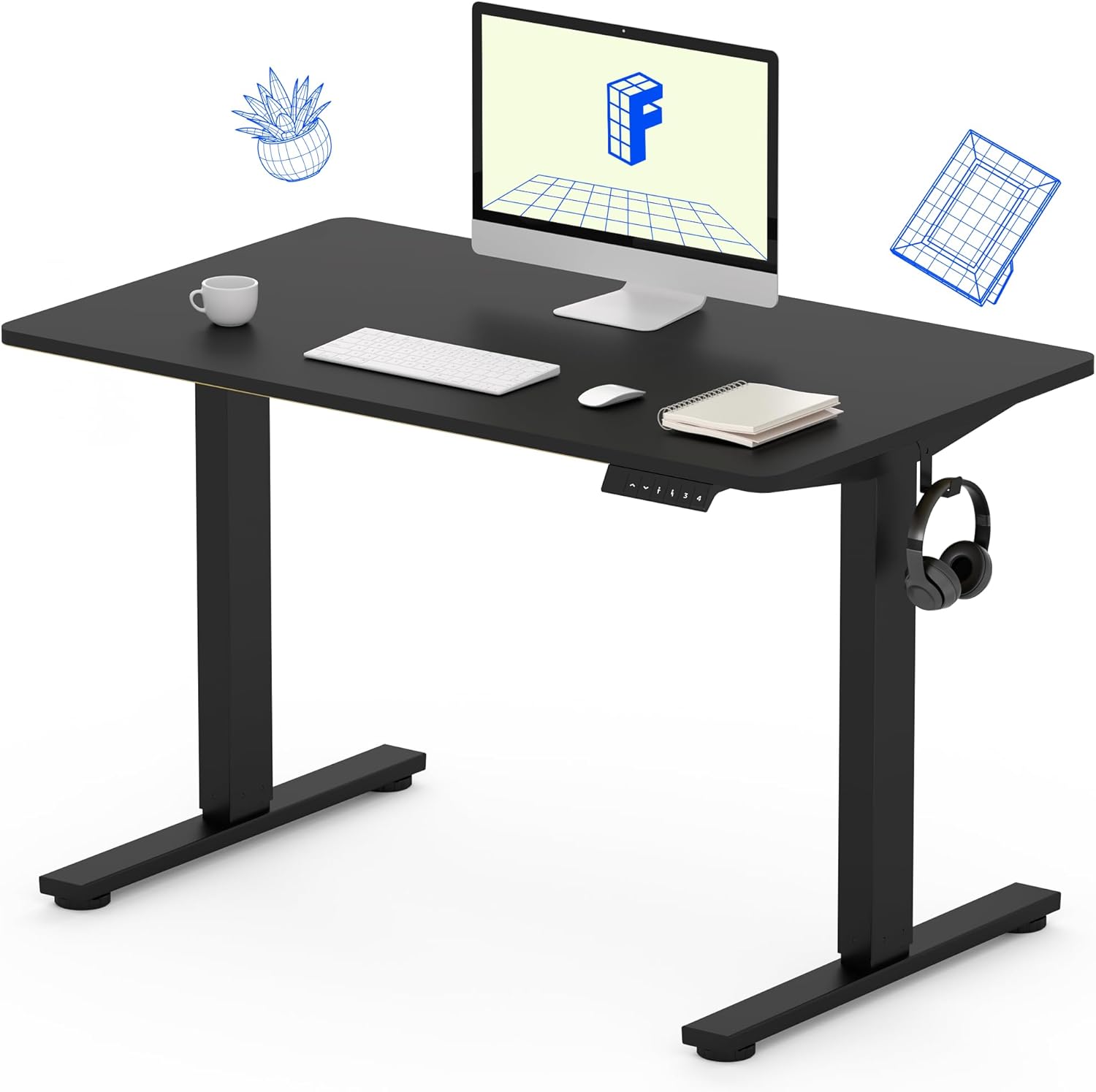
Image: The FLEXISPOT Standing Desk featuring a black frame and a 40x24-inch black one-piece desktop, showcasing its sleek design and ample workspace. A computer monitor, keyboard, mouse, and headphones are visible on the desk, demonstrating its functionality in a home office setup.
2. Safety Information
Please read and understand all safety warnings before assembly and operation to prevent injury or damage to the product.
- Always use caution when assembling the desk, especially when using a drill.
- Do not exceed the maximum weight limit of 154 lbs on the desktop.
- Keep hands, clothing, and body parts clear of moving parts (e.g., lifting columns, motor mechanisms) during height adjustment.
- Ensure the desk is placed on a level surface to maintain stability.
- Do not allow children to operate the desk without adult supervision.
- Disconnect power before performing any maintenance or cleaning.
3. Product Features
Your FLEXISPOT Standing Desk is equipped with features designed for optimal comfort and productivity:
- Spacious One-Piece Desktop: An eco-friendly 40 x 24-inch desktop provides a seamless and ample work surface, ideal for multiple monitors, laptops, and other office essentials.
- One-Touch Height Memory: Easily save and recall up to 4 preferred height presets, allowing for quick transitions between sitting and standing positions.
- Quiet and Smooth Adjustments: The electric motor operates with low noise (less than 50 dB), ensuring minimal disturbance in shared environments. The height adjusts smoothly from 28.7 inches to 46.5 inches.
- Sturdy Steel Frame: Constructed with a durable steel frame, the desk supports up to 154 lbs, providing a stable platform for daily use.
- Convenient Accessories: Includes practical features such as hooks for headphones or bags.

Image: A visual comparison highlighting the advantage of the FLEXISPOT's one-piece desktop, which offers a sturdy and elegant workspace without visible seams, unlike typical divided desktops.

Image: Detailed view of the desk's dual-stage legs, which contribute to its stable height adjustment, and a convenient backpack hook located on the side of the desk frame.
4. Setup Guide
Assembly of your FLEXISPOT Standing Desk is designed to be straightforward. While detailed step-by-step instructions are provided in the packaging, here are general guidelines:
- Unpack Components: Carefully remove all parts from the packaging and verify against the included parts list.
- Assemble Frame: Follow the instructions to connect the desk legs and crossbar components. Ensure all screws are securely tightened.
- Attach Desktop: Position the one-piece desktop onto the assembled frame. A drill may be needed to secure the desktop to the frame (drill not included).
- Connect Electronics: Connect the motor and control panel cables as indicated in the manual.
- Cable Management: Utilize any provided cable management solutions to keep your workspace tidy.
Note: It is recommended to have two people for assembly due to the weight and size of the components.
5. Operating Instructions
The FLEXISPOT Standing Desk features an intuitive control panel for easy height adjustment and memory functions.
- Adjusting Height: Use the Up and Down arrows on the control panel to raise or lower the desk to your desired height.
- Saving Memory Presets:
- Adjust the desk to your preferred sitting or standing height.
- Press the "M" button, then immediately press one of the numbered preset buttons (1, 2, 3, or 4). The height is now saved to that preset.
- Recalling Memory Presets: Simply press the corresponding numbered preset button (1, 2, 3, or 4) to automatically move the desk to your saved height.

Image: The FLEXISPOT Standing Desk depicted at its minimum height of 29 inches and maximum height of 46.6 inches, illustrating its large adjustable height range for ergonomic use.
6. Maintenance
Regular maintenance ensures the longevity and optimal performance of your standing desk:
- Cleaning: Wipe the desktop and frame with a soft, damp cloth. Avoid abrasive cleaners or harsh chemicals.
- Cable Check: Periodically inspect all cables for any signs of wear or damage. Ensure they are not pinched or tangled.
- Tighten Fasteners: Occasionally check and tighten any loose screws or bolts to maintain stability.
- Weight Distribution: Distribute weight evenly on the desktop to prevent strain on the motor and frame.
7. Troubleshooting
If you encounter any issues with your FLEXISPOT Standing Desk, refer to the following common troubleshooting tips:
- Desk Not Moving:
- Check if the power cord is securely plugged into both the desk and a working power outlet.
- Ensure no objects are obstructing the desk's movement path.
- Try resetting the desk by unplugging it for 10 seconds and then plugging it back in.
- Uneven Movement/Wobbling:
- Verify that the desk is on a level surface. Adjust the leveling feet if necessary.
- Check all assembly screws to ensure they are tightened.
- Ensure the weight on the desk is evenly distributed and does not exceed the maximum capacity.
- Error Codes on Display:
- Refer to the detailed troubleshooting section in your product's physical manual for specific error code interpretations and solutions.
For persistent issues or further assistance, please contact FLEXISPOT customer support.
8. Specifications
| Feature | Detail |
|---|---|
| Brand | FLEXISPOT |
| Product Dimensions | 24"D x 40"W x 29"H |
| Color | Black Frame / Black Top |
| Style | Modern |
| Base Material | Alloy Steel |
| Top Material Type | Engineered Wood |
| Finish Type | Powder Coated |
| Height Range | 28.7" - 46.5" |
| Maximum Weight Capacity | 154 Pounds |
| Noise Level | <50 dB |
| Assembly Required | Yes |
9. Warranty and Support
FLEXISPOT stands behind the quality of its products. Your standing desk is covered by the following warranty:
- Frame/Motor: 5-year warranty
- Electronics: 2-year warranty
For warranty claims, technical support, or any questions regarding your FLEXISPOT Standing Desk, please visit the official FLEXISPOT website or contact their customer service directly. Keep your purchase receipt as proof of purchase.
10. Manufacturing Process
FLEXISPOT is committed to excellence in every step of the manufacturing process, ensuring high-quality products. The following video provides an inside look at the FlexiSpot factory, showcasing the precision and innovation behind each product.
Video: An insightful tour of the FlexiSpot factory, demonstrating the advanced machinery, robotic automation, and meticulous quality control procedures involved in producing FlexiSpot products. This includes processes like metal cutting, welding, powder coating, circuit board assembly, and final packaging, highlighting the brand's dedication to precision and innovation.
Related documents40" One-Piece Desktop (ASIN: B0F747SWWB)


Ask a question about this manual
Ask about setup, troubleshooting, compatibility, parts, safety, or missing instructions. Manuals+ will review the question and use this page’s manual context to help answer it.