1. Important Safety Information
- Power Source: This device is designed for 12 Volt DC vehicle electrical systems only. Connecting to other voltage sources may cause damage.
- Water Resistance: The sound bar is IP65 water-resistant and dustproof. It is protected against low-pressure water jets from any direction and complete protection against dust. Do not immerse the unit in water or expose it to heavy, prolonged rain.
- Installation: Ensure all connections are secure and properly insulated to prevent electrical shorts. Consult a professional if unsure about wiring.
- Mounting: Securely mount the sound bar to a roll bar within the specified diameter range (1.56" to 2.25"). Improper mounting can lead to detachment and potential injury or damage.
- Operation: Do not operate the sound bar at excessively high volumes for extended periods, as this may cause hearing damage.
2. Package Contents
Verify that all items are present before installation:
- 28-inch 6-Speaker Sound Bar
- Adjustable Mounting Brackets (for 1.56" to 2.25" roll bars)
- Power Extension Adapter (2m and 3m options)
- Cigarette Lighter Power Cable
- AUX Input Cable (3.5mm)
- USB Jack
- Wireless Remote Control
- Installation Tools (Allen wrench, bolts, washers, nuts)
- User Manual

Image: KEMIMOTO UTV Sound Bar and all included accessories.
3. Product Overview
3.1 Key Features
- Audio System: 28-inch sound bar with four 4-inch subwoofers and two 1-inch tweeters, powered by a built-in Class A/B amplifier.
- RGB Lighting: Dynamic RGB lights with 5 illuminating modes (music sync, solid, fading, jump, off).
- Connectivity: Wireless Bluetooth 5.0, 3.5mm AUX input, and USB port.
- Durability: Aluminum construction for sturdiness, impact resistance, and heat dissipation. IP65 water-resistant and dustproof rating.
- Control: Integrated control panel and wireless remote control.
- EQ Presets: 5 EQ modes (classical, jazz, flat, pop, rock).
3.2 Control Panel and Ports
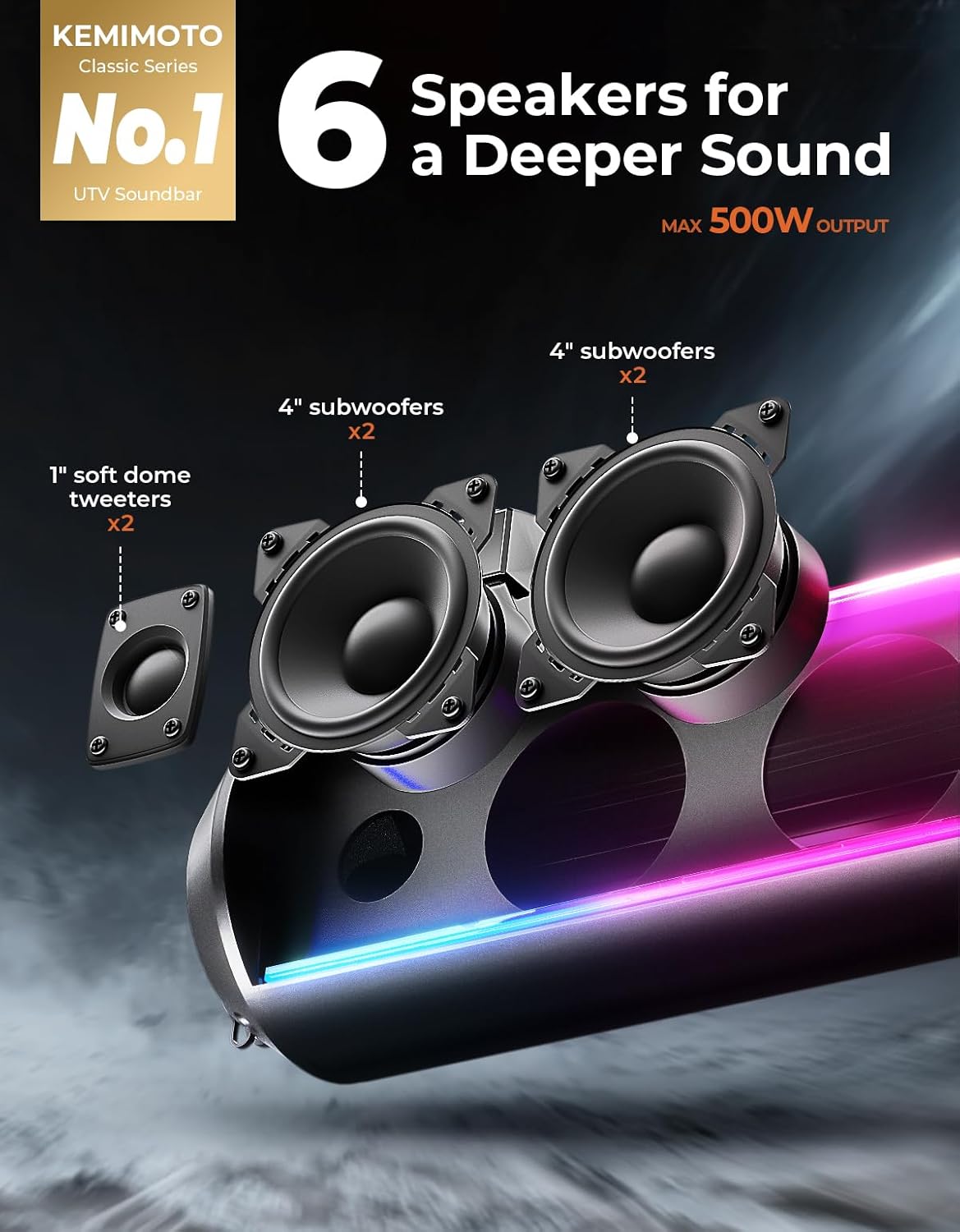
Image: Central control panel with power, mode, volume, and track buttons.
The central control panel features buttons for power, Bluetooth, USB, AUX mode selection, volume adjustment, and track navigation. The side of the sound bar includes ports for power input, AUX, and USB connections, all protected by waterproof covers.
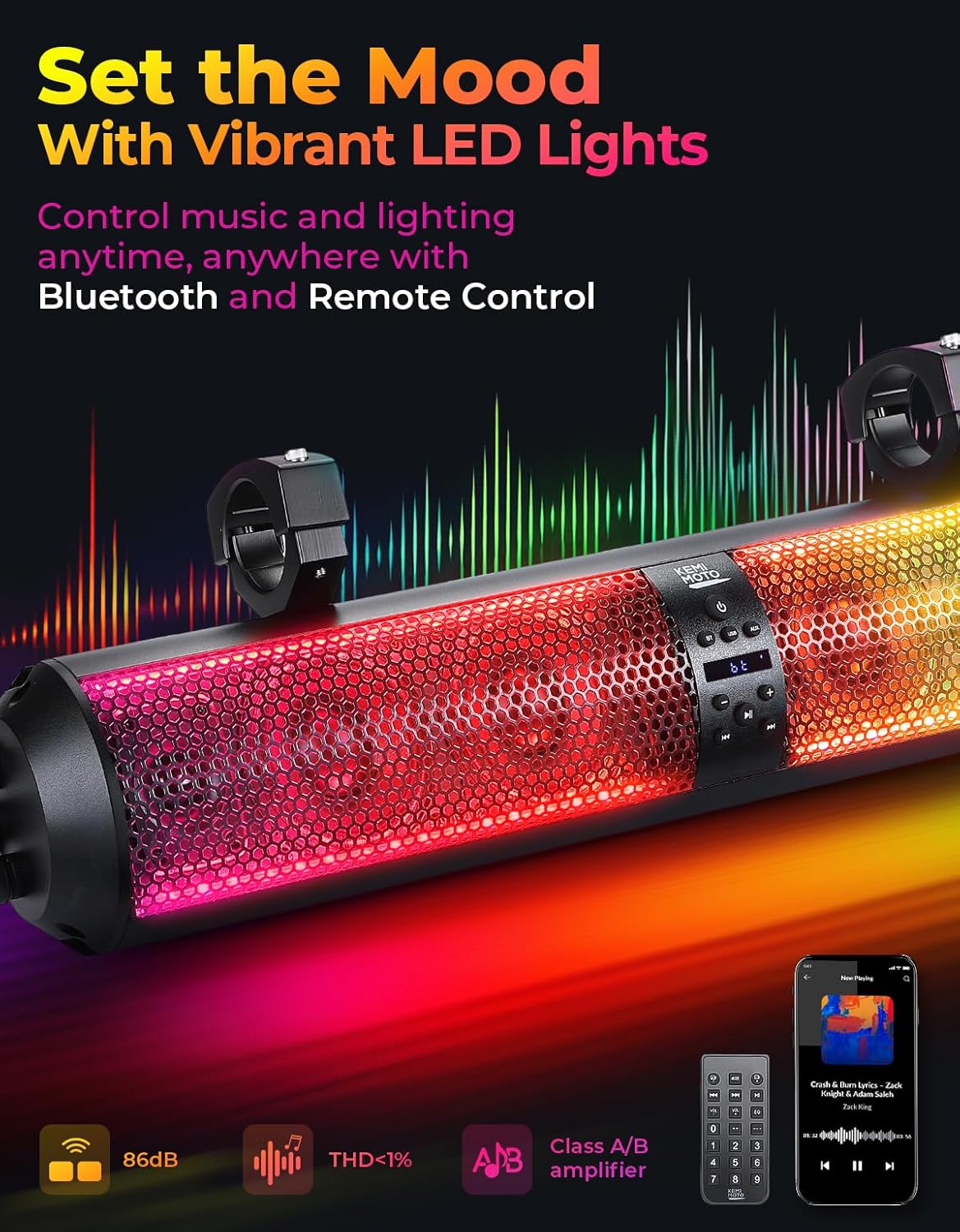
Image: Side view of the sound bar displaying the power, AUX, and USB ports with protective covers.
4. Setup and Installation
4.1 Mounting Instructions
- Identify a suitable location on your vehicle's roll cage. The adjustable clamps are compatible with roll bars ranging from 1.56 inches to 2.25 inches in diameter.
- Attach the mounting brackets to the sound bar using the provided screws.
- Position the sound bar on the roll bar and secure the clamps around the bar. Ensure the sound bar is level and firmly attached. No drilling is required for installation.

Image: Illustration of the adjustable clamps securing the sound bar to a roll bar.
4.2 Wiring Instructions
- Connect the appropriate power extension adapter (2m or 3m) to the sound bar's power input port.
- Choose your power source:
- Cigarette Lighter: Plug the cigarette lighter power cable into your vehicle's 12V cigarette lighter socket.
- Direct Battery Connection: For a permanent installation, use the provided hardwire option to connect directly to your vehicle's 12V battery. Ensure proper polarity (red to positive, black to negative) and use an inline fuse for protection.
- Route all cables securely, away from moving parts or heat sources, and use cable ties if necessary.
5. Operating Instructions
5.1 Power On/Off
Press the Power button on the control panel or the remote control to turn the sound bar on or off. The sound bar will indicate its status via the LED display and lights.
5.2 Bluetooth Pairing
- Ensure the sound bar is powered on.
- Press the BT button on the control panel or remote to select Bluetooth mode. The display will show "BT" and the sound bar will enter pairing mode.
- On your smartphone or MP3 player, enable Bluetooth and search for "KEMIMOTO Sound Bar" (or similar).
- Select the device to pair. A confirmation tone will sound upon successful pairing.
- The sound bar features Bluetooth 5.0 for quick pairing and reconnection.
5.3 AUX and USB Playback
- AUX Mode: Connect your audio device using the 3.5mm AUX cable to the AUX port. Press the AUX button on the control panel or remote to switch to AUX mode.
- USB Mode: Insert a USB drive with audio files into the USB port. Press the USB button on the control panel or remote to switch to USB mode.
5.4 RGB Light Control
The sound bar features dynamic RGB lights with 5 different illuminating modes: music sync, solid color, fading, jump, or off. Use the remote control to cycle through these modes or turn the lights off to conserve battery life. The music sync mode allows lights to pulsate with the beat.
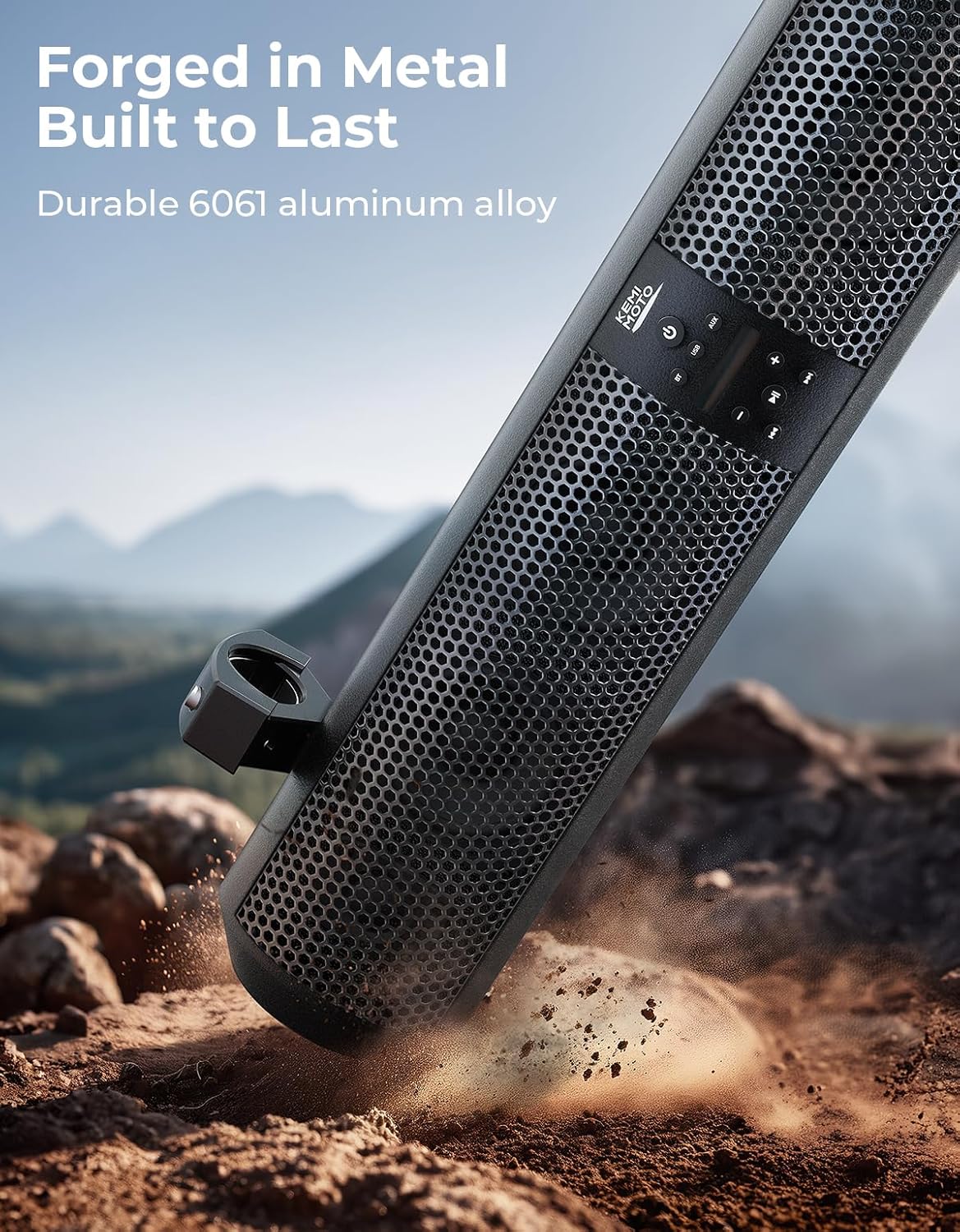
Image: KEMIMOTO UTV Sound Bar showcasing its vibrant RGB lighting effects while mounted in a UTV.
5.5 EQ Modes
The wireless remote control includes an EQ button to select from 5 preset equalizer modes: Classical, Jazz, Flat, Pop, and Rock, allowing you to optimize sound for different music genres.
Video: Demonstration of the KEMIMOTO UTV Sound Bar's RGB lights and Bluetooth connectivity.
Video: Audio demonstration highlighting the deep rich bass of the KEMIMOTO UTV Sound Bar.
6. Maintenance
- Cleaning: Wipe the sound bar with a soft, damp cloth. Avoid using harsh chemicals or abrasive cleaners.
- Water Exposure: While IP65 rated, avoid prolonged exposure to heavy rain or direct high-pressure water sprays. Ensure all port covers are securely closed when not in use.
- Storage: If storing the vehicle for an extended period, consider disconnecting the sound bar from the power source to prevent battery drain.

Image: The sound bar in a UTV, highlighting its IP65 water and dust resistance in outdoor conditions.
7. Troubleshooting
| Problem | Possible Cause | Solution |
|---|---|---|
| No power | Loose power connection; Vehicle battery low; Blown fuse. | Check all power connections. Ensure vehicle battery has sufficient charge. Inspect and replace fuse if necessary. |
| No sound | Incorrect input mode; Volume too low; Device not paired (Bluetooth). | Select correct input mode (BT, USB, AUX). Increase volume on sound bar and connected device. Re-pair Bluetooth device. |
| Bluetooth not connecting | Sound bar not in pairing mode; Device too far; Interference. | Ensure sound bar is in BT pairing mode. Move device closer to sound bar. Avoid strong electromagnetic interference. |
| RGB lights not working | Lights turned off; Power issue. | Use remote or control panel to cycle through light modes or turn them on. Check power connection. |
8. Specifications
| Feature | Detail |
|---|---|
| Model Name | KM4B0117-03009 |
| Speaker Type | Soundbar |
| Speaker Size | 28 Inches |
| Audio Drivers | 4x 4-inch Subwoofers, 2x 1-inch Tweeters |
| Max Output Power | 500 Watts |
| Frequency Response | 40 Hz |
| Connectivity | Bluetooth 5.0, 3.5mm AUX, USB |
| Input Voltage | 12 Volts (DC) |
| Material | Aluminum |
| Waterproof Rating | IP65 |
| Mounting Type | Roll Cage Mount (1.56" - 2.25" diameter) |
| Control Method | Remote, On-unit buttons |
| Item Weight | 14 Pounds |
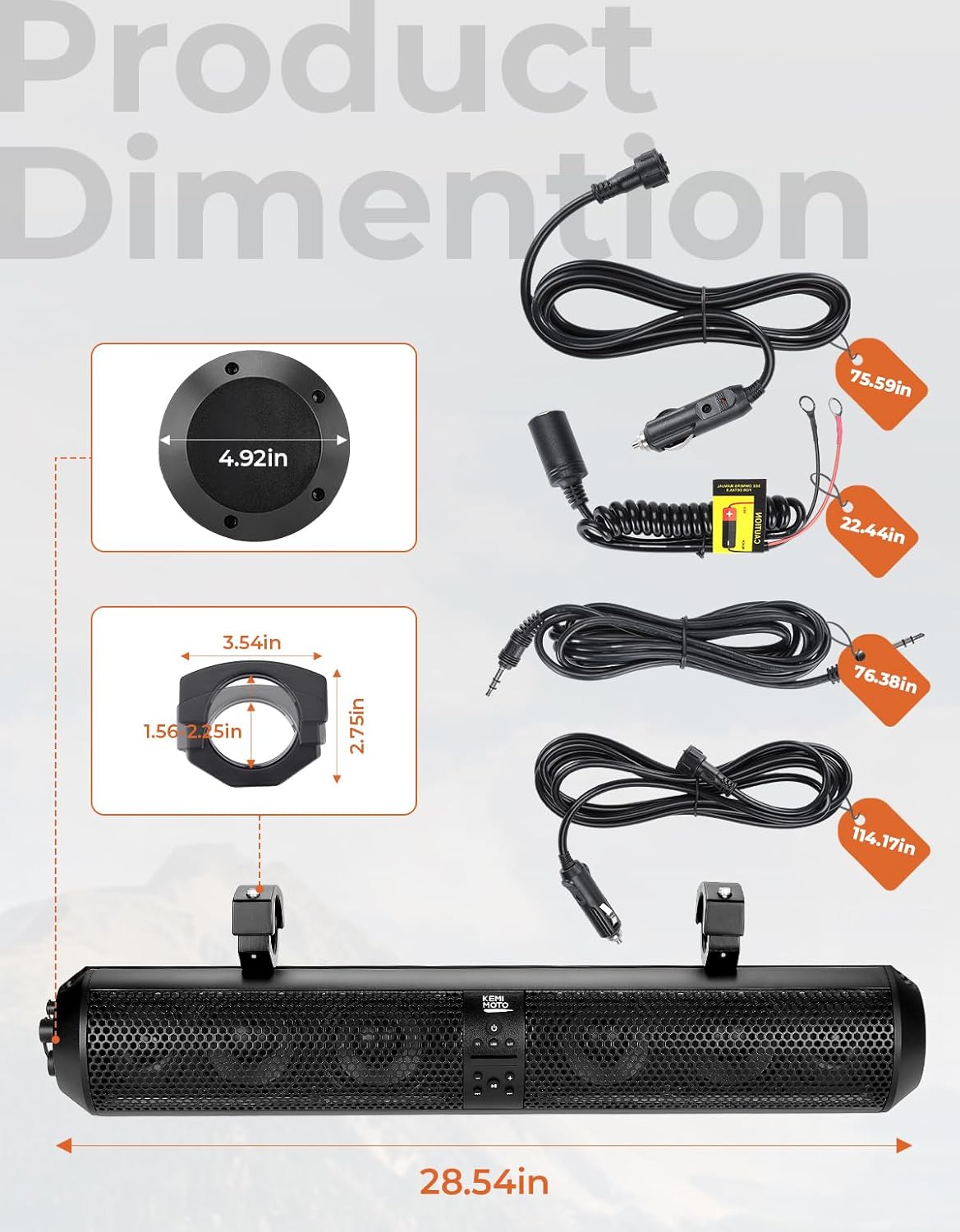
Image: Detailed product dimensions and cable lengths for the KEMIMOTO UTV Sound Bar.
9. Warranty and Support
This KEMIMOTO product comes with a Limited Warranty. For specific warranty terms, conditions, and duration, please refer to the warranty card included in your package or contact KEMIMOTO customer support.
For technical support, troubleshooting assistance, or to inquire about replacement parts, please visit the official KEMIMOTO website or contact their customer service department directly. Contact information can typically be found on the product packaging or the brand's official website.


