
anyloop Fitness Tracker Watch User Manual
Model: ALB1 | Brand: anyloop

Figure 1: anyloop Fitness Tracker Watch (Model ALB1)
1. Introduction
Thank you for choosing the anyloop Fitness Tracker Watch. This manual provides detailed instructions to help you set up, operate, and maintain your device, ensuring you get the most out of its advanced health and fitness tracking features. Please read this manual thoroughly before using the product.
2. Setup
2.1 Initial Power-on and Connection Pairing
To begin using your anyloop Fitness Tracker Watch, follow these steps to power it on and pair it with your smartphone via the dedicated app.
- Long press the button for about 5 seconds to turn on the device.
- Choose the language you want in the language interface on the watch.
- Scan the QR code displayed on the watch or in the manual to download the anyloop APP. Register and log in to the APP.
- Open the APP to scan and recognize the QR code of the watch for binding.
- Receive notifications as needed and confirm that the binding is complete on both the watch and the app.
Video 1: How to use anyloop band B1? This video demonstrates the initial setup and pairing process of the fitness tracker with a smartphone, including language selection and app binding.

Figure 2: Watch display and phone interface during setup and health monitoring.
3. Operating Your Fitness Tracker
3.1 Health Tracking
The anyloop Fitness Tracker provides comprehensive health monitoring features:
- Activity Tracking: Accurately monitors steps, distance, and calorie consumption.
- Sleep Monitoring: Analyzes sleep quality, tracking deep sleep, light sleep, and awake periods to help adjust sleep habits.
- Heart Rate Tracking: Equipped with a high-precision sensor for real-time heart rate monitoring, aiding in cardiovascular health understanding and exercise intensity control.
- Blood Oxygen Saturation Detection: Measures blood oxygen levels to help assess overall health status.

Figure 3: The 1.47" HD color touchscreen displaying various functions and customizable watch faces.
3.2 Smart Reminders & Notifications
Stay connected with smart reminders and notifications directly on your wrist:
- Call & Message Alerts: Receive reminders for incoming calls, messages, emails, and social media notifications via vibrations and screen displays.
- Convenience Features: Check real-time weather, control music playback, remotely control your phone's camera, and receive sedentary reminders.
- Women's Health: Includes menstrual cycle reminders for women.
Video 2: anyloop fitness tracker B1. This short video highlights the smart notification features of the watch, showing how it displays messages and alerts.

Figure 4: The fitness tracker displaying message and social media notifications from a paired smartphone.
3.3 Sports Modes
The watch offers over 20 sports modes to track almost all your daily physical activities. It provides corresponding sports data and suggestions to help you exercise more effectively.
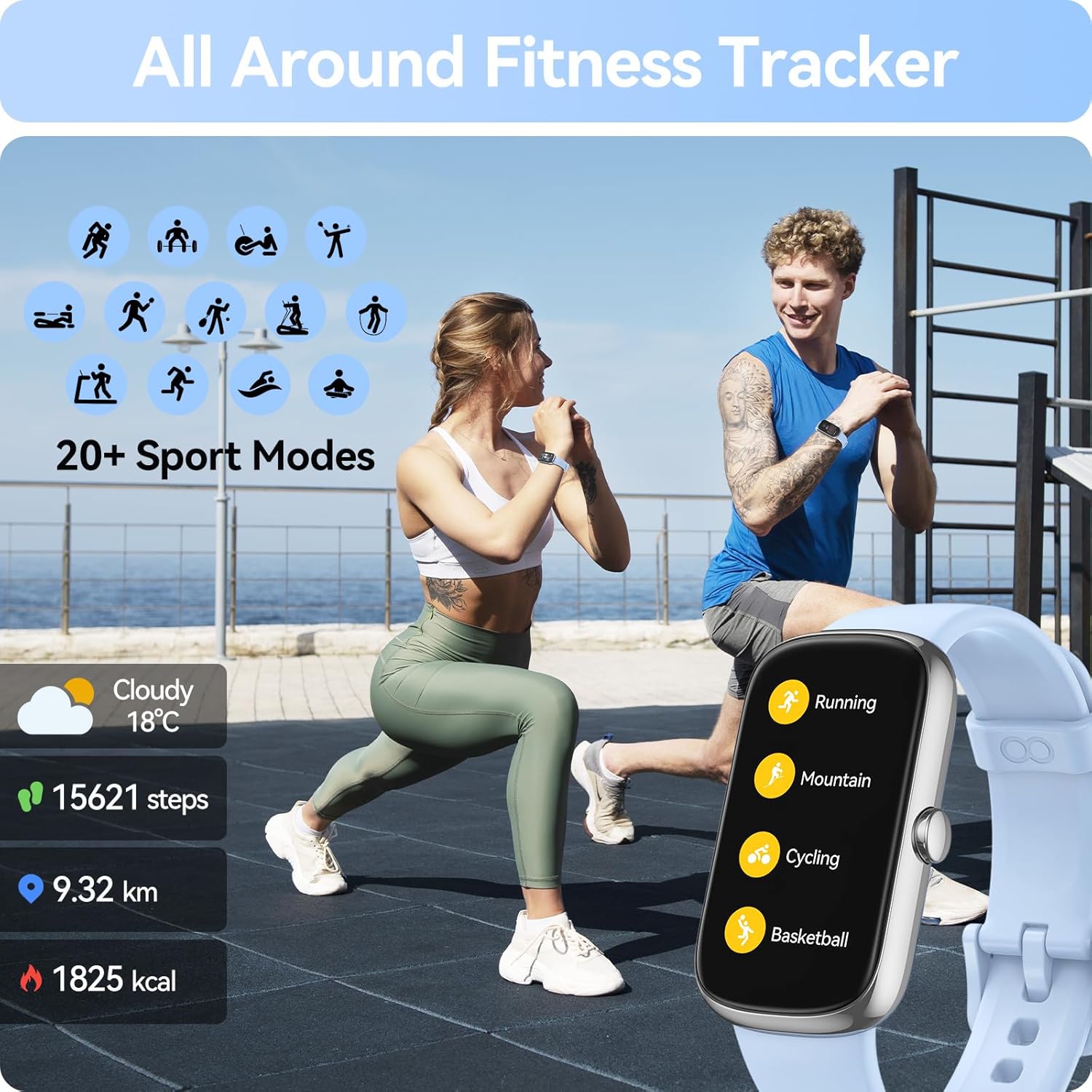
Figure 5: The watch interface showing various sports modes, suitable for different physical activities.
4. Maintenance
4.1 IP68 Waterproofing
The anyloop Fitness Tracker Watch is designed with IP68 waterproofing, making it suitable for various daily activities such as handwashing, showering, and use on rainy days. Avoid prolonged submersion or use in hot water/steam.
4.2 Battery Life and Charging
The fitness tracker features a long-lasting battery. A full charge takes approximately 1.5-2 hours, providing 5-7 days of daily usage and up to 20 days of standby time. Use the provided charging cable to charge the device.

Figure 6: The fitness tracker connected to its charging cable, illustrating the charging process.
5. Troubleshooting
5.1 How to Link Again After Disconnection
If your watch disconnects from the app, follow these steps to re-establish the connection:
- Make sure Bluetooth is on on your smartphone.
- Restart the anyloop app to refresh its connection capabilities.
- Find the appropriate watch model (anyloop Band-4CD or similar) inside the app's device list and tap to connect.
Video 3: How to use anyloop band B1? This video also covers steps for re-linking the watch after a disconnection, ensuring continuous data synchronization.
6. Specifications
| Feature | Detail |
|---|---|
| Model Number | ALB1 |
| Screen Size | 1.47 Inches |
| Item Weight | 0.88 ounces |
| Battery Type | 1 Lithium Polymer battery (included) |
| Battery Capacity | 160 Milliamp Hours |
| Waterproof Rating | IP68 |
| Connectivity | Bluetooth |
| Special Features | Lightweight, Heart Rate, Sleep, Blood Oxygen Monitor, Activity Tracker |
| Operating System | Touch |
| What's in the box | 1 x Smartwatch |
7. Warranty and Support
Specific warranty details and direct support contact information are not provided in the product data. Please refer to the product packaging or the retailer's website for the most up-to-date warranty policy and customer support options.
For further assistance, you may also check the official anyloop brand store on Amazon: anyloop Store.


