
1. Introduction
Thank you for choosing the Baseus 5000mAh Magnetic Power Bank with Stand. This versatile device combines a powerful 5000mAh battery, 20W Power Delivery (PD) output, and MagSafe-compatible wireless charging with a convenient foldable stand. Designed for seamless charging and hands-free viewing, it is an ideal companion for your iPhone 12/13/14/15 series and other compatible devices.
2. What's in the Box
- Baseus 5000mAh Magnetic Power Bank (PPCXZ05)
- USB-C to USB-C Charging Cable
- User Manual
- Stickers (decorative)

Image: The Baseus Magnetic Power Bank with its integrated stand.
3. Product Features
- 5000mAh Capacity: Provides reliable power on the go.
- 20W PD Output: Fast wired charging via USB-C.
- 7.5W Wireless Charging: MagSafe-compatible magnetic alignment for iPhone 12/13/14/15 series.
- Foldable Stand: Integrated kickstand for hands-free viewing in portrait or landscape mode.
- USB-C Port: Serves as both input for recharging the power bank and output for wired charging.
- Strong Magnetic Connection: Ensures secure attachment to compatible devices (13N strength).
- StandBy Mode Compatible: Supports iOS 17 and later versions for enhanced display functionality when placed horizontally.
- Compact and Lightweight Design: Easy to carry and store.
- 9+ Safety Protection: Built-in safeguards against over-voltage, under-voltage, over-charge, over-power, over-discharge, temperature, and more.

Image: Illustrates the strong magnetic connection for instant charging.
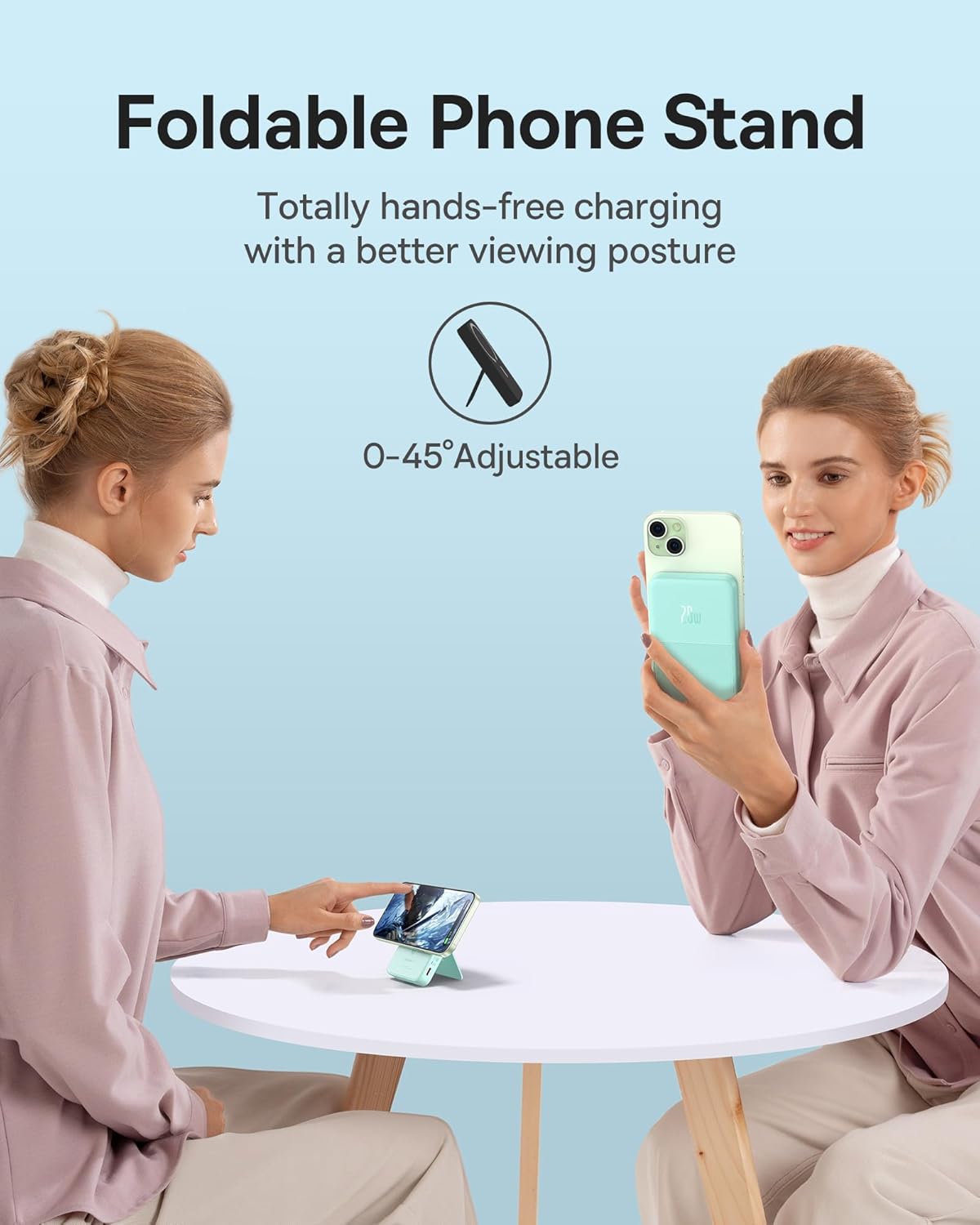
Image: Shows the power bank's foldable stand providing a hands-free viewing experience.

Image: Demonstrates the power bank supporting iOS StandBy Mode when the phone is placed horizontally.
4. Setup
- Initial Charge: Before first use, fully charge the power bank using the provided USB-C to USB-C cable and a compatible power adapter (not included). The LED indicators will show charging progress.
- Magnetic Attachment: For wireless charging, align the power bank with the back of your MagSafe-compatible iPhone (iPhone 12 series or newer). The magnets will snap into place. Ensure your iPhone is not in a non-magnetic case, as this may hinder the magnetic connection and charging efficiency.
- Using the Stand: Gently pull out the integrated kickstand from the back of the power bank. Adjust it to your desired viewing angle (0-45° adjustable).
5. Operating Instructions
5.1 Recharging the Power Bank
- Connect the provided USB-C to USB-C cable to the power bank's USB-C port and to a 12W or higher USB-C power adapter.
- The LED indicators will illuminate to show the current battery level and charging status.

Image: The power bank being recharged via its USB-C port while simultaneously charging a phone wirelessly.
5.2 Wireless Charging (MagSafe Compatible)
- Ensure the power bank has sufficient charge.
- Align your MagSafe-compatible iPhone with the magnetic charging area on the power bank. The phone will snap into place and charging will begin automatically.
- The power bank provides up to 7.5W wireless charging for iPhones.
5.3 Wired Charging (USB-C PD 20W)
- Connect your device to the power bank's USB-C port using a compatible USB-C to USB-C cable.
- The power bank supports up to 20W Power Delivery output for fast charging compatible devices.
5.4 Checking Battery Level
- Press the power button on the side of the power bank. The LED indicators will light up to show the remaining battery capacity.
6. Maintenance
- Keep the power bank away from water, moisture, and extreme temperatures.
- Clean the surface with a soft, dry cloth. Do not use harsh chemicals or abrasive materials.
- Store in a cool, dry place when not in use for extended periods.
- Avoid dropping or subjecting the device to strong impacts.
7. Troubleshooting
- Device not charging wirelessly: Ensure your phone is MagSafe-compatible (iPhone 12 series or newer) and is not using a non-magnetic case. Realign the phone on the power bank.
- Power bank not recharging: Verify the USB-C cable and power adapter are working correctly. Ensure the cable is fully inserted into both the power bank and the adapter.
- Device charging slowly: Ensure your device supports fast charging protocols (PD 20W for wired, 7.5W for wireless). Check if the cable is MFi certified or of good quality.
- Power bank or phone getting hot during charging: Some heat generation is normal during charging. If it becomes excessively hot, disconnect the device and power bank, allow them to cool down, and ensure proper ventilation. Avoid charging in direct sunlight or confined spaces.
- Power bank battery draining quickly: Ensure the power bank is fully charged before use. High power consumption by the connected device or continuous use of the stand feature may affect battery life.
- Not compatible with AirPods: This power bank's wireless charging mode is specifically designed for MagSafe-compatible iPhones and is not compatible with AirPods for wireless charging. You can use the wired USB-C port to charge AirPods if they support USB-C charging.
8. Specifications
| Brand | Baseus |
| Model Number | PPCXZ05 |
| Battery Capacity | 5000 mAh |
| Wired Output | USB Type C, PD 20W |
| Wireless Output | 7.5W (MagSafe Compatible) |
| Input | USB Type C, 12W Ultra-fast |
| Product Dimensions | 4.2 x 2.7 x 0.7 inches |
| Item Weight | 7.8 ounces |
9. Warranty and Support
Baseus products come with a standard manufacturer's warranty. For detailed warranty information, product support, or technical assistance, please refer to the official Baseus website or contact their customer service directly. You can also find additional resources and a downloadable PDF user manual at the following link: Baseus User Manual (PDF).


