
1. Introduction
This manual provides detailed instructions for the safe and efficient installation, operation, and maintenance of your Lightdot 250W LED High Bay Light. Please read this manual thoroughly before installation and retain it for future reference. This product is designed for commercial and industrial applications requiring high-intensity illumination.
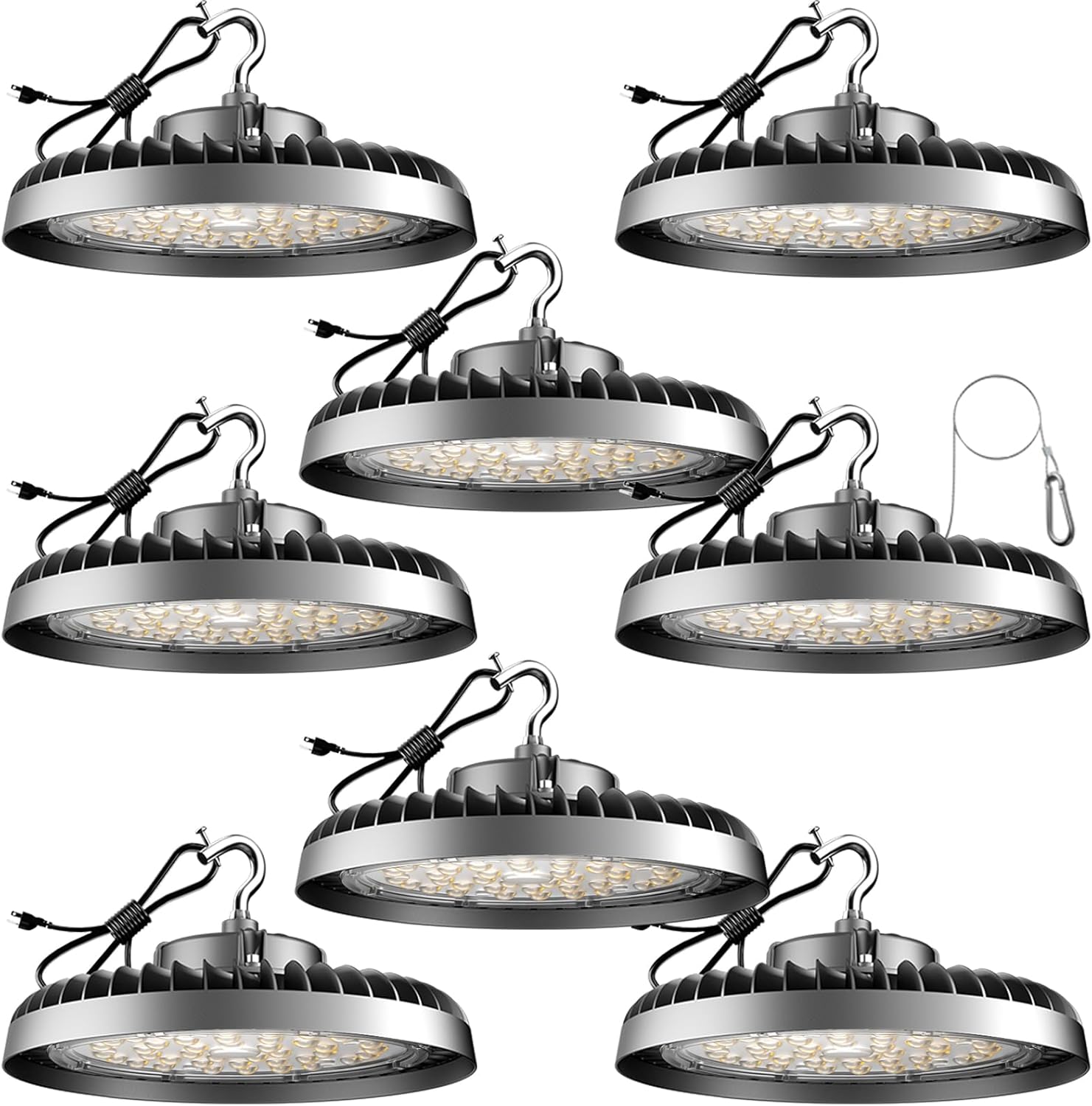
Image 1.1: Lightdot 250W LED High Bay Lights (8-pack).
2. Safety Information
To prevent personal injury or product damage, always observe basic safety precautions when installing, operating, and maintaining this product. Failure to follow these instructions may result in electric shock, fire, or other hazards.
- Disconnect Power: Always disconnect power before installation, maintenance, or cleaning.
- Qualified Personnel: Installation should be performed by a qualified electrician in accordance with national and local electrical codes.
- Proper Grounding: Ensure the fixture is properly grounded to avoid potential electrical hazards.
- Voltage Compatibility: Verify that the supply voltage is compatible with the fixture's operating voltage (AC100-277V).
- Secure Mounting: Mount the fixture securely to a structure capable of supporting its weight. Use the provided safety cable.
- Avoid Direct Eye Exposure: Do not look directly into the LED light source when it is illuminated, as this may cause eye strain or damage.
- Operating Environment: This product is designed for indoor use. Do not expose to water or excessive moisture.
3. Package Contents
Verify that all components are present and undamaged upon opening the package. If any items are missing or damaged, contact Lightdot customer support.
- 250W LED High Bay Light (8 units)
- US hooks for hanging mount
- Safety cables
- Instruction Manual
4. Product Features
The Lightdot 250W LED High Bay Light is engineered for high performance and durability in demanding environments.
- High Brightness & Energy Efficiency: Delivers 37500 lumens with 250W power consumption, equivalent to a 1000W traditional fixture, offering up to 80% energy savings.
- Optimal Light Quality: Features SMD3030 LEDs with a 5000K daylight color temperature and CRI > 85 for clear, bright illumination.
- Durable Construction: 100% aluminum integrated housing with a fin design ensures efficient heat dissipation and extends lifespan.
- ETL Certified: Ensures safety and quality standards are met.
- Easy Installation: Comes with a US hook, cable, and 3-pin plug for direct connection to AC100-277V power. Includes a safety wire for added security.
- Long Lifespan: Designed for over 50,000 hours of continuous use.

Image 4.1: ETL certification and key specifications of the Lightdot High Bay Light.

Image 4.2: Detailed view of the LED array and lens, highlighting energy efficiency.

Image 4.3: Advanced heat dissipation design for extended product life.
5. Specifications
| Feature | Specification |
|---|---|
| Model Number | LUFO-15 |
| Wattage | 250 Watts |
| Brightness | 37500 Lumens |
| Efficiency | 150 lumens per watt |
| Color Temperature | 5000 Kelvin (Daylight) |
| Voltage | AC100-277V |
| Material | Aluminum (Housing), Polycarbonate (Shade) |
| Product Dimensions | 15"L x 15"W x 3"H |
| Item Weight | 32 Pounds (for 8-pack) |
| Lifespan | > 50,000 hours |
| Installation Type | Suspended (US Hooks) |
| Indoor/Outdoor Usage | Indoor |
| Certification | ETL Listed |
6. Installation Instructions
Follow these steps for proper installation of your Lightdot LED High Bay Light. Ensure power is disconnected before beginning.
- Prepare Mounting Location: Select a sturdy ceiling or beam capable of supporting the fixture's weight. The recommended installation height is 18-40 feet.
- Attach G-Hook: Screw the provided G-hook securely onto the top of the lamp.
- Hang the Lamp: Hang the lamp onto the ceiling hook or mounting point using the G-hook.
- Secure Safety Rope: Fix the safety rope correctly to both the fixture and a separate secure point on the ceiling structure. This provides secondary support.
- Connect Power: Plug the 3-pin US plug into a compatible AC100-277V power outlet.

Image 6.1: Overview of the easy plug-and-play installation.

Image 6.2: Step-by-step visual guide for installation.

Image 6.3: Various mounting options, with the G-hook being the recommended method.

Image 6.4: Recommended installation heights and light coverage.
7. Operating Instructions
Operating the Lightdot LED High Bay Light is straightforward once installed.
- Power On: Ensure the fixture is securely installed and plugged into a compatible power source. Turn on the power switch connected to the fixture.
- Power Off: To turn off the light, simply switch off the power supply connected to the fixture.
The fixture does not feature integrated controls; operation is managed via the external power switch.
8. Maintenance
Regular maintenance ensures optimal performance and longevity of your LED High Bay Light.
- Cleaning: Periodically clean the exterior of the fixture with a soft, dry cloth. Do not use abrasive cleaners or solvents. Ensure power is off before cleaning.
- Inspection: Annually inspect the mounting hardware, wiring, and safety cable for any signs of wear, damage, or corrosion. Tighten any loose connections.
- No User-Serviceable Parts: The LED light source and driver are not user-serviceable. Do not attempt to open or repair the fixture. Contact qualified personnel for any issues.
9. Troubleshooting
If you encounter issues with your Lightdot LED High Bay Light, refer to the following common problems and solutions:
| Problem | Possible Cause | Solution |
|---|---|---|
| Light does not turn on | No power supply Loose wiring Faulty switch | Check power source and circuit breaker. Ensure all connections are secure (consult an electrician). Test the switch or replace if necessary. |
| Light flickers | Unstable power supply Loose connection Incompatible dimmer (if applicable) | Verify stable power. If flickering persists, consult an electrician. Check wiring connections. This fixture is not designed for dimming unless specified. |
| Reduced brightness | Dust/dirt on lens Aging LED components | Clean the lens with a soft, dry cloth. LEDs have a long lifespan, but gradual lumen depreciation is normal over many years. |
If the problem persists after attempting these solutions, please contact Lightdot customer support.
10. Warranty and Support
Lightdot provides a 5-year unconditional quality support promise for this product, ensuring stable and durable performance for over 50,000 hours. For any issues or inquiries, please contact our 24-hour full-time after-sales service.
Additional protection plans may be available for purchase:
- 4-Year Protection Plan
- Complete Protect: One plan covers all eligible past and future purchases
For further assistance, visit the official Lightdot Store: Lightdot Store
Video 10.1: An overview of the Lightdot manufacturing process and quality control, demonstrating the professional factory origin and aging tests for LED High Bay Lights.

