
ANDELI TIG-250MPC
ANDELI TIG-250MPC Pulse TIG Welder Instruction Manual
Model: TIG-250MPC | Brand: ANDELI
1. Introduction
Thank you for choosing the ANDELI TIG-250MPC Pulse TIG Welder. This machine is a versatile 200Amp digital inverter welding unit, capable of TIG, Pulse TIG, MMA (Stick), HOT, and CLEAN functions. Designed with advanced IGBT inverter technology, it offers high efficiency and a robust duty cycle, suitable for both 110V and 220V power supplies. This manual provides essential information for the safe and effective operation, setup, and maintenance of your welding machine.

Figure 1.1: The ANDELI TIG-250MPC Pulse TIG Welder and its standard accessories, including the TIG torch, ground clamp, electrode holder, and various consumables.
2. Safety Information
Welding operations involve significant risks. Always adhere to safety precautions to prevent injury or damage. Read and understand all safety warnings before operating the machine.
General Safety Precautions:
- Always wear appropriate personal protective equipment (PPE), including a welding helmet with proper shade, flame-resistant clothing, welding gloves, and safety shoes.
- Ensure the welding area is well-ventilated to avoid inhaling fumes and gases.
- Keep a fire extinguisher readily available. Remove all flammable materials from the welding area.
- Do not operate the welder in damp or wet conditions.
- Ensure the machine is properly grounded.
- Disconnect power before performing any maintenance or adjustments.
Electrical Safety:
- Inspect power cords and cables for damage before each use. Do not use damaged cables.
- Ensure the power supply matches the machine's voltage requirements (110V/220V).
- Avoid touching live electrical parts or electrodes with bare hands or wet gloves.
3. Product Overview and Features
The ANDELI TIG-250MPC is a high-performance welding machine designed for precision and versatility. Key features include:
- Multi-Functionality: Supports TIG, Pulse TIG, MMA (Stick), HOT, and CLEAN welding modes.
- Dual Voltage Input: Operates on both 110V and 220V power supplies, adapting to various work environments.
- IGBT Inverter Technology: Provides high efficiency (over 85% power conversion) and a stable arc, ensuring consistent weld quality and increased duty cycle.
- Digital Control: Equipped with a high-definition LED screen for precise parameter adjustments and easy operation.
- Compact and Lightweight Design: Optimized for portability and ease of use, with a silent fan for a quieter welding experience.
- Wide Material Compatibility: Suitable for welding stainless steel, galvanized pipe, square tube, and iron.
- CLEAN Function: Designed to clean the surface of the weld bead, exposing its original shiny appearance. Note: Cleaning solution (HCl 0.175-0.035%) must be purchased locally.
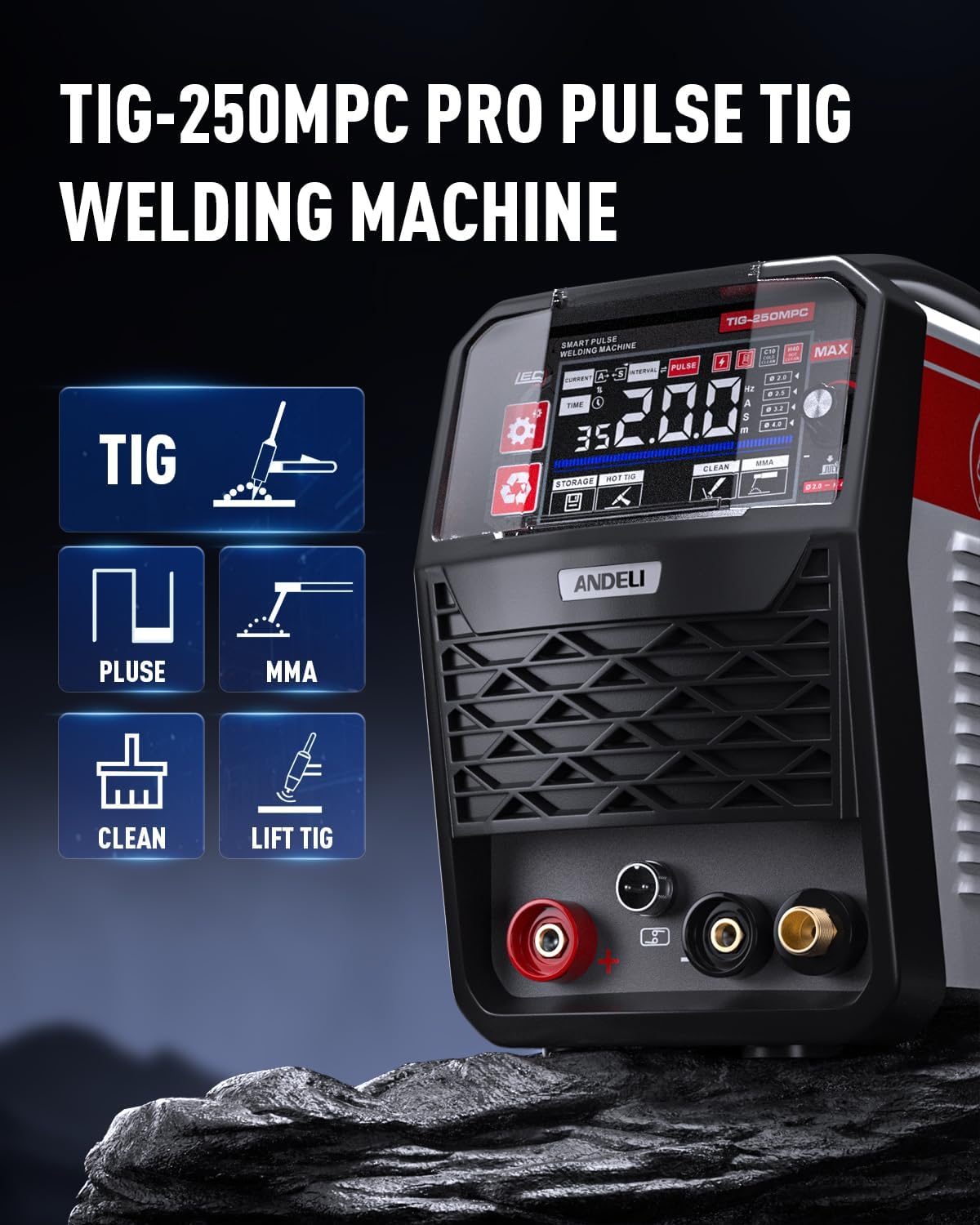
Figure 3.1: Front panel of the TIG-250MPC, highlighting its multi-process capabilities.

Figure 3.2: The welder supports dual voltage input, automatically adapting to 110V or 220V power sources.

Figure 3.3: The TIG-250MPC is capable of welding various common metals, including stainless steel, galvanized pipe, square tube, and iron.
4. Setup
Proper setup is crucial for safe and effective welding. Follow these steps carefully:
4.1 Connecting Power:
- Ensure the power switch on the welder is in the OFF position.
- Connect the power cord to a suitable 110V or 220V AC power outlet. The machine automatically detects the voltage.
4.2 Connecting Welding Cables:
- TIG Torch Connection: Connect the TIG torch cable to the appropriate connector on the front panel. Ensure it is securely fastened.
- Ground Clamp Connection: Connect the ground clamp cable to the designated ground terminal on the front panel. Attach the ground clamp securely to the workpiece or welding table, ensuring good electrical contact.
- Electrode Holder (MMA) Connection: For MMA (Stick) welding, connect the electrode holder cable to the positive (+) terminal and the ground clamp to the negative (-) terminal.
4.3 TIG Torch Consumables Installation:
Properly assemble the TIG torch components for optimal performance.

Figure 4.1: Exploded view of TIG torch components and their assembly order.
- Insert the collet into the collet body.
- Screw the collet body into the torch head.
- Insert the tungsten electrode through the back cap and collet, adjusting its protrusion.
- Screw the back cap onto the torch head to secure the tungsten.
- Attach the ceramic nozzle (cup) to the torch head.
4.4 Gas Connection (for TIG):
- Connect the gas hose from your inert gas cylinder (e.g., Argon) to the gas inlet on the rear of the welder.
- Ensure the gas regulator is properly installed on the cylinder and set to the recommended flow rate for your welding application.
5. Operating Instructions
The TIG-250MPC features an intuitive digital control panel for easy mode selection and parameter adjustment.

Figure 5.1: The high-definition LED screen provides clear display of welding parameters and settings.
5.1 Powering On:
Flip the main power switch located on the rear panel to the ON position. The LED screen will illuminate.
5.2 Mode Selection:
Use the mode selection button on the control panel to cycle through the available welding modes: TIG, Pulse TIG, MMA, HOT, and CLEAN.
5.3 Parameter Adjustment:
Once a mode is selected, use the control knob to adjust parameters such as amperage, pulse frequency (for Pulse TIG), and other settings displayed on the LED screen. Refer to the screen indicators for specific parameter functions.
5.4 Welding Processes:
- TIG Welding: Provides a stable and uniform weld bead. Ideal for precise and high-quality welds.
- Pulse TIG Welding: Offers enhanced control over heat input, reducing distortion and improving penetration, especially on thin materials.
- MMA (Stick) Welding: Suitable for general-purpose welding with coated electrodes. Features easy arc start and reduced sticking.
- CLEAN Function: Used to clean the surface of the weld bead after welding, restoring its original appearance.

Figure 5.2: Visual examples of weld beads produced using TIG, Pulse TIG, and Spot Welding functions.
6. Maintenance
Regular maintenance ensures the longevity and optimal performance of your welding machine.
- Cleaning: Periodically clean the exterior of the machine with a dry, soft cloth. Ensure ventilation openings are free from dust and debris. Use compressed air to blow out internal dust if necessary, ensuring the machine is unplugged.
- Cable Inspection: Regularly inspect all welding cables, power cords, and connections for signs of wear, cuts, or damage. Replace damaged cables immediately.
- TIG Torch Consumables: Inspect and replace worn-out nozzles, collets, collet bodies, and tungsten electrodes as needed. Worn consumables can negatively impact weld quality.
- Ground Clamp: Ensure the ground clamp remains clean and makes good electrical contact with the workpiece.
7. Troubleshooting
This section provides solutions to common issues you might encounter.
| Problem | Possible Cause | Solution |
|---|---|---|
| Welder does not power on | No power supply; Power switch off; Faulty power cord | Check power outlet; Turn on power switch; Inspect and replace power cord |
| No arc or weak arc | Poor ground connection; Incorrect amperage setting; Worn electrode/tungsten; Gas flow issue (TIG) | Ensure good ground contact; Adjust amperage; Replace electrode/tungsten; Check gas cylinder and flow rate |
| Poor weld quality | Incorrect settings; Contaminated workpiece; Improper technique; Worn consumables | Adjust parameters; Clean workpiece; Review welding technique; Replace consumables |
| Overheating protection activated | Exceeded duty cycle; Insufficient ventilation | Allow machine to cool down; Ensure proper ventilation around the machine |
If the problem persists after attempting these solutions, please contact customer support.
8. Specifications
Detailed technical specifications for the ANDELI TIG-250MPC Pulse TIG Welder:

Figure 8.1: Official product parameters table for the TIG-250MPC.
| Specification | Value |
|---|---|
| Model Number | TIG-250MPC |
| Manufacturer | ANDELI |
| Item Weight | 25.2 pounds |
| Package Dimensions | 18.56 x 14 x 10.25 inches |
| Power Source | AC (110V/220V) |
| Included Components | TIG Torch |
| Protection Grade | IP21 |
| Insulation Grade | F |
| Cooling Method | Air Cool |
| Certification | CE |
9. Warranty and Support
The ANDELI TIG-250MPC Pulse TIG Welder comes with a two-year warranty, covering free replacement parts for manufacturing defects. ANDELI is committed to providing efficient customer service. If you encounter any problems when receiving or operating the goods, please do not hesitate to contact our customer service team for free guidance and support.
For technical assistance, troubleshooting, or warranty claims, please refer to the contact information provided with your purchase or visit the official ANDELI website.
Related documentsTIG-250MPC


Ask a question about this manual
Ask about setup, troubleshooting, compatibility, parts, safety, or missing instructions. Manuals+ will review the question and use this page’s manual context to help answer it.