
1. Introduction and Overview
Thank you for choosing the AMEGAT Omnia II 140W 3-Port GaN USB C Charger. This advanced charger is designed to provide ultra-fast and efficient power delivery for a wide range of devices, including laptops, smartphones, tablets, and more. Featuring cutting-edge GaN III technology and intelligent power distribution, the Omnia II ensures optimal charging performance and superior safety.
This manual provides detailed instructions for setting up, operating, and maintaining your charger. Please read it thoroughly before use to ensure safe and effective operation.
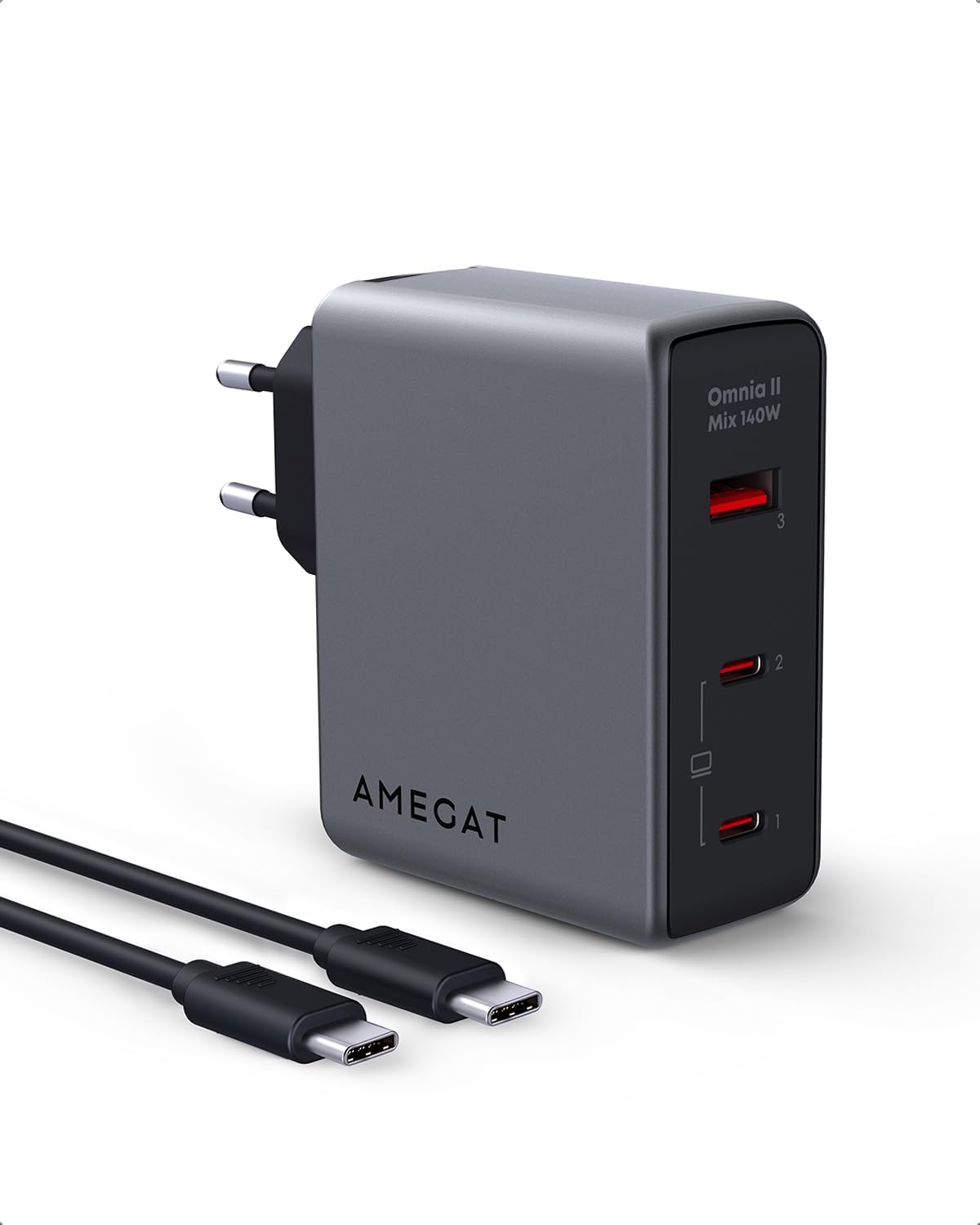
Image: The AMEGAT Omnia II 140W 3-Port GaN USB C Charger, a compact grey unit with two USB-C ports and one USB-A port, shown alongside its included USB-C to USB-C charging cable.
2. Safety Information
To ensure safe operation and prevent damage to the device or injury, please observe the following safety precautions:
- Do not expose the charger to water, moisture, or extreme temperatures.
- Do not disassemble, modify, or attempt to repair the charger. This will void the warranty.
- Avoid dropping or subjecting the charger to strong impacts.
- Use only compatible cables and devices with the charger.
- Ensure proper ventilation around the charger during use. Do not cover it.
- Unplug the charger from the power outlet when not in use or during electrical storms.
- Keep out of reach of children.
The AMEGAT Omnia II features EntireProtect technology, which includes intelligent real-time temperature monitoring and built-in protection against overvoltage, overcurrent, and short circuits. This system performs over 3,500,000 temperature scans per day to ensure charging safety and reliability.
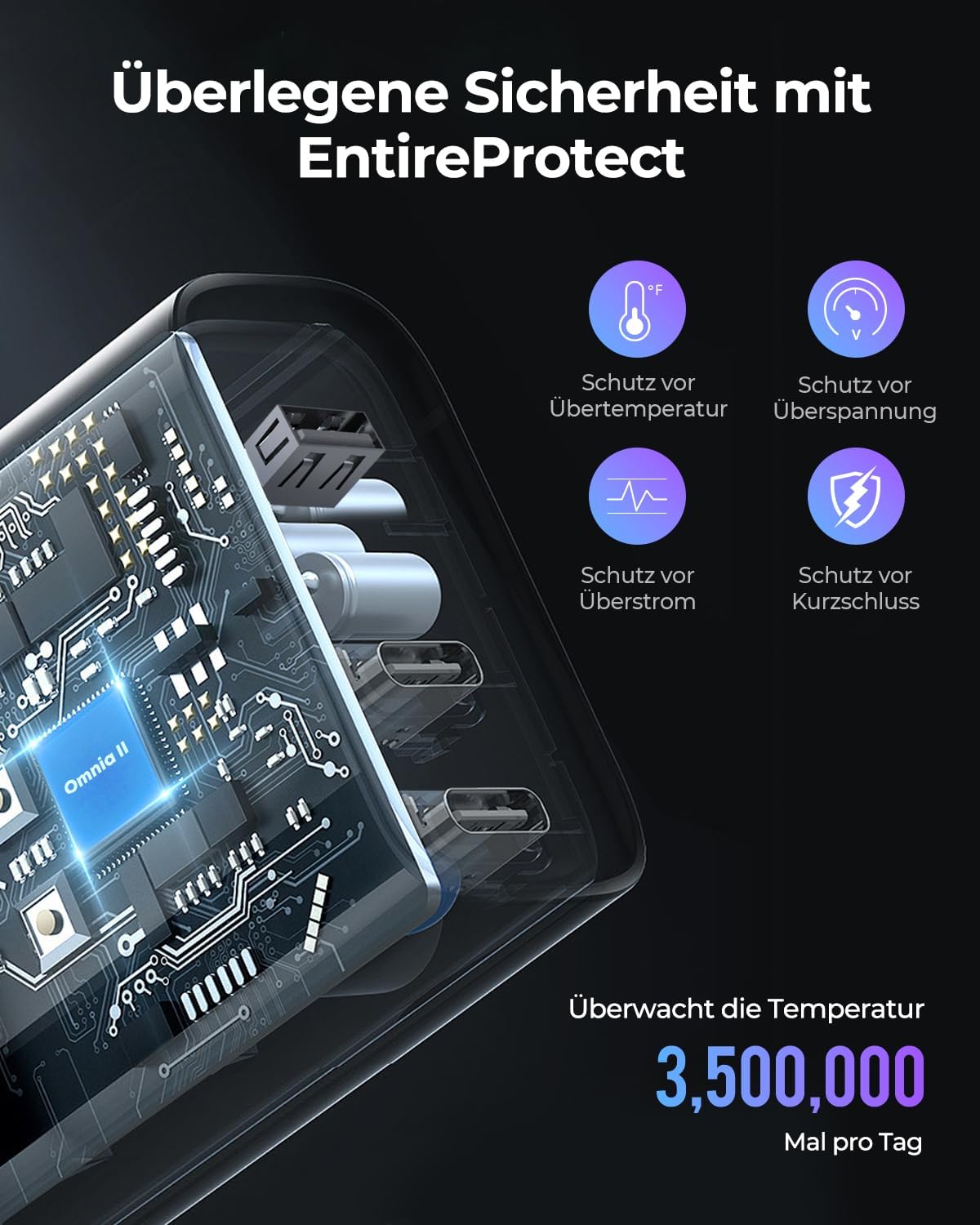
Image: An internal diagram of the AMEGAT Omnia II charger highlighting its EntireProtect safety features, including protection against over-temperature, over-voltage, over-current, and short-circuit, with a note about 3.5 million temperature scans per day.
3. Package Contents
Please verify that all items are present in your package:
- 1 x AMEGAT Omnia II 140W 3-Port GaN Wall Charger (Model: PAQ14010)
- 1 x USB-C to USB-C Cable
- 1 x User Manual (this document)
4. Product Features
- Ultra-fast 140W Power Delivery: Supports PD 3.1 protocol, capable of charging compatible laptops at full speed. Can efficiently charge two laptops simultaneously.
- Advanced GaN III Technology: Utilizes the latest Gallium Nitride technology for up to 96% energy conversion, resulting in a more compact design (22% smaller than original 140W chargers) and improved heat dissipation.
- 3-Port Simultaneous Charging: Equipped with 2 USB-C ports and 1 USB-A port, allowing you to charge a laptop, phone, and tablet concurrently.
- Dynamic Power Distribution: The Omnia II intelligently distributes power across connected devices to ensure optimal charging speed for each, without slowdowns.
- EntireProtect Safety System: Comprehensive protection against overvoltage, overcurrent, short circuits, and over-temperature, with continuous real-time monitoring.
- Wide Compatibility: Supports various charging protocols and is compatible with a broad range of devices, including laptops, smartphones, tablets, and headphones.

Image: A visual representation of the GaN III Technology, highlighting its benefits such as EntireProtect, reduced size, up to 96% energy conversion, and improved heat dissipation.

Image: A side-by-side comparison showing the AMEGAT Omnia II charger (grey) is 22% smaller than a typical 140W charger (white), demonstrating its ultra-compact design.
5. Setup
Setting up your AMEGAT Omnia II charger is straightforward:
- Unpack: Carefully remove the charger and the USB-C to USB-C cable from the packaging.
- Inspect: Check the charger and cable for any visible damage. Do not use if damaged.
- Connect to Power: Plug the charger directly into a standard wall power outlet. Ensure the connection is secure.
- Connect Devices: Use the provided USB-C to USB-C cable or other compatible charging cables to connect your devices to the charger's USB-C or USB-A ports.
The charger is designed for plug-and-play operation. No software installation is required.
6. Operating Instructions
The AMEGAT Omnia II charger automatically detects connected devices and delivers the optimal charging current. Here's how to use it effectively:
Single Device Charging
- For maximum speed (up to 140W), connect your high-power device (e.g., MacBook Pro 16") to either USB-C port (C1 or C2).
- For devices requiring less power, use any available USB-C or USB-A port.

Image: The AMEGAT Omnia II charger plugged into a wall outlet, connected via a USB-C cable to a MacBook Pro 16-inch, illustrating 140W max charging for the laptop.
Multiple Device Charging (Dynamic Power Distribution)
The charger's Dynamic Power Distribution feature intelligently allocates power when multiple devices are connected. This ensures each device receives sufficient power for fast charging.
- Connect up to three devices simultaneously using the two USB-C ports and one USB-A port.
- The charger will automatically adjust power output to each port based on the connected device's requirements and the total load.

Image: The AMEGAT Omnia II charger plugged into a wall outlet, simultaneously charging two laptops, each receiving 65W, demonstrating its ability to charge multiple high-power devices.

Image: A diagram illustrating the dynamic power distribution of the Omnia II, showing how it intelligently charges a phone, a MacBook Air, and a MacBook Pro simultaneously, optimizing power for each device.

Image: A detailed chart showing the power output configurations for the AMEGAT Omnia II when using 1-port, 2-port, or 3-port outputs, indicating maximum wattage for different device combinations.
7. Maintenance
Proper maintenance ensures the longevity and optimal performance of your AMEGAT Omnia II charger:
- Cleaning: Disconnect the charger from the power outlet and all devices before cleaning. Use a soft, dry cloth to wipe the surface. Do not use liquid cleaners or aerosols.
- Storage: When not in use, store the charger in a cool, dry place away from direct sunlight and extreme temperatures.
- Cable Care: Avoid bending or twisting the charging cables excessively, as this can damage the internal wires. Store cables neatly to prevent tangles.
- Inspection: Periodically inspect the charger and cables for any signs of wear, fraying, or damage. Replace damaged cables immediately.
8. Troubleshooting
If you encounter issues with your AMEGAT Omnia II charger, refer to the following common problems and solutions:
| Problem | Possible Cause | Solution |
|---|---|---|
| Charger not charging device. |
|
|
| Slow charging speed. |
|
|
| Charger feels warm. |
|
|
If the problem persists after trying these solutions, please contact AMEGAT customer support.
9. Specifications
| Feature | Description |
|---|---|
| Brand | AMEGAT |
| Model Number | PAQ14010 |
| Color | Grey |
| Total USB Ports | 3 (2 x USB-C, 1 x USB-A) |
| Max Power Output | 140 Watts |
| Amperage | 5 A |
| Technology | GaN III, Power Delivery 3.1 (PD 3.1), PPS |
| Special Features | Dynamic Power Distribution, EntireProtect Safety System |
| Compatible Devices | Mobile phones, Game consoles, Laptops, Headphones, Tablets |
| Included Components | 140W 3-Port Wall Charger, USB-C to USB-C Cable |
| Manufacturer | Shenzhen Autral Technology Innovation Co.,Ltd. |

Image: The AMEGAT Omnia II charger displayed alongside a variety of compatible devices, including laptops, smartphones, tablets, smartwatches, and gaming consoles, illustrating its wide compatibility.
10. Warranty and Support
AMEGAT provides a 24-month warranty for the Omnia II charger. This warranty covers manufacturing defects and issues arising from normal use.
For warranty claims, technical support, or any inquiries regarding your product, please contact AMEGAT customer service through the retailer where you purchased the product or visit the official AMEGAT website for contact information.
Please retain your proof of purchase for warranty purposes.
