
Introduction
Thank you for choosing the Spigen ArcPack PA2302 20000mAh Power Bank. This manual provides essential information for the safe and efficient use of your device. Please read it thoroughly before use and retain it for future reference.
What's in the Box
- Spigen ArcPack 20000mAh Power Bank (PA2302)
- Type-C to C Cable (1m)
- User Manual
- 12 Months Warranty Card
Key Features
- 20000mAh Capacity: Provides multiple charges for various devices.
- Triple Output: Features 2 USB-C ports (20W output/input) and 1 USB-A port (22.5W output) for simultaneous charging of up to three devices.
- Fast Charging: Supports PD3.0 via USB-C and QC3.0 via USB-A for rapid power delivery.
- Safety Assured: Complies with 16 safety criteria and has passed 11 reliability tests, including over-heat, drop, and over-current tests.
- Compact and Lightweight: Designed for portability.
Setup
Initial Charging of the Power Bank
Before first use, fully charge your Spigen ArcPack power bank. Use the included Type-C to C cable and connect it to one of the power bank's USB-C ports and a compatible USB-C wall adapter (not included). The LED indicator lights will show the charging status.
- A full charge typically takes approximately 5 hours.
- Ensure the wall adapter supports Power Delivery (PD) for optimal charging speed.
Checking Battery Level
Press the power button once to check the current battery level indicated by the LED lights on the power bank.
Operating Instructions
Charging External Devices
The Spigen ArcPack power bank features one USB-A output port and two USB-C input/output ports. You can charge up to three devices simultaneously.
- Connect your device's charging cable to the appropriate port on the power bank (USB-A or USB-C).
- Connect the other end of the cable to your device.
- The power bank will automatically begin charging your device. If not, press the power button once.
- The LED indicators will illuminate to show that charging is active.
Note: When charging multiple devices, the maximum multi-output is 15W. For optimal fast charging, use a single port.

Image: The Spigen ArcPack power bank features two USB-C output ports (20W each) and one USB-A output port (22.5W).
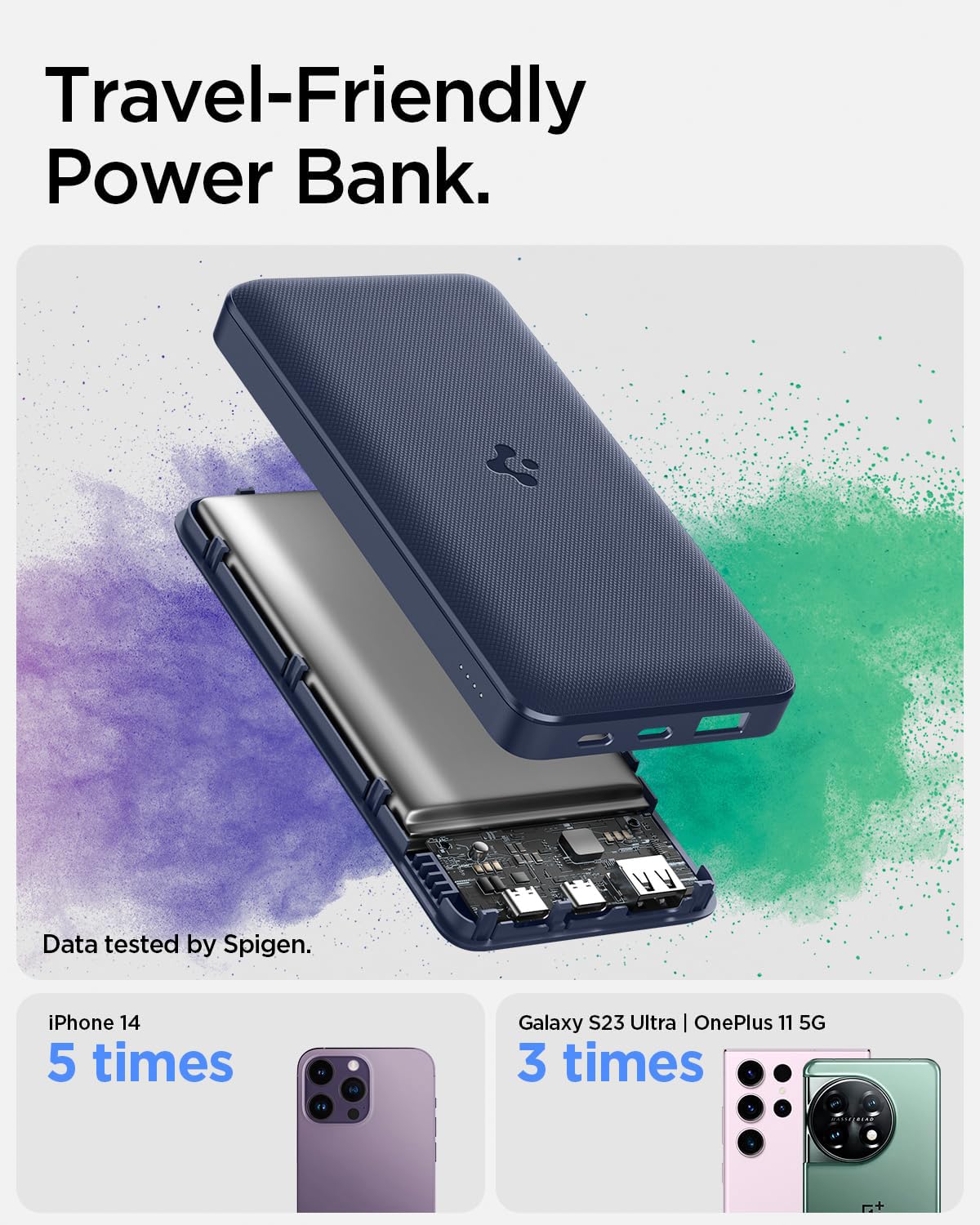
Image: The Spigen ArcPack power bank is designed to be travel-friendly and can provide significant extra charges for your devices.
Recharging the Power Bank
To recharge the power bank, connect the included Type-C to C cable to one of the power bank's USB-C ports and a compatible USB-C wall charger. The LED indicators will flash to show charging in progress and remain solid when fully charged.
Safety Information
Your Spigen ArcPack power bank is designed with multiple safety features. Please adhere to the following guidelines to ensure safe operation and prolong the product's lifespan:
- Do not expose the power bank to extreme temperatures (hot or cold), direct sunlight, or high humidity.
- Avoid dropping, disassembling, or attempting to repair the device yourself.
- Keep away from water and flammable materials.
- Do not use if the power bank is damaged, swollen, or leaking.
- Keep out of reach of children.
- Dispose of the product responsibly according to local regulations.
- The power bank has passed 11 reliability tests, including Over-Heat Test, Drop Test, and Over-Current Test, and complies with 16 Safety Criteria.
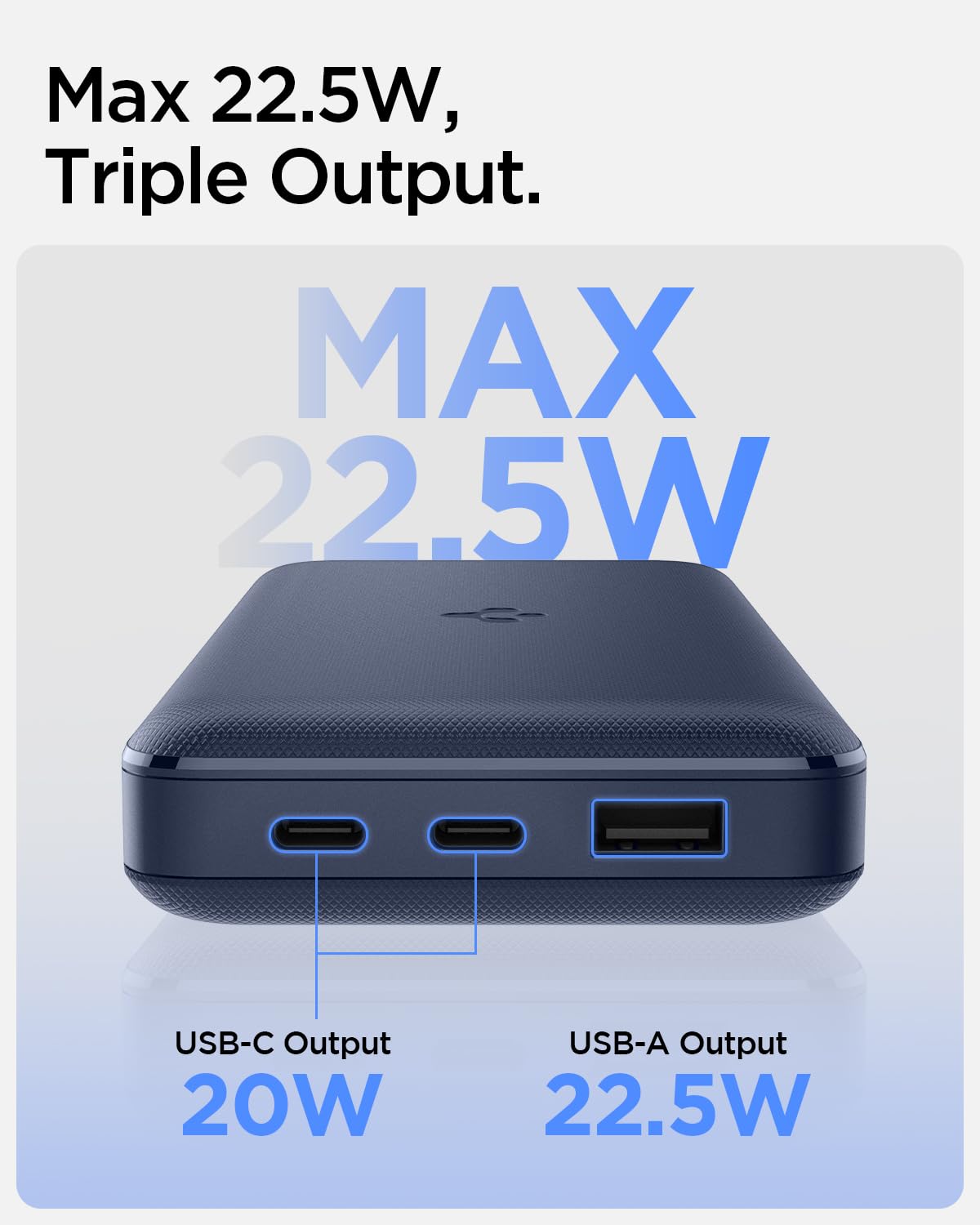
Image: The Spigen ArcPack power bank, highlighting its "Made in India" origin and safety certifications.
Specifications
| Model Name | PA2302 |
| Battery Capacity | 20000 Milliamp Hours (mAh) |
| Connector Type | USB Type A, USB Type C |
| Number of Ports | 3 (2x USB-C, 1x USB-A) |
| Max Output (USB-A) | 22.5W |
| Max Output (USB-C) | 20W (each port) |
| Multi-Output Max | 15W |
| Battery Charge Time | Approximately 5 Hours |
| Special Features | Fast Charging, LED Indicator Lights, Over Charging Protection |
| Item Dimensions (L x W x Thickness) | 7.7L x 2.3W x 15Th Centimeters |
| Item Weight | 385 Grams |
| Battery Cell Type | Lithium Polymer |
| Country of Origin | India |

Image: The Spigen ArcPack power bank is lightweight at 385g and has a slim profile of 1.5cm.

Image: The Spigen ArcPack power bank offers universal compatibility with a wide range of mobile devices, tablets, and more. Note: OnePlus WARP charging is not compatible.
Troubleshooting
- Device not charging:
- Ensure the power bank has sufficient charge.
- Check if the charging cable is securely connected to both the power bank and your device.
- Try a different charging cable or port on the power bank.
- Press the power button on the power bank to initiate charging.
- Power bank not recharging:
- Verify the charging cable is properly connected to the power bank and the wall adapter.
- Ensure the wall adapter is functioning correctly and plugged into a live power outlet.
- Try a different USB-C cable or wall adapter.
- Slow charging:
- Ensure you are using a fast-charging compatible cable and wall adapter.
- Charging multiple devices simultaneously will reduce the charging speed for each device (max 15W total output). For fastest charging, charge one device at a time.
Warranty and Support
The Spigen ArcPack PA2302 Power Bank comes with a 12-month manufacturer's warranty from the date of purchase. This warranty covers manufacturing defects and issues arising from normal use.
For warranty claims, technical support, or any inquiries, please contact Spigen India Private Limited. Refer to the contact information provided in your product packaging or visit the official Spigen India website for further assistance.
Manufacturer Contact Information: Topband India Private Limited, A-22/10 Chakan Industrial Area, Phase II
Importer Contact Information: Spigen India Private Limited / NO.295 - 296, Ecotech-1, Extension, Greater Noida, Uttar Pradesh 201310, India
Product Overview Video
Video: An overview of the Spigen ArcPack 20000mAh Power Bank, showcasing its triple output ports, safety features, and universal compatibility. This video is a short preview from the seller.


