1. Product Overview
The Redragon PSU007 is a premium 600W PCI-e 5.0 GPU Power Cable designed to provide stable and high-performance power delivery to advanced graphics cards. This 72 cm (28 inch) sleeved cable features a 16-pin (12+4) 12VHPWR connector, ensuring compatibility with modern PCIe 5.0 GPUs such as the NVIDIA RTX 3090TI, 4070TI, 4080, and 4090TI.
Key features include:
- Maximum Power Support: Capable of supplying up to 600W TDP for the most demanding PCIe 5.0 graphics cards.
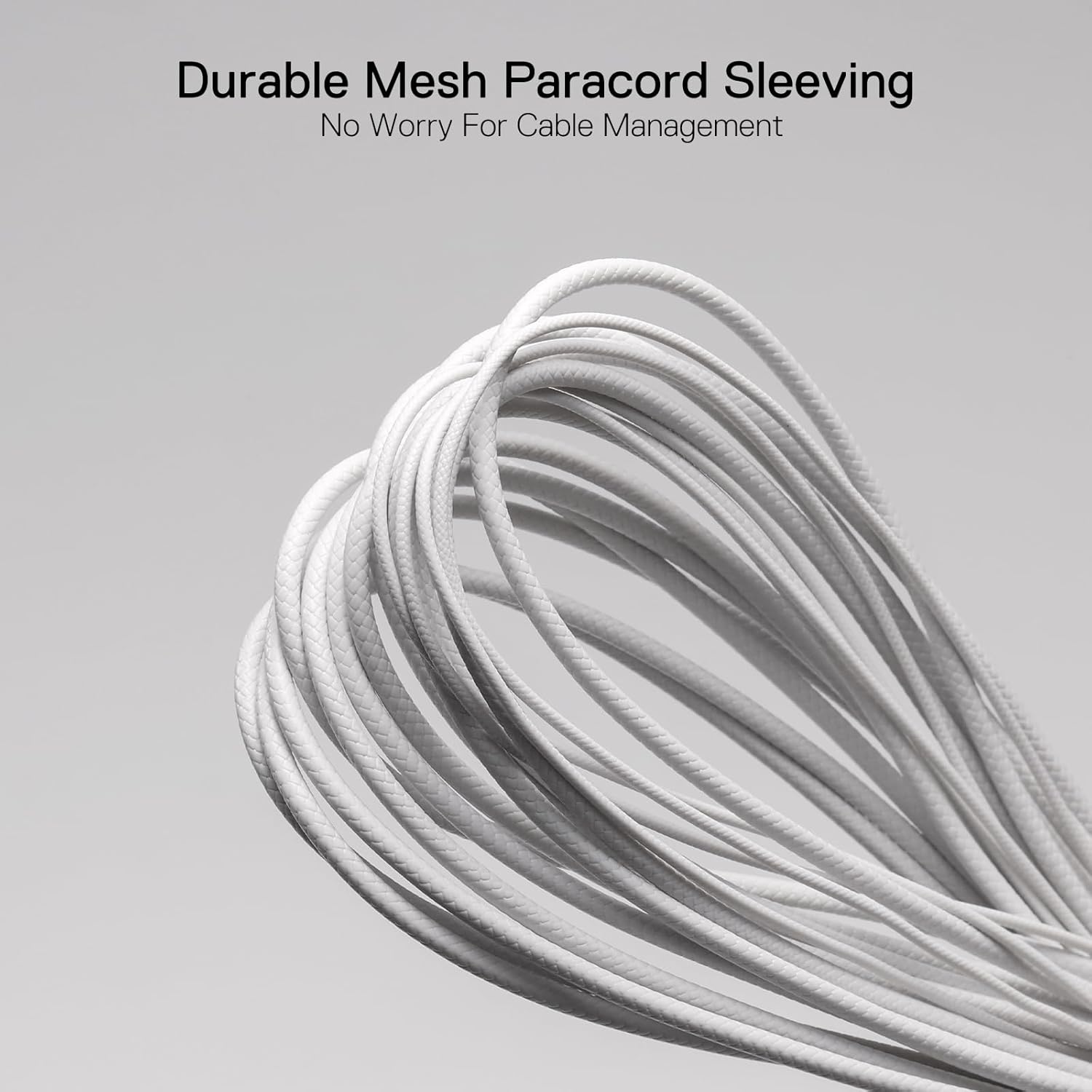
- Enhanced Durability: Each wire is individually sleeved with high-density mesh paracord, offering both toughness and flexibility.
- Premium Construction: Utilizes 16AWG tinned copper cable for efficient and reliable power handling.
- Optimal Length: At 720mm (28 inches), the cable facilitates clean and organized cable management within your PC case.

2. Setup and Installation
Follow these steps to properly install your Redragon PSU007 12VHPWR PCIe 5.0 GPU Power Cable:
- Power Off System: Before beginning installation, ensure your computer system is completely powered off and unplugged from the wall outlet.
- Locate PSU and GPU Connectors: Identify the appropriate 12VHPWR output connector on your power supply unit (PSU) and the corresponding input connector on your PCIe 5.0 graphics card.
- Connect to PSU: Firmly insert one end of the Redragon PSU007 cable into the 12VHPWR output on your PSU. Ensure it clicks securely into place.
- Connect to GPU: Firmly insert the other end of the cable into the 12VHPWR input on your graphics card. Ensure it clicks securely into place.
- Cable Management and Bending Guidelines: Route the cable carefully to avoid excessive strain or sharp bends. Adhere to the following critical bending guidelines to prevent damage and ensure stable power delivery:

- Maintain Straight Distance: Keep a minimum of 35mm (approximately 1.4 inches) straight distance from the connector before initiating any bend in the cable.
- Avoid Horizontal Bending: Do not bend the cable horizontally immediately at the connector.
- Prevent Over-Bending: Do not over-bend the cable at sharp angles. Excessive bending can damage internal wires and lead to power instability or component failure.

3. Operating Guidelines
Once installed, the Redragon PSU007 cable operates passively to deliver power. Ensure the following for optimal performance:
- Secure Connections: Verify that both ends of the cable are fully seated and locked into their respective ports on the PSU and GPU. Loose connections can lead to power loss or system instability.
- Adequate Airflow: Ensure that the cable routing does not obstruct airflow within your PC case, which could lead to overheating of components.
- System Power Requirements: Confirm that your PSU has sufficient wattage to power your graphics card and other components, especially when using a 600W GPU power cable.
4. Maintenance
The Redragon PSU007 cable requires minimal maintenance. Follow these guidelines to ensure its longevity:
- Regular Inspection: Periodically inspect the cable for any signs of wear, fraying, or damage, particularly near the connectors.
- Dust Removal: If dust accumulates on the cable or connectors, gently clean it using compressed air or a soft, dry cloth. Ensure the system is powered off and unplugged before cleaning.
- Avoid Stress: Do not pull on the cable to disconnect it. Always grasp the connector housing firmly when connecting or disconnecting.
- Storage: If storing the cable, coil it loosely to prevent kinks or sharp bends.
5. Troubleshooting
If you encounter issues with your Redragon PSU007 cable, consider the following troubleshooting steps:
| Problem | Possible Cause | Solution |
|---|---|---|
| Graphics card not receiving power / System not booting | Loose cable connection Insufficient PSU wattage Damaged cable | Ensure both ends of the cable are fully seated. Verify your PSU meets the power requirements of your GPU. Inspect the cable for visible damage. If damaged, replace it. |
| System instability / Crashes during heavy load | Loose cable connection Improper cable bending Faulty PSU | Check and reseat cable connections. Review bending guidelines (Section 2) and adjust cable routing. Test with a different PSU if possible to rule out PSU issues. |
| Cable appears damaged or frayed | Physical stress or improper handling | Discontinue use immediately. Replace the cable to prevent potential damage to components. |
6. Specifications
| Feature | Detail |
|---|---|
| Brand | Redragon |
| Model Name | PSU007 (12VHPWR PSU Cable) |
| Connector Type | 16-pin (12+4) 12VHPWR |
| Cable Type | PCIe 5.0 GPU Power Cable |
| Wattage | 600W (Maximum) |
| Cable Length | 720mm (28.35 inches) |
| Wire Gauge | 16AWG Tinned Copper |
| Sleeving | High-density Mesh Paracord (Braided) |
| Compatible Devices | PCIe 5.0 GPUs (e.g., 3090TI, 4070TI, 4080, 4090TI) |
| Color | White |

7. Warranty and Support
For warranty information and technical support, please refer to the official Redragon website or contact Redragon customer service directly. Keep your purchase receipt for warranty claims.
Redragon Official Website: www.redragonusa.com