
ALLPOWERS AP-SS-009-PRO
ALLPOWERS S2000 PRO Portable Power Station User Manual
Model: AP-SS-009-PRO
Brand: ALLPOWERS
1. Introduction
The ALLPOWERS S2000 PRO Portable Power Station is a versatile and powerful energy solution designed for various applications, from outdoor adventures and camping to home backup during power outages. With its impressive 1500Wh capacity and 2400W (peak 4000W) output, it can reliably power a wide range of devices and appliances. This manual provides essential information on setup, operation, maintenance, and troubleshooting to ensure safe and efficient use of your power station.
2. Safety Information
WARNING: Read all safety warnings and all instructions before using this product. Failure to follow the warnings and instructions may result in electric shock, fire, and/or serious injury.
- Do not disassemble, repair, or modify the unit.
- Do not expose the unit to fire or high temperatures.
- Do not use or store the unit in direct sunlight or high-temperature environments.
- Keep the unit away from water, rain, and moisture.
- Ensure proper ventilation during use to prevent overheating.
- Keep out of reach of children and pets.
- Use only original or certified cables and accessories.
- Avoid dropping, hitting, or subjecting the unit to strong impacts.
- Do not insert foreign objects into the ports.
- In case of abnormal behavior, stop using the unit immediately and contact customer support.
The unit is equipped with a Battery Management System (BMS) for protection against overheating, short circuits, overcurrent, and overcharging, ensuring safe operation.
3. What's in the Box
- 1 x ALLPOWERS S2000 PRO Power Station
- 1 x AC Charging Cable
- 1 x User Manual
- 1 x Warranty Card
4. Setup
Before first use, fully charge your ALLPOWERS S2000 PRO Power Station. You can charge it via an AC wall outlet or compatible solar panels.
Initial Charging (AC Wall Outlet)
- Locate the AC charging input port on the back of the power station.
- Connect the provided AC Charging Cable to the power station and then to a standard wall outlet.
- The display screen will show the charging status. The unit can be fully charged in approximately 1.5 hours.

Figure 1: Connecting the AC Charging Cable for initial power-up.
Solar Charging (Optional)
- Connect compatible solar panels (e.g., ALLPOWERS Foldable Solar Panel) to the XT60 solar input port on the front of the power station.
- Ensure the solar panels are placed in direct sunlight for optimal charging efficiency.
- The display will indicate solar input wattage. A full charge can be achieved in 2-3 hours with 1000W solar input.
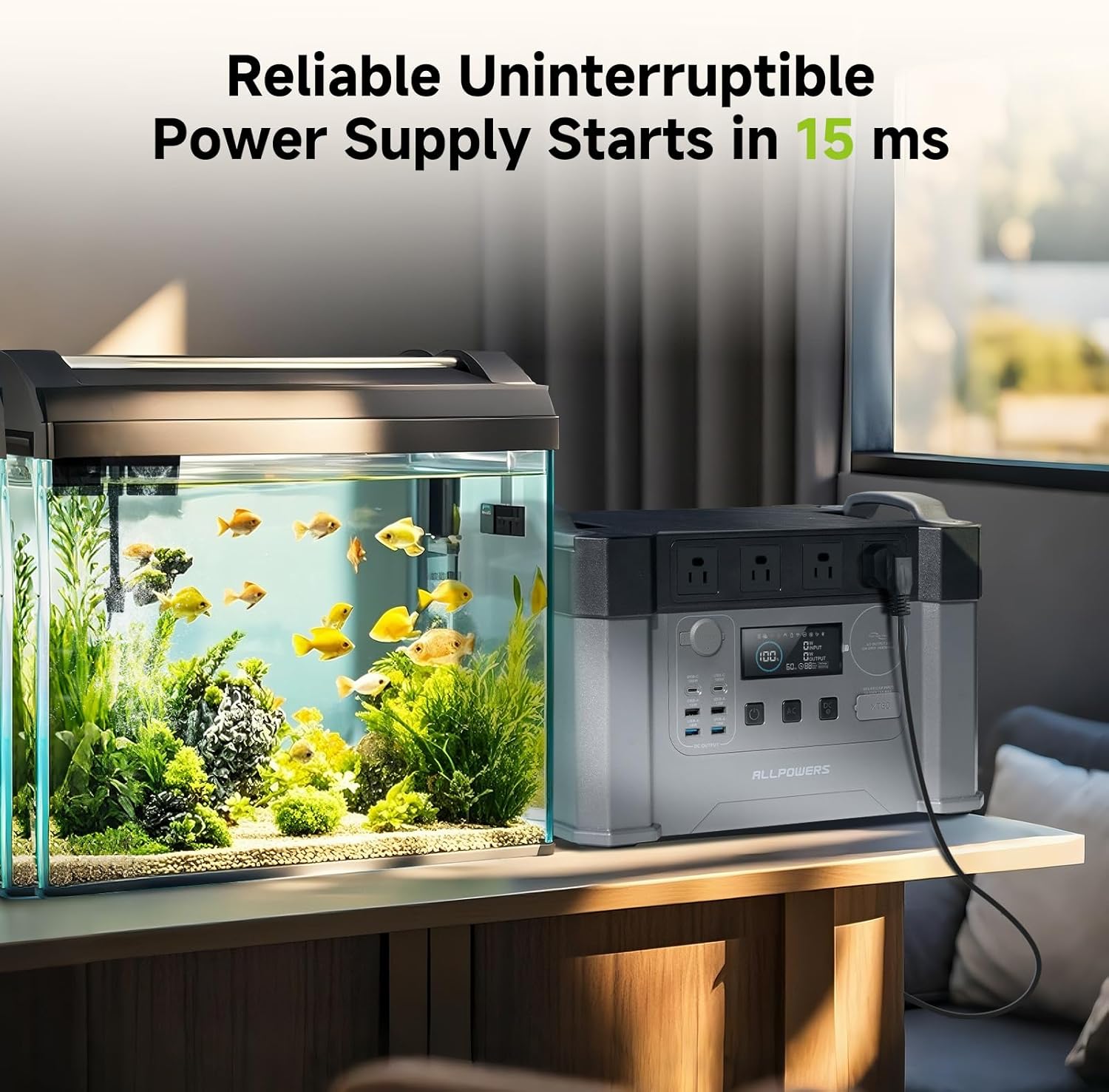
Figure 2: Solar panel connection for charging.
5. Operating Instructions
Powering On/Off
Press and hold the main power button for 3 seconds to turn the unit on or off. The display screen will illuminate.
Using AC Outputs
The S2000 PRO features 4 AC outlets (2400W, peak 4000W). Press the "AC" button to enable AC output. Plug your devices into the AC outlets. Press the "AC" button again to disable AC output when not in use.

Figure 3: Powering various devices using AC outlets.
Using DC Outputs
The unit provides 2 x USB-C Ports (PD 100W), 2 x USB-A Ports, 2 x USB-A Fast Charging Ports, and 1 x Car Cigarette Lighter Socket (12V 10A). Press the "DC" button to enable DC output. Connect your devices to the appropriate USB or 12V ports. Press the "DC" button again to disable DC output.
Smart App Control
Download the ALLPOWERS app to control and monitor your power station remotely via Wi-Fi or Bluetooth. The app allows you to check battery status, input/output wattage, and toggle AC/DC outputs.
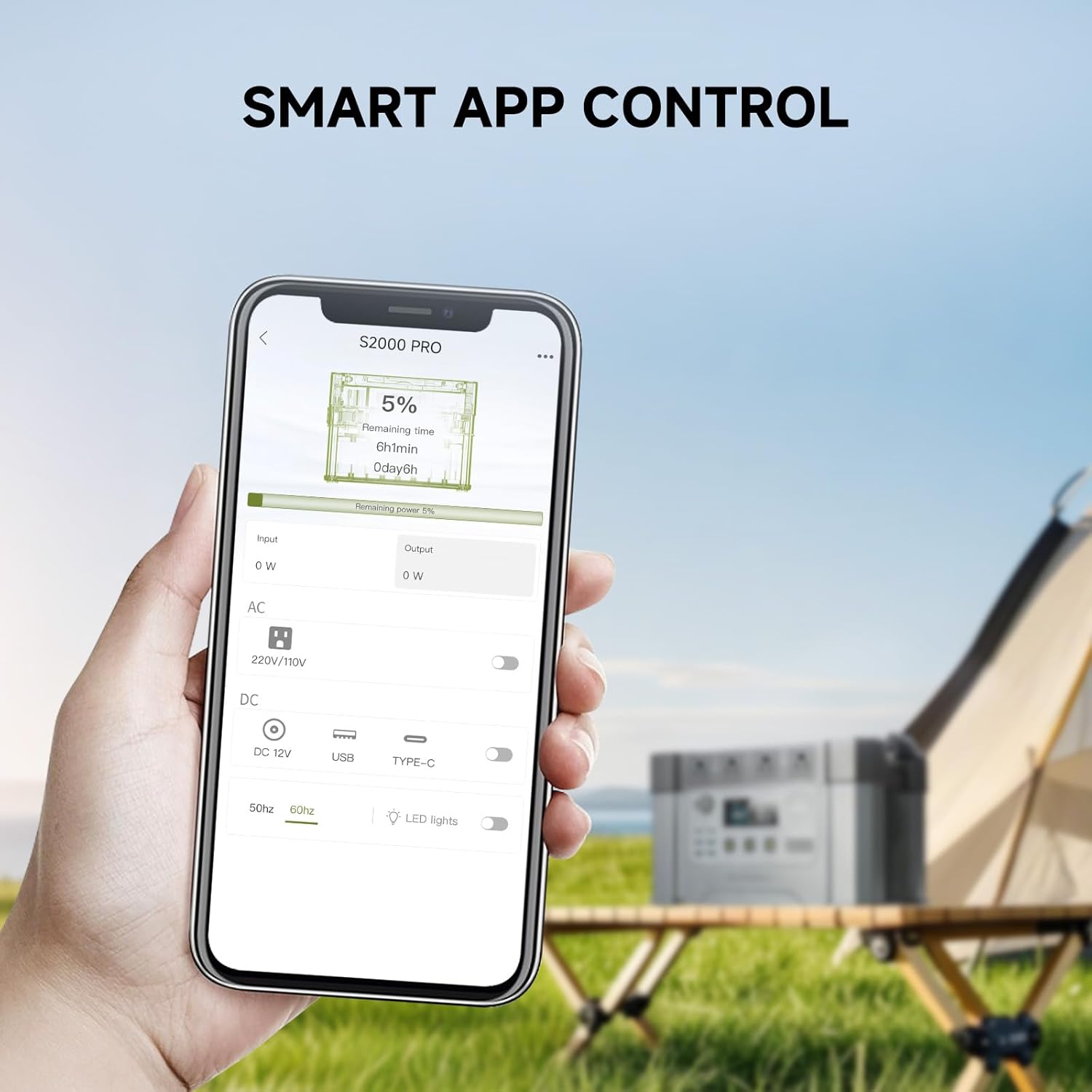
Figure 4: Monitoring and controlling the power station via the smartphone app.
Uninterruptible Power Supply (UPS) Function
The S2000 PRO features a UPS function with a 15ms switching time. Connect your critical devices to the AC outlets while the power station is plugged into a wall outlet. In case of a power outage, the unit will automatically switch to battery power, providing seamless operation.

Figure 5: The power station providing backup power for essential devices.
Official Product Videos
Watch these official videos from the seller for detailed demonstrations and usage scenarios:
Review of S2000 Pro
This video provides a comprehensive review of the S2000 Pro power station, highlighting its features and performance.
ALLPOWERS 2400W Power Station
A detailed overview of the ALLPOWERS 2400W Power Station, showcasing its capabilities and various uses.
S2000PRO for Camping
This video demonstrates the practical use of the S2000 PRO power station during a camping trip, highlighting its portability and power output for outdoor activities.
The S2000PRO Works Wonders in the RV
See how the S2000 PRO power station can be integrated into an RV setup, providing reliable power for various appliances on the go.
S2000PRO with Solar Panel
This video highlights the efficiency of charging the S2000 PRO using solar panels, perfect for extended off-grid use.
Allpowers S2000 Pro Solar Generator
A comprehensive look at the S2000 Pro as a solar generator, detailing its features and benefits for sustainable power.
6. Maintenance
- Store the unit in a cool, dry place away from direct sunlight and extreme temperatures.
- Recharge the unit every 3-6 months to maintain battery health, even if not in use.
- Clean the exterior with a dry, soft cloth. Do not use abrasive cleaners or solvents.
- Ensure ventilation openings are clear of dust and debris.
7. Troubleshooting
Unit Not Turning On
- Check if the battery is completely depleted. Recharge the unit.
- Ensure the power button is pressed and held for 3 seconds.
No Output from AC/DC Ports
- Ensure the AC/DC output buttons are enabled (green indicator light).
- Check if the device connected exceeds the maximum output power.
- Verify that the cables are securely connected.
Slow Charging
- For solar charging, ensure panels are in direct sunlight and free from obstructions.
- Check the input wattage displayed on the screen.
- Verify that the charging cable is not damaged.
8. Specifications
| Feature | Detail |
|---|---|
| Model | AP-SS-009-PRO |
| Battery Capacity | 1500Wh |
| AC Output | 2400W (Peak 4000W) |
| USB-C Output | 2 x PD 100W Max |
| USB-A Output | 2 x USB-A, 2 x USB-A Fast Charging |
| Car Output | 12V 10A |
| AC Input | 1500W Max |
| Solar Input | 1000W Max (12-150V) |
| Dimensions | 6.7"L x 2"W x 7.9"H |
| Weight | 32lb |
| Battery Type | Lithium-ion |
| Charge Cycles | 2,000+ to 80% capacity |
9. Warranty & Support
The ALLPOWERS S2000 PRO Portable Power Station comes with a 10-year ALLPOWERS' warranty. For warranty claims, technical support, or any inquiries, please contact ALLPOWERS customer service directly.
You can find contact information on the warranty card included in your package or visit the official ALLPOWERS website.
Related documentsAP-SS-009-PRO


Ask a question about this manual
Ask about setup, troubleshooting, compatibility, parts, safety, or missing instructions. Manuals+ will review the question and use this page’s manual context to help answer it.