
Gosasa Chronograph Military Sport Quartz Watch
Model: 912B
Introduction
Thank you for choosing the Gosasa Chronograph Military Sport Quartz Watch, Model 912B. This manual provides essential information for the proper setup, operation, and maintenance of your watch. Please read these instructions carefully to ensure optimal performance and longevity of your timepiece.
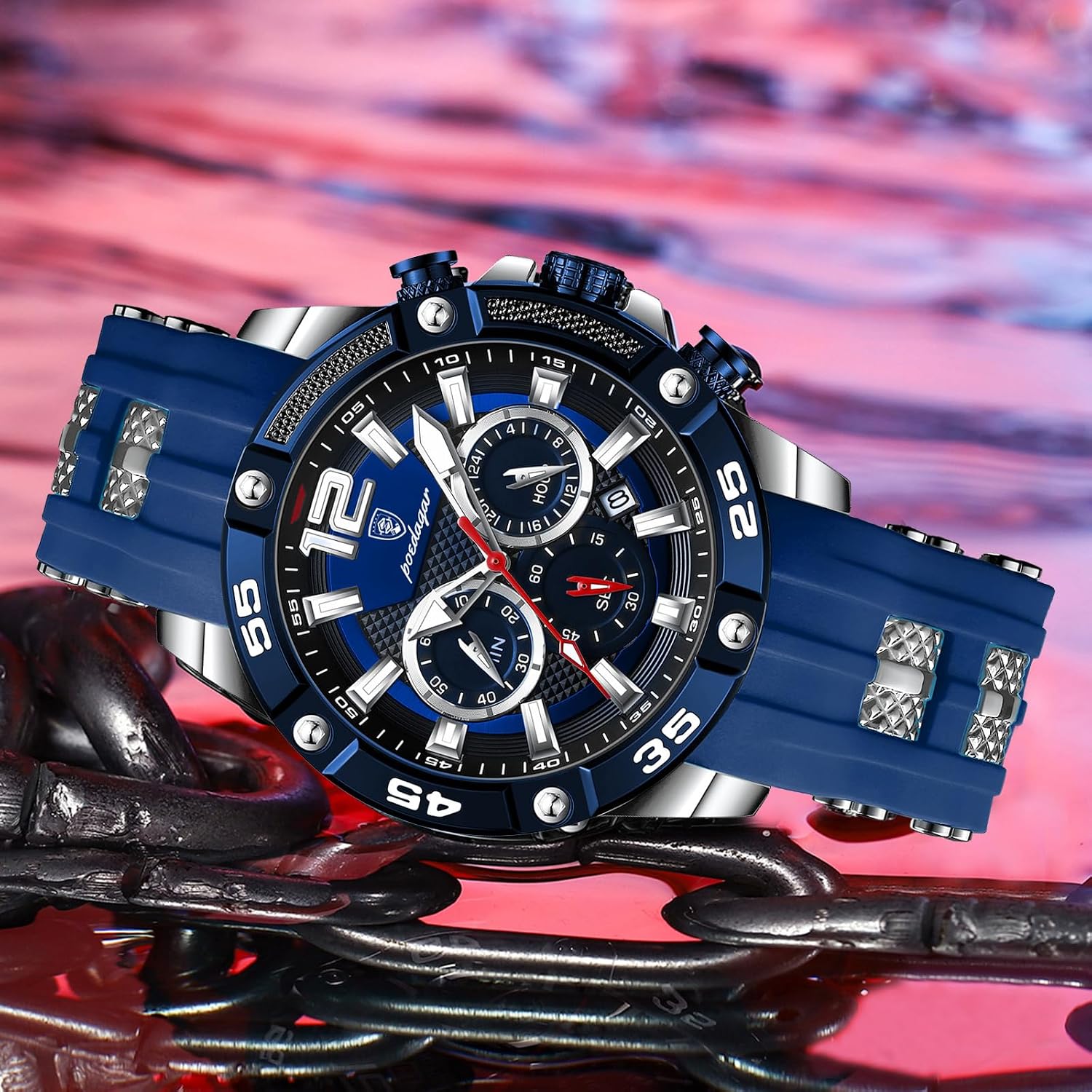
Image: Front view of the Gosasa Chronograph Military Sport Quartz Watch, highlighting its design and features.
Product Overview
The Gosasa 912B is a robust chronograph watch designed for precision and durability. It features a high-quality quartz movement, a durable silicone strap, and a luminous display for visibility in low light conditions. The watch is also water-resistant for daily use.
Key Features:
- Quartz Movement: Ensures precise and stable timekeeping.
- Chronograph Function: Three sub-dials for measuring elapsed seconds, minutes, and hours.
- Date Display: Convenient date window on the dial.
- Luminous Display: Hands and markers absorb light and glow in dark environments.
- Durable Materials: High hardness coated glass (Hardlex mirror) and a comfortable silicone strap.
- Water Resistance: 30 meters (3 ATM) for daily splashes and rain.
Setup and Initial Use
Setting the Time:
- Pull the crown (B) out to position 2.
- Rotate the crown (B) to set the hour and minute hands to the desired time.
- Push the crown (B) back into position 0 to start the watch.
Setting the Date:
- Pull the crown (B) out to position 1.
- Rotate the crown (B) clockwise or counter-clockwise (depending on the movement) to set the correct date.
- Push the crown (B) back into position 0.
Note: Avoid setting the date between 9:00 PM and 3:00 AM, as this may interfere with the automatic date change mechanism.
Using the Chronograph:

Image: Multi-function diagram illustrating the chronograph sub-dials and date window.
- Start/Stop: Press button (A) located at the 2 o'clock position to start the chronograph. Press it again to stop.
- Reset: With the chronograph stopped, press button (C) located at the 4 o'clock position to reset all chronograph hands to zero.
- The sub-dials will display elapsed seconds, minutes, and hours.
Operating the Luminous Feature
The hands and hour markers of your Gosasa watch are coated with a luminous material. This material absorbs light energy from natural or artificial light sources and then emits a glow in dark conditions.

Image: The watch face demonstrating its luminous properties in a dark environment.
- For optimal glow, expose the watch to a bright light source for a few minutes before entering a dark environment.
- The intensity and duration of the glow depend on the amount and duration of light absorbed.
Maintenance and Care
Water Resistance (30M / 3 ATM):

Image: The Gosasa watch in water, demonstrating its water-resistant design.
- Your watch is water-resistant to 30 meters (3 ATM). This means it is suitable for daily use, such as splashes, rain, and hand washing.
- It is not suitable for swimming, showering, diving, or any water sports where it will be fully submerged for extended periods.
- Do not operate the crown or pushers when the watch is wet or submerged in water.
Cleaning:
- Wipe the watch case and crystal with a soft, dry cloth.
- For the silicone strap, clean with mild soap and water, then rinse thoroughly and dry completely.
- Avoid using harsh chemicals or abrasive materials, as these can damage the watch's finish.
Battery Replacement:
The quartz movement is powered by a battery. When the watch stops or the timekeeping becomes erratic, the battery may need replacement. It is recommended to have the battery replaced by a qualified watch technician to ensure proper sealing and water resistance.
Storage:
Store your watch in a dry place, away from direct sunlight, extreme temperatures, and strong magnetic fields, which can affect the accuracy of the quartz movement.
Troubleshooting
- Watch not running: Ensure the crown is fully pushed into position 0. If the watch still does not run, the battery may need to be replaced.
- Time or Date is incorrect: Follow the "Setting the Time" and "Setting the Date" instructions in the Setup section to adjust.
- Luminous feature not glowing: Expose the watch to a bright light source for a longer period to allow the luminous material to absorb sufficient light energy.
- Condensation inside the watch: This indicates a loss of water resistance. Immediately take the watch to a professional for inspection and repair to prevent further damage. Water damage due to exceeding the specified water resistance limits is typically not covered under warranty.
Specifications

Image: Detailed product information including dimensions and material specifications.
| Feature | Detail |
|---|---|
| Model Number | 912B |
| Movement Type | Quartz |
| Display Type | Analog |
| Water Resistance Depth | 30 Meters (3 ATM) |
| Clasp Type | Buckle |
| Band Material | Silicone |
| Crystal Material | Coated Glass (Hardlex) |
| Case Diameter | 46 Millimeters |
| Case Thickness | 12 Millimeters |
| Band Width | 24 Millimeters |
| Band Length | 240 Millimeters |
| Item Weight | 93 Grams |
| Manufacturer | Gosasa |
Warranty and Support
Warranty Information:
Specific warranty terms and conditions for your Gosasa watch may vary depending on the retailer and region of purchase. Please refer to the warranty card included with your product or contact your point of purchase for detailed warranty information.
Customer Support:
For any questions, technical assistance, or service requests not covered in this manual, please contact the retailer where you purchased the watch or visit the official Gosasa website for support contact details.