Razer Aether Lamp Pro User Manual
Model: RZ43-04080100-R3UJ
Introduction
The Razer Aether Lamp Pro is a multi-zone RGB LED lighting device designed to enhance your gaming and living spaces. It features intuitive touch controls, Bluetooth connectivity, and integration with smart home ecosystems like Amazon Alexa and Google Home, all managed through the Razer Gamer Room App.
Package Contents
- Razer Aether Smart Lamp Pro
Setup
1. Physical Placement and Power Connection
Place the Razer Aether Lamp Pro on a stable, flat surface. Connect the power cable to the lamp and then to a standard power outlet. Ensure the lamp is positioned where its light can be effectively utilized and where you can easily access its touch controls.

Image: The Razer Aether Lamp Pro, a cylindrical lamp with a white base and a translucent top section emitting a vibrant rainbow gradient.
2. Razer Gamer Room App Installation
For full control and customization, download the Razer Gamer Room App from your device's app store (iOS or Android). This app allows for unified control of all Razer Gamer Room devices.

Image: Three smartphone screens displaying the Razer Gamer Room App. The first shows a color wheel for light customization, the second lists available Razer Aether devices, and the third shows options for setting up automated routines.
3. Bluetooth Pairing and Smart Home Integration
Open the Razer Gamer Room App and follow the on-screen instructions to pair your Razer Aether Lamp Pro via Bluetooth. The lamp is Matter compatible, allowing seamless integration with other smart home devices and controllers. It also works with Amazon Alexa and Google Home for voice control. Refer to the app for specific instructions on connecting to these platforms.

Image: The Razer Aether Lamp Pro, a white version of the lamp, and other Razer smart home lighting products like light bulbs and an LED strip, with logos for Matter, Google Home, and Alexa, signifying broad compatibility.
Operating the Lamp
1. Tactile Controls
The top surface of the Razer Aether Lamp Pro features tactile controls for direct adjustments. These controls allow you to:
- Adjust brightness
- Change color temperature
- Cycle through various lighting effects

Image: A close-up view of the top of the Razer Aether Lamp Pro, showing the circular tactile control interface with icons for brightness, power, and RGB.
2. Multi-Zone RGB Lighting
The lamp supports multi-zone lighting, allowing for individually programmable lighting zones. This enables complex and dynamic lighting effects tailored to your preferences. Utilize the Razer Gamer Room App to customize these zones and create unique lighting scenarios.
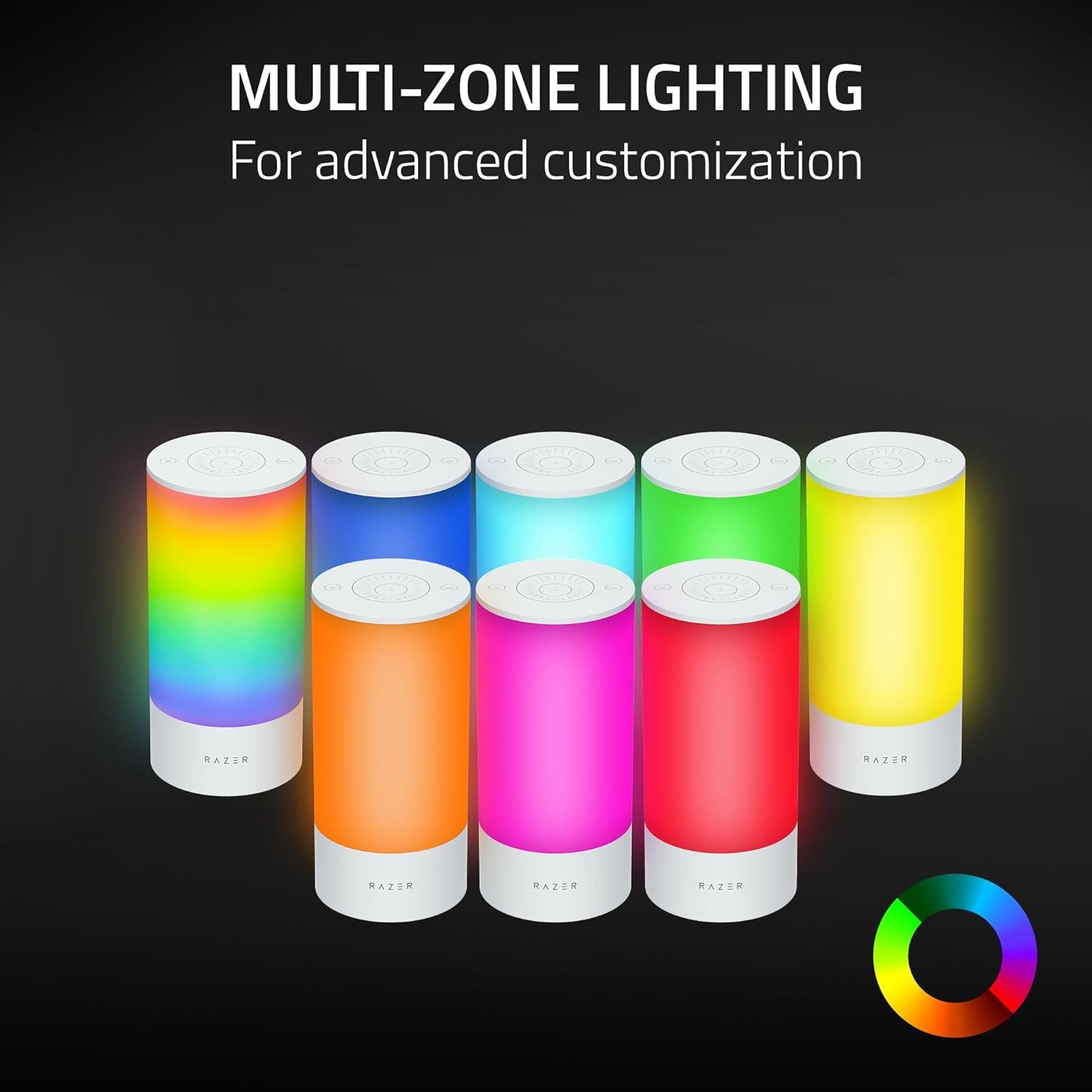
Image: Several Razer Aether Lamp Pros arranged, each displaying a different solid color or a rainbow gradient, illustrating the multi-zone lighting capability.
3. Razer Chroma RGB Integration
With 16.8 million colors and a suite of lighting effects, the Razer Aether Lamp Pro can create desired mood lighting or an immersive environment that reacts with entertainment such as games and music. This is powered by Razer Chroma RGB.

Image: A collection of Razer Aether Lamp Pros, each illuminated with a different vibrant RGB color, demonstrating the extensive color palette available through Razer Chroma RGB.
4. Voice Assistant Compatibility
The lamp supports voice control through Amazon Alexa and Google Home. Once integrated, you can use voice commands to control the lamp's functions, such as turning it on/off, changing colors, or adjusting brightness.
Maintenance
To ensure the longevity and optimal performance of your Razer Aether Lamp Pro, follow these maintenance guidelines:
- Cleaning: Use a soft, dry, lint-free cloth to gently wipe the surface of the lamp. Avoid using abrasive cleaners, solvents, or strong chemicals, as these can damage the finish or internal components.
- Handling: Handle the lamp with care. Avoid dropping it or subjecting it to strong impacts.
- Environment: Keep the lamp in a dry environment and away from direct sunlight, excessive heat, or extreme cold. Do not expose it to water or high humidity.
Troubleshooting
If you encounter issues with your Razer Aether Lamp Pro, refer to the following common troubleshooting steps:
| Problem | Solution |
|---|---|
| Lamp does not turn on. |
|
| Cannot connect to Razer Gamer Room App. |
|
| Colors or effects are not changing. |
|
| Voice control not working. |
|
Specifications
| Feature | Detail |
|---|---|
| Model Name | Aether Smart Lamp Pro |
| Item Model Number | RZ43-04080100-R3UJ |
| Brand | Razer |
| Product Dimensions | 4.33"D x 4.33"W x 8.67"H |
| Item Weight | 2.46 Pounds |
| Light Source Type | LED |
| Light Color | RGB |
| Wattage | 6 watts |
| Voltage | 5 Volts |
| Connectivity Technology | Bluetooth |
| Control Method | App, Voice (Amazon Alexa, Google Home) |
| Base Material | Plastic |
| Shade Material | Plastic |
| Switch Type | Touch |
| Indoor/Outdoor Usage | Indoor |
| UPC | 840272901250 |
Warranty and Support
For warranty information and technical support, please visit the official Razer support website or contact their customer service. Keep your proof of purchase for warranty claims.
Official Razer Support: www.razer.com/support


