1. Introduction and Overview
The KRUPS Evidence Eco-Design automatic espresso machine is engineered to deliver exceptional coffee while adhering to an eco-conscious design philosophy. This appliance offers a 100% automatic beverage preparation process, ensuring optimal percolation from bean to cup. It features a One-Touch Cappuccino function, allowing you to effortlessly prepare your favorite drinks. This high-performance machine can serve beverages in one or two cups and is constructed from 52% recycled plastic, with up to 90% recyclability (based on total plastic parts by weight).
Key features include an intuitive Backlight control panel for easy selection of drinks, a durable metal brewing group for superior heat conduction, and a fully automatic cleaning system for hassle-free maintenance.

Front view of the Krups Evidence Eco-Design Automatic Coffee Machine.
2. Setup
Follow these steps to set up your coffee machine for first use:
- Unpack the Machine: Carefully remove all packaging materials and place the machine on a stable, flat surface.
- Clean Components: Wash the water tank, drip tray, and coffee grounds collector with warm, soapy water. Rinse thoroughly and dry.
- Fill Water Tank: Fill the water tank with fresh, cold water up to the MAX level. Ensure it is properly seated in the machine.
- Fill Bean Hopper: Open the lid of the bean hopper and pour fresh coffee beans into it. Close the lid securely.
- Connect Power: Plug the power cord into a grounded electrical outlet.
- Initial Rinse Cycle: The machine will prompt you to perform an initial rinse cycle. Follow the on-screen instructions. Place a container under the coffee spouts to collect the water.

Filling the bean hopper with fresh coffee beans.
3. Operating Instructions
Your Krups Evidence Eco-Design machine offers a variety of beverages with intuitive controls.
3.1 Control Panel Overview
The Backlight control panel allows for easy selection of your desired drink. Simply touch the icon corresponding to the beverage you wish to prepare.

The intuitive Backlight control panel for beverage selection.
3.2 Preparing Coffee Beverages
The machine can prepare Ristretto, Espresso, Long Coffee, and Americano.
- Place one or two cups under the coffee spouts.
- Select your desired coffee beverage from the control panel.
- The machine will automatically grind the beans and brew your coffee.

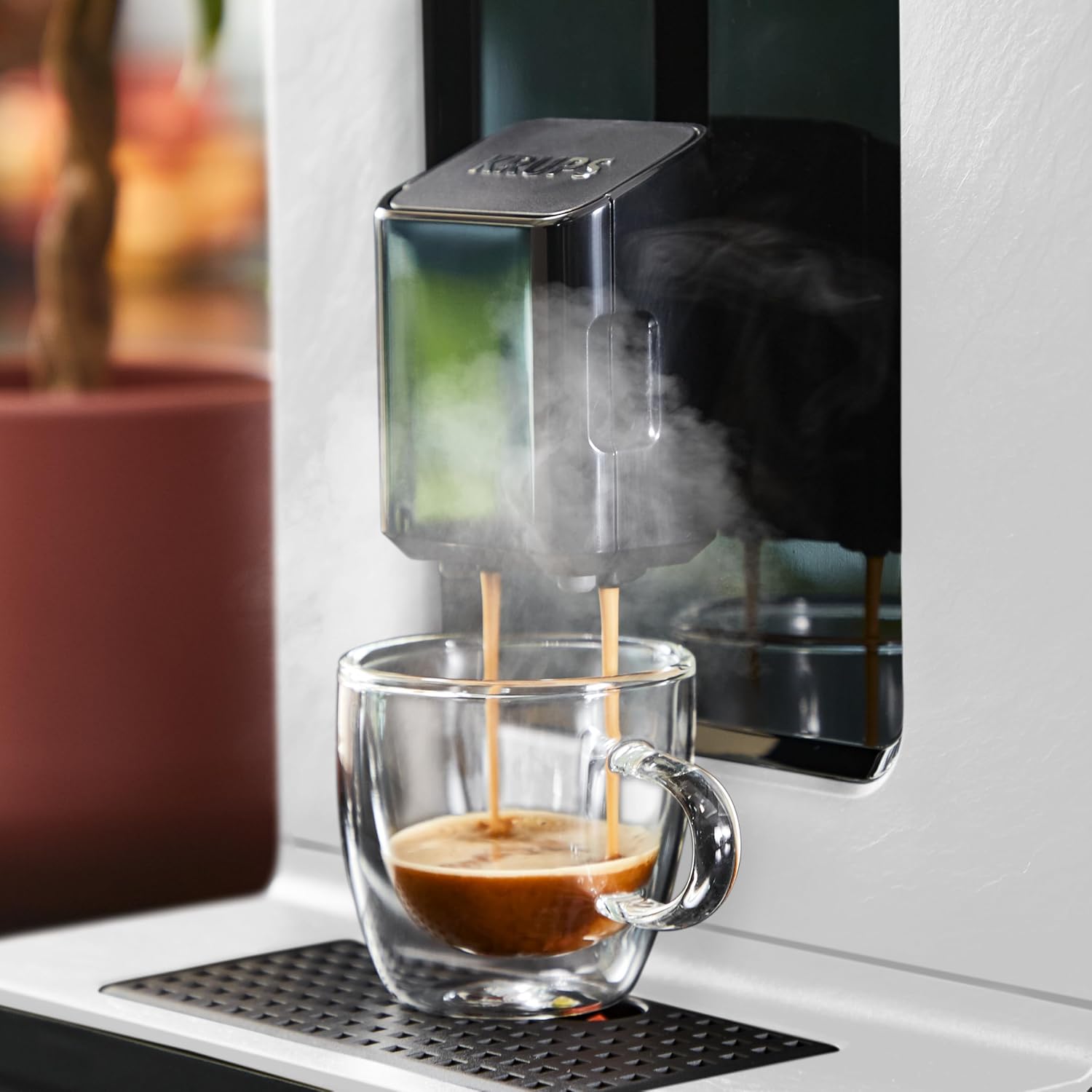
Espresso being dispensed into a glass cup.
3.3 Preparing Milk-Based Beverages
Enjoy Cappuccino, Latte Macchiato, and Caffè Latte with the integrated milk system.
- Connect the milk tube to the machine's milk frother and insert the other end into a container of cold milk.
- Place your cup(s) under the coffee and milk spouts.
- Select your desired milk-based beverage (e.g., Cappuccino, Latte Macchiato).
- The machine will automatically froth the milk and brew the coffee in sequence.
Milk frothing process for a latte macchiato.

Two perfectly layered latte macchiatos.
3.4 Hot Water Function
For tea or other hot beverages, select the 'Hot Water' option from the control panel.
4. Maintenance
Regular maintenance ensures the longevity and optimal performance of your Krups coffee machine. The machine features a fully automatic cleaning system, certified for microbiological harmlessness by TÜV Rheinland.
4.1 Daily Cleaning
- Drip Tray and Coffee Grounds Container: Empty and rinse the drip tray and coffee grounds container daily.
- Milk System: After preparing milk-based drinks, perform the automatic milk system cleaning cycle as prompted by the machine. This is crucial for hygiene and preventing blockages.
4.2 Deep Cleaning and Descaling
- Cleaning Tablets: The machine will indicate when a deep cleaning cycle is required. Use a Krups cleaning tablet as instructed by the machine's display. The closed percolation system makes this process effortless.
- Descaling: The machine will also prompt you when descaling is necessary. Use a suitable descaling solution and follow the on-screen instructions carefully.

Using a cleaning tablet for the automatic cleaning cycle.
5. Troubleshooting
If you encounter issues with your machine, refer to the following common problems and solutions:
- No Coffee Dispensed:
- Check if the water tank is filled and correctly inserted.
- Ensure the bean hopper has enough coffee beans.
- Verify that the coffee grounds container is not full.
- Weak Coffee:
- Adjust the coffee strength setting on the control panel.
- Check the grind setting; a finer grind typically produces stronger coffee.
- Ensure you are using fresh coffee beans.
- No Milk Foam or Poor Quality Foam:
- Ensure the milk tube is clean and not blocked. Perform a milk system cleaning cycle.
- Use cold, fresh milk.
- Check that the milk tube is fully submerged in the milk.
- Machine Leaking:
- Check if the water tank is properly seated and not damaged.
- Ensure the drip tray is correctly positioned.
- If the leak persists, contact customer support.
- Error Message on Display:
- Refer to the machine's display for specific error codes and follow the recommended actions.
- If the issue is not resolved, try restarting the machine.
6. Specifications
| Feature | Specification |
|---|---|
| Brand | KRUPS |
| Model Number | EA897A |
| Color | White/Slate |
| Product Dimensions (L x W x H) | 38.7 x 29.3 x 49.2 cm |
| Capacity | 2.3 Liters |
| Power | 1450 Watts |
| Voltage | 145 |
| Material | Plastic, Stainless Steel, Metal |
| Item Weight | 7.78 Kilograms |
| Coffee Maker Type | Espresso Machine |
| Specific Product Uses | Ristretto, Espresso, Long Coffee, Americano, Cappuccino, Latte Macchiato, Caffè Latte, Hot water |
7. Warranty and Support
KRUPS is committed to product durability and repairability. This machine benefits from a 15-year repairability commitment, ensuring that spare parts and repair services are available through a global network of authorized repairers.
For further assistance, technical support, or warranty claims, please refer to the contact information provided in your product packaging or visit the official KRUPS website for your region.


