
1. Introduction
This manual provides detailed instructions for the installation, operation, and maintenance of your ZERTRAN 9-inch Carplay Android Auto Touchscreen Car Stereo. Please read this manual thoroughly before installation and use to ensure proper functionality and safety. This device is designed to enhance your driving experience with advanced multimedia and navigation features.
2. Product Overview
Key Features:
- CarPlay & Android Auto: Seamless integration with iOS and Android devices for navigation, music, calls, and voice assistance.
- 9-inch Touchscreen: Provides a large, clear display with sensitive operation for an improved visual and interactive experience.
- Plug & Play Installation: Designed for straightforward installation with compatible original car plugs.
- Integrated Functions: Includes GPS navigation, video playback, music streaming, Bluetooth connectivity, Wi-Fi, steering wheel control support, and Digital Sound Processing (DSP).
- Expandable System: Based on the Android operating system, offering extensive customization and app compatibility.
What's in the Box:
- 1x ZERTRAN 9-inch Android Head Unit
- 1x GPS Antenna
- 1x Power Cable
- 2x USB Port Cables
- 1x RCA Expand Cable
- 1x RCA Connector for Backup Camera
- 1x CANBUS Decoder
- 1x AHD Reverse Camera (Bundled)
- 1x External Microphone (Bundled)
- 1x Crowbar (Bundled)

Image: All components included in the ZERTRAN car stereo package, including the head unit, cables, GPS antenna, and bundled accessories.
3. Compatibility
This ZERTRAN car stereo is specifically designed for Chevrolet Aveo models manufactured between 2011 and 2015. Please verify your vehicle's dashboard configuration matches the compatible designs shown below before installation.
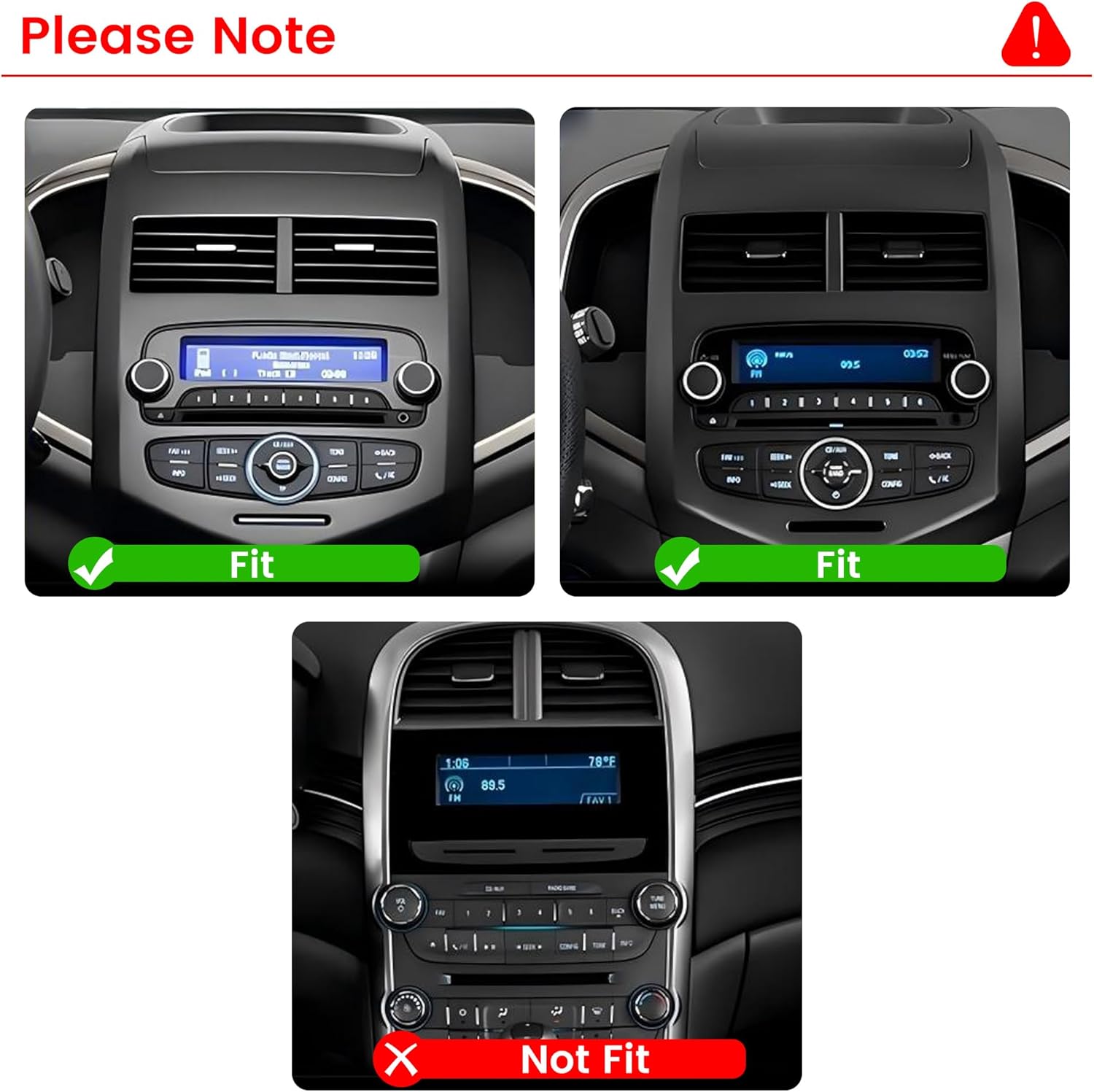
Image: Visual guide indicating compatible and incompatible dashboard configurations for the Chevy Aveo 2011-2015 model range. Ensure your vehicle's dashboard matches the 'Fit' examples.
Note: If your car is equipped with an original car amplifier, please contact the seller for specific guidance before purchasing or installing.
4. Setup & Installation
The ZERTRAN car stereo is designed for a 'plug and play' installation. However, professional installation is recommended to ensure correct wiring and optimal performance. Incorrect installation can damage the unit or your vehicle's electrical system.
Installation Steps (General Guide):
- Preparation: Ensure the vehicle's ignition is off and the battery is disconnected before starting any electrical work.
- Remove Original Unit: Carefully remove the existing car stereo and dashboard trim using appropriate tools (a crowbar is included for assistance).
- Connect Wiring: Connect the provided power cable, GPS antenna, USB cables, RCA cables, and CANBUS decoder to the new head unit and the vehicle's wiring harness. Ensure all connections are secure.
- Test Functionality: Before fully reassembling the dashboard, temporarily connect the battery and test the basic functions of the new stereo (power on, audio, touchscreen response).
- Secure Unit: Mount the new head unit securely into the dashboard opening.
- Reassemble: Reinstall the dashboard trim and reconnect the battery.

Image: Comparison showing the vehicle's dashboard before and after the installation of the ZERTRAN 9-inch car stereo, demonstrating the integrated appearance.
5. Operating Instructions
5.1. CarPlay & Android Auto
Connect your iOS or Android smartphone via USB to enable CarPlay or Android Auto. This feature mirrors essential phone applications onto the stereo's display, allowing for safe access to navigation, music, messages, and calls using the touchscreen or voice commands.

Image: The ZERTRAN car stereo displaying the CarPlay interface, showing integrated phone applications for navigation, communication, and entertainment.
5.2. Touchscreen Operation
The 9-inch capacitive touchscreen provides a responsive and intuitive user interface. Tap, swipe, and pinch gestures are supported for navigating menus, adjusting settings, and interacting with applications.
5.3. GPS Navigation
The unit comes with built-in GPS functionality and supports various navigation applications. Connect to Wi-Fi to download maps and receive real-time traffic updates. Popular navigation apps like Google Maps, iGO, and Waze are compatible.

Image: The car stereo displaying a GPS navigation map, showing routes and points of interest.

Image: Icons representing various supported navigation applications such as Google Maps, iGO, Nvitel, Waze, Sgic, and Gode Map, highlighting the versatility of the system.
5.4. Bluetooth Function
Pair your smartphone via Bluetooth for hands-free calling and wireless audio streaming. Access your phone's contact list and call history directly from the stereo's interface.

Image: The car stereo displaying the Bluetooth calling interface, showing a dial pad and contact information for hands-free communication.
5.5. FM Radio
Tune into your favorite FM radio stations. The system allows for station scanning and saving presets for quick access.
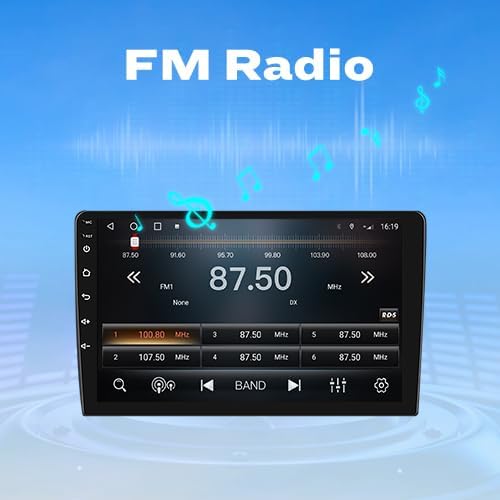
Image: The car stereo displaying the FM radio interface, showing frequency tuning and station presets.
5.6. Steering Wheel Control
The unit supports integration with your vehicle's existing steering wheel controls. This allows you to manage audio, calls, and other functions without taking your hands off the wheel. The system includes a 'Steering Learn' function to map your vehicle's controls.
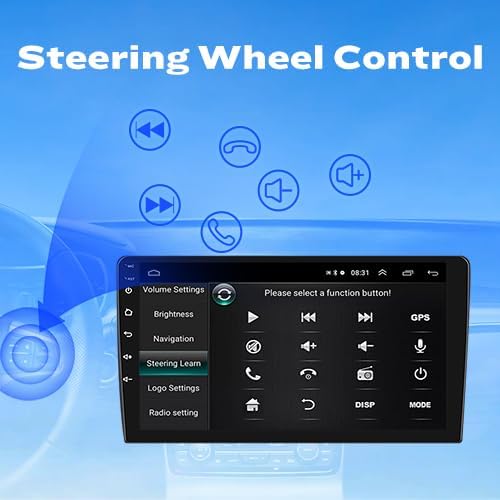
Image: The car stereo displaying the 'Steering Learn' interface, used to configure and map vehicle steering wheel buttons to stereo functions.
5.7. Car Reverser Camera
The system supports a car reverser camera input. When the vehicle is shifted into reverse, the display automatically switches to the camera feed, providing a clear view of the area behind your vehicle for safer parking and maneuvering. An AHD reverse camera is included in the package.

Image: The car stereo displaying the view from a rear-mounted camera, showing parking guidelines for assistance.
5.8. Dual Screen Display
Utilize the dual-screen display feature to run two applications simultaneously. For example, you can have navigation active on one side of the screen while controlling music playback or viewing another application on the other side.

Image: The car stereo displaying two applications side-by-side, demonstrating the dual-screen functionality for multitasking.
6. Maintenance
To ensure the longevity and optimal performance of your ZERTRAN car stereo, follow these maintenance guidelines:
- Cleaning: Use a soft, dry cloth to clean the touchscreen and exterior. Avoid abrasive cleaners or solvents that could damage the display or finish.
- Software Updates: Periodically check for and install software updates to ensure the system has the latest features and security patches.
- Temperature: Avoid exposing the unit to extreme temperatures, which can affect performance and lifespan.
- Power Supply: Ensure a stable power supply to prevent electrical damage.
7. Troubleshooting
If you encounter issues with your ZERTRAN car stereo, refer to the following common troubleshooting tips:
- No Power: Check all power connections and fuses. Ensure the vehicle's battery is properly connected and charged.
- No Sound: Verify speaker connections, volume settings, and audio source selection. Check if the mute function is active.
- Touchscreen Unresponsive: Try restarting the unit. If the issue persists, a factory reset might be necessary (note: this will erase personal settings).
- GPS Signal Issues: Ensure the GPS antenna is properly installed and has a clear view of the sky. Update map data if necessary.
- Bluetooth Connectivity Problems: Ensure Bluetooth is enabled on both the stereo and your device. Delete previous pairings and try reconnecting.
- CarPlay/Android Auto Not Connecting: Use a certified USB cable. Ensure your phone's operating system is up to date. Check app permissions on your phone.
For persistent issues or problems not covered here, please contact ZERTRAN customer support.
8. Specifications
| Feature | Specification |
|---|---|
| Item Weight | 4.62 pounds |
| Package Dimensions | 15.35 x 12.2 x 5.51 inches |
| Display Size | 9 Inches |
| Voice Command | Touchscreen based |
| Connectivity Technology | Bluetooth, RCA, USB, Wi-Fi |
| Map Type | Worldwide |
| Audio Output Mode | Stereo |
| Mounting Type | Dashboard Mount |
| Resolution | 1080p |
9. Warranty & Support
ZERTRAN products are designed for reliability and performance. For any questions, technical assistance, or warranty claims, please contact the seller directly through your purchase platform. Provide your order number and a detailed description of the issue for prompt support.