
1. Introduction
The Zebronics Astra 30 is a portable Bluetooth speaker designed for a versatile audio experience. It features 14W output, dual 52mm drivers, dual passive radiators for enhanced bass, and multiple connectivity options including Bluetooth v5.3, FM radio, AUX, USB, and mSD card support. This manual provides instructions for setting up, operating, and maintaining your speaker.
2. Package Contents
Please check the package for the following items:
- Speaker - 1 unit
- Charging cable - 1 unit
- User manual - 1 unit
3. Product Overview
Familiarize yourself with the speaker's components and controls.

Image 3.1: Front view of the Zebronics Astra 30 speaker, showcasing its sleek black design and speaker grille.
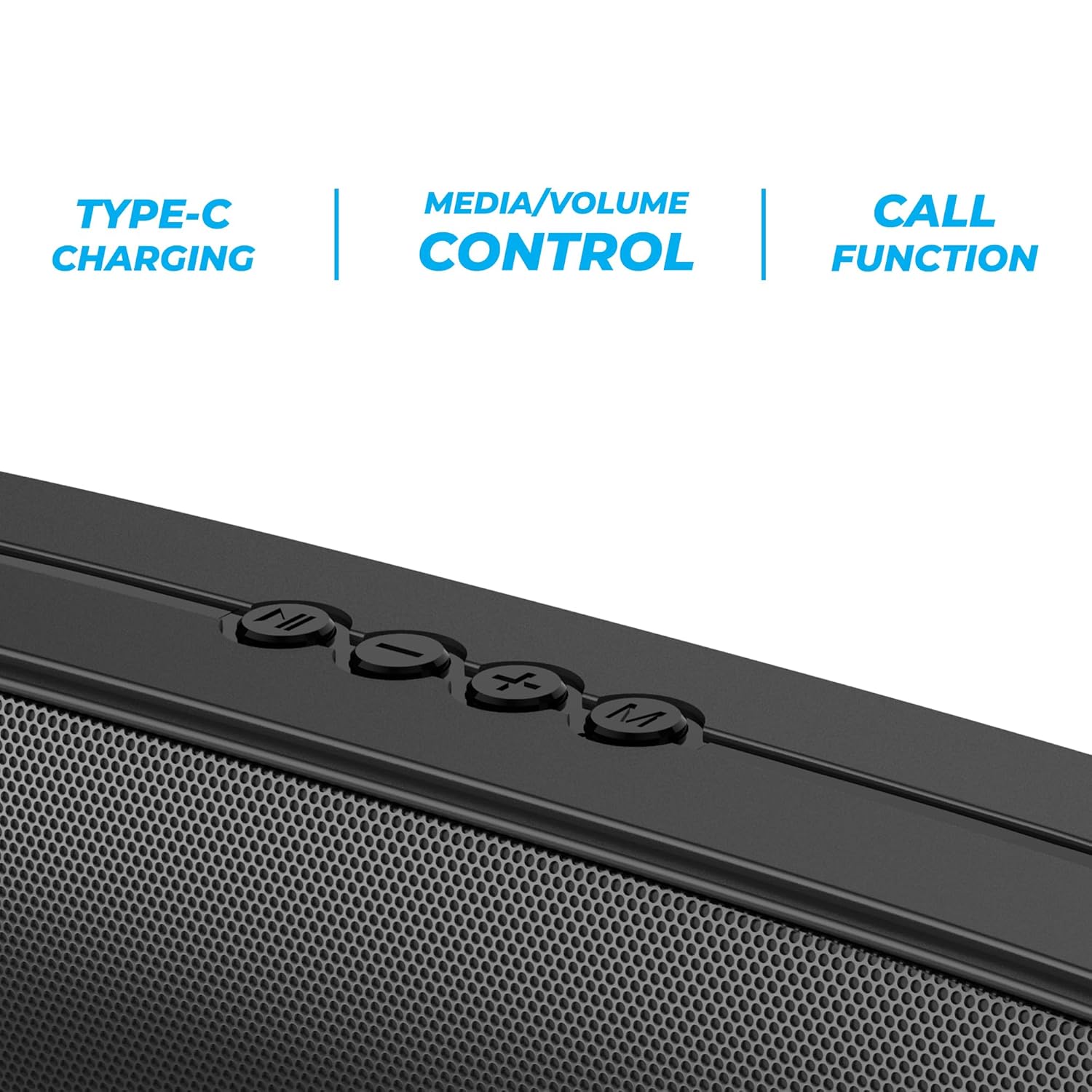
Image 3.2: Close-up of the control panel buttons on the top of the speaker, including power, volume, and mode controls.

Image 3.3: Rear view of the speaker showing the multi-connectivity ports: USB, Micro SD slot, AUX input, and Type-C charging port.
4. Setup
4.1 Charging the Speaker
Before initial use, fully charge the speaker. The Zebronics Astra 30 features a built-in rechargeable battery with Type-C charging.
- Connect the provided Type-C charging cable to the charging port on the speaker.
- Connect the other end of the cable to a USB power adapter (not included) or a computer's USB port.
- The charging indicator will illuminate during charging and turn off once fully charged.
A full charge takes approximately 4 hours and provides up to 12 hours of playback time at 50% volume.

Image 4.1: Illustration indicating the speaker's 12-hour playback capability on a single charge.
4.2 Powering On/Off
To power on or off the speaker, press and hold the power button located on the control panel until you hear an audible prompt or see the indicator light change.
5. Operating Instructions
5.1 Bluetooth Pairing
The Zebronics Astra 30 uses Bluetooth v5.3 for wireless audio streaming.
- Power on the speaker. It will automatically enter Bluetooth pairing mode, indicated by a flashing LED.
- Enable Bluetooth on your smartphone, tablet, or other device.
- Search for "ZEB-ASTRA 30" in the list of available Bluetooth devices.
- Select "ZEB-ASTRA 30" to connect. Once paired, the speaker will confirm with an audible tone, and the LED will stop flashing.
- If prompted for a password, enter "0000".
5.2 True Wireless Stereo (TWS) Function
Connect two Zebronics Astra 30 speakers for a true wireless stereo experience.
- Ensure both ZEB-ASTRA 30 speakers are powered on and not connected to any Bluetooth device.
- On one of the speakers (this will be the primary speaker), press and hold the TWS button (often combined with the Mode button) until you hear a pairing tone.
- The two speakers will automatically connect to each other. Once connected, you will hear a confirmation tone.
- Now, connect your device to the primary speaker via Bluetooth as described in Section 5.1. Audio will play in stereo through both speakers.

Image 5.1: Visual representation of two Zebronics Astra 30 speakers connected via TWS for stereo sound.
5.3 FM Radio Mode
To use the built-in FM radio:
- Power on the speaker.
- Press the 'M' (Mode) button to switch to FM radio mode.
- To auto-scan and save available FM stations, press and hold the Play/Pause button. The speaker will scan and store stations automatically.
- Use the Previous/Next track buttons to navigate between saved stations.
- For optimal reception, ensure the charging cable is connected as an antenna.
5.4 AUX Input Mode
Connect external audio devices using the AUX input:
- Power on the speaker.
- Press the 'M' (Mode) button to switch to AUX mode.
- Connect one end of a 3.5mm audio cable (not included) to the AUX port on the speaker.
- Connect the other end to the audio output of your device (e.g., smartphone, MP3 player).
- Audio will now play through the speaker from your connected device.
5.5 USB and Micro SD Card Playback
Play audio files directly from a USB pen drive or Micro SD card:
- Power on the speaker.
- Insert a USB pen drive (up to 32GB) or a Micro SD card into the respective slot.
- The speaker will automatically detect the storage device and begin playing audio files. If not, press the 'M' (Mode) button to switch to USB or SD card mode.
- Use the Play/Pause and Previous/Next track buttons to control playback.
5.6 Call Function
When connected via Bluetooth to a smartphone, the speaker can be used for hands-free calls.
- Answer/End Call: Press the Play/Pause button once.
- Reject Call: Press and hold the Play/Pause button.
- Redial Last Number: Double-press the Play/Pause button.
5.7 Volume and Media Control
The speaker features integrated controls for audio playback:
- Volume Up: Press the '+' button.
- Volume Down: Press the '-' button.
- Next Track: Press and hold the '+' button.
- Previous Track: Press and hold the '-' button.
- Play/Pause: Press the Play/Pause button.
6. Maintenance
- Clean the speaker with a soft, dry cloth. Do not use harsh chemicals or abrasive cleaners.
- Keep the speaker away from extreme temperatures, direct sunlight, and moisture.
- Avoid dropping or subjecting the speaker to strong impacts.
- Store the speaker in a cool, dry place when not in use for extended periods.
- The speaker is rated as waterproof. However, avoid submerging it in water for prolonged periods. Ensure the port cover is securely closed to maintain water resistance.
7. Troubleshooting
| Problem | Possible Solution |
|---|---|
| Speaker does not power on. | Ensure the battery is charged. Connect the speaker to a power source using the Type-C cable. |
| Cannot pair via Bluetooth. |
|
| No sound or low volume. |
|
| FM radio reception is poor. | Ensure the Type-C charging cable is connected to act as an antenna. Try repositioning the speaker. |
| TWS pairing fails. |
|
8. Specifications
| Feature | Detail |
|---|---|
| Model Name | ZEB-ASTRA 30 |
| Output Power | 14 Watts |
| Driver Size | Dual 52mm |
| Bluetooth Version | v5.3 |
| Connectivity Options | Bluetooth, FM, AUX, USB, Micro SD |
| USB/Micro SD Max Capacity | 32GB |
| Battery Life | Up to 12 hours (at 50% volume) |
| Charging Time | 4 hours |
| Charging Type | Type-C |
| Water Resistance | Waterproof |
| Product Dimensions (D x W x H) | 5.7 x 35.4 x 6.5 Centimeters |
| Item Weight | 645 Grams |
| Impedance | 3 Ohms |
| Signal-to-Noise Ratio | 75 dB |

Image 8.1: Graphic highlighting the 14W RMS output and dual 52mm drivers of the Zebronics Astra 30 speaker.
9. Warranty and Support
The Zebronics Astra 30 speaker comes with a 1 Year Limited Warranty from the date of purchase. Please retain your purchase receipt for warranty claims.
For technical support, service, or warranty inquiries, please contact Zebronics customer service. Contact details can typically be found on the official Zebronics website or on your product packaging.
Manufacturer: Zebronics India Private Limited
Address: 13/7, Smith Road, Royapettah, Chennai-600002


