
1. Introduction and Overview
The vretti HP2 Portable Bluetooth Label Maker Machine is a compact and intelligent device designed for creating custom labels wirelessly. This thermal label printer offers high-quality, inkless printing for various organizational needs in home, office, and retail environments. Its portable design allows for convenient use anytime, anywhere.
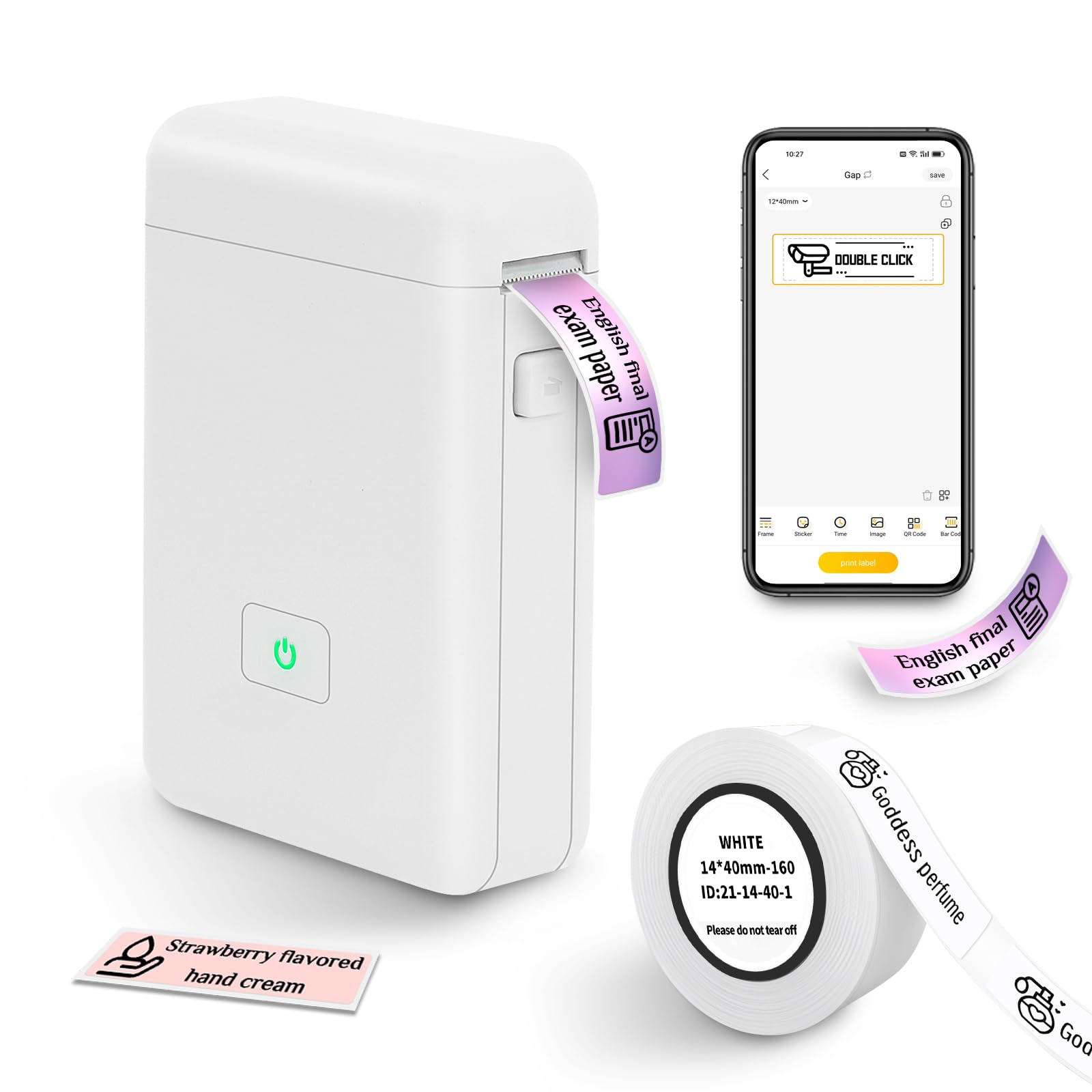
Figure 1: The vretti HP2 Portable Bluetooth Label Maker Machine, a compact white device with a power button, shown on a countertop.
2. What's in the Box
Upon unboxing your vretti HP2 Label Maker Machine, you should find the following components:
- 1 x vretti HP2 Label Maker Machine
- 1 x Roll of 14x40mm White Label Paper
- 1 x USB Charging Cable
- 1 x Product Usage Guide (Instruction Manual)
3. Setup
Follow these steps to set up your vretti HP2 Label Maker Machine:
- Charge the Device: Connect the label maker to a power source using the provided USB charging cable. The power indicator light will show charging status. Ensure the device is fully charged before first use.
- Install Label Roll: Open the cover of the label maker by pressing the designated button. Insert the label paper roll into the machine, ensuring the labels feed correctly. Close the cover securely.
- Download the App: The vretti HP2 operates via Bluetooth connectivity with a smartphone app. Download the "XeasyLabel" app from your device's app store (iOS or Android). This label maker does not work with computers.
- Connect via Bluetooth: Turn on the label maker by pressing and holding the power button until the indicator light turns green. Open the "XeasyLabel" app on your smartphone and follow the in-app instructions to connect to the HP2 device via Bluetooth.

Figure 2: Visual guide for connecting the vretti HP2 label maker via Bluetooth and downloading the XeasyLabel app from app stores.
4. Operating Instructions
Once your vretti HP2 is set up and connected to the "XeasyLabel" app, you can begin creating and printing labels:
- Create a New Label: In the "XeasyLabel" app, select the option to "Create a New Tag" or choose from "Label Templates."
- Customize Your Label: The app offers extensive customization options, including over 60 fonts, 12+ languages, and 400+ borders. You can add text, tables, symbols, logos, barcodes, QR codes, images, time, or import data from Excel.
- Adjust Settings: Before printing, you can adjust print density and the number of copies within the app.
- Print the Label: Tap the "Print" button in the app. The label maker will quickly print your customized label. Labels are of fixed length (e.g., 14x40mm) and do not support continuous label tape.
- Tear Off Label: Once printed, gently tear off the label using the serrated edge on the device.

Figure 3: A step-by-step visual of the XeasyLabel app interface, demonstrating device connection, new label creation, and print preview.

Figure 4: An overview of the XeasyLabel app's rich customization options, including various templates, patterns, and fonts for label design.
5. App Features
The "XeasyLabel" app is a versatile tool that enhances the functionality of your vretti HP2 label maker. Key features include:
- Extensive Customization: Access to over 60 fonts, 12+ languages, and 400+ borders to personalize your labels.
- Template Variety: Utilize templates for text, tables, symbols, logos, barcodes, QR codes, images, time, and Excel data insertion.
- Image Printing: Upload and print images directly from your phone (note: prints in monochrome).
- Barcode & QR Code Generation: Easily create and print barcodes and QR codes for inventory or product management.
- Print Density Control: Adjust the darkness of your print for optimal readability.
Video 1: Official product video from vretti-us demonstrating the HP2 Label Maker Machine with Tape, showcasing its features and ease of use.
6. Maintenance
To ensure the longevity and optimal performance of your vretti HP2 Label Maker Machine, follow these maintenance guidelines:
- Cleaning: Regularly clean the print head with a soft, lint-free cloth to prevent dust and debris buildup. Do not use harsh chemicals or abrasive materials.
- Storage: Store the label maker in a cool, dry place away from direct sunlight and extreme temperatures.
- Battery Care: To maintain battery health, avoid fully discharging the device frequently. Charge it regularly, even if not in constant use.
- Paper Handling: Use only vretti-approved thermal label paper. Ensure the paper is loaded correctly to prevent jams and damage to the print head.
7. Troubleshooting
If you encounter issues with your vretti HP2 Label Maker Machine, refer to the following common troubleshooting tips:
- Device Not Connecting: Ensure Bluetooth is enabled on your smartphone and the label maker is powered on. Restart both the device and the app, then attempt to reconnect.
- Poor Print Quality: Check if the label paper is loaded correctly and is not running out. Clean the print head as described in the Maintenance section. Adjust print density settings in the app.
- Paper Jams: Open the cover and carefully remove any jammed paper. Ensure the new roll is inserted properly and the cover is closed.
- Device Not Powering On: Ensure the device is fully charged. If the issue persists, try using a different USB charging port or cable.
- App Issues: If the app is unresponsive, close it completely and reopen. Ensure your app is updated to the latest version.
- Compatibility: Note that this label maker is designed for use with smartphones (iOS & Android) and does not work with computers.
8. Specifications
| Feature | Specification |
|---|---|
| Product Dimensions | 3"D x 2"W x 1.5"H |
| Item Weight | 7 ounces (0.2 Kilograms) |
| Connectivity Technology | Bluetooth |
| Printing Technology | Thermal |
| Maximum Print Resolution | 203 dpi |
| Maximum Media Size | 3 x 4 inches |
| Supported Media Sizes | 14x40 Millimeters, 50 x 30 millimeters |
| Battery | 2000 MAH Lithium Ion (1 required) |
| Control Method | App (XeasyLabel) |
| Compatible Devices | Smartphones (iOS & Android) |
| Model Name | HP2 |
9. Warranty and Support
The vretti HP2 Portable Bluetooth Label Maker Machine comes with a 1-year warranty from the date of purchase.
For technical support, warranty claims, or further assistance, please contact vretti customer service through the official vretti website or the contact information provided in your product packaging.