
Hoco EW39
Hoco EW39 Bright Wireless Bluetooth Earbuds User Manual
Model: EW39 | Brand: Hoco
1. Introduction
Thank you for choosing the Hoco EW39 Bright Wireless Bluetooth Earbuds. This manual provides detailed instructions on how to set up, operate, and maintain your earbuds to ensure optimal performance and longevity. Please read this manual carefully before use.
These earbuds offer high-quality audio with deep bass and clear treble. Each earbud provides up to 4 hours of playback per charge, complemented by a digital display on the charging case for convenient battery monitoring. Featuring Bluetooth 5.3 for stable connectivity, intuitive touch controls for easy operation, and a built-in microphone for hands-free calls. The compact and lightweight design ensures portability, and Passive Noise Cancellation (ENC) enhances your listening and calling experience by reducing background noise.
2. Package Contents
- Hoco EW39 Bright Wireless Bluetooth Earbuds (Left & Right)
- Charging Case
- USB Charging Cable
- User Manual
3. Product Overview
Familiarize yourself with the components of your Hoco EW39 earbuds and charging case.
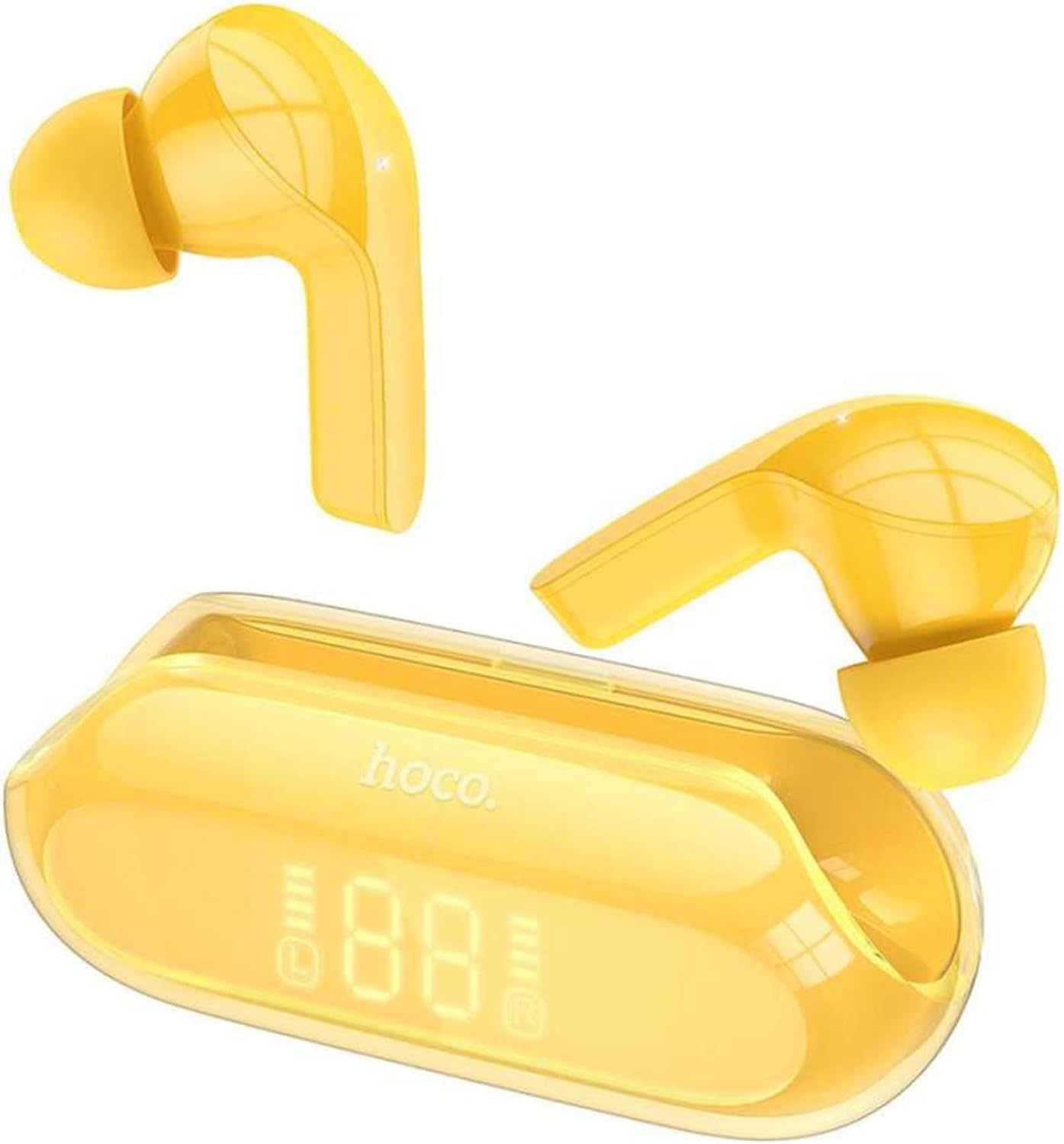
Figure 3.1: Hoco EW39 Bright Wireless Bluetooth Earbuds and Charging Case with Digital Display

Figure 3.2: Rear view of the Hoco EW39 charging case showing the USB-C charging port
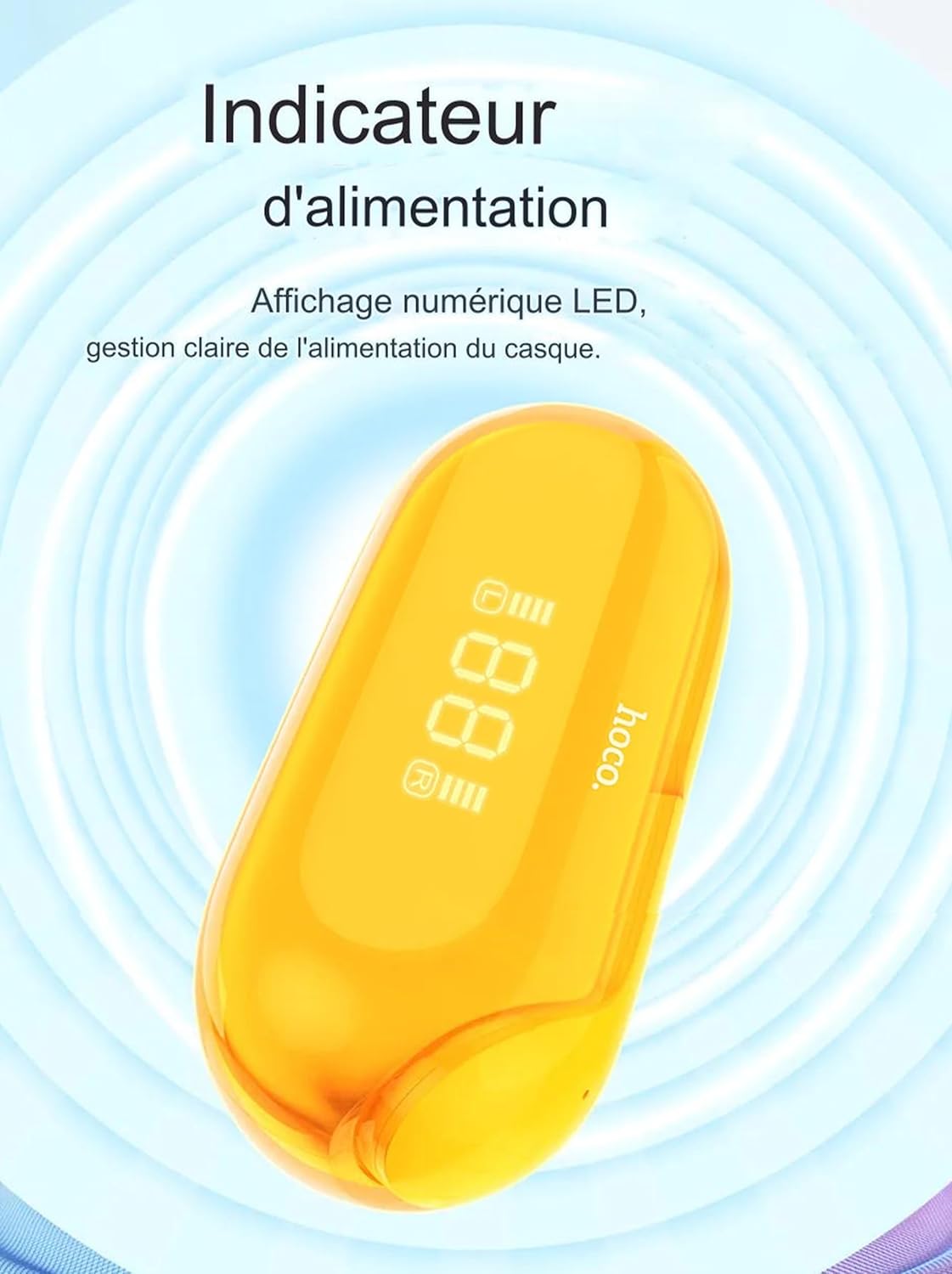
Figure 3.3: Close-up of the Hoco EW39 charging case digital display indicating battery level
4. Setup
4.1 Charging the Earbuds and Case
Before first use, it is recommended to fully charge the earbuds and the charging case.
- Place both earbuds into the charging case, ensuring they are correctly seated.
- Connect the USB charging cable to the USB-C port on the back of the charging case and plug the other end into a compatible USB power source (e.g., wall adapter, computer USB port).
- The digital display on the charging case will illuminate and show the current battery percentage, indicating that charging is in progress.
- The earbuds will automatically charge when placed in the case, and their charging status may be indicated by small lights on the earbuds themselves or on the case display.
- Once fully charged, the display will show 100% or a full battery icon. Disconnect the charging cable.
4.2 Pairing with Your Device
The Hoco EW39 earbuds utilize Bluetooth 5.3 for a stable and efficient connection.
- Ensure the earbuds are charged and placed inside the charging case.
- Open the lid of the charging case. The earbuds will automatically power on and enter pairing mode.
- On your smartphone, tablet, or other Bluetooth-enabled device, go to the Bluetooth settings and ensure Bluetooth is turned on.
- Search for new devices. You should see "Hoco EW39" appear in the list of available devices.
- Select "Hoco EW39" to connect. A voice prompt from the earbuds will confirm successful pairing.
- Once paired, the earbuds will automatically connect to the last paired device when removed from the case, provided Bluetooth is enabled on your device.
5. Operating Instructions
5.1 Power On/Off
- Power On: Open the charging case lid, or remove the earbuds from the case.
- Power Off: Place both earbuds back into the charging case and close the lid. The earbuds will automatically disconnect and power off. If disconnected from Bluetooth for several minutes, they will also power off automatically.
5.2 Touch Controls
The Hoco EW39 earbuds feature intuitive touch controls on each earbud.
| Action | Control |
|---|---|
| Play/Pause Music | Single tap on either earbud |
| Next Track | Double tap on the Right earbud |
| Previous Track | Double tap on the Left earbud |
| Answer/End Call | Single tap on either earbud during an incoming call or active call |
| Reject Call | Press and hold either earbud for 2 seconds during an incoming call |
| Activate Voice Assistant (Siri, Google Assistant, etc.) | Triple tap on either earbud |
5.3 Making Calls
The built-in microphone allows for clear, hands-free communication. Passive Noise Cancellation (ENC) helps to reduce ambient noise during your calls, ensuring your voice is heard clearly.
6. Maintenance
Proper care will extend the life of your Hoco EW39 earbuds.
- Cleaning: Use a soft, dry, lint-free cloth to clean the earbuds and charging case. Do not use abrasive cleaners, alcohol, or chemical solvents.
- Storage: When not in use, store the earbuds in their charging case to protect them from dust and damage. Store in a cool, dry place, away from direct sunlight and extreme temperatures.
- Water Resistance: These earbuds are not waterproof. Avoid exposing them to water, rain, or excessive moisture.
- Avoid Impact: Do not drop, hit, or subject the earbuds or case to strong impacts, as this may damage internal components.
7. Troubleshooting
If you encounter issues with your earbuds, try the following solutions:
- Earbuds not pairing:
- Ensure both earbuds are charged.
- Make sure Bluetooth is enabled on your device and the earbuds are within range.
- Turn off Bluetooth on your device, then turn it back on.
- Forget "Hoco EW39" from your device's Bluetooth list and try pairing again.
- Place both earbuds back into the charging case, close the lid for 5 seconds, then open it again to reset them.
- No sound from one or both earbuds:
- Check the volume level on your device and on the earbuds.
- Ensure the earbuds are properly connected to your device.
- Try playing different audio files or apps.
- Charging issues:
- Ensure the charging cable is securely connected to both the case and the power source.
- Try a different USB port or power adapter.
- Clean the charging contacts on the earbuds and inside the case with a dry cotton swab.
- Poor sound quality:
- Ensure the earbuds are clean and free of debris.
- Move closer to your connected device to avoid interference.
- Try disconnecting and reconnecting the earbuds.
8. Specifications
Detailed technical specifications for the Hoco EW39 Bright Wireless Bluetooth Earbuds:
| Feature | Specification |
|---|---|
| Model | EW39 |
| Bluetooth Version | 5.3 |
| Earbud Battery Capacity | 30mAh (each earbud) |
| Charging Case Battery Capacity | 300mAh |
| Music Playback Time | Up to 4 hours |
| Charging Time (Earbuds) | Approximately 1 hour |
| Standby Time | Up to 150 hours |
| Speaker Driver Size | 6mm |
| Impedance | 32Ω |
| Frequency Response | 20-20000Hz |
| Sensitivity | 98dB |
| Earbud Weight | Approx. 3.5g (each) |
| Charging Port | USB-C |
9. Warranty and Support
For warranty information, technical support, or service inquiries regarding your Hoco EW39 Bright Wireless Bluetooth Earbuds, please refer to the official Hoco website or contact your local retailer where the product was purchased. Please retain your proof of purchase for warranty claims.
Related documentsEW39


Ask a question about this manual
Ask about setup, troubleshooting, compatibility, parts, safety, or missing instructions. Manuals+ will review the question and use this page’s manual context to help answer it.