
Introduction
This manual provides detailed instructions for the safe and effective operation of your JAUYXIAN T23-T Portable Bluetooth Karaoke Machine. Please read this manual thoroughly before use and retain it for future reference.
What's in the Box
- 1 x Karaoke Machine
- 2 x Wireless Microphones
- 1 x Type-C Cable
- 1 x AUX Cable
- 1 x Shoulder Strap
- 1 x Remote Control
- 1 x User Manual

Figure 1: Included components of the JAUYXIAN T23-T Karaoke Machine.
Setup
1. Charging the Karaoke Machine
Before first use, fully charge the karaoke machine using the provided Type-C cable. The built-in high-capacity rechargeable battery supports up to 12 hours of continuous playback. Charging typically takes 3-4 hours.

Figure 2: Charging and battery life information.
2. Installing Microphone Batteries
The wireless microphones require 2 AA batteries each (not included). Unscrew the bottom part of the microphone to insert the batteries. Ensure correct polarity.
3. Powering On/Off
Locate the 'ON/OFF' knob on the control panel. Turn the knob clockwise to power on the device. Turn counter-clockwise to power off.
4. Bluetooth Pairing
Once powered on, the digital display will show 'BLUE' indicating Bluetooth mode. On your smartphone, tablet, or other Bluetooth-enabled device, search for 'T23-T' in the Bluetooth settings and connect. A confirmation sound will indicate successful pairing.

Figure 3: Bluetooth connectivity diagram.
5. Connecting Wired Devices
The machine supports Micro TF Card, USB, and AUX input. Insert the respective media or cable into the designated ports on the control panel.
Operating Instructions
1. Control Panel Overview
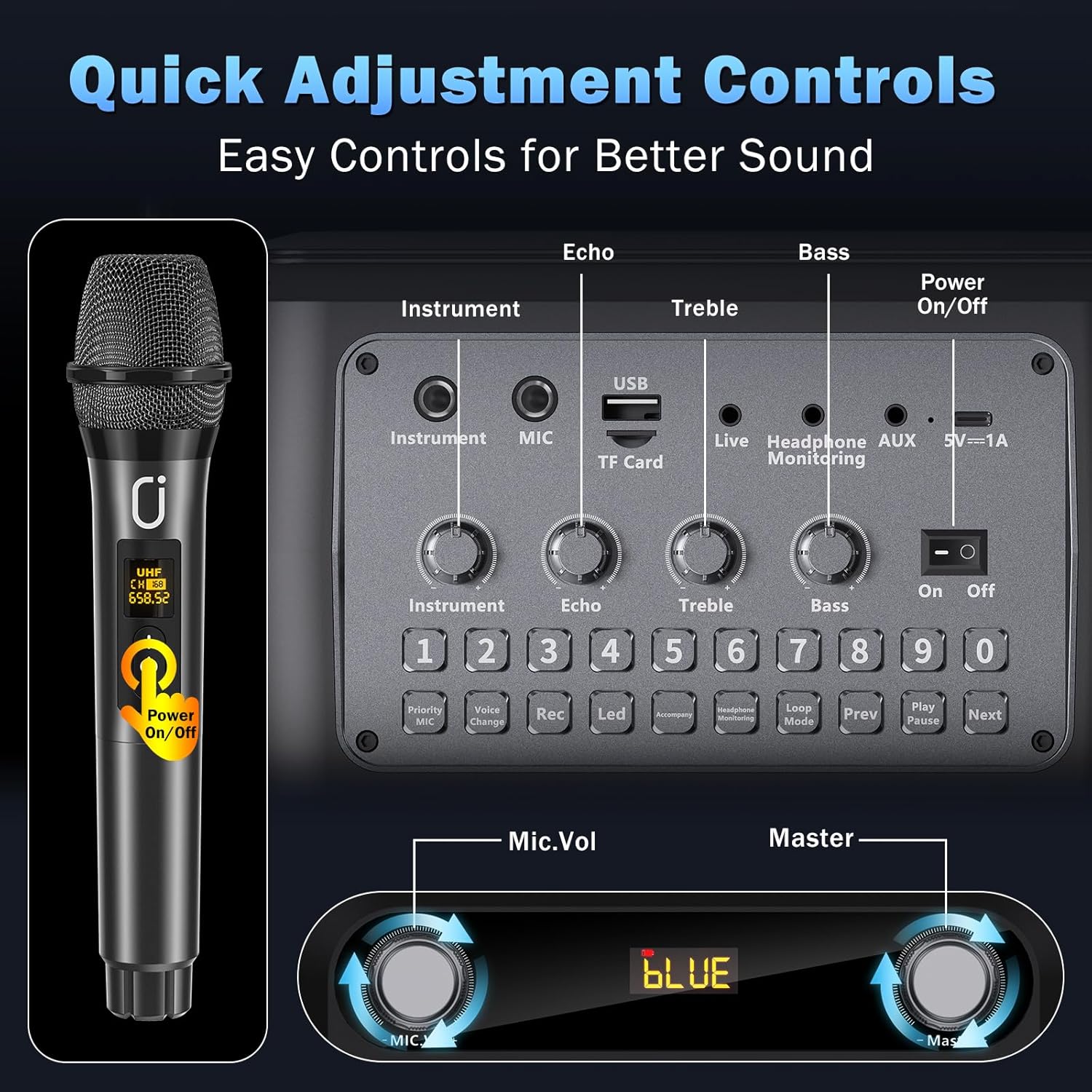
Figure 4: Control panel layout.
- Mic/Instrument Input: Connect a wired microphone or instrument.
- MIC Vol: Adjust the volume of the microphones.
- Echo: Adjust the echo effect for the microphones.
- Bass: Adjust the bass level of the audio output.
- Treble: Adjust the treble level of the audio output.
- Master: Adjust the overall master volume.
- Mode/Loop: Cycle through input modes (Bluetooth, USB, TF Card, AUX) or activate loop playback.
- Rec/Playback: Record your performance or play back recordings.
- Priority Mic/Accompany: Prioritize microphone audio over music or activate accompaniment mode.
- LED: Change the 7-color LED light modes.
- Prev/Play/Pause/Next: Standard media playback controls.
2. Microphone Usage
Turn on the wireless microphones. They will automatically connect to the karaoke machine. Use the 'MIC Vol' knob to adjust microphone volume and the 'Echo' knob to add reverb effects.
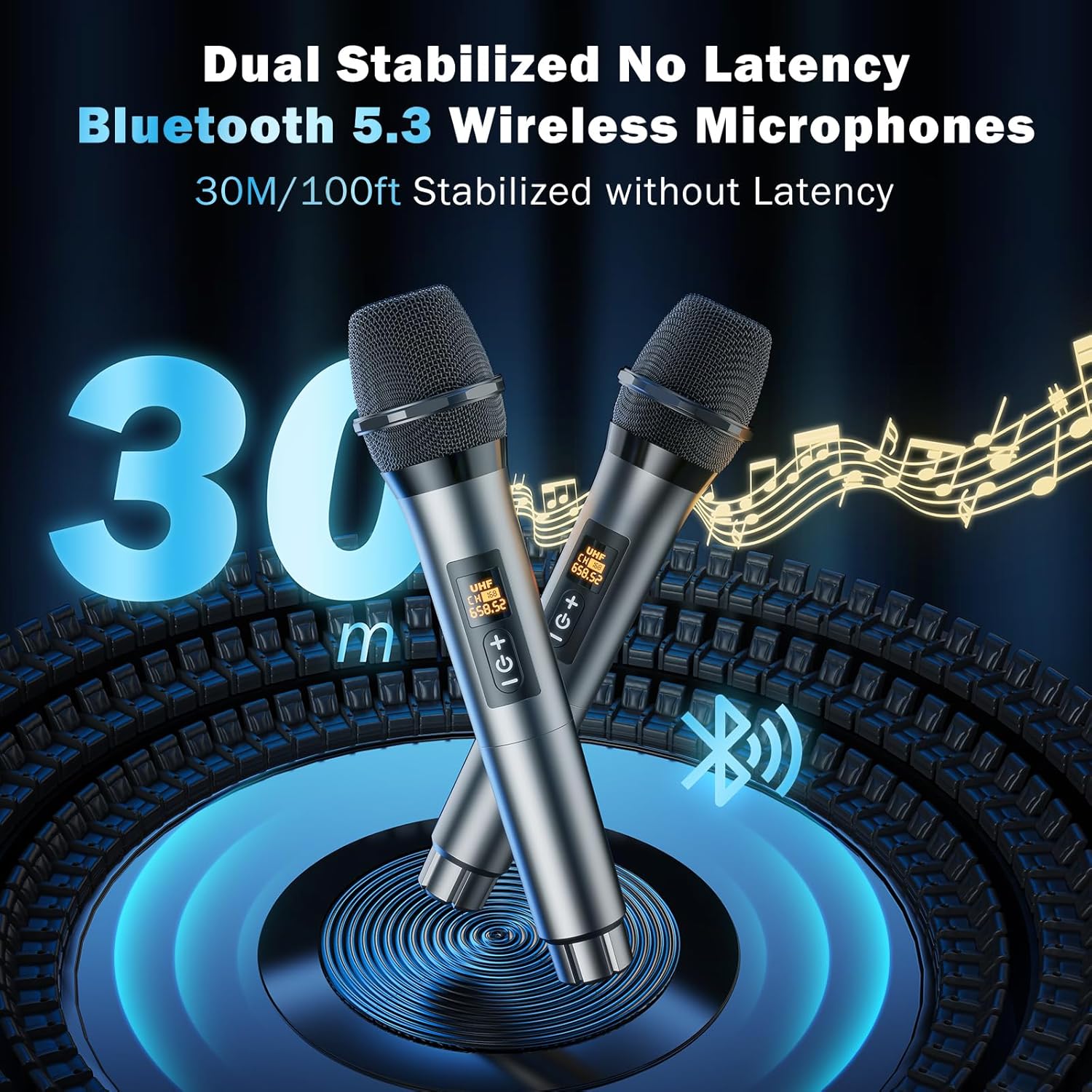
Figure 5: Wireless microphones.
3. LED Light Modes
Press the 'LED' button on the control panel to cycle through 9 dynamic 7-color LED ambient lighting modes. The lights sync with the music's rhythm.
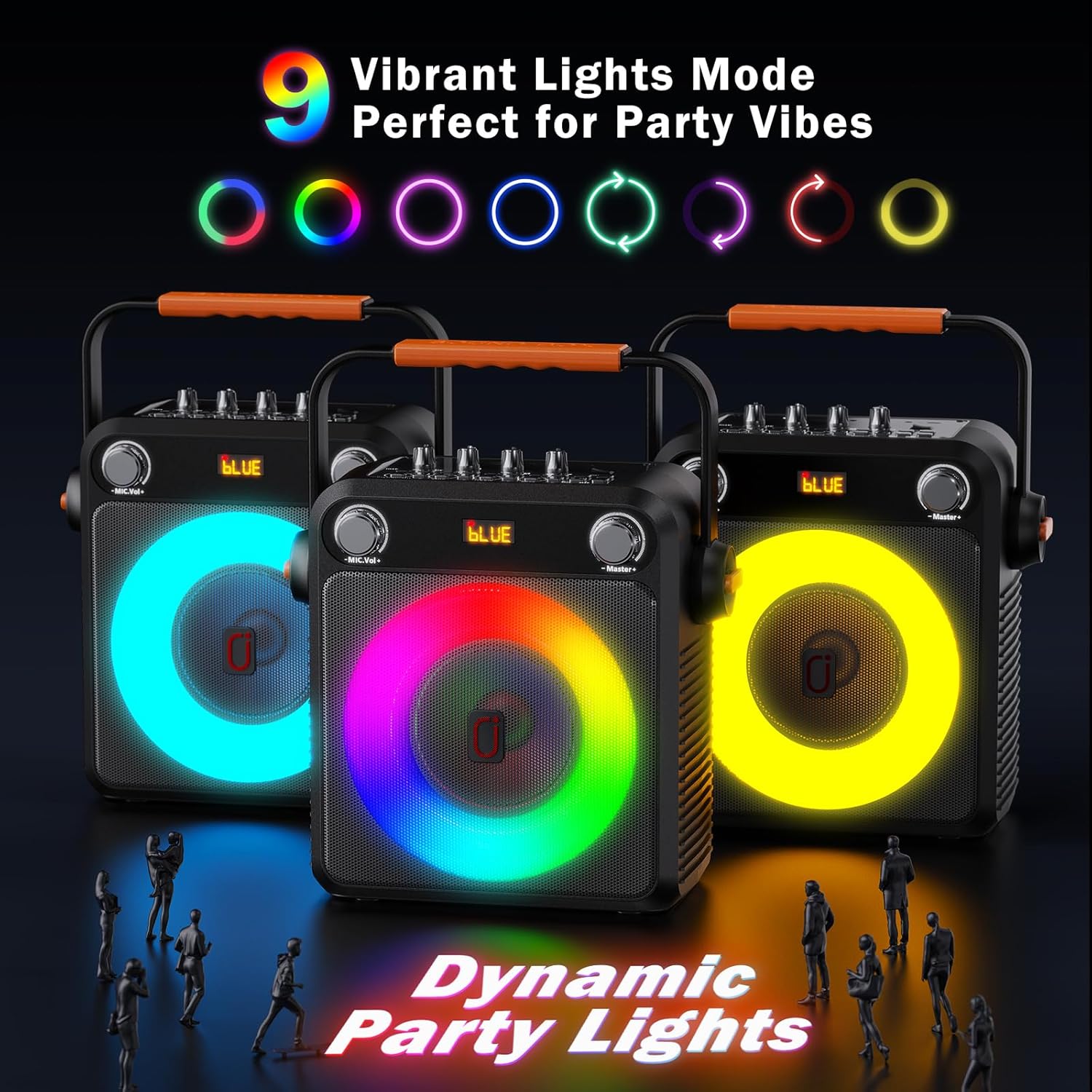
Figure 6: Dynamic LED light modes.
4. True Wireless Stereo (TWS) Pairing
For a true stereo surround sound experience, you can pair two JAUYXIAN T23-T karaoke machines using the TWS function. Refer to the detailed instructions in the included User Manual for TWS pairing steps.
Maintenance
1. Battery Care
To prolong battery life, fully charge the karaoke machine before long periods of storage. Avoid completely draining the battery frequently. Store in a cool, dry place.
2. Cleaning
Wipe the exterior of the machine with a soft, dry cloth. Do not use liquid cleaners or abrasive materials. Keep the speaker grilles free of dust and debris.
3. Storage
When not in use, store the karaoke machine and its accessories in a safe, dry environment away from direct sunlight and extreme temperatures.
Troubleshooting
- No Sound/Low Volume: Check master volume, microphone volume, and ensure Bluetooth is connected or media is properly inserted.
- Microphone Feedback: Reduce microphone volume, adjust echo, or increase distance between microphone and speaker.
- Bluetooth Connection Issues: Ensure the machine is in Bluetooth mode ('BLUE' on display) and your device's Bluetooth is enabled. Forget previous pairings on your device and try reconnecting.
- LED Lights Not Working: Press the 'LED' button to cycle through modes. Ensure the device is powered on.
Specifications
| Feature | Detail |
|---|---|
| Brand | JAUYXIAN |
| Model Number | JAUYXIAN T23-T |
| Item Weight | 7.15 pounds |
| Product Dimensions | 7.5 x 11.8 x 15 inches |
| Speaker Count | 1 (with 6.8-inch bass driver) |
| Power Output | 20W |
| Connectivity | Bluetooth 5.3, Micro TF Card, USB, AUX Input |
| Battery Type | Lithium Ion (rechargeable) |
| Battery Life | Up to 12 hours |
| Special Features | Echo Effect, 7-Color LED Lights (9 modes), TWS Pairing |
| Compatible Devices | Smartphone, Tablet, Computer, Gaming Console, Guitar, Television |
Official Product Video
Video: JAUYXIAN T23-T Karaoke Machine with 2 Wireless Microphones. This video provides a visual overview of the product's features and functionality.
Warranty and Support
The JAUYXIAN T23-T Karaoke Machine comes with a 12-month warranty. For customer support or warranty claims, please refer to the contact information provided in the included User Manual or visit the official JAUYXIAN store on Amazon: JAUYXIAN Store.
