
LIGE ASD-ST7-C
LIGE Smartwatch User Manual
Model: ASD-ST7-C
Product Overview
The LIGE Smartwatch is a versatile device designed to enhance your daily life with its advanced features. It combines the functionality of a fitness tracker, a communication device, and a personal health assistant. This manual provides detailed instructions on how to set up, operate, and maintain your smartwatch.

Image: LIGE Smartwatch, showcasing its main display and design with a black leather strap. The display shows current time, battery level, heart rate, and step count. Insets show alternative watch faces and a silicone strap.
What's in the Box
- LIGE Smartwatch
- Charging Cable
- User Manual
- Leather Strap
- Silicone Strap
Setup Guide
1. Charging the Smartwatch
Before first use, fully charge your smartwatch. Connect the magnetic charging cable to the charging points on the back of the watch and plug the USB end into a power adapter (not included) or a computer USB port. A full charge takes approximately 2.5 hours.
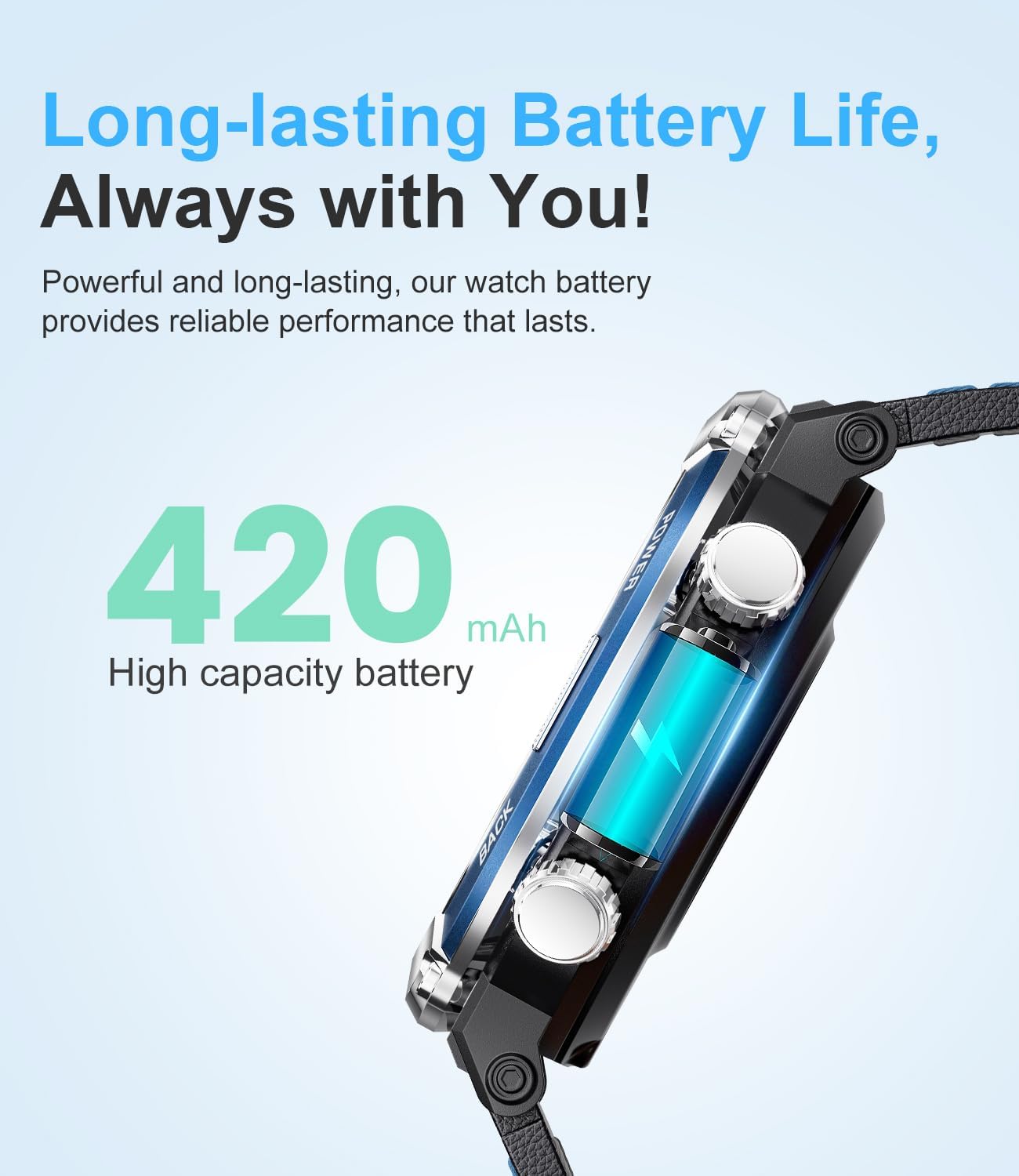
Image: A close-up view of the smartwatch's side, highlighting its 420mAh high-capacity battery and long-lasting performance.
2. App Installation and Pairing
To unlock the full potential of your LIGE Smartwatch, download the "FitCloudPro" app on your smartphone. The app is compatible with Android 4.4+ and iOS 8.0+ devices.
- Scan the QR code in the manual or search for "FitCloudPro" in your phone's app store (Google Play Store for Android, Apple App Store for iOS).
- Install and open the app.
- Ensure Bluetooth is enabled on your smartphone.
- In the "FitCloudPro" app, navigate to the device section and search for your smartwatch.
- Select your smartwatch from the list to pair. Follow any on-screen prompts to complete the connection.
- Allow necessary permissions for the app to function correctly (e.g., notifications, location, contacts).
Operating Instructions
Basic Navigation
- Touchscreen: Swipe left/right, up/down to navigate through menus and functions. Tap to select.
- Side Buttons: Typically, one button acts as a power/home button, while others may provide quick access to specific functions like sport modes or the compass. Refer to the watch's interface for specific button assignments.
Bluetooth Calling and Voice Assistant
The smartwatch features a built-in microphone and Hi-Fi speaker, allowing for direct call management.
- Making/Receiving Calls: Once paired, you can dial numbers, answer, reject, or view call logs directly from your watch. You can also sync contacts from your phone.
- Voice Assistant: Activate your phone's voice assistant (e.g., Siri, Google Assistant) through the watch for hands-free commands.

Image: The smartwatch showing an incoming call, demonstrating its Bluetooth calling capability. A smartphone screen is also visible, mirroring the call interface.
Notifications
Receive real-time alerts for calls, messages, and app notifications directly on your wrist.
- Ensure notification permissions are granted in the "FitCloudPro" app for desired applications (e.g., SMS, Facebook, WhatsApp, Twitter, Instagram).
- Notifications will appear on the watch screen. Swipe to dismiss or read.

Image: The smartwatch displaying message alerts from popular social media platforms like Instagram, Twitter, Facebook, and WhatsApp, indicating its notification capabilities.
Compass Function
The built-in compass helps you find your direction, especially useful for outdoor activities like hiking or exploring.
- Access the compass function from the watch's main menu.
- Hold the watch level and rotate your wrist slowly to calibrate if needed.

Image: The smartwatch showing its compass function, guiding the user in the correct direction during outdoor activities.
Other Functions
- Weather: View current weather conditions.
- Flashlight: Use the screen as a basic flashlight.
- Games: Access pre-installed games.
- SOS: Emergency contact feature (configure in app).
- Calculator: Basic arithmetic functions.
- Passcode Lock: Set a passcode for privacy.
- Music Control: Control music playback on your phone.
- Remote Camera: Use the watch as a remote shutter for your phone's camera.
- Find Phone: Locate your paired smartphone by making it ring.
- Do Not Disturb Mode: Silence notifications.
- Brightness Adjustment: Adjust screen brightness.
- Timer & Stopwatch: Standard timing functions.
- Themes: Choose from various UI themes (List, Rotate, Grid).
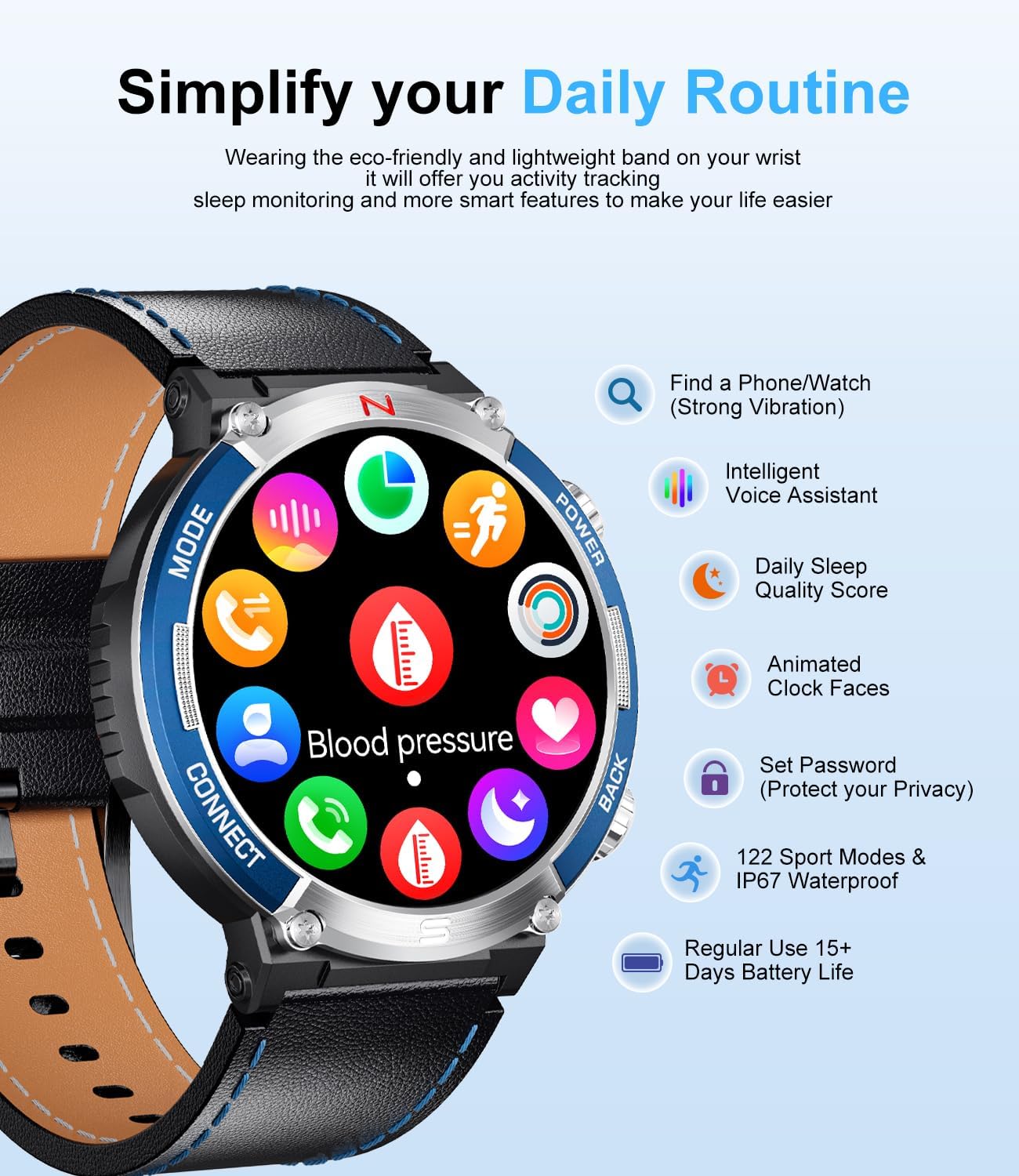
Image: The smartwatch displaying a grid of icons representing its various features, including phone finder, intelligent voice assistant, daily sleep quality score, animated clock faces, password setting, 122 sport modes, IP67 waterproof rating, and long battery life.
Health Monitoring
The LIGE Smartwatch is equipped with advanced high-performance sensors to monitor your health metrics.
- Heart Rate Monitoring: Continuous 24/7 heart rate tracking.
- Blood Oxygen (SpO2) Monitoring: Measure your blood oxygen saturation levels.
- Blood Pressure Monitoring: Track your blood pressure (for reference only, not medical device).
- Sleep Monitoring: Analyze your sleep patterns, including deep sleep, light sleep, and awake times.
- Breathing Training: Guided breathing exercises for relaxation.

Image: The smartwatch displaying health data, including sleep monitoring charts, 24/7 heart rate graphs, and blood oxygen levels, indicating its comprehensive health tracking capabilities.
Sport Modes and Activity Tracking
With 122 indoor and outdoor sport modes, the smartwatch helps you track your fitness progress.
- Activity Data: Records daily activity data such as steps, calories burned, distance covered, and activity time.
- GPS via Smartphone: Connects with your mobile phone's GPS for accurate outdoor activity tracking.
- Sport Modes: Select your desired sport mode before starting an activity for tailored tracking.

Image: A man running outdoors, with the smartwatch displaying workout metrics such as distance, heart rate, calories burned, and steps taken, illustrating its sport tracking features.
Customization
- Watch Faces: The "FitCloudPro" app offers over 200 watch faces. You can also customize your UI by uploading a photo from your phone's gallery.
- Interchangeable Straps: The watch comes with two straps – a leather band for a classic look and a black silicone band for a sporty style. Easily switch them to match your preference.
Maintenance and Care
- Water Resistance: The smartwatch is IP67 waterproof. This means it is resistant to splashes, rain, and brief immersion in shallow water. It is not suitable for hot showers, saunas, diving, or prolonged swimming. Avoid contact with hot water or steam.
- Cleaning: Wipe the watch and straps regularly with a soft, dry cloth. If necessary, use a slightly damp cloth and dry thoroughly. Avoid harsh chemicals or abrasive materials.
- Storage: Store the watch in a cool, dry place when not in use.
Troubleshooting
If you encounter issues with your LIGE Smartwatch, please refer to the following common solutions:
| Problem | Possible Solution |
|---|---|
| Watch does not turn on | Ensure the watch is fully charged. Connect it to the charger for at least 30 minutes. |
| Cannot pair with phone |
|
| Notifications not received |
|
| Inaccurate health data | Ensure the watch is worn snugly on your wrist, not too tight or too loose. Clean the sensor on the back of the watch. Avoid excessive movement during measurements. |
| Short battery life | Reduce screen brightness, turn off continuous heart rate monitoring if not needed, limit excessive notifications, and close unused apps on the watch. |
If the problem persists, please contact customer support.
Specifications
| Feature | Detail |
|---|---|
| Model Number | ASD-ST7-C |
| Display | 1.52" IPS Touchscreen, 360*360 HD Resolution |
| Battery Capacity | 420 mAh Lithium-Polymer |
| Battery Life | Approx. 5 days (usage), 10-15 days (standby) |
| Charging Time | Approx. 2.5 hours |
| Connectivity | Bluetooth |
| Water Resistance | IP67 |
| Sport Modes | 122 |
| Compatibility | Android 4.4+ / iOS 8.0+ |
| Dimensions | 10 x 4.5 x 1.3 cm |
| Weight | 160 Grams |
Warranty and Support
Your LIGE Smartwatch comes with a 24-month warranty from the date of purchase. This warranty covers manufacturing defects and issues arising from normal use.
For any product-related inquiries, technical support, or warranty claims, please contact LIGE customer service. Refer to the contact information provided with your purchase or visit the official LIGE website for support details.
We are committed to providing satisfactory solutions within 24 hours for any issues you may encounter.
Related documentsASD-ST7-C


Ask a question about this manual
Ask about setup, troubleshooting, compatibility, parts, safety, or missing instructions. Manuals+ will review the question and use this page’s manual context to help answer it.