
Introduction
Welcome to the user manual for your PAIDASHU 27000mAh 22.5W Power Bank. This portable charger is designed to provide reliable and fast power for your electronic devices. Please read this manual carefully to ensure proper use and maintenance of your power bank.

Image Description: A top-down view of the PAIDASHU 27000mAh 22.5W Power Bank, showcasing its sleek black design with a brushed texture and an illuminated LCD display showing "100%". The power bank features multiple charging ports at one end.
Product Overview
The PAIDASHU 27000mAh 22.5W Power Bank is a high-capacity portable charger equipped with advanced fast-charging technologies. It features multiple output ports for versatile device compatibility and an intelligent LCD display for real-time battery status.
Key Features
- High Capacity: 27,000mAh battery for extended power.
- Fast Charging: 22.5W output with PD3.0 and QC4.0 support.
- USB-C Power Delivery: 20W PD input/output for rapid charging of compatible devices and the power bank itself.
- Multiple Ports: Two USB-A output ports, one USB-C input/output port, and one Micro USB input port.
- Smart LCD Display: Digital screen shows precise battery percentage.
- Universal Compatibility: Charges smartphones, tablets, and other USB-powered devices.
- Safety Protections: Built-in safeguards against overcharge, over-discharge, overcurrent, and short circuit.
Package Contents
- PAIDASHU 27000mAh 22.5W Power Bank
- USB Charging Cable (Type-C)
- User Manual
Setup
Initial Charging of the Power Bank
Before first use, fully charge your power bank.
- Connect the provided USB-C cable to the USB-C port on the power bank.
- Connect the other end of the cable to a compatible USB wall adapter (not included). For optimal charging speed, use a 20W PD or higher adapter.
- The LCD display will show the charging progress, indicating the battery percentage.
- Once the display shows "100%", the power bank is fully charged and ready for use.

Image Description: A visual representation of the power bank's smart LED display showing "100%" battery level, alongside its dimensions: approximately 5.5 inches in length and 2.7 inches in width.
Operating Instructions
Charging Your Devices
The power bank offers multiple output ports to charge various devices.
- Using USB-A Ports: Connect your device's USB charging cable to one of the USB-A output ports (USB-A1 or USB-A2) on the power bank.
- Using USB-C Port: For devices compatible with USB Power Delivery (PD), connect your USB-C to USB-C cable to the power bank's USB-C port. This port supports both input and output.
The power bank will automatically detect the connected device and begin charging. The LCD display will show the remaining battery percentage.

Image Description: An illustration demonstrating the USB-C port functioning as both input and output. Below, two scenarios are depicted: one showing successful simultaneous charging of two devices via USB-A ports, and another showing a single USB-C input port failing to charge two devices, highlighting the advantage of multiple output ports.
Fast Charging
This power bank supports 22.5W fast charging via its USB-A output ports and 20W Power Delivery (PD) via its USB-C port.
- To utilize fast charging, ensure your device and charging cable are compatible with PD3.0 or QC4.0 standards.
- Fast charging can significantly reduce the time required to charge your devices. For example, it can charge a compatible device up to 65% in approximately 30 minutes.
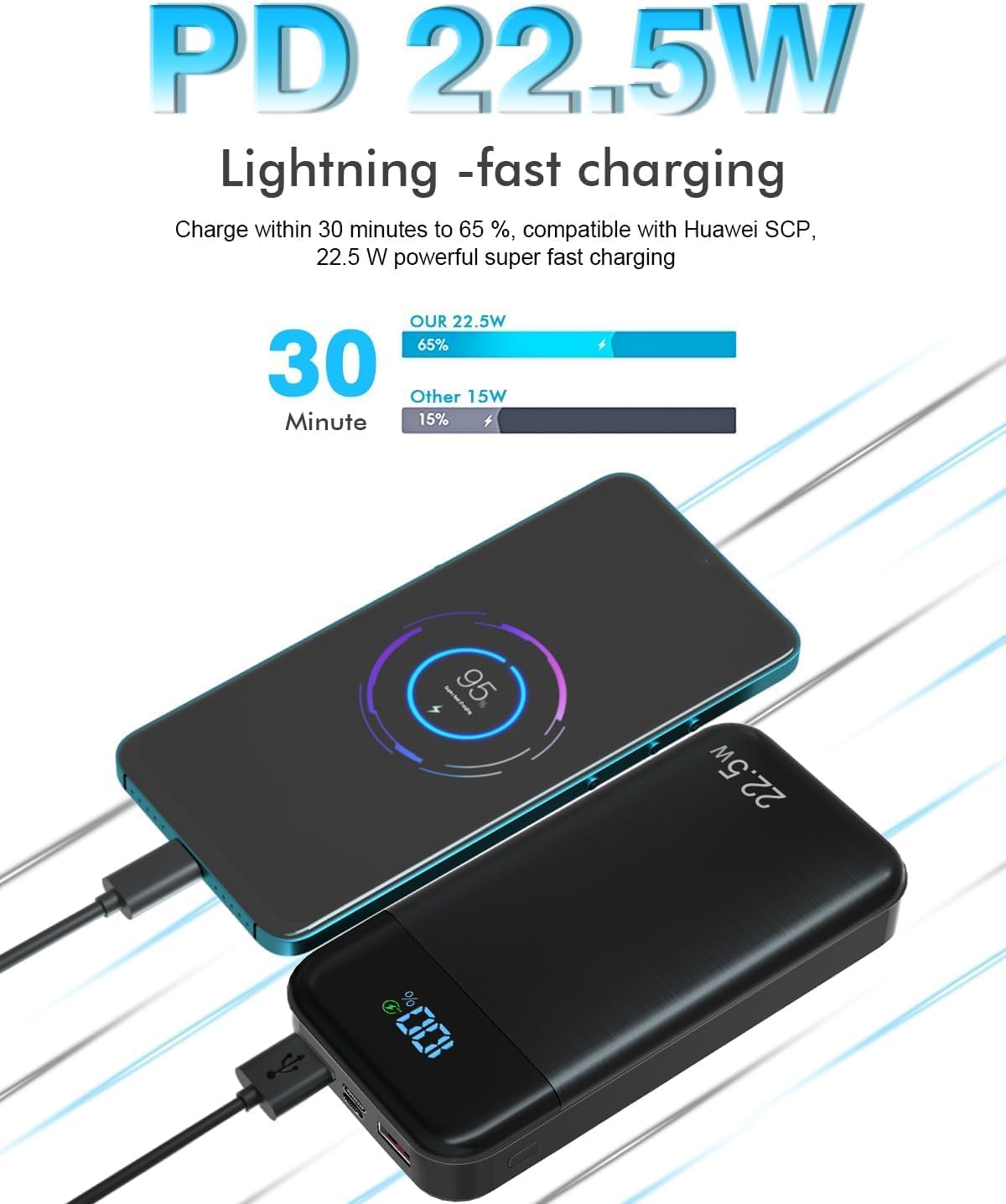
Image Description: A graphic illustrating the speed of 22.5W fast charging, showing a device reaching 65% charge in 30 minutes compared to a slower 15W charger reaching only 15% in the same timeframe.
Universal Compatibility
The power bank is designed to be compatible with a wide range of electronic devices.

Image Description: An infographic displaying icons for various compatible devices including smartphones, iPads, laptops, sporting facilities, cameras, UAVs, earphones, and other USB-C equipment. Below, a close-up of the power bank's ports is shown, detailing the 18W Micro input, 18W Type C output, PD20W Type C input, 22.5W USB-A1 output, and 22.5W USB-A2 output.
Maintenance
- Storage: Store the power bank in a cool, dry place away from direct sunlight and extreme temperatures.
- Cleaning: Use a soft, dry cloth to clean the surface of the power bank. Do not use liquid cleaners or abrasive materials.
- Battery Care: To prolong battery life, fully charge the power bank at least once every three months, even if not in use. Avoid completely draining the battery frequently.
- Water Resistance: The product specifications mention "Étanche" (waterproof). While it may offer some resistance, avoid submerging the device in water or exposing it to heavy rain to prevent damage.
Troubleshooting
Power Bank Not Charging
- Ensure the charging cable is securely connected to both the power bank and the wall adapter.
- Verify that the wall adapter is functioning correctly and providing sufficient power (e.g., 5V/2A or a PD compatible adapter).
- Try a different charging cable or wall adapter.
Device Not Charging from Power Bank
- Check if the power bank has sufficient charge (refer to the LCD display).
- Ensure your device's charging cable is securely connected to both the power bank and your device.
- Try a different output port on the power bank.
- Try a different charging cable for your device.
Slow Charging
- Ensure both your device and the cable support fast charging protocols (PD, QC).
- Some devices may limit charging speed if they are too hot or too cold.
- If multiple devices are connected, the total output power may be distributed, potentially reducing individual charging speeds.
Specifications
| Feature | Specification |
|---|---|
| Brand | PAIDASHU |
| Model | 27000mAh 22.5W Power Bank |
| Battery Capacity | 27,000 mAh |
| Output Power | 22.5W (Max) |
| USB-C PD Input/Output | 20W |
| USB-A Output | 2 x 22.5W |
| Micro USB Input | 18W |
| Battery Type | Lithium-Polymer |
| Voltage | 3.7 Volts |
| Special Features | Lightweight Design, LCD Display, Fast Charging (PD3.0, QC4.0), Waterproof (as per product specs) |
| Weight | 400 Grams |
| Recommended Uses | Smartphone, Tablet, USB-C Laptops |
Safety Information
- Do not disassemble, modify, or repair the power bank yourself.
- Do not expose the power bank to fire, high temperatures, or direct sunlight.
- Avoid dropping, impacting, or subjecting the power bank to strong vibrations.
- Keep out of reach of children.
- Dispose of the power bank according to local regulations for electronic waste.