
VRURC T3016
VRURC 30000mah Powerbank User Manual
Model: T3016
Brand: VRURC
1. Introduction
Thank you for choosing the VRURC 30000mah Powerbank. This high-capacity portable charger is designed to keep your devices powered on the go, offering fast and efficient charging for a wide range of electronics. Please read this manual carefully to ensure proper use and maintenance of your power bank.
2. Package Contents
- 1 x VRURC 30000mah Power Bank
- 1 x USB-C Cable
- 1 x User Manual
3. Product Overview & Features
The VRURC 30000mah Powerbank is engineered for convenience and performance. Its robust design and advanced charging capabilities make it an essential accessory for travel, outdoor activities, and daily use.
Key Features:
- Ultra-High Capacity: The 30000mAh power bank can charge an iPhone 14 up to 6 times and a Samsung Galaxy S22 up to 5.2 times, making it ideal for extended use during gaming, camping, hiking, and other outdoor activities.
- Multiple Ports: Features 4 output ports (USB 1/2 15W, USB 3 QC 3.0 22.5W, USB C QC/PD 3.0 20W) and 3 input ports (Micro-USB, USB-C, iPhone-compatible) allowing simultaneous charging of up to 4 devices and flexible recharging options for the power bank itself.
- Fast Charging: Equipped with a 22.5W high-speed USB output, this power bank can charge your phone up to 60% in just 30 minutes.
- Wide Compatibility: Compatible with a broad range of devices, including smartphones, AirPods, smartwatches, and other low-power devices.
- Safety Features: Built-in protection against overcharge, over-discharge, and short-circuiting, ensuring safe and reliable operation.


4. Setup
Initial Charging of the Power Bank:
Before first use, it is recommended to fully charge your VRURC Powerbank. This ensures optimal performance and battery longevity.
- Connect the provided USB-C cable to the USB-C input port on the power bank.
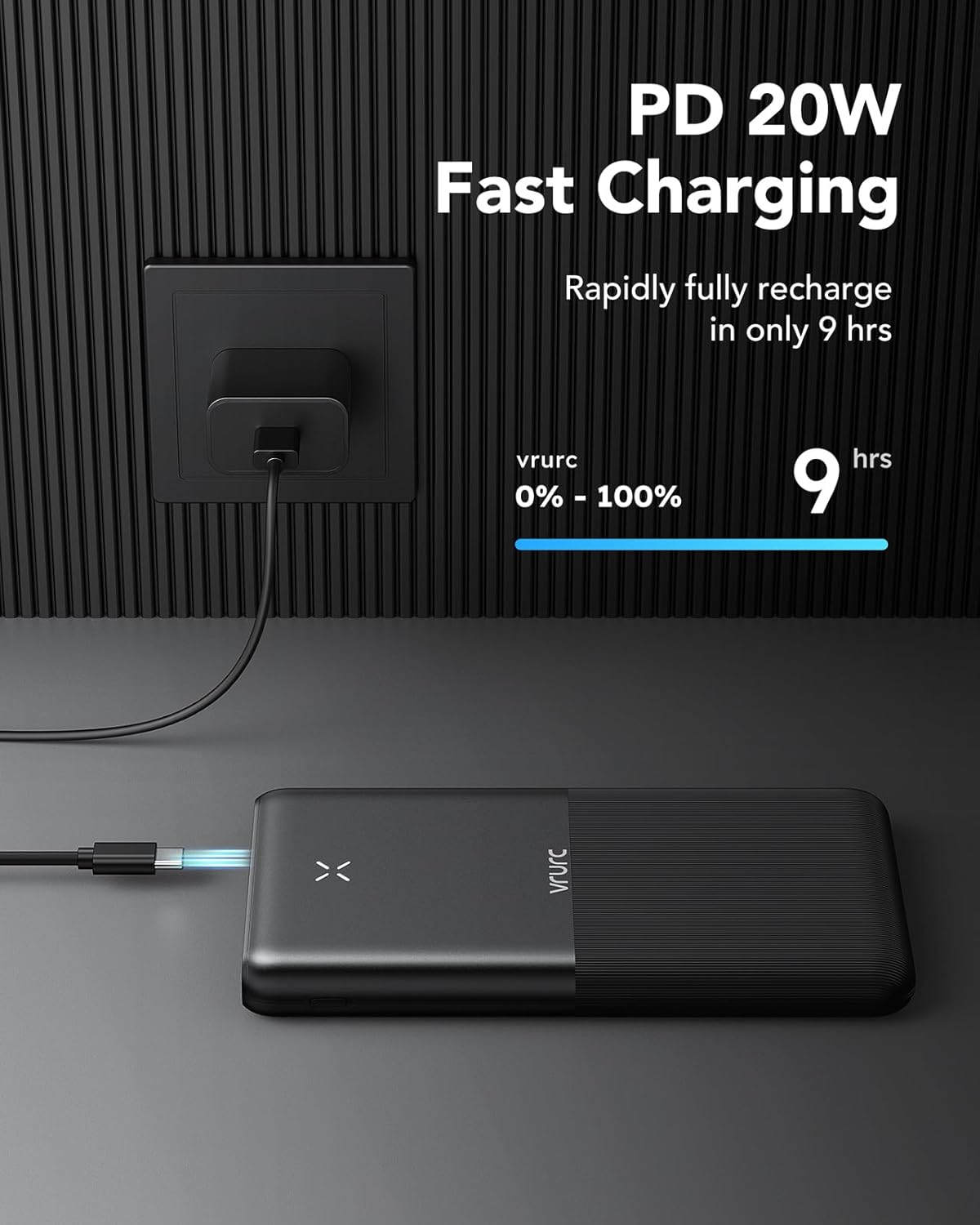
- Connect the other end of the USB-C cable to a compatible USB wall charger (not included). For fastest charging, use a PD (Power Delivery) compatible charger.
- The power indicator lights on the power bank will illuminate to show charging progress.
- Charging from 0% to 100% typically takes approximately 9 hours with a suitable charger.
5. Operating Instructions
Charging Your Devices:
The VRURC Powerbank can charge up to four devices simultaneously.
- Identify the correct charging cable for your device.
- Connect one end of the charging cable to your device.
- Connect the other end of the charging cable to one of the available output ports on the power bank (USB 1, USB 2, USB 3, or USB-C).
- The power bank will automatically begin charging your device.

Power Indicator:
The power bank features an intuitive indicator to show the remaining battery level.

- Four lights: 75%-100% charged
- Three lights: 50%-75% charged
- Two lights: 25%-50% charged
- One light: Below 25% charged (recharge soon)
6. Maintenance
To ensure the longevity and optimal performance of your VRURC Powerbank, follow these maintenance guidelines:
- Store the power bank in a cool, dry place away from direct sunlight and extreme temperatures.
- Avoid dropping or subjecting the power bank to strong impacts.
- Do not expose the power bank to water or other liquids.
- Clean the surface with a soft, dry cloth. Do not use harsh chemicals or abrasive materials.
- If not used for extended periods, charge the power bank at least once every three months to maintain battery health.
7. Troubleshooting
If you encounter issues with your power bank, please refer to the following common problems and solutions:
| Problem | Possible Cause | Solution |
|---|---|---|
| Power bank not charging | Charging cable is faulty or not properly connected. Wall adapter is not working or insufficient power. | Check cable connections. Try a different USB-C cable and/or wall adapter. Ensure the adapter meets power requirements. |
| Device not charging from power bank | Power bank battery is depleted. Device charging cable is faulty or not properly connected. Device is incompatible. | Recharge the power bank. Try a different charging cable for your device. Ensure your device is compatible with USB charging. |
| Slow charging | Using a non-fast charging port or cable. Device's charging input limit. | Ensure you are using the 22.5W USB 3 or 20W USB-C port for fast charging. Use a high-quality, fast-charging compatible cable. |
8. Specifications
Detailed technical specifications for the VRURC 30000mah Powerbank:
| Specification | Value |
|---|---|
| Brand | VRURC |
| Model Name | T3016 |
| Item Model Number | T3016 |
| Battery Capacity | 30000mAh |
| Battery Cell Composition | Lithium-polymer |
| Voltage | 3.2 Volts |
| Product Dimensions | 16.5 x 4.5 x 2 cm |
| Item Weight | 476 g |
| Color | Black |
| Connector Type | USB Type C |
| Special Features | Large capacity |
| Manufacturer | Dong guan Utopia-Originality Technology Co., Ltd |
| Country of Origin | China |
| First Available Date | September 5, 2023 |
9. Warranty and Support
VRURC is committed to providing high-quality products and excellent customer service.
- 12-Months Care Plan: Your VRURC Powerbank is covered by a 12-month care plan from the date of purchase.
- 30-Days Exchange Service: We offer a 30-day exchange service for any manufacturing defects.
- 24 Hours Friendly Customer Service: For any inquiries or support needs, please contact our customer service team.
Please retain your proof of purchase for warranty claims.
Related documentsT3016


Ask a question about this manual
Ask about setup, troubleshooting, compatibility, parts, safety, or missing instructions. Manuals+ will review the question and use this page’s manual context to help answer it.